What are the most effective strategies for optimizing Azure Storage costs?
The most effective strategies include auditing data types and access patterns, using Azure's data lifecycle management to automate tier transitions, terminating unattached disks and snapshots, leveraging reserved capacity, and right-sizing storage resources. Regularly reviewing and cleaning up unused resources, monitoring data transfer, and using Azure Cost Management tools are also essential for keeping costs under control.
How can I use Azure's data lifecycle management to reduce storage costs?
Azure's data lifecycle management allows you to set up policies that automatically move data between storage tiers (Hot, Cool, Archive) based on usage patterns. For example, you can configure policies to move data from Hot to Cool after 30 days of inactivity and from Cool to Archive after 180 days, ensuring you only pay for the performance you need.
What are the key factors that affect Azure Storage costs?
Key factors include storage capacity, access tiers (Hot, Cool, Archive), redundancy options (LRS, ZRS, GRS, RA-GRS), data transfer (especially egress), operations and transactions, performance tier (Premium vs. Standard), and reserved capacity commitments. Monitoring and managing these factors helps keep costs predictable and optimized.
How does right-sizing storage resources help control Azure costs?
Right-sizing ensures that storage capacity and performance match actual workload demands. By regularly reviewing usage and scaling resources based on real needs, you avoid over-provisioning and only pay for what you use, which directly reduces unnecessary expenses.
What is the benefit of using Azure Reserved Capacity for storage?
Azure Reserved Capacity allows you to prepay for storage over one or three years, offering up to 38% savings compared to pay-as-you-go pricing. It's ideal for predictable workloads and helps organizations lock in lower rates for steady-state storage needs.
How do Azure Storage access tiers impact cost optimization?
Azure Storage access tiers (Hot, Cool, Archive) are priced according to data access frequency. Placing frequently accessed data in the Hot tier and rarely accessed data in Cool or Archive tiers helps minimize costs while maintaining performance where needed.
What are the starting prices for different Azure Storage types?
As of the latest available data, starting prices are: Azure Blob Storage (Hot tier) at $0.015/GB/month, Azure Files (Standard) at $0.0228/GB/month, Azure Table Storage at $0.045/GB/month, Azure Queue Storage at $0.045/GB/month, and Azure Managed Disks (Premium SSD) at $0.30/GB/month. Prices vary by region and redundancy options.
How can I minimize data transfer costs in Azure Storage?
To minimize data transfer (egress) costs, keep applications and data in the same region, use Azure CDN to cache content globally, and monitor data movement patterns with Azure Monitor. This reduces outbound data transfers and associated charges.
What is the role of Azure Monitor in optimizing storage performance and costs?
Azure Monitor tracks metrics such as disk I/O and latency, helping you identify underutilized resources. With alerts and performance-based scaling, you can proactively adjust storage usage and avoid paying for unnecessary resources.
How does Azure Security Center help manage storage costs?
Azure Security Center identifies misconfigurations and security risks that could lead to unexpected costs. Features like encryption and identity-based access control help prevent unauthorized access, data loss, and costly security incidents.
What are best practices for archiving large datasets in Azure at a lower cost?
Use Azure Archive Storage for long-term, rarely accessed data. Set up lifecycle management to automatically move data to lower-cost tiers and regularly review archived data to remove anything no longer needed.
How can I optimize Azure Storage for machine learning workloads?
Azure Blob Storage is ideal for storing large datasets used in machine learning. Use Hot tiers for frequently accessed data and Cool tiers for less active data to balance performance and cost.
What is the difference between Premium and Standard Azure Storage?
Premium Storage uses SSDs for high-performance, latency-sensitive workloads, while Standard Storage is more cost-effective and suitable for general-purpose use cases. Choose the tier that matches your workload requirements to optimize costs.
How does Sedai help with Azure Storage cost optimization?
Sedai automates Azure Storage cost optimization by continuously monitoring usage, dynamically rightsizing resources, and applying configuration changes in real time. This delivers up to 50% in storage cost savings and up to 6x productivity improvements for engineering teams by reducing manual effort.
What is Sedai's approach to dynamic rightsizing in Azure Storage?
Sedai uses machine learning to analyze actual storage usage and dynamically adjusts resource allocations. This ensures you only pay for what you need, preventing over-provisioning and reducing unnecessary costs.
How does Sedai's predictive scaling work for Azure Storage?
Sedai analyzes historical usage data to predict future storage demand and proactively adjusts infrastructure ahead of usage spikes or drops. This keeps resources aligned with real demand and helps maintain predictable storage costs.
What operational benefits does Sedai provide for Azure Storage management?
Sedai automates repetitive tasks such as resizing VMs, managing storage tiers, and cleaning up unused resources. This reduces operational overhead and allows engineering teams to focus on higher-impact work, resulting in up to 6x productivity improvements.
How does Sedai's full-stack optimization improve Azure Storage cost efficiency?
Sedai evaluates and optimizes the entire Azure environment, including compute and networking, not just storage. This holistic approach ensures all components work together efficiently, maximizing cost savings while maintaining performance and reliability.
Features & Capabilities
What is Sedai's autonomous cloud management platform?
Sedai's autonomous cloud management platform uses machine learning to optimize cloud resources for cost, performance, and availability without manual intervention. It covers compute, storage, and data across AWS, Azure, GCP, and Kubernetes environments, reducing cloud costs by up to 50% and latency by up to 75%.
What are the modes of operation in Sedai?
Sedai offers three modes: Datapilot (observability), Copilot (one-click optimizations), and Autopilot (fully autonomous execution). These modes provide flexibility for different operational needs and levels of automation.
Does Sedai support integration with Azure and other cloud platforms?
Yes, Sedai supports integration with Azure, AWS, GCP, and Kubernetes. It also integrates with monitoring tools (Cloudwatch, Prometheus, Datadog, Azure Monitor), IaC and CI/CD tools (GitLab, GitHub, Bitbucket, Terraform), ITSM (ServiceNow, Jira), and notification tools (Slack, Microsoft Teams).
What security and compliance certifications does Sedai have?
Sedai is SOC 2 certified, demonstrating adherence to stringent security requirements and industry standards for data protection and compliance. For more details, visit the Sedai Security page.
How easy is it to implement Sedai for Azure Storage optimization?
Sedai offers a plug-and-play implementation that takes just 5 minutes for general use cases and up to 15 minutes for specific scenarios like AWS Lambda. The platform connects securely using IAM, requires no agents, and provides comprehensive onboarding support, documentation, and a 30-day free trial.
What technical documentation is available for Sedai?
Sedai provides detailed technical documentation covering features, setup, and usage. Access it at docs.sedai.io/get-started. Additional resources, including case studies and datasheets, are available at sedai.io/resources.
Use Cases & Business Impact
What business impact can I expect from using Sedai for Azure Storage optimization?
Customers can achieve up to 50% cost savings, 75% latency reduction, and 6x productivity gains. For example, Palo Alto Networks saved $3.5 million, KnowBe4 achieved 50% cost savings, and Belcorp reduced AWS Lambda latency by 77% using Sedai's autonomous optimization.
Who are Sedai's target users for Azure Storage optimization?
Sedai is designed for platform engineering, IT/cloud ops, technology leadership, SREs, and FinOps professionals in organizations with significant cloud operations across industries like cybersecurity, IT, financial services, healthcare, travel, and e-commerce.
What pain points does Sedai address for Azure Storage users?
Sedai addresses pain points such as cost inefficiencies from overprovisioning, operational toil from manual tasks, performance and latency issues, lack of proactive issue resolution, complexity in multi-cloud environments, and misaligned priorities between engineering and FinOps teams.
What industries have benefited from Sedai's Azure Storage optimization?
Industries include cybersecurity (Palo Alto Networks), IT (HP), financial services (Experian, CapitalOne), security awareness training (KnowBe4), travel (Expedia), healthcare (GSK), car rental (Avis), retail/e-commerce (Belcorp), SaaS (Freshworks), and digital commerce (Campspot).
Can you share specific customer success stories with Sedai?
Yes. KnowBe4 achieved 50% cost savings and saved $1.2 million on AWS bills. Palo Alto Networks saved $3.5 million and reduced Kubernetes costs by 46%. Belcorp reduced AWS Lambda latency by 77%. See more at sedai.io/resources.
Competition & Differentiation
How does Sedai differ from other Azure Storage optimization tools?
Sedai offers 100% autonomous optimization, proactive issue resolution, application-aware intelligence, and full-stack coverage. Unlike competitors that rely on static rules or manual adjustments, Sedai continuously optimizes based on real application behavior and provides unique features like release intelligence and rapid plug-and-play implementation.
What unique features does Sedai provide for Azure Storage optimization?
Unique features include autonomous optimization, proactive issue resolution, application-aware intelligence, release intelligence (tracking cost, latency, and errors per deployment), and a quick setup process (5–15 minutes) with agentless integration and enterprise-grade governance.
What advantages does Sedai offer to different user segments?
Platform engineers benefit from reduced toil and improved IaC consistency; IT/cloud ops teams see lower ticket volumes and safer automation; technology leaders gain measurable ROI and reduced cloud spend; FinOps teams get actionable savings and simplified multi-cloud management; SREs experience fewer SLO breaches and less pager fatigue.
Support & Implementation
What onboarding and support resources does Sedai provide?
Sedai provides personalized onboarding sessions, a dedicated Customer Success Manager for enterprise customers, detailed documentation, a community Slack channel, and email/phone support. A 30-day free trial is also available for risk-free evaluation.
How long does it take to implement Sedai for Azure Storage optimization?
Implementation typically takes 5 minutes for general use cases and up to 15 minutes for specific scenarios like AWS Lambda. For complex environments, Sedai recommends scheduling a demo to discuss your setup.
What feedback have customers given about Sedai's ease of use?
Customers highlight Sedai's quick plug-and-play setup, agentless integration, comprehensive onboarding support, and extensive resources. The 30-day free trial and dedicated support channels make adoption smooth and accessible.
16 Best Strategies for Azure Storage Cost Optimization
Benjamin Thomas
CTO
May 29, 2026
Featured
10 min read
Key Takeaways
How Azure Storage costs are structured: You're billed for storage capacity, access tier, redundancy option, data transfer, and per-operation transaction fees.
Which access tier to use: Hot suits frequently accessed data; Cool cuts costs by ~44% for infrequent data; Archive is best for long-term, rarely retrieved datasets.
How lifecycle management automates savings: Policies automatically shift data from Hot → Cool → Archive based on inactivity no manual reconfiguration required.
Why unattached disks inflate bills silently: Orphaned disks and snapshots keep accruing charges indefinitely regular audits and automated cleanup eliminate this waste.
How reserved capacity reduces long-term costs: Committing to 1- or 3-year storage reservations delivers up to 38% savings over pay-as-you-go pricing for predictable workloads.
Why redundancy choice matters for cost: LRS is cheapest for non-critical data; GRS and RA-GRS add cross-region protection but significantly increase per-GB spend.
Optimizing Azure Storage costs requires a clear understanding of storage options, from Blob Storage tiers to File and Disk Storage. The right choice of access tiers, such as Hot, Cool, or Archive, along with storage redundancy options, plays a critical role in managing expenses. Hidden costs like data transfer, transaction fees, and unnecessary capacity provisioning can drive up costs without proper monitoring. By regularly auditing data usage, applying lifecycle management policies, and leveraging reserved capacity, you can streamline your storage spend.
Watching your Azure Storage bill rise unexpectedly shows how quickly cloud costs can get out of control. As data volumes grow and workloads become more dynamic, inefficient storage practices such as overprovisioning or poor access tier management often lead to unnecessary spend.
Organizations that adopt structured cost optimization programs often see a25-30% reduction in monthly cloud spend, showing the potential savings. This is where Azure Storage cost optimization becomes critical.
By analyzing usage patterns and aligning data with the most cost-effective storage options, you can reduce expenses without impacting performance.
In this blog, you’ll explore practical strategies to help you optimize Azure Storage costs, right-size resources, and keep cloud spending predictable as your data grows.
What Is Azure Storage?
Azure Storage is a cloud-based data storage service from Microsoft that enables organizations to store data securely, reliably, and at scale.
It supports multiple data types, including unstructured data such as documents and videos, as well as structured data like tables and queues.
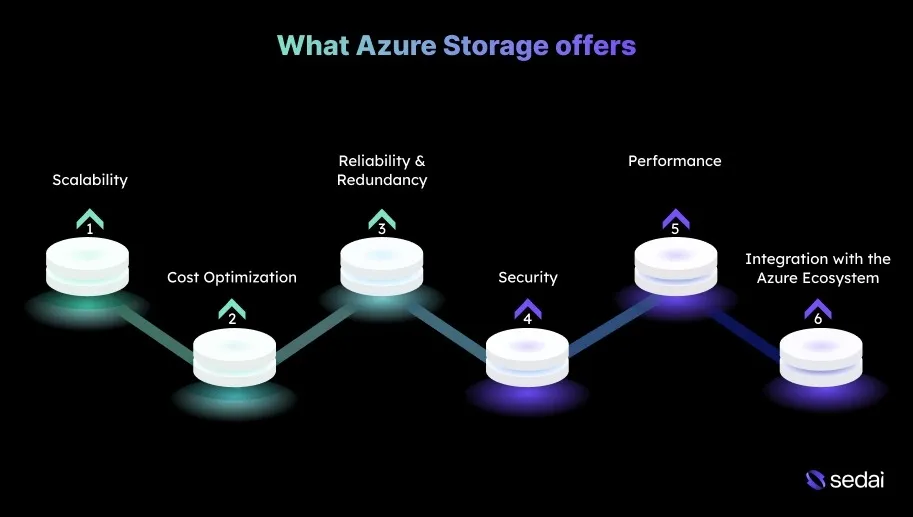
Azure Storage offers scalable, secure, and cost-efficient storage options for both small and large enterprises, with native integration across the Azure ecosystem. Here’s why it matters:
1.Scalability
You often face challenges managing capacity as data volumes grow and workloads become less predictable. Azure Storage scales automatically to accommodate increasing demand, maintaining availability and performance without manual capacity planning.
2.Cost Optimization
Inefficient storage strategies, especially for rarely accessed data, can quickly drive up cloud spend. Azure’s tiered storage options include Hot, Cool, and Archive, which let you place data in the most cost-effective tier based on access patterns.
3. Reliability and Redundancy
Regional outages and system failures pose significant risks for mission-critical applications. Azure Storage addresses this with Geo-Redundant Storage (GRS), which replicates data across multiple regions to ensure durability and availability.
4. Security
Storing sensitive data in the cloud introduces concerns around unauthorized access and regulatory compliance. Azure Storage provides encryption both at rest and in transit, combined with identity-based access control through Azure Active Directory.
5. Performance
High latency can impact application responsiveness, particularly for data-intensive workloads. Azure Storage supports high-performance options such as Premium SSDs for virtual machines and optimized Blob Storage for faster data access.
6. Integration with the Azure Ecosystem
Managing storage and compute in separate systems can add complexity and operational overhead. Azure Storage integrates natively with services like Azure Compute and Kubernetes, simplifying orchestration and resource management.
Once you understand what Azure Storage is, it becomes easier to see the different storage options available and how they fit various use cases.
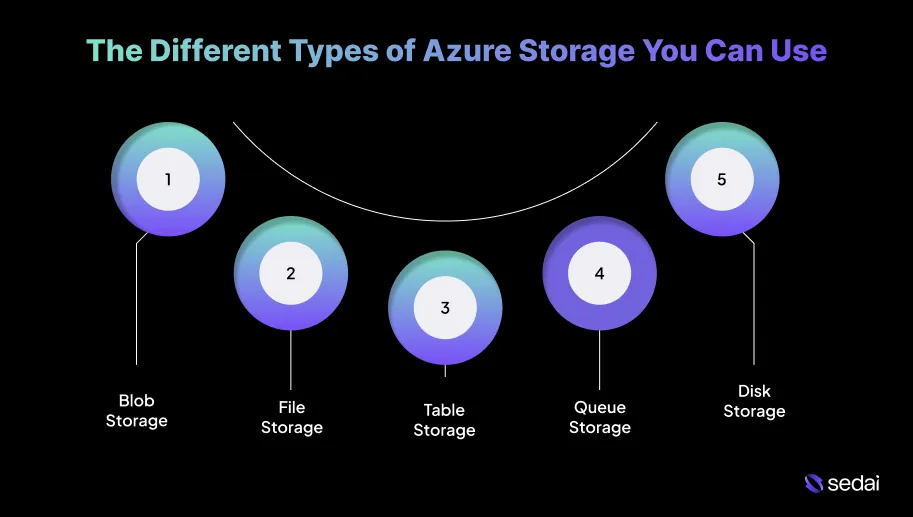
Azure Storage provides multiple services optimized for different data types. Understanding the strengths of each option is essential to selecting the right service while balancing cost, performance, and scalability for their applications.
1. Blob Storage
Azure Blob Storage is designed to store unstructured data, such as documents, images, and videos. It is highly scalable and accessible over HTTP/HTTPS, making it well-suited for web applications and cloud-based storage scenarios. Costs are based on storage capacity, data transactions, and data egress.
Blob Storage is available in three tiers:
Hot Tier: The highest-cost option, intended for frequently accessed data that requires low-latency retrieval.
Cool Tier: Designed for data that is accessed infrequently but still needs immediate availability. It is significantly less expensive than the Hot tier.
Archive Tier: The most cost-effective option, suitable for rarely accessed data with flexible retrieval times.
Data can be automatically moved between these tiers based on access patterns, helping optimize storage costs without manual intervention.
2. File Storage
Azure File Storage provides fully managed file shares accessible via SMB. This makes it a practical choice for lift-and-shift workloads and scenarios that require shared file access across multiple virtual machines (VMs).
It offers both Premium and Standard tiers, with pricing based on provisioned storage and data egress.
Premium Tier: Delivers high-performance storage for latency-sensitive or demanding workloads.
Standard Tier: Suited for general-purpose file storage with moderate performance requirements.
To control costs, it’s important to choose a tier that aligns with actual performance needs and avoid over-provisioning storage. This approach ensures you pay only for the capacity and performance you use.
3. Table Storage
Azure Table Storage is a NoSQL data store built for storing structured data at scale. It is designed to be highly available, cost-effective, and fast, particularly for applications that require a flexible schema and large data volumes.
Pricing is based on the amount of data stored and the number of read and write operations, making it suitable for applications that need rapid development and horizontal scalability.
Optimization tip: Use partitioning strategically to evenly distribute read and write operations. Proper partitioning improves query performance and helps keep operational costs under control.
4. Queue Storage
Azure Queue Storage enables reliable messaging between application components at scale. It supports asynchronous communication and helps decouple services, which is essential for distributed and event-driven architectures.
Pricing depends on the number of operations performed, storage capacity, and data ingress and egress. As a result, monitoring usage is important to avoid unnecessary costs.
Optimization tip: Regularly monitor queue depth and message processing rates. Properly sized queues help maintain performance while keeping operational costs predictable.
5. Disk Storage
Azure Disk Storage provides persistent, high-performance storage for Azure virtual machines. It supports multiple disk types to match different workload requirements:
Standard HDD: Intended for non-critical or low-performance workloads.
Standard SSD: Designed for general-purpose workloads that need consistent performance.
Premium SSD: Built for I/O-intensive and latency-sensitive applications.
Pricing varies by disk type, capacity, and performance tier. Selecting the right disk type based on workload characteristics helps avoid paying for unnecessary performance.
Optimization tip: Review disk utilization and performance metrics regularly. Adjust disk types and sizes based on actual usage to balance cost efficiency and application performance.
Once you understand the different Azure Storage options, it becomes clearer where cost-optimization strategies can make the biggest difference.
16 Optimization Strategies to Reduce Azure Storage Cost
Azure offers a wide range of approaches to help you optimize storage costs while meeting performance and reliability requirements.
Below are some of the best strategies to reduce Azure Storage expenses without compromising quality or operational efficiency.
1. Take Inventory of Your Data Types and Access Patterns
Begin by evaluating the types of data you store and how frequently they are accessed. This visibility helps ensure each dataset is placed in the most suitable Azure storage option, leading to better cost efficiency.
How to Implement:
Audit Your Storage: Use Azure Cost Management to analyze storage utilization and access trends. This helps surface data that is underused or accessed more frequently than expected.
Identify Infrequently Accessed Data: Shift rarely accessed data to Cool or Archive tiers to lower storage costs.
Establish Data Categorization: Classify data by access frequency and business importance to align with the most appropriate storage tier.
2. Use Azure’s Data Lifecycle Management
Data lifecycle management automates the movement of data across storage tiers based on usage, helping reduce costs without manual intervention.
How to Implement:
Set Up Lifecycle Management Policies: Configure Azure Blob Storage lifecycle policies to automatically transition data to lower-cost tiers after defined inactivity periods.
Define Transition Rules: For example, move data from Hot to Cool after 30 days of inactivity and from Cool to Archive after 180 days.
Review Policies Regularly: Update policies as data usage patterns or retention requirements change.
3. Terminate Unattached Disks and Snapshots
Unattached disks and snapshots continue to generate costs even when unused, making regular cleanup essential.
How to Implement:
Identify Unattached Resources: Use Azure Resource Manager to locate disks and snapshots that are no longer attached.
Automate Cleanup: Configure automation using Azure Scheduler to remove or reassign unused resources.
Set Alerts: Enable alerts through Azure Resource Manager logs to quickly detect unexpected storage usage.
4. Use Azure Reservations for Data Capacity
Reserved Capacity provides substantial discounts for workloads with predictable storage usage.
How to Implement:
Evaluate Predictable Workloads: Identify consistent storage needs such as backups or archival data.
Reserve Storage Capacity: Commit to one- or three-year reservations to lock in discounted pricing.
Use Azure Cost Management: Estimate savings using the Azure Pricing Calculator before committing.
5. Monitor Load Balancer Data Transfer
Data flowing through load balancers can contribute to additional storage and networking costs.
How to Implement:
Track Load Balancer Metrics: Use Azure Monitor to observe data transfer volumes.
Optimize Load Balancer Configuration: Use Azure Traffic Manager to route traffic efficiently and reduce unnecessary transfers.
6. Review and Clean Up Unused Network Interfaces
Unused network interfaces can introduce hidden storage and networking expenses.
How to Implement:
Audit Network Interfaces: Review network interfaces in the Azure Portal and remove any that are no longer needed.
Regularly Review Resources: Include network interfaces in routine resource audits.
7. Eliminate Forgotten Instances
Orphaned resources such as snapshots or unused compute instances often lead to unexpected cost overruns.
How to Implement:
Implement Infrastructure as Code (IaC): Use IaC to track and manage resources more consistently.
Use Azure Cost Management: Identify forgotten or orphaned resources through cost analysis.
Schedule Regular Resource Audits: Conduct recurring audits to clean up unused instances.
8. Right-Size Your Storage Resources
Right-sizing ensures storage capacity and performance align with actual workload demands.
How to Implement:
Review Storage Usage Regularly: Use Azure Advisor to identify over-provisioned resources.
Scale Resources Based on Usage: Apply autoscaling to adjust capacity dynamically.
Match Resources to Workloads: Select disk sizes and types based on real performance requirements.
9. Use Azure Hybrid Benefit
Azure Hybrid Benefit allows you to reuse existing on-premises licenses to lower cloud costs.
How to Implement:
Apply Azure Hybrid Benefit: Enable it when creating new VMs or SQL instances.
Track Eligibility: Use Azure Cost Management to ensure eligible licenses are applied correctly.
Review Licenses Regularly: Optimize license usage covered under Software Assurance.
10. Configure Azure Storage Replication
Replication settings play a key role in balancing availability, durability, and cost.
How to Implement:
Use LRS for Non-Critical Data: Choose locally redundant storage where multi-region availability is not required.
Choose GRS or RA-GRS for Critical Workloads: Use geo-redundant options for disaster recovery needs.
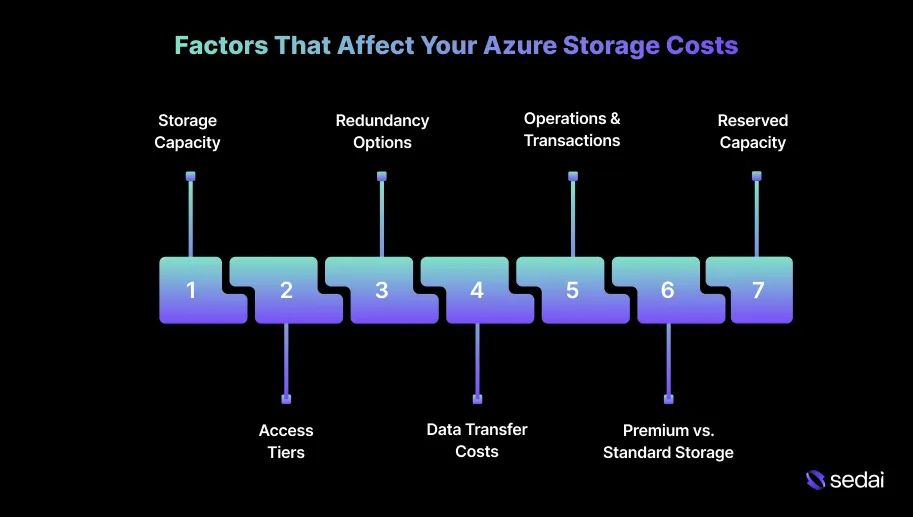
Azure Storage follows a pay-as-you-go pricing model, offering flexibility and scalability as storage needs change. At the same time, understanding the cost drivers behind Azure Storage is critical for effectively managing and optimizing your cloud environment.
Below is a breakdown of the key factors that influence Azure Storage costs.
1. Storage Capacity
The most significant cost factor in Azure Storage is the volume of data stored. Charges are calculated based on the total amount of data, measured in gigabytes (GB) per month.
How to manage it: Regularly monitor storage consumption to avoid paying for unused or stale data. Implement automated data retention and cleanup policies to remove outdated content and keep costs under control. Data retention cleanup policies help, but they're static. Book a demo to see how Sedai continuously monitors access patterns across your Azure storage and acts on tier misalignments before they inflate your bill.
2. Access Tiers
Azure Blob Storage includes three access tiers (hot, cool, and archive tiers) designed to align storage costs with data access frequency:
Keeping data in the right storage tier as access patterns change is where teams lose money. Book a demo to see how Sedai handles tier management for your Azure storage autonomously.
How to manage it: Analyze access patterns and move data between tiers accordingly. Use lifecycle management rules to automate tier transitions, reducing costs without compromising data availability.
3. Redundancy Options
The redundancy model you choose affects both data durability and cost:
Locally Redundant Storage (LRS): Replicates data within a single region and is the most cost-effective option.
Zone-Redundant Storage (ZRS): Replicates data across multiple availability zones within a region for higher availability.
Geo-Redundant Storage (GRS): Replicates data to a secondary region to support disaster recovery.
Read-Access Geo-Redundant Storage (RA-GRS): Enables read access from the secondary region for improved availability.
How to manage it: Use LRS for non-critical data and workloads, and select GRS or RA-GRS for data that requires higher availability or disaster recovery. ZRS is a good fit for applications with strict uptime requirements within a region.
4. Data Transfer Costs
Data ingress into Azure is typically free, but data egress, especially to other regions or external systems, incurs additional charges.
How to manage it: Keep workloads and data in the same region whenever possible to reduce egress costs. Use Azure CDN to cache frequently accessed data and minimize outbound data transfers.
5. Operations and Transactions
Each storage operation, including reads, writes, and deletes, contributes to overall cost. Higher access and modification rates directly increase transaction charges.
How to manage it: Reduce unnecessary reads and writes by batching operations where possible. Design workflows that limit redundant access and optimize the frequency of data retrieval or updates.
6. Premium vs. Standard Storage
Azure offers multiple storage performance tiers with different pricing models:
Premium Storage: SSD-backed storage designed for high-performance, latency-sensitive workloads such as databases and virtual machines.
Standard Storage: A more cost-effective option, typically backed by HDDs or standard SSDs, suitable for general-purpose storage.
How to manage it: Align storage performance tiers with workload requirements. Use Standard Storage for general use cases and reserve Premium SSDs for workloads that genuinely require high I/O performance.
7. Reserved Capacity
Reserved Capacity provides discounted pricing when you commit to a fixed amount of storage for one or three years, making it ideal for predictable workloads.
How to manage it: Assess long-term storage usage before committing. Reserved Capacity works best for stable, predictable data growth and can deliver meaningful cost savings over pay-as-you-go pricing.
Knowing what drives Azure Storage costs makes it easier to understand how different pricing models impact your overall spend.
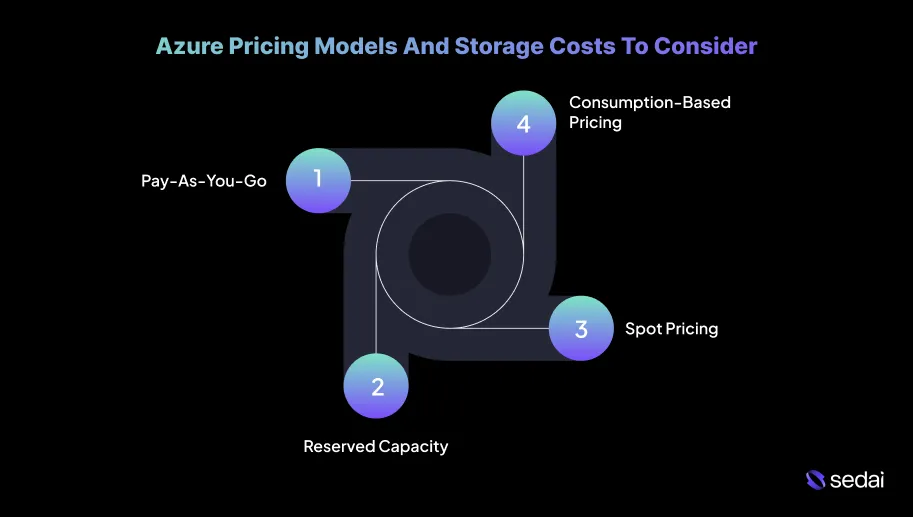
Azure Pricing Models And Storage Costs To Consider
Azure offers multiple storage pricing models, each with different cost implications based on usage patterns and access requirements.
Your teams need to carefully assess these options to select the most cost-effective approach for their workloads while still meeting performance and reliability expectations.
1. Pay-As-You-Go
This model charges based on actual usage, with no upfront commitment. Costs are calculated from storage capacity, transactions, and data egress, with rates varying by access tier (Hot, Cool, and Archive).
Pay-as-you-go works well for dynamic or unpredictable workloads. However, without consistent monitoring and governance, costs can rise quickly as usage scales.
2. Reserved Capacity
Reserved Capacity is a commitment-based pricing model in which you prepay for storage capacity for 1 or 3 years in exchange for discounted rates.
This model can deliver up to 38% savings compared to standard pay-as-you-go pricing and is best suited for predictable, steady-state workloads.
3. Spot Pricing
Spot pricing allows you to use surplus Azure storage capacity at significantly reduced rates. The trade-off is availability, as Azure can reclaim this capacity with little notice, interrupting workloads.
This model is most effective for non-critical, fault-tolerant workloads where low cost is a higher priority than guaranteed availability.
4. Consumption-Based Pricing
Consumption-based pricing is similar to pay-as-you-go, but it applies to specific services such as Azure Backup and Azure Site Recovery. Charges are based on actual service usage, including both storage and operational activities.
This model supports cost optimization for targeted use cases, ensuring you only pay for the resources consumed by those services.
Now, here's a summary of key Azure storage types and their starting prices:
Storage Type
Key Details
Starting Price
Azure Blob Storage
Scalable storage for documents, images, binary data, or unstructured text.
Starts at $0.015 per GB/month for Hot tier (prices vary based on access tier and region)
Azure Files
Cloud-based file shares for Windows API or REST API usage.
Starts at $0.0228 per GB/month (Standard tier); Premium tier is more expensive.
Azure Table Storage
NoSQL storage for web applications’ unstructured and semi-structured data.
Starts at $0.045 per GB/month (LRS pricing; higher with GRS or other redundancy)
Azure Queue Storage
Messaging solution for asynchronous application messages.
Starts at $0.045 per GB/month (transaction and storage costs)
Azure Managed Disks
Scalable virtual machine deployment disks.
Starts at $0.30 per GB/month (Premium SSD; varies by disk type and region)
Ready to optimize your Azure storage costs?
Book a Sedai demo to reduce storage spend, improve resource efficiency, and maximize cloud savings.
Please note:
Prices are indicative and may vary by region and chosen redundancy options such as LRS, GRS, and RA-GRS.
Storage costs are primarily based on capacity, while transaction and data transfer charges are billed separately.
Premium SSDs for Azure Managed Disks are more expensive than Standard SSDs or HDDs due to their higher performance.
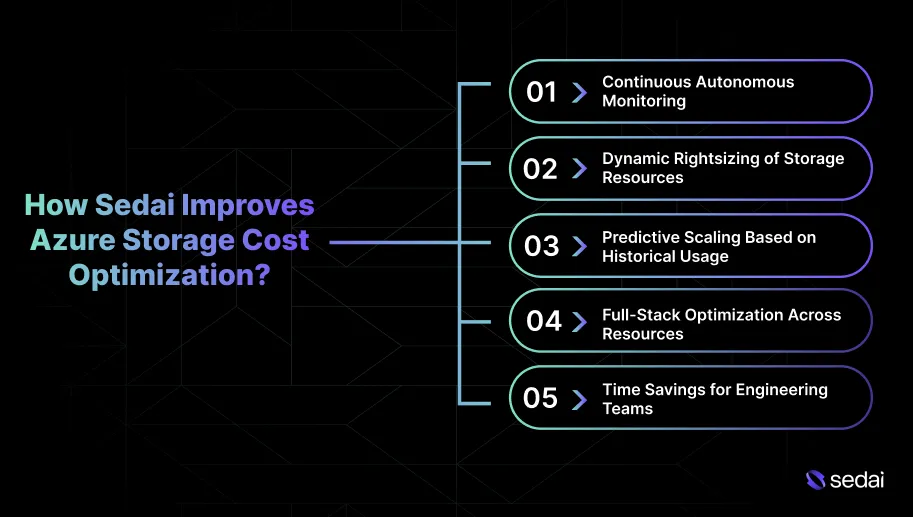
How Sedai Improves Azure Storage Cost Optimization?
Azure provides several tools to monitor and manage storage usage, but most of them stop at identifying issues. Applying optimizations still requires manual effort, which can slow down savings and leave gaps over time.
Sedai goes a step further by automating the entire optimization process, continuously adjusting Azure resources in real time based on actual usage patterns. This ensures ongoing cost savings without constant manual involvement.
Here’s how Sedai improves Azure Storage cost optimization:
1. Continuous Autonomous Monitoring
Sedai continuously tracks usage patterns, performance trends, and resource behavior across your Azure Storage environment. It automatically applies configuration changes based on real-time insights, delivering up to 50% in storage cost savings.
2. Dynamic Rightsizing of Storage Resources
Sedai uses machine learning to analyze how storage is actually being used and dynamically adjusts resource allocations. This rightsizing ensures you only pay for what you need, preventing underutilized storage from remaining over-provisioned and driving unnecessary costs.
3. Predictive Scaling Based on Historical Usage
By analyzing historical usage data, Sedai identifies future storage demand and adjusts infrastructure ahead of usage spikes or drops. This proactive scaling keeps resources aligned with real demand, reducing the risk of both over-provisioning and under-provisioning while keeping storage costs predictable.
4. Full-Stack Optimization Across Resources
Sedai does not focus on storage alone. It evaluates and optimizes the entire Azure environment, including compute and networking. This holistic approach ensures all components work together efficiently, maximizing cost savings while maintaining performance and reliability.
5. Time Savings for Engineering Teams
Sedai automates repetitive tasks such as resizing virtual machines, managing storage tiers, and cleaning up unused resources. This reduces operational overhead and allows engineering teams to focus on higher-impact work. As a result, teams can see productivity improvements of up to 6x while spending less time on routine maintenance.
With Sedai, Azure Storage cost optimization becomes a continuous, self-managed process. By autonomously monitoring, adjusting, and predicting resource needs based on real usage, Sedai helps control costs effectively without relying on constant manual oversight.
Final Thoughts
Azure Storage cost optimization is an ongoing process that requires continuous monitoring, regular adjustments, and close alignment with real-time data usage.
As storage environments scale, manual oversight becomes increasingly difficult. This makes automation and intelligent resource management essential.
Autonomous optimization plays a key role here. Platforms likeSedai analyze workload behavior, predict resource requirements, and automatically apply cost-saving adjustments. This helps Azure Storage environments run efficiently without constant manual effort.
By using Sedai’s capabilities, you can keep storage costs predictable while allowing your team to focus more on innovation and less on day-to-day maintenance.
How can I optimize Azure Storage costs for multi-region deployments?
A1. For multi-region deployments, use Geo-Redundant Storage (GRS) only for critical workloads that need high availability. For non-critical data, choose Locally Redundant Storage (LRS) to reduce costs. You can also balance cost and availability by selecting the right replication options and storage tiers for each region.
Can I use Azure Storage to manage data for machine learning workloads?
A2. Yes, Azure Blob Storage works well for storing large datasets used in machine learning. By using Hot tiers for frequently accessed data and Cool tiers for less active data, you can control costs while keeping important data easily accessible.
How does Azure Security Center help with cost management for Azure Storage?
A3. Azure Security Center helps identify misconfigurations and security risks that could lead to unexpected costs. Features such as encryption and identity-based access control reduce the risk of unauthorized access, data loss, and costly security incidents.
What are the best practices for archiving large datasets in Azure at a lower cost?
A4. Use Azure Archive Storage for long-term data that is rarely accessed. Set up Azure Data Lifecycle Management to automatically move data between tiers based on usage. Regularly review archived data to remove anything that is no longer needed.
What role does Azure Monitor play in optimizing storage performance and costs?
A5. Azure Monitor tracks metrics such as disk I/O and latency to highlight underutilized resources. With alerts and performance-based scaling, you can adjust storage usage proactively and avoid paying for resources you do not need.


.webp%3Fv%3D2026-04-09T18%253A41%253A05.143Z&w=3840&q=75)