What is cloud performance optimization and why is it important?
Cloud performance optimization is the process of improving the efficiency and responsiveness of applications running in the cloud. It involves resource allocation, infrastructure scaling, and configuration tuning to ensure services meet performance requirements without unnecessary overhead. This maximizes resource utilization, maintains high throughput, and keeps latency and costs under control. In dynamic cloud environments, optimization is a continuous process that adapts to shifting workloads and business demands.
What are the main benefits of optimizing cloud performance?
Optimizing cloud performance helps control costs, avoid bottlenecks and latency issues, maximize resource utilization, scale efficiently, proactively detect problems, ensure reliability and availability, and improve user experience. These benefits are achieved by continuously aligning resources with actual usage and automating adjustments to meet changing demand.
Which metrics are most important for tracking cloud performance?
Key metrics include CPU utilization, memory usage, network latency and throughput, disk I/O, request and response time, error rates, autoscaling efficiency, application throughput, and uptime. Monitoring these metrics helps identify areas for optimization and ensures resources are used efficiently.
How does cloud performance optimization impact user experience?
Optimizing cloud performance directly improves user experience by reducing response times, minimizing downtime, and proactively addressing latency and performance bottlenecks. This ensures applications remain responsive and stable, even during sudden traffic spikes or peak usage periods.
How do I balance cloud cost with performance optimization?
Balancing cost and performance requires right-sizing resources based on actual usage, implementing autoscaling to avoid over-provisioning, and regularly monitoring usage patterns. This ensures resources meet performance requirements without unnecessary spend.
What role does automation play in cloud performance optimization?
Automation enables resources to adjust dynamically based on real-time demand, reducing the need for manual intervention. Platforms like Sedai continuously optimize workloads and resolve performance issues autonomously, allowing engineering teams to maintain efficiency at scale.
Can performance optimization reduce cloud security risks?
Yes, performance optimization helps eliminate resource inefficiencies that can introduce operational and security risks. By streamlining resource allocation and maintaining stable workloads, organizations reduce potential attack surfaces and improve overall system resilience.
What are the best practices for monitoring cloud performance?
Best practices include setting up real-time monitoring and alerts for key metrics such as CPU utilization, memory usage, latency, and response time. Using cloud-native tools provides continuous visibility and supports automated remediation to address issues as they arise.
How do I scale cloud resources to maintain peak performance?
Scaling strategies include vertical scaling (adding CPU, memory, or storage to existing servers) and horizontal scaling (adding or removing instances as needed). Regular load testing and implementing auto-scaling policies help maintain performance and availability as demand fluctuates.
What are the top tools for cloud performance optimization and monitoring?
Top tools include Sedai, AWS CloudWatch, Azure Monitor, Google Cloud Operations, Datadog, and New Relic. These platforms help teams identify bottlenecks, optimize resource utilization, and meet performance SLAs without adding operational overhead.
Features & Capabilities of Sedai
What is Sedai and how does it help with cloud performance optimization?
Sedai is an autonomous cloud management platform that uses AI and machine learning to optimize cloud resources for cost, performance, and availability. It continuously analyzes workload behavior and automatically adjusts resources in real time, eliminating manual tuning and enabling teams to focus on higher-value work.
What features does Sedai offer for cloud optimization?
Sedai offers autonomous workload optimization, predictive scaling, continuous rightsizing, autonomous issue resolution, multi-cloud optimization, continuous learning, comprehensive cost visibility, and performance and reliability monitoring. These features ensure efficient resource allocation, cost savings, and improved application performance.
How does Sedai's autonomous optimization work?
Sedai uses machine learning to analyze real-time workload signals and historical trends, automatically adjusting compute, memory, and instance types to match actual demand. This continuous optimization model ensures resources are always aligned with business requirements, reducing waste and maintaining consistent performance.
Does Sedai support multi-cloud and hybrid environments?
Yes, Sedai supports optimization across AWS, Azure, Google Cloud, and Kubernetes environments, enabling consistent performance and cost management in multi-cloud and hybrid setups.
What are the modes of operation in Sedai?
Sedai offers three modes: Datapilot (observability), Copilot (one-click optimizations), and Autopilot (fully autonomous execution). This provides flexibility for teams to choose the level of automation that fits their operational needs.
How does Sedai ensure safe and auditable changes?
Sedai integrates with Infrastructure as Code (IaC), IT Service Management (ITSM), and compliance workflows. Every optimization is constrained, validated, and reversible, ensuring safe operations and compliance with enterprise-grade governance.
What integrations does Sedai support?
Sedai integrates with monitoring and APM tools (Cloudwatch, Prometheus, Datadog, Azure Monitor), Kubernetes autoscalers (HPA/VPA, Karpenter), IaC and CI/CD tools (GitLab, GitHub, Bitbucket, Terraform), ITSM tools (ServiceNow, Jira), notification tools (Slack, Microsoft Teams), and various runbook automation platforms.
What security and compliance certifications does Sedai have?
Sedai is SOC 2 certified, demonstrating adherence to stringent security requirements and industry standards for data protection and compliance. For more details, visit the Sedai Security page.
Where can I find Sedai's technical documentation?
Sedai provides detailed technical documentation on its documentation page. Additional resources, including case studies and datasheets, are available on the resources page.
Use Cases & Business Impact
Who can benefit from using Sedai?
Sedai is designed for platform engineering, IT/cloud operations, technology leadership, site reliability engineering (SRE), and FinOps professionals. It is ideal for organizations with significant cloud operations across industries such as cybersecurity, IT, financial services, healthcare, travel, and e-commerce.
What business impact can customers expect from using Sedai?
Customers can achieve up to 50% cloud cost savings, 75% latency reduction, 6X productivity gains, and 50% fewer failed customer interactions. Notable results include Palo Alto Networks saving $3.5 million and KnowBe4 achieving 50% cost savings in production. For more, see the solution briefs.
What problems does Sedai solve for cloud teams?
Sedai addresses cost inefficiencies, operational toil, performance and latency issues, lack of proactive issue resolution, complexity in multi-cloud/hybrid environments, and misaligned priorities between engineering and FinOps teams. It automates optimization, aligns objectives, and ensures reliability and cost efficiency.
What are common pain points Sedai helps address?
Common pain points include fragmentation, repetitive manual tasks, risk vs. speed trade-offs, autoscaler limits, ticket queues, configuration drift, hybrid complexity, capacity/cost surprises, outcome gaps, tool sprawl, and talent bandwidth constraints. Sedai's autonomous platform directly addresses these challenges.
What industries are represented in Sedai's case studies?
Sedai's case studies cover cybersecurity (Palo Alto Networks), IT (HP), financial services (Experian, CapitalOne), security awareness training (KnowBe4), travel (Expedia), healthcare (GSK), car rental (Avis), retail/e-commerce (Belcorp), SaaS (Freshworks), and digital commerce (Campspot). See more on the resources page.
Can you share specific customer success stories with Sedai?
Yes. KnowBe4 achieved 50% cost savings and saved $1.2 million on AWS. Palo Alto Networks saved $3.5 million and reduced Kubernetes costs by 46%. Belcorp reduced AWS Lambda latency by 77%. See more case studies at sedai.io/resources.
Who are some of Sedai's notable customers?
Notable customers include Palo Alto Networks, HP, Experian, KnowBe4, Expedia, CapitalOne Bank, GSK, and Avis. These organizations trust Sedai to optimize their cloud environments and improve operational efficiency.
Implementation & Ease of Use
How long does it take to implement Sedai?
Sedai's setup process takes just 5 minutes for general use cases and up to 15 minutes for specific scenarios like AWS Lambda. For complex environments, timelines may vary. Personalized onboarding and a 30-day free trial are available.
How easy is it to get started with Sedai?
Sedai offers plug-and-play implementation, agentless integration via IAM, personalized onboarding sessions, detailed documentation, and a community Slack channel. A 30-day free trial allows users to experience the platform risk-free.
What feedback have customers given about Sedai's ease of use?
Customers highlight Sedai's quick setup (5–15 minutes), agentless integration, comprehensive onboarding support, and extensive resources. The 30-day free trial and dedicated Customer Success Manager for enterprise users are also well-received.
Competition & Differentiation
How does Sedai compare to other cloud optimization tools?
Sedai stands out with 100% autonomous optimization, proactive issue resolution, application-aware intelligence, full-stack cloud coverage, release intelligence, and plug-and-play implementation. Unlike competitors that rely on static rules or manual adjustments, Sedai operates autonomously and holistically.
What unique features set Sedai apart from competitors?
Sedai's unique features include autonomous optimization, proactive issue resolution, application-aware intelligence, release intelligence, and rapid plug-and-play setup. These capabilities address specific use cases like cost optimization, performance enhancement, and operational efficiency.
What advantages does Sedai provide for different user segments?
Platform engineers benefit from automation and reduced toil; IT/cloud ops teams see lower ticket volumes and safer automation; technology leaders gain measurable ROI and cost savings; FinOps teams align engineering and cost goals; SREs experience fewer alerts and automated scaling.
Why should a customer choose Sedai over other solutions?
Customers should choose Sedai for its autonomous optimization, proactive issue resolution, application-aware intelligence, full-stack coverage, safety-by-design, quick setup, and proven results such as significant cost savings and productivity gains. See solution briefs for more details.
Cloud performance optimization is crucial for maintaining efficiency and controlling costs. By focusing on key metrics such as CPU usage, memory, and network performance, you can identify inefficiencies and adjust resources accordingly. Right-sizing, autoscaling, and load balancing are critical to ensuring optimal performance without overspending. Tools like Sedai provide continuous, autonomous optimization, dynamically adjusting resources in real time based on usage patterns.
As cloud environments grow more complex, balancing performance and cost becomes increasingly difficult. Teams often face over-provisioning, resource bottlenecks, and slow scaling, which hurt application performance and drive up cloud spend.
Many resources sit underutilized while others are pushed beyond capacity, leading to wasted spend, latency, and reliability issues. Organizations with automated tagging and clear resource ownership report up to 40% less cloud waste, showing the importance of real-time visibility.
Solving this requires continuous, real-time resource adjustments based on actual usage rather than static configurations or manual reviews.
In this blog, you’ll explore practical cloud performance optimization strategies to help you improve performance, control costs, and scale efficiently as demand changes.
If your team is still manually chasing latency spikes and scaling issues, there is a faster way. Book a demo to see how Sedai continuously optimizes performance without the manual overhead.
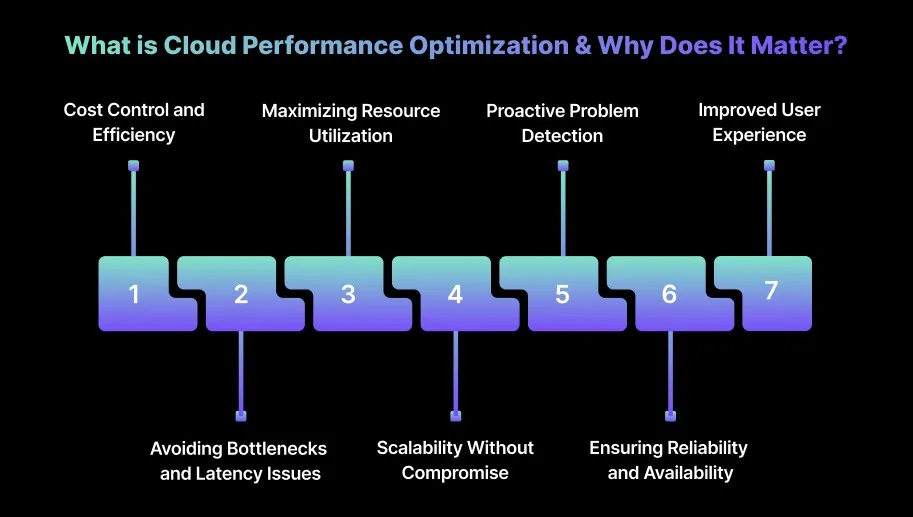
What is Cloud Performance Optimization & Why Does It Matter?
Cloud performance optimization focuses on improving the efficiency and responsiveness of applications running in the cloud.
It covers resource allocation, infrastructure scaling, and configuration tuning to ensure services consistently meet performance requirements without creating unnecessary overhead.
This means maximizing resource utilization to achieve high throughput while keeping latency and costs under control. In dynamic cloud environments, optimization is a continuous process that adapts to shifting workloads, traffic patterns, and business demands.
Over-provisioning or underutilizing cloud resources drives unnecessary costs. Cloud performance optimization ensures resources are allocated based on actual demand, reducing waste. Dynamic scaling helps teams use resources cost-effectively, maintaining performance while minimizing spend.
2. Avoiding Bottlenecks and Latency Issues
Bottlenecks in CPU, memory, or network can degrade application performance and user experience. Optimization proactively monitors and adjusts resources, preventing latency issues before they affect users.
By fine-tuning allocations in real time, workloads maintain consistent performance under varying traffic conditions.
3. Maximizing Resource Utilization
Inefficient resource allocation for over- or under-provisioned environments can either waste money or hurt performance. Cloud performance optimization aligns resources with actual usage, ensuring no instance is underutilized or overloaded.
4. Scalability Without Compromise
Scaling without proper planning can either degrade performance or incur unnecessary costs. Cloud performance optimization supports both horizontal and vertical scaling, adjusting resources dynamically to meet workload demand. This ensures applications scale efficiently while staying within budget.
5. Proactive Problem Detection
Performance spikes or slowdowns often go unnoticed until they impact users or budgets. Continuous monitoring allows you to detect and address issues proactively, with real-time alerts and automated responses that keep systems optimized without manual intervention.
6. Ensuring Reliability and Availability
Downtime or degraded performance can harm user trust and violate SLAs. Cloud performance optimization balances load and automates adjustments to maintain high availability, even during unexpected traffic spikes or resource-intensive operations.
7. Improved User Experience
Slow responses, timeouts, or crashes frustrate users and reduce engagement. Optimization removes bottlenecks, scales resources in real time, and ensures fast, responsive applications. This delivers a smooth experience, even during peak traffic periods.
Once the role of performance optimization is clear, the connection becomes clearer when you look at the metrics used to track cloud performance.
Tracking the right cloud performance metrics is essential to maintaining system efficiency and controlling costs.
These metrics highlight areas that need optimization, enabling you to proactively make adjustments to prevent performance degradation and avoid unnecessary expenses.
1. CPU Utilization
CPU utilization is a key indicator of how efficiently compute resources are being used. High utilization may signal that instances are overburdened and need scaling, while consistently low usage suggests over-provisioning. Right-sizing based on actual demand helps avoid both performance degradation and wasted resources.
2. Memory Usage
Monitoring memory usage prevents out-of-memory errors that can lead to crashes or slowdowns. High memory usage indicates under-resourced applications, while low usage may point to over-provisioned resources. Optimizing memory ensures workloads run efficiently and reliably without unnecessary cost.
3. Network Latency and Throughput
Latency and throughput metrics reveal how efficiently data moves within your cloud environment. High latency can slow application performance, while low throughput limits data flow, impacting user experience. Optimizing network paths and leveraging content delivery networks (CDNs) can reduce latency and improve throughput.
4. Disk I/O
Tracking disk I/O (read/write operations) is crucial for storage performance. Bottlenecks in disk I/O can slow applications, especially those with high transaction volumes. Using optimized storage tiers and SSDs for high-performance workloads helps alleviate I/O issues and improve responsiveness.
5. Request and Response Time
Measuring how long requests take to process and how long responses take to return is critical for assessing user experience. Slow response times can lead to increased user drop-off and dissatisfaction. Analyzing these metrics helps engineers identify and optimize bottlenecks across the application stack.
6. Error Rates
High error rates indicate problems in applications or infrastructure that can cause downtime or performance degradation. Monitoring error rates helps pinpoint issues like resource exhaustion or misconfigurations. Setting alert thresholds ensures engineers can address problems proactively, before they impact users.
7. Autoscaling Efficiency
Evaluating autoscaling policies is essential for maintaining performance without overspending. Over-scaling wastes resources, while under-scaling can hurt performance. Regularly reviewing autoscaling based on workload patterns, often supported by platforms likeSedai, helps ensure the system adapts efficiently to changing demand.
8. Application Throughput
Application throughput measures how much data your application processes over time. For high-volume workloads, throughput directly affects performance and business outcomes. Monitoring this metric allows you to optimize infrastructure for peak traffic and maintain consistent performance.
9. Uptime
Uptime tracks the percentage of time your applications or servers remain operational. Even minimal downtime can result in lost revenue and reputational damage. Ensuring high uptime requires distribution across multiple availability zones and strong backup strategies.
Tracking the right metrics makes it easier to act on performance issues after migration.
10 Best Strategies for Cloud Performance Optimization After Migration
Optimizing cloud performance post-migration is essential for maintaining efficiency, reliability, and cost-effectiveness. These strategies offer you actionable steps to fine-tune resources, enhance scalability, and control costs in cloud environments.
1. Establish Performance Baselines and Monitoring
Setting performance baselines and implementing continuous monitoring are essential for understanding how your application performs after migration. By collecting baseline data, you can identify potential bottlenecks and optimize cloud infrastructure proactively.
How to Implement:
Identify Key Metrics: Focus on metrics that directly affect performance, such as response time, throughput, and error rates.
Collect Baseline Data: Gather data over a representative period (e.g., a week or a month) to capture normal performance patterns.
Analyze and Set Thresholds: Determine typical performance ranges and establish thresholds for anomalies or potential issues.
Implement Monitoring and Alerts: Use tools to collect real-time data and set alerts for abnormal activity.
Tip: Capture baselines after traffic stabilizes post-migration so tuning decisions reflect real user behavior rather than migration noise.
2. Right-Size Cloud Resources
Right-sizing ensures your cloud infrastructure matches actual application demand, preventing over-provisioning and underutilization. Over-provisioned resources unnecessarily increase costs, while under-provisioned resources can degrade performance.
How to Implement:
Analyze Resource Usage: Monitor CPU, memory, and storage utilization using tools like AWS CloudWatch or Google Cloud Monitoring.
Identify Underused Resources: Detect consistently underutilized instances and consider resizing or decommissioning them.
Adjust Instance Sizes: Align instance sizes with application requirements based on usage patterns.
Tip: Right-sizing works best when decisions are based on sustained utilization trends rather than peak snapshots or deployment-time estimates.
3. Use Auto-Scaling and Load Balancing
Auto-scaling and load balancing are crucial for managing traffic fluctuations without manual intervention. Auto-scaling dynamically adjusts resources, while load balancing distributes traffic efficiently across instances.
How to Implement:
Define Scaling Policies: Set rules to scale resources up or down based on CPU, memory, or request latency.
Implement Load Balancing: Use tools to distribute incoming traffic evenly.
Tip: Scaling policies should prioritize latency and request-saturation signals, as CPU alone often reacts too late to real traffic spikes.
4. Optimize Storage and Data Management
Efficient storage and data management improve cloud performance while keeping costs under control. Techniques such as caching, deduplication, and tiered storage enhance data retrieval and reduce storage costs.
How to Implement:
Use Deduplication: Remove duplicate data to save storage space and reduce costs.
Use Tiered Storage: Allocate high-performance SSDs for frequently accessed data and more cost-effective storage for less critical data.
Design Efficient Data Models: Optimize data structures to handle growing volumes without performance loss.
Tip: Storage performance improves when data placement aligns with access frequency instead of treating all data as equally performance-critical.
5. Implement Caching and Content Delivery Networks (CDNs)
Caching and CDNs improve application performance, especially for high-traffic applications. CDNs cache content closer to users to reduce latency, thereby minimizing repeated data retrieval.
How to Implement:
Identify Cacheable Content: Prioritize static files, images, or API responses that are frequently accessed.
Choose a CDN Provider: Select options like AWS CloudFront, Azure CDN, or Cloudflare based on performance needs and budget.
Configure Caching Settings: Set caching rules to optimize storage duration and minimize invalidation.
Tip: Cache effectiveness increases when cache lifetimes are tuned to actual content change rates instead of default expiration values.
6. Use Cloud-Native Services and Managed Services
Cloud-native and managed services simplify optimization by automating complex tasks and providing expert support. These services improve performance and scalability while reducing operational overhead.
How to Implement:
Assess Your Cloud Environment: Identify areas where cloud-native services can improve performance or reduce costs.
Partner with Managed Service Providers: Engage experts to optimize cloud resources and achieve best-in-class performance.
Tip: Managed services deliver the most value when teams offload undifferentiated operational work and retain control over application behavior.
7. Optimize Network Configuration and Connectivity
A well-optimized network reduces latency, accelerates performance, and strengthens connectivity. Proper design improves resilience, availability, and application responsiveness.
How to Implement:
Design a High Availability Network: Build redundancy and fault tolerance to minimize downtime during outages.
Choose the Right Network Topology: Select a topology like VPN or CDN suited to application traffic and performance requirements.
Optimize Network Settings: Ensure efficient protocols, routing, and encryption for peak performance.
Tip: Network optimization should focus on reducing hop count and cross-zone traffic, as latency often accumulates invisibly across services.
8. Implement Performance Testing and Continuous Improvement
Performance testing validates that your cloud infrastructure meets expected standards post-migration. Regular testing identifies bottlenecks and informs optimization strategies for current and future workloads.
How to Implement:
Identify Key Metrics: Track response time, throughput, and error rates to gauge performance.
Develop Testing Protocols: Include load testing, stress testing, and latency assessments to identify issues.
Use Analytics: Apply data analytics and ML models to anticipate and address potential bottlenecks.
Regularly Perform Testing: Run tests consistently to ensure your infrastructure handles traffic spikes effectively.
Implement Continuous Improvement: Treat performance testing as an ongoing process for continuous refinement.
Tip: Performance testing is most effective when it runs continuously against production-like traffic patterns rather than isolated test scenarios.
9. Adopt DevOps and Automation Practices
DevOps and automation streamline cloud operations, enhancing both efficiency and performance. Automating repetitive tasks reduces errors and frees resources for optimization.
How to Implement:
Promote Collaboration: Encourage seamless communication between development and operations teams.
Implement Automated Testing: Use CI/CD pipelines to maintain performance consistency during deployments.
Adopt Containerization and Serverless: Use Docker, Kubernetes, or serverless architectures like AWS Lambda for scalable and efficient workloads.
Continuously Improve Practices: Regularly refine DevOps and automation workflows to align with performance goals.
Tip: Automation improves performance outcomes when it enforces consistency.
10. Collaborate with Cloud Experts and Managed Service Providers
Working with cloud experts or managed service providers ensures your resources are fully optimized for performance, scalability, and security. Their specialized knowledge accelerates cloud maturity and operational efficiency.
How to Implement:
Assess Your Cloud Environment: Identify areas where expert guidance can improve performance, resource allocation, or security.
Choose the Right Providers: Select managed service providers with proven expertise in cloud performance and cost optimization.
Collaborate with Experts: Engage providers to implement best practices and fine-tune infrastructure for peak efficiency.
Tip: External expertise delivers lasting impact when it transfers operational knowledge into internal processes.
These strategies work best when guided by a few core principles that shape how performance improvements are approached in the cloud.
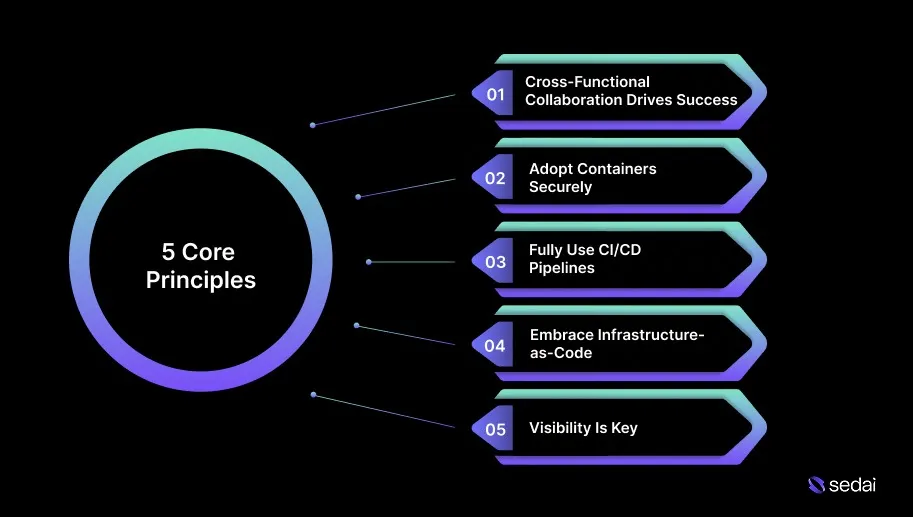
5 Core Principles for Improving App Performance in the Cloud
Improving application performance in the cloud requires a deliberate, strategic approach that prioritizes scalability, efficient resource utilization, and continuous optimization.
By applying core performance principles, teams can ensure applications remain reliable and responsive while keeping cloud costs under control.
1. Cross-Functional Collaboration Drives Success
Cloud success depends on collaboration across DevOps, SecOps, NetOps, and architecture teams. Breaking silos and promoting shared ownership speed up delivery, improves troubleshooting, and strengthens overall cloud performance.
2. Adopt Containers Securely
Containers improve deployment speed and scalability, but they must be designed and deployed securely. Building container-native services and using orchestration platforms like Kubernetes helps maintain performance, reliability, and compliance.
3. Fully Use CI/CD Pipelines
CI/CD pipelines automate the delivery of both applications and infrastructure. Integrating IaC into CI/CD tools ensures faster deployments with built-in security and compliance controls.
4. Embrace Infrastructure-as-Code (IaC)
Manual provisioning slows deployments and creates inconsistency. IaC automates infrastructure definition and deployment, enabling faster, repeatable, and reliable environments while reducing errors and reliance on manual processes.
5. Visibility Is Key
End-to-end visibility is essential for maintaining performance and uptime. Centralized monitoring across the application stack enables faster issue detection, accurate root-cause analysis, and reduced downtime.
Putting these principles into practice often depends on the right performance optimization and monitoring tools.
Ready to optimize your cloud performance?
Book a Sedai demo to improve application performance, reduce latency, and maximize cloud efficiency.
Top 6 Cloud Performance Optimization & Monitoring Tools in 2026
Cloud performance optimization and monitoring tools help teams identify performance bottlenecks early, optimize resource utilization at scale, and consistently meet performance SLAs without adding operational overhead.
Here are the best cloud performance optimization and monitoring tools for you:
1. Sedai
Sedai is an AI-driven cloud optimization platform that autonomously manages cloud resources across AWS, Azure, Google Cloud, Kubernetes, and serverless environments.
It continuously analyzes real-time workload behavior and automatically adjusts resources to balance cost, performance, and reliability.
By eliminating the need for constant manual tuning, Sedai enables your teams to focus on higher-value work, such as system design, platform strategy, and product innovation.
Sedai uses machine learning (ML) and artificial intelligence (AI) to make real-time, data-driven optimization decisions. Its continuous optimization model ensures cloud resources are consistently aligned with actual workload demand.
Key Features:
Autonomous Workload Optimization: Automatically adjusts compute, memory, and instance types in real time based on workload behavior, ensuring efficient resource allocation.
Predictive Scaling: Uses historical trends and live usage data to proactively scale resources ahead of demand spikes, improving efficiency without over-provisioning.
Continuous Rightsizing: Continuously refines resource configurations to match actual workload needs, minimizing waste and maintaining consistent performance.
Autonomous Issue Resolution: Detects performance anomalies such as resource saturation or memory leaks and applies corrective actions automatically to preserve availability.
Multi-Cloud Optimization: Supports multi-cloud and multi-region environments, enabling consistent optimization across diverse infrastructure stacks.
Continuous Learning: Continuously refines optimization models using real-time workload signals, keeping resource decisions aligned with changing business requirements.
Comprehensive Cost Visibility: Provides detailed insights into cloud spending, helping teams enforce cost governance and optimize budgets based on real usage patterns.
Performance and Reliability Monitoring: Tracks key metrics such as latency, error rates, and resource utilization to ensure optimization decisions meet performance and reliability objectives.
How Sedai Delivers Value:
Outcome
Details
30%+ Cloud Cost Reduction
Optimizes cloud spend using real, continuous usage patterns rather than static assumptions.
75% Improved Application Performance
Dynamically adjusts resources to improve latency, throughput, and overall responsiveness.
70% Fewer Failed Customer Interactions (FCIs)
Automatically detects and resolves issues to maintain application availability.
6× Increased Engineering Productivity
Eliminates manual optimization work, allowing teams to focus on strategic initiatives.
$3B+ Managed Cloud Spend
Actively optimizes more than $3 billion in enterprise cloud spend across environments.
Best For: Engineering and platform teams running complex multi-cloud and Kubernetes environments that need hands-off cost and performance optimization.
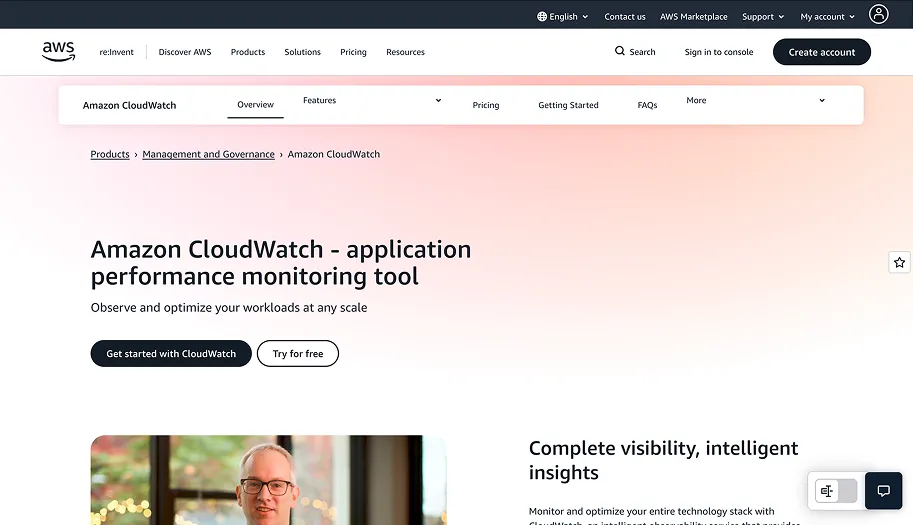
AWS CloudWatch is a native monitoring and observability service for AWS cloud resources and applications. It collects metrics, aggregates logs, and allows engineers to configure custom alarms based on predefined thresholds.
CloudWatch helps teams monitor performance, optimize resource usage, and troubleshoot issues across AWS environments in real time.
Key Features:
Real-time Monitoring: Continuously monitors AWS resources and applications to provide up-to-date performance visibility.
Logs Collection: Centralizes log and metric collection with configurable alarms for performance thresholds.
Service Integration: Integrates with AWS services such as AWS X-Ray to support tracing and deeper performance analysis.
Automated Actions: Triggers automated responses based on defined performance conditions to improve operational efficiency.
Best For: Teams operating primarily on AWS that need deep visibility into cloud resource performance and want to automate actions based on performance thresholds.
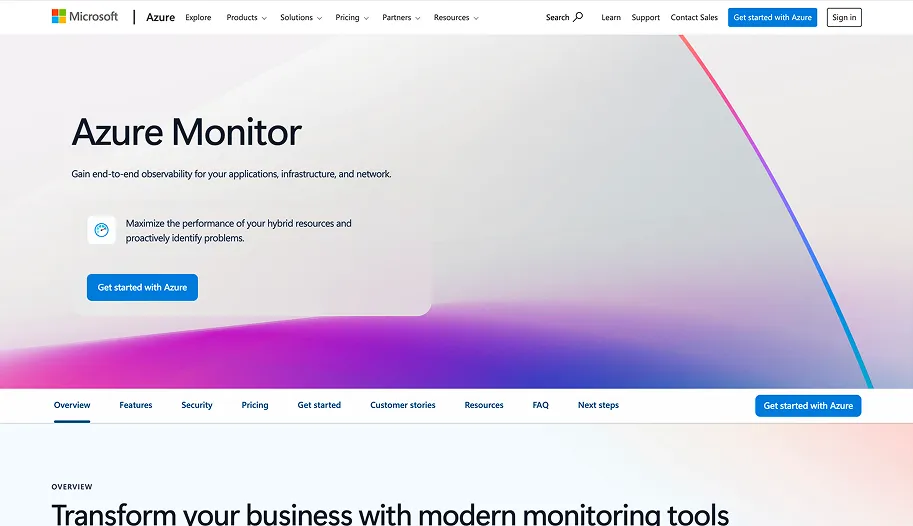
Azure Monitor is a comprehensive monitoring platform built for Azure cloud environments that provides detailed insights into resource performance, application health, and usage patterns.
It collects telemetry data from a wide range of Azure services and provides powerful analytics capabilities.
Key Features:
Unified Monitoring: Provides centralized monitoring across Azure resources, applications, and hybrid environments.
Log Analytics: Uses Kusto Query Language (KQL) to enable detailed analysis of logs and performance data.
Real-time Alerts: Generates real-time alerts and triggers automated actions based on predefined metrics.
Application Insights: Delivers detailed visibility into application performance and user interactions.
Best For: Teams using Azure that require an all-in-one solution for cloud monitoring, log analytics, and performance diagnostics, with support for hybrid and third-party integrations.
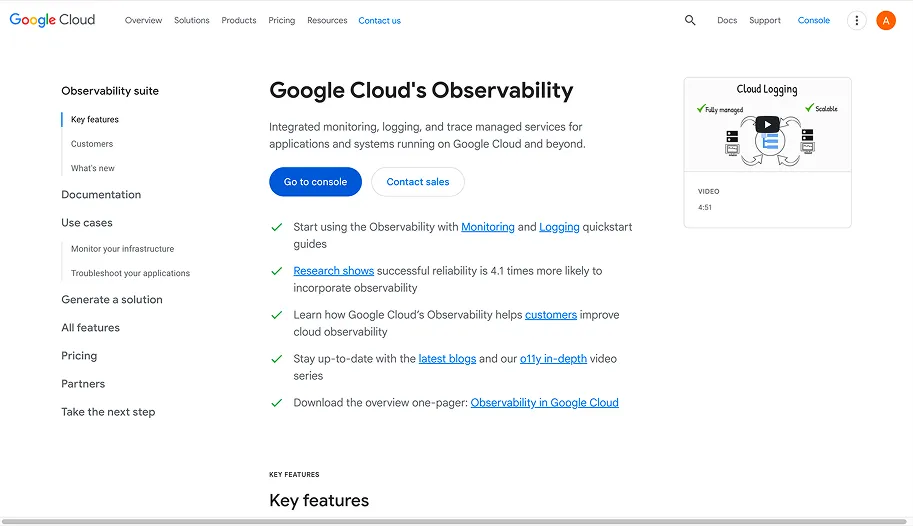
Google Cloud Operations provides a unified suite of monitoring, logging, and diagnostics for cloud infrastructure and applications. It enables teams to track performance metrics, analyze logs, and identify issues across Google Cloud environments from a single platform.
Key Features:
Comprehensive Monitoring: Monitors Google Cloud resources along with supported third-party services.
Application Tracing: Offers detailed application tracing and error tracking for deeper performance insights.
Custom Dashboards: Provides dashboards and visualizations to monitor infrastructure health and trends.
Predictive Alerts: Uses machine learning to detect anomalies and generate predictive alerts.
Best For: Teams running workloads on Google Cloud that need an integrated platform for monitoring infrastructure, applications, and logs, with advanced diagnostics and intelligent alerting.
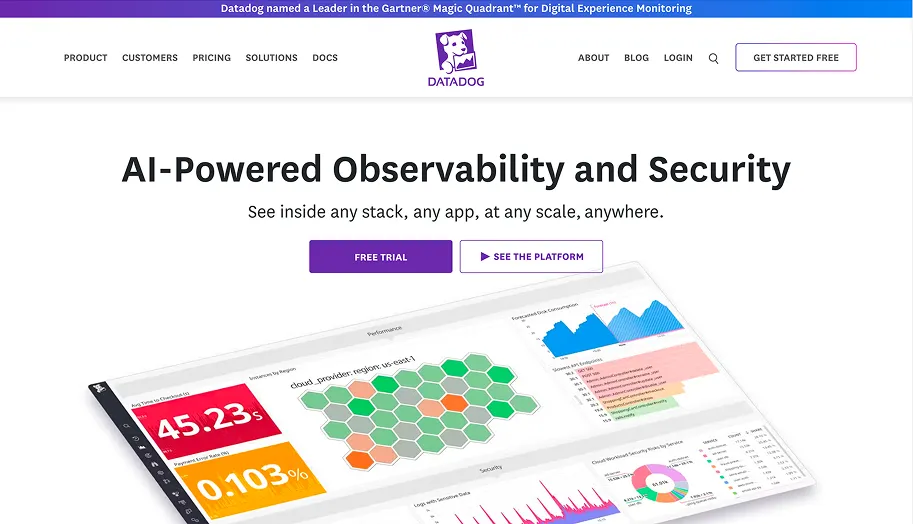
Datadog is a full-stack observability platform that delivers end-to-end visibility across applications, infrastructure, and cloud environments. It enables engineering teams to collect and analyze metrics, logs, and traces across their entire stack in real time.
Key Features:
Infrastructure Monitoring: Tracks infrastructure performance with real-time metrics and customizable dashboards.
Application Performance Monitoring (APM): Provides deep insights into application behavior and performance bottlenecks.
Centralized Log Management: Aggregates and analyzes logs across systems from a single platform.
Distributed Tracing: Helps identify root causes of performance issues across distributed services.
Best For: Engineering teams looking for an all-in-one observability platform to monitor infrastructure, applications, and logs across complex, multi-cloud, or hybrid environments.
New Relic is a comprehensive application performance management platform that monitors, analyzes, and optimizes application health. It provides detailed insights into application performance, error rates, and user behavior, helping teams improve system efficiency and resolve issues faster.
Key Features:
Application Performance Monitoring: Delivers real-time visibility into application performance and errors.
Distributed Tracing: Enables detailed diagnostics and root-cause analysis across services.
Infrastructure Monitoring: Tracks infrastructure health and resource utilization end-to-end.
User Behavior Analytics: Analyzes application usage patterns to help optimize user experience.
Best For: Development and operations teams that need deep application performance visibility, improved user experience insights, and consistent monitoring across cloud and on-premise environments.
Teams managing multi-cloud environments needing automated optimization.
Reduces cloud costs by 30%, boosts performance by 75%, and increases productivity by 6x.
AWS CloudWatch
Teams on AWS needing performance visibility and automated actions.
Enables real-time monitoring, log aggregation, and automated actions.
Azure Monitor
Teams on Azure needing centralized monitoring and hybrid support.
Provides unified monitoring, log analysis, and real-time alerts.
Google Cloud Operations
Teams on Google Cloud needing integrated monitoring and alerts.
Delivers monitoring, predictive alerts, and application tracing.
Datadog
Teams needing full-stack observability across multi-cloud environments.
Tracks infrastructure, app performance, and logs in real time.
New Relic
Teams needing deep APM visibility and user experience insights.
Monitors app performance, traces issues, and analyzes user behavior.
The insights from these tools help teams decide how and when to scale resources to maintain performance.
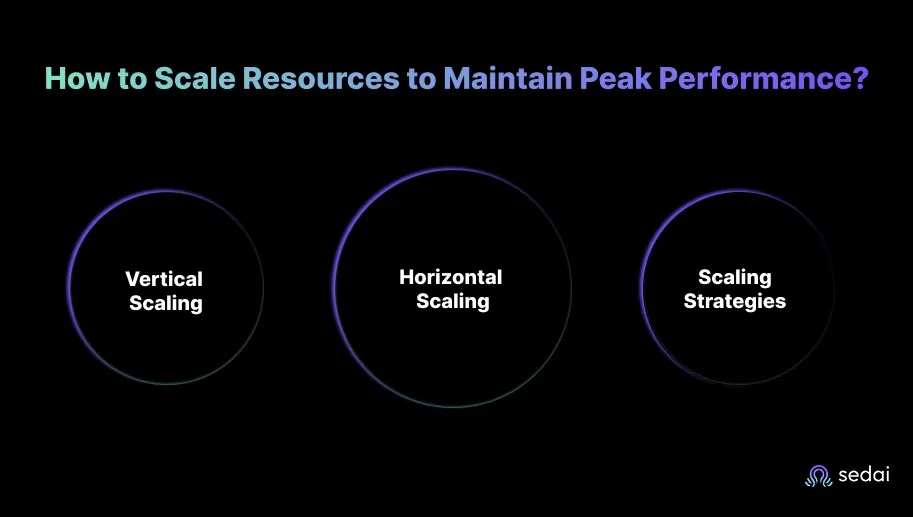
How to Scale Resources to Maintain Peak Performance?
Scaling cloud resources effectively is essential for maintaining consistent performance as traffic fluctuates and user demand increases. A structured scaling strategy allows teams to support growth without sacrificing speed, reliability, or cost efficiency. Here’s how to do it:
1. Vertical Scaling
Vertical scaling focuses on increasing the capacity of existing servers by adding CPU, memory, or storage.
Use Case: This approach works well for applications that require additional processing power but are not yet designed to operate across multiple servers.
Advantages: Vertical scaling is relatively simple to implement, allowing teams to upgrade resources quickly without modifying the underlying architecture.
Limitations: There are practical limits to how much a single server can be scaled. As those limits are approached, costs rise sharply, and performance gains become incremental.
2. Horizontal Scaling
Horizontal scaling distributes workloads across multiple servers by adding or removing instances as needed.
Use Case: It is well-suited for high-traffic applications that must scale quickly while avoiding the constraints of a single machine.
Advantages: Cloud platforms such as AWS, Azure, and Google Cloud support auto-scaling, enabling infrastructure to adjust dynamically based on demand. This helps maintain performance while optimizing resource usage.
Scalability: Horizontal scaling supports near-unlimited growth, as additional resources can be introduced whenever demand increases.
3. Practical Strategies for Effective Scaling
Regular Load Testing: Load and stress testing simulate traffic spikes to evaluate how systems respond under pressure. Running these tests regularly helps uncover performance limits and refine scaling strategies before peak traffic occurs.
Implement Auto-Scaling for Efficiency: Configure auto-scaling policies to increase capacity during high-demand periods and reduce it during low-traffic windows. This approach balances performance and availability.
Effective cloud performance optimization goes beyond one-time tuning. It requires continuous adjustment as workloads, traffic patterns, and application behavior change.
As cloud environments grow in scale and complexity, relying on manual monitoring and reactive adjustments becomes increasingly impractical. This is where automation plays a critical role.
Platforms like Sedai apply AI-driven intelligence to analyze workload behavior, anticipate resource requirements, and automatically adjust to balance performance and cost in real time.
With Sedai, cloud environments continuously optimize themselves. Waste is reduced, application performance remains stable under changing demand, and your teams are free to focus on higher-impact work instead of operational tuning.
Performance issues that go unaddressed become reliability incidents. Book a demo to see how Sedai proactively surfaces and resolves cloud performance problems before they impact users.
Q1. What are the best practices for monitoring cloud performance?
A1. Effective cloud performance monitoring starts with setting up real-time monitoring and alerts for key metrics such as CPU utilization, memory usage, latency, and response time. Cloud-native tools provide continuous visibility into system performance and support automated remediation to address issues as they arise.
Q2. How does cloud performance optimization impact user experience?
A2. Cloud performance optimization directly improves user experience by reducing response times and minimizing downtime. By proactively addressing latency issues and performance bottlenecks, applications remain responsive and stable, even during sudden traffic spikes or peak usage periods.
Q3. How do I balance cloud cost with performance optimization?
A3. Balancing cost and performance requires right-sizing resources based on actual usage rather than peak assumptions. Implementing autoscaling helps avoid over-provisioning, while regular monitoring of usage patterns ensures resources are adjusted to meet performance requirements without unnecessary spend.
Q4. What role does automation play in cloud performance optimization?
A4. Automation enables resources to adjust dynamically based on real-time demand, reducing the need for manual intervention. Platforms like Sedai continuously optimize workloads and resolve performance issues autonomously, allowing engineering teams to maintain efficiency at scale.
Q5. Can performance optimization reduce cloud security risks?
A5. Yes, performance optimization helps eliminate resource inefficiencies that can introduce operational and security risks. By streamlining resource allocation and maintaining stable workloads, organizations reduce potential attack surfaces and improve overall system resilience.