What is cloud workload automation and why is it important?
Cloud workload automation is the practice of dynamically adjusting infrastructure and workload behavior in response to runtime conditions. It governs decisions such as when to scale, resize, start, stop, or reconfigure resources across cloud services. This approach is essential because it ensures resources align with actual usage patterns, reduces operational waste, and boosts efficiency—especially as cloud environments become more complex and manual management becomes unsustainable.
How does cloud workload automation differ from hybrid workload automation?
Cloud workload automation focuses on fully public cloud environments (AWS, Azure, Google Cloud) with fast feedback loops, standardized APIs, and elastic cost optimization. Hybrid workload automation manages both cloud and on-prem infrastructure, often with slower feedback, higher operational complexity, and the need to balance cloud spend against fixed on-prem costs.
What is the difference between cloud workload orchestration and automation?
Cloud workload orchestration manages the execution order and service dependencies across distributed systems, ensuring tasks run in the correct order. Cloud workload automation, on the other hand, governs decision-making and corrective actions, using real-time system behavior to determine when and how changes should be applied for cost and performance optimization.
What are the main challenges of implementing cloud workload automation?
Common challenges include unstable workload baselines, unclear engineering intent, large blast radius of changes, low trust in automated actions, and organizational resistance to change. Solutions involve establishing stable patterns, defining SLOs and limits, applying automation incrementally, making actions auditable, and starting with low-risk automation before expanding.
What are the key metrics to monitor for successful cloud workload automation?
Key metrics include CPU and memory utilization, latency, error rates, request queue depth, and resource saturation. Monitoring these metrics provides visibility into workload health and efficiency, enabling automated systems to dynamically adjust resources based on actual demand.
How does cloud workload automation improve disaster recovery?
Cloud workload automation simplifies disaster recovery by automating failover and recovery processes. When a failure occurs, automation can detect issues in real time, trigger predefined recovery workflows, and restore services quickly with minimal human intervention.
Can cloud workload automation be integrated with legacy on-prem systems?
Yes, many cloud workload automation platforms support hybrid environments, allowing integration with legacy on-prem systems. This enables automating workflows spanning both cloud and on-prem infrastructure, ensuring consistent performance, scalability, and cost control across environments.
How does cloud workload automation handle security and compliance requirements?
Cloud workload automation supports security and compliance through policy-driven controls. Automation can enforce encryption standards, manage access policies, run scheduled compliance checks, and ensure configurations remain aligned with regulatory and organizational requirements over time.
How does workload automation impact multi-cloud environments?
In multi-cloud environments, workload automation enables consistent optimization across platforms such as AWS, Azure, and Google Cloud. By applying provider-specific policies, automation helps balance cost, performance, and reliability while maintaining centralized control across the entire infrastructure.
Features & Capabilities of Sedai
What is Sedai and how does it relate to cloud workload automation?
Sedai is an AI-driven autonomous cloud management platform that optimizes cost, performance, and resource efficiency across AWS, Azure, Google Cloud, Kubernetes, and serverless environments. It continuously adjusts resources based on real-time workload behavior, reducing manual intervention and helping teams maintain performance and cost efficiency at scale.
What are the key features of Sedai for cloud workload automation?
Sedai offers autonomous workload optimization, predictive autoscaling, autonomous resource rightsizing, multi-cloud and multi-region optimization, continuous learning, comprehensive cost attribution, and performance/reliability monitoring. These features ensure workloads are always aligned with business objectives and actual usage patterns.
How does Sedai use machine learning and AI in workload automation?
Sedai leverages machine learning and AI to analyze historical trends and real-time usage data, identifying demand spikes and proactively scaling resources. It continuously updates its optimization models using real-time workload behavior, ensuring resources remain aligned with shifting business and operational needs.
What outcomes can organizations expect from using Sedai?
Organizations using Sedai can expect over 30% reduction in cloud costs, up to 75% improved application performance, 70% fewer failed customer interactions, 6x greater engineering productivity, and management of over $3 billion in cloud spend. These outcomes are achieved through autonomous optimization and proactive issue resolution.
How does Sedai ensure cost efficiency and performance optimization?
Sedai continuously optimizes cloud resources based on real-time usage patterns, rightsizing workloads, and eliminating overprovisioning. It dynamically adjusts resources to improve latency and throughput, ensuring workloads meet performance and cost objectives without manual intervention.
Does Sedai support multi-cloud and multi-region environments?
Yes, Sedai operates across multiple cloud providers (AWS, Azure, Google Cloud) and regions, enabling organizations to apply consistent optimization and governance practices in complex, distributed environments.
What integrations does Sedai offer?
Sedai integrates with monitoring and APM tools (Cloudwatch, Prometheus, Datadog, Azure Monitor), Kubernetes autoscalers (HPA/VPA, Karpenter), IaC and CI/CD tools (GitLab, GitHub, Bitbucket, Terraform), ITSM platforms (ServiceNow, Jira), notification tools (Slack, Microsoft Teams), and supports various runbook automation platforms.
What security and compliance certifications does Sedai have?
Sedai is SOC 2 certified, demonstrating adherence to stringent security requirements and industry standards for data protection and compliance. More details are available on the Sedai Security page.
How easy is it to implement Sedai and get started?
Sedai offers a plug-and-play implementation that takes just 5 minutes for general use cases and up to 15 minutes for specific scenarios like AWS Lambda. The platform connects securely to cloud accounts using IAM, requires no agents, and provides comprehensive onboarding support, documentation, and a 30-day free trial.
Use Cases & Business Impact
What are the most common use cases for cloud workload automation?
Common use cases include application deployment at scale, cloud provisioning without configuration drift, regulatory compliance and audit reliability, monitoring and automated remediation, eliminating repetitive manual cloud tasks, dynamic scalability under real demand, and scheduling/resource management for batch jobs and analytics pipelines.
What business impact can customers expect from using Sedai?
Customers can expect up to 50% reduction in cloud costs, 75% improvement in application performance, 6x productivity gains, and up to 50% reduction in failed customer interactions. Real-world examples include Palo Alto Networks saving $3.5 million and KnowBe4 achieving 50% cost savings in production.
Who are Sedai's target users and industries?
Sedai is designed for platform engineers, IT/cloud ops, technology leaders, SREs, and FinOps professionals in organizations with significant cloud operations. Industries represented include cybersecurity, IT, financial services, healthcare, travel, e-commerce, SaaS, and more.
What customer pain points does Sedai address?
Sedai addresses pain points such as cost inefficiencies, operational toil, performance and latency issues, lack of proactive issue resolution, complexity in multi-cloud/hybrid environments, and misaligned priorities between engineering and FinOps teams.
Can you share specific customer success stories with Sedai?
Yes. KnowBe4 achieved up to 50% cost savings and saved $1.2 million on their AWS bill. Palo Alto Networks saved $3.5 million, reduced Kubernetes costs by 46%, and saved 7,500 engineering hours. Belcorp reduced AWS Lambda latency by 77%. More case studies are available on the Sedai resources page.
What feedback have customers given about Sedai's ease of use?
Customers highlight Sedai's quick setup (5–15 minutes), agentless integration, personalized onboarding, comprehensive documentation, and risk-free 30-day trial as key factors making the platform easy to adopt and use.
What technical documentation and support does Sedai provide?
Sedai provides detailed technical documentation, onboarding guides, and extensive resources including case studies and datasheets. Support is available via email, phone, and a community Slack channel. Documentation is accessible at docs.sedai.io/get-started.
What are the modes of operation in Sedai?
Sedai offers three modes: Datapilot (observability), Copilot (one-click optimizations), and Autopilot (fully autonomous execution). This provides flexibility to match different operational needs and risk tolerances.
How does Sedai help with regulatory compliance and audit reliability?
Sedai integrates with Infrastructure as Code (IaC), IT Service Management (ITSM), and compliance workflows to ensure safe, auditable changes. It supports scheduled compliance checks and automated validation of encryption, access controls, and data placement.
Competition & Comparison
How does Sedai compare to other cloud workload automation tools?
Sedai stands out with 100% autonomous optimization, proactive issue resolution, application-aware intelligence, full-stack cloud coverage, release intelligence, and rapid plug-and-play implementation. Competitors may focus on specific areas or require more manual intervention, while Sedai provides a holistic, autonomous solution best for multi-cloud Kubernetes environments and teams seeking continuous optimization with minimal manual effort.
What are the advantages of Sedai for different user segments?
Platform engineers benefit from reduced toil and IaC consistency; IT/cloud ops see lower ticket volumes and safer automation; technology leaders gain measurable ROI and reduced cloud spend; FinOps teams get actionable savings and multi-cloud simplicity; SREs experience fewer alerts and automated scaling, reducing manual toil and pager fatigue.
What makes Sedai unique compared to traditional workload automation tools?
Sedai's unique features include 100% autonomous optimization, proactive issue resolution before user impact, application-aware intelligence, full-stack coverage, release intelligence, and a rapid, agentless setup. These capabilities enable continuous improvement and measurable business outcomes with minimal manual effort.
Who are some of Sedai's notable customers?
Sedai's customers include Palo Alto Networks, HP, Experian, KnowBe4, Expedia, CapitalOne Bank, GSK, and Avis. These organizations trust Sedai to optimize their cloud environments and improve operational efficiency.
What industries are represented in Sedai's case studies?
Industries include cybersecurity (Palo Alto Networks), IT (HP), financial services (Experian, CapitalOne Bank), security awareness training (KnowBe4), travel/hospitality (Expedia), healthcare (GSK), car rental (Avis), retail/e-commerce (Belcorp), SaaS (Freshworks), and digital commerce (Campspot).
Technical Requirements & Implementation
How long does it take to implement Sedai?
For general use cases, Sedai's setup process takes just 5 minutes. For specific scenarios like AWS Lambda, it may take up to 15 minutes. More complex environments may require additional time, and personalized onboarding is available.
What support options are available for Sedai customers?
Sedai offers personalized onboarding sessions, a dedicated Customer Success Manager for enterprise customers, detailed documentation, a community Slack channel, and email/phone support for ongoing assistance and troubleshooting.
Does Sedai offer a free trial?
Yes, Sedai offers a 30-day free trial, allowing customers to experience the platform's value firsthand without any financial commitment.
Where can I find more information about Sedai's features and solutions?
More information, including solution briefs, case studies, and technical documentation, is available on the Sedai resources page and documentation page.
Cloud workload automation is essential for maintaining cost-efficiency and optimal performance in 2026. It requires an understanding of scaling, rightsizing, and system behavior. Automation tools continuously adjust resources, eliminating manual intervention and ensuring resources align with actual usage patterns. By applying policies based on real-time data, these tools optimize cloud environments across AWS, Azure, and Google Cloud, reducing operational waste and boosting efficiency. Solutions like Sedai simplify this process, helping engineers manage costs without sacrificing performance.
As cloud environments grow more complex, manual resource management quickly becomes unsustainable, leading to inefficiencies, delayed scaling, and rising costs.
With65% of organizations now relying on automation and FinOps practices, it’s clear that traditional approaches can no longer keep pace with constantly shifting workloads and real-time demand.
Cloud workload automation addresses this challenge by dynamically adjusting resources based on live data, helping teams maintain performance and cost efficiency at scale.
In this blog, you’ll learn how cloud workload automation works and explore 9 leading software solutions for 2026 that help simplify operations, reduce costs, and improve performance.
If your team is constantly rewriting rules to keep up with workload changes, there is a better way. Book a demo to see what autonomous cloud management looks like in production.
What Is Cloud Workload Automation and Why Does It Matter?
Cloud workload automation is the practice of dynamically adjusting infrastructure and workload behavior in response to runtime conditions. It governs decisions such as when to scale, resize, start, stop, or reconfigure resources across cloud services.
Unlike static scripts or scheduled jobs, workload automation responds to actual utilization, traffic patterns, and dependency interactions.
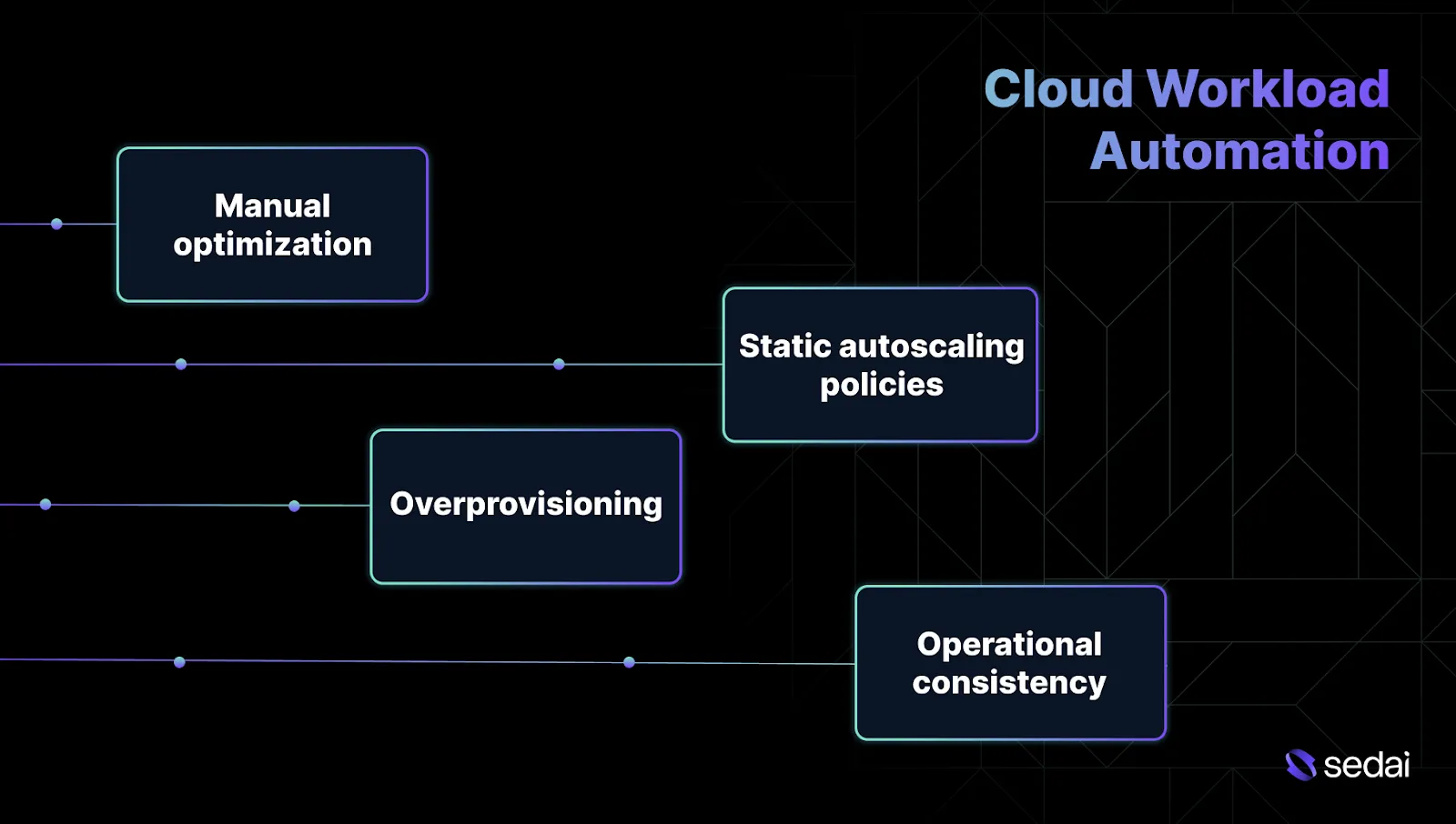
Here’s why cloud workload automation matters:
1.Manual optimization cannot keep pace with change
Cloud workloads update daily due to deployments, traffic fluctuations, and new feature releases. Resource decisions made during initial setup quickly become outdated.
Automation revisits these decisions continuously, rather than relying on one-time tuning, ensuring workloads remain aligned with performance and cost objectives.
2.Static autoscaling policies struggle under real traffic
Threshold-based scaling often reacts too late or overcompensates during spikes. Workload automation dynamically scales based on historical patterns and observed effects, rather than relying solely on instantaneous metrics.
3.Overprovisioning hides risks while inflating costs
Teams frequently oversize EC2 instances or Kubernetes requests to prevent incidents. While this may avoid immediate issues, it masks underlying performance bottlenecks and generates ongoing waste. Automation gradually tightens resources while monitoring latency and error rates to maintain reliability.
4.Operational consistency improves across teams and services
Automation enforces consistent decision logic across AWS, Azure, and Google Cloud workloads. Tools likeSedai help apply this logic continuously, reducing variability from individual tuning habits or undocumented runbooks and supporting more predictable performance and cost control.
Understanding why cloud workload automation matters helps clarify how it differs from hybrid workload automation.
Cloud vs Hybrid Workload Automation: What’s the Difference?
Cloud workload automation and hybrid workload automation address different challenges, even though they’re often discussed together. Below are the differences between cloud workloads and hybrid workload automation.
Aspect
Cloud Workload Automation
Hybrid Workload Automation
Primary environment
Fully public cloud environments running on AWS, Azure, or Google Cloud
Mix of public cloud and on-prem infrastructure
Decision feedback loop
Fast. Metrics and control APIs are available in near real time
Slower. Signals from on-prem systems are delayed or incomplete
Automation scope
Compute, Kubernetes, serverless, managed databases, storage, and networking
Cloud resources plus legacy systems, schedulers, and fixed workloads
Failure domain size
Smaller and well-defined per service, cluster, or account
Larger and shared across cloud and on-prem dependencies
Verification and rollback
Automated verification using latency, errors, and saturation metrics
Often partial or manual due to limited observability
Cost optimization behavior
Optimizes elastic spend that can be reversed quickly
Must balance cloud spend against sunk on-prem costs
Operational complexity
Lower. Standardized APIs and consistent telemetry
Higher. Custom logic and environment-specific exceptions
Knowing how cloud and hybrid workload automation differ makes it easier to compare automation with orchestration.
Cloud Workload Orchestration vs Cloud Workload Automation: How They Compare
Cloud workload orchestration manages execution order and service dependencies across distributed systems. On the other hand, cloud workload automation governs decision-making and corrective actions, using real-time system behavior to determine when and how changes should be applied.
Below are the key differences between cloud workload orchestration and cloud workload automation.
Aspect
Cloud Workload Orchestration
Cloud Workload Automation
Primary purpose
Ensures tasks and services run in the correct order
Decides when and how infrastructure or workload changes should occur
Trigger model
Time-based or event-based execution
Continuous evaluation based on system behavior
Awareness of system state
Limited to workflow success or failure
Considers utilization, latency, errors, and saturation
Failure response
Retries or fails the workflow
Verifies impact and rolls back if objectives are violated
Cost impact control
Indirect. Costs change as a side effect of workflows
Direct. Actions are evaluated against cost and efficiency goals
Comparing workload orchestration and automation helps highlight the specific cloud management problems that automation can address.
Cloud Management Problems That Workload Automation Helps Solve
Most cloud management issues surface weeks after a change rather than at the moment it’s made. As workloads change, resource sizing, scaling policies, and manual fixes gradually drift out of alignment.
Workload automation addresses these slow-moving failures in the following ways:
1.Autoscaling that reacts too late or overcorrects
Threshold-based autoscaling frequently triggers after latency has already degraded. In other cases, overly aggressive policies cause repeated scale-up and scale-down cycles during short-lived spikes.
Automation learns normal traffic behavior and adjusts scaling policies so capacity increases earlier and stabilizes more predictably.
2.Cost drift caused by runtime changes not reflected in IaC
Manual fixes applied during incidents often diverge from Terraform or CloudFormation definitions. Over time, the desired state and actual runtime configuration drift apart.
Workload automation can enforce alignment or update infrastructure definitions, ensuring cost optimizations persist across deployments instead of disappearing after the next change.
3.Inconsistent decisions across teams and services
Different teams often tune similar workloads differently, driven by habit or past experience. This results in uneven cost efficiency and reliability across environments. Automation applies consistent decision logic across AWS, Azure, and Google Cloud workloads.
4.Engineers spending time on repetitive toil
You repeatedly revisit the same sizing, scaling, and cleanup tasks. While necessary, these activities add limited long-term value and consume significant attention. Automation removes these repetitive decision loops while keeping engineers in control of objectives, constraints, and outcomes.
Knowing the management problems workload automation solves makes its common use cases clearer.
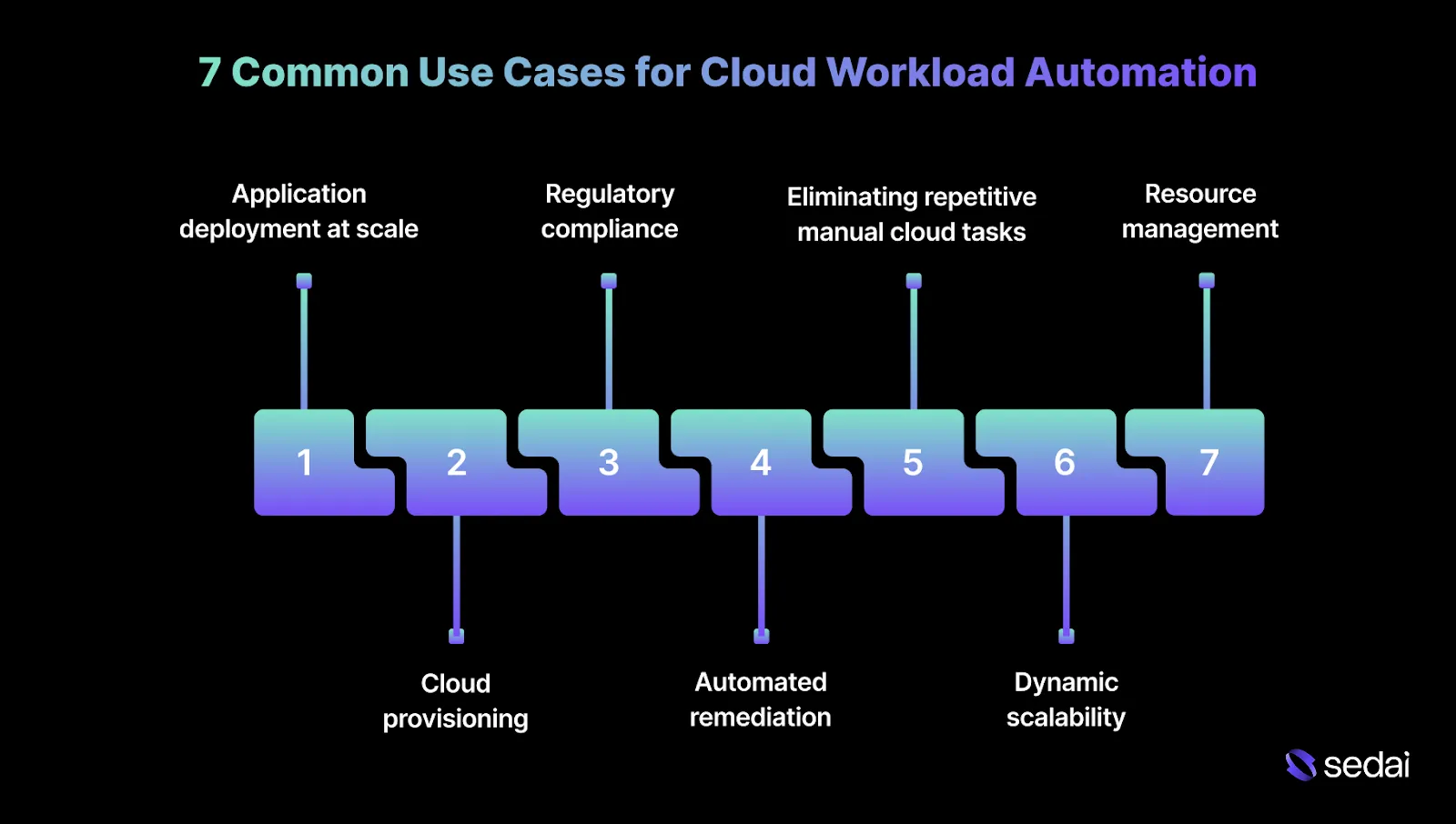
7 Common Use Cases for Cloud Workload Automation
Cloud workload automation is applied when manual decision-making no longer scales with updates to infrastructure and shifting traffic patterns.
The most common use cases focus on correcting resource drift, stabilizing scaling behavior, and reducing operational toil while maintaining reliability and risk controls.
1.Application deployment at scale
Deployment errors remain one of the most common sources of production incidents. As systems grow, manual steps, environmental differences, and timing dependencies compound risk.
Standardizing deployment workflows across services.
Coordinating dependency readiness before changes are applied.
This shifts your focus away from release mechanics and toward release quality and validation.
2.Cloud provisioning without configuration drift
Manual provisioning slows teams down and introduces inconsistency. More critically, it leads to configuration drift when emergency fixes are applied directly in production and never reconciled with infrastructure definitions.
Workload automation reduces this by:
Provisioning infrastructure from predefined templates.
Enforcing the desired state through continuous validation rather than one-time checks.
For you, the primary benefit is predictability. Every environment behaves the same way, even after repeated deployments, fixes, and scaling events.
3.Regulatory compliance and audit reliability
Compliance failures rarely occur because teams ignore regulations. More often, they happen when manual controls drift as systems change.
Access policies, data residency rules, retention settings, and patch levels gradually fall out of alignment with regulatory requirements as infrastructure and applications change.
Workload automation addresses this by enforcing repeatable, auditable processes, including:
Scheduled compliance checks against defined baselines.
Automated validation of encryption, access controls, and data placement.
This becomes especially important in hybrid environments, where on-prem systems and cloud services must adhere to the same compliance standards but expose different telemetry, tooling, and control surfaces.
4.Monitoring and automated remediation
Monitoring alone often leads to alert fatigue when issues are detected but not resolved automatically. The real value emerges when monitoring is directly tied to corrective action.
Workload automation enables:
Continuous collection of metrics such as CPU, memory, latency, and queue depth.
Automated remediation actions like rescheduling workloads, resizing resources, or restoring the desired state.
For you, the critical requirement is verification. Automation must confirm that remediation improved system behavior and revert changes when it did not.
5.Eliminating repetitive manual cloud tasks
Manual cloud operations are slow, error-prone, and difficult to audit. Over time, they become institutional knowledge locked inside runbooks or individual engineers’ experience.
Workload automation replaces this with:
Codified operational workflows.
Repeatable and predictable execution.
Clear ownership, visibility, and audit trails.
This reduces operational risk while improving consistency and reliability across teams.
6.Dynamic scalability under real demand
Manual scaling breaks down when demand is unpredictable. Static thresholds often trigger too late or overshoot actual capacity needs.
Workload automation improves scalability by adjusting capacity based on observed behavior rather than fixed rules. This approach is critical for workloads that experience sharp or short-lived traffic spikes.
7.Scheduling and resource management
Not all workloads need to run continuously. Batch jobs, analytics pipelines, and maintenance tasks often have flexible execution windows.
Workload automation supports this by:
Scheduling workloads during off-peak periods.
Reducing idle infrastructure and unnecessary costs.
This is particularly valuable in hybrid environments, where on-prem capacity is fixed, and cloud capacity can scale elastically.
Understanding common use cases makes it easier to evaluate popular software options.
9 Popular Cloud Workload Automation Software to Know
Cloud workload automation software helps you eliminate manual intervention by dynamically orchestrating compute, storage, and application resources in response to real-time demand. Below are the top cloud workload automation software.
Ready to automate your cloud workloads?
Book a Sedai demo to streamline operations, reduce costs, and optimize cloud performance automatically.
1.Sedai
Sedai is an AI-driven cloud optimization platform that plays a central role in cloud workload automation. It autonomously manages cost, performance, and resource efficiency across AWS, Azure, Google Cloud, Kubernetes, and serverless environments.
Using machine learning (ML) and artificial intelligence (AI), Sedai continuously optimizes cloud resources to ensure workloads consistently meet performance, reliability, and cost objectives.
By adjusting resources automatically based on real-time workload behavior, Sedai helps organizations stay within budget while meeting performance targets.
This reduces the need for ongoing manual intervention and allows your teams to focus on higher-value work such as system architecture and product innovation.
Key Features:
Autonomous Workload Optimization: Sedai automatically adjusts cloud resources such as compute, memory, and instance types based on real-time demand. This ensures workloads are neither over-provisioned nor undersized.
Predictive Autoscaling: By analyzing historical trends alongside real-time usage data, Sedai identifies demand spikes and proactively scales resources.
Autonomous Resource Rightsizing: Sedai continuously optimizes the size and type of resources across cloud environments, ensuring configurations align with actual usage patterns and evolving workload requirements.
Multi-Cloud and Multi-Region Optimization: Sedai operates across multiple cloud providers and regions, helping organizations apply consistent optimization and governance practices in complex, distributed environments.
Continuous Learning and Reinforcement Learning: As workloads change, Sedai continuously updates its optimization models using real-time behavior, ensuring resources remain aligned with shifting business and operational needs.
Comprehensive Cost Attribution: Sedai delivers detailed visibility into cloud spending, enabling engineering teams to enforce cost governance standards and make informed optimization decisions.
Performance and Reliability Monitoring: Key metrics such as latency, error rates, and resource utilization are continuously tracked, ensuring optimization actions stay aligned with performance and reliability objectives.
How Sedai Delivers Value:
Outcome
Details
30%+ Reduced Cloud Costs
Optimizes cloud spend based on real usage patterns.
75% Improved Application Performance
Dynamically adjusts resources to improve latency and throughput.
70% Fewer Failed Customer Interactions (FCIs)
Detects and resolves issues automatically to maintain availability.
6× Greater Engineering Productivity
Automates optimization tasks and reduces manual effort.
$3B+ Cloud Spend Managed
Optimizes over$3 billion in enterprise cloud spend.
Best For: Engineers and platform teams managing large-scale, multi-cloud Kubernetes environments that need continuous cost and performance optimization with minimal manual effort.
AWS Batch is a fully managed batch processing service built to support large-scale parallel and high-performance computing (HPC) workloads in the cloud.
It automatically provisions compute capacity based on job requirements, making it suitable for workloads that demand significant and variable compute power.
Key Features:
Fully managed: AWS Batch handles job execution mechanics such as resource provisioning, scheduling, and queue management, reducing operational overhead.
Automatic scaling: Compute resources scale automatically based on workload demand, helping control costs while maintaining performance.
Cloud integration: Integrates tightly with AWS services such as Amazon S3, EC2, and RDS, enabling streamlined data movement and workflow execution.
Job dependencies: Supports job dependencies and prioritization, allowing teams to model complex batch workflows efficiently.
Best For: Well-suited for scientific computing, data analytics, and simulation workloads that require scalable, managed batch processing across large datasets.
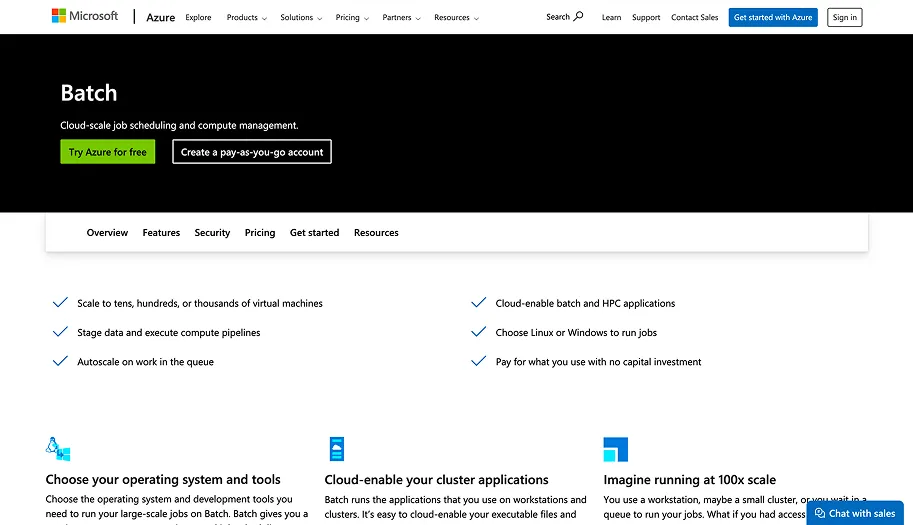
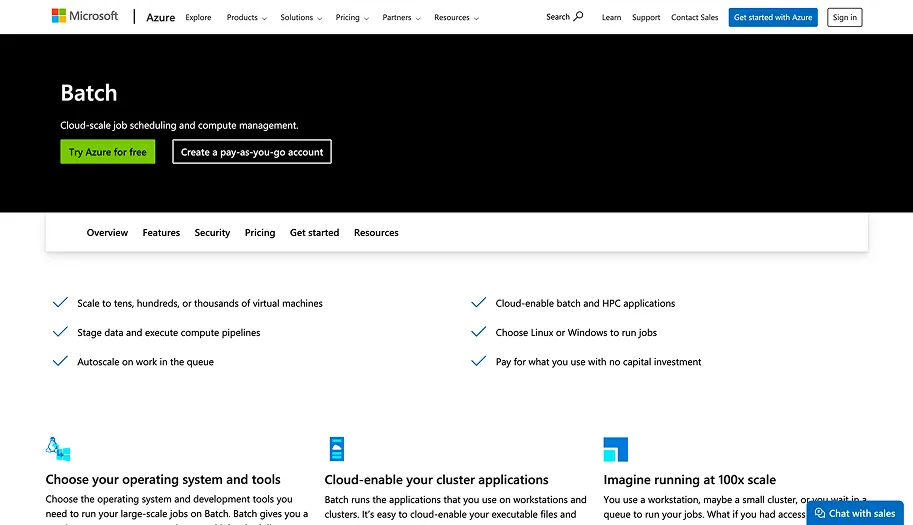
Azure Batch is a cloud-based service that provides large-scale parallel and high-performance computing (HPC) capabilities without requiring teams to manage underlying infrastructure.
It is designed to support compute-intensive batch workloads with minimal operational complexity.
Key Features:
Scalable compute: Automatically provisions and scales compute resources to meet workload requirements as demand changes.
Job orchestration: Supports job dependencies, retries, and scheduling, enabling structured orchestration of complex batch workflows.
Cloud integration: Integrates with Azure services such as Blob Storage and Azure SQL Database to support efficient data handling.
Advanced scheduling: Allows definition of custom schedules, triggers, and priorities to control execution order and resource usage.
Best For: Suitable for organizations running rendering, simulation, and data processing workloads within the Azure ecosystem.
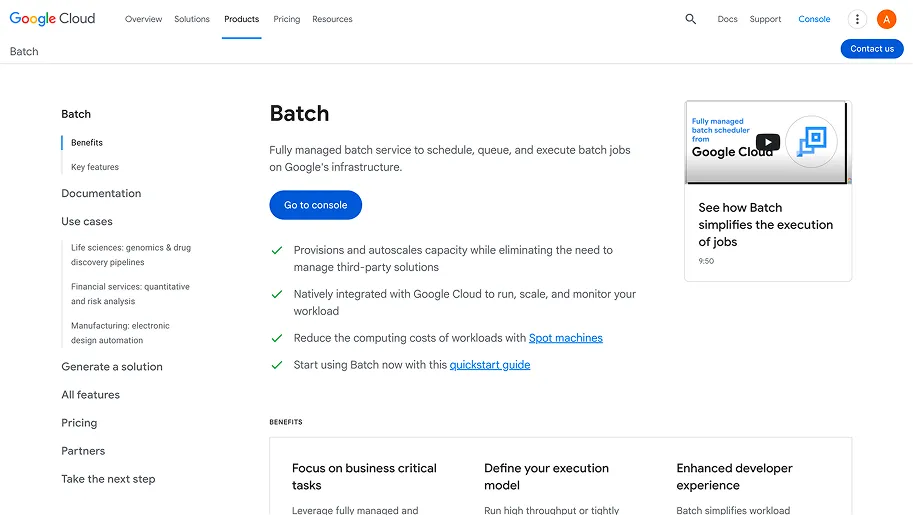
Google Cloud Batch is a fully managed service for running large-scale batch workloads on Google Cloud. It uses Google Cloud infrastructure to dynamically provision and scale compute resources based on job needs.
Key Features:
Scalable resources: Automatically adjusts compute capacity to match workload requirements, improving efficiency and cost control.
Cloud-native integration: Integrates with services such as Google Kubernetes Engine (GKE) and Google Cloud Storage for coordinated resource management.
Job orchestration: Supports scheduling, monitoring, and dependency management for batch workloads.
Simplified management: Reduces setup and operational complexity through fully managed execution and scaling.
Best For: Appropriate for organizations running compute-intensive workloads such as scientific analysis, video rendering, and data processing on Google Cloud.
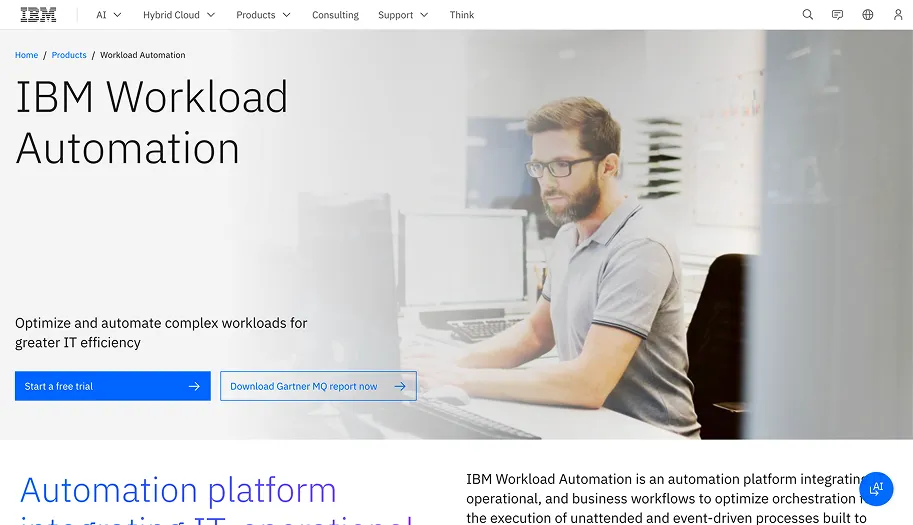
IBM Workload Automation is an enterprise-grade platform designed to automate and optimize workloads across hybrid IT environments. It coordinates job execution while using analytics to anticipate and mitigate operational issues.
Key Features:
Multi-cloud support: Automates workloads across on-premises systems and multiple cloud environments.
Predictive analytics: Applies AI and machine learning to forecast failures and improve resource utilization.
Real-time monitoring: Provides continuous visibility into job execution and system performance.
Integration with enterprise applications: Integrates with platforms such as SAP and Oracle for end-to-end orchestration.
Best For: Well-suited for large enterprises requiring centralized automation, predictive insights, and hybrid infrastructure support.
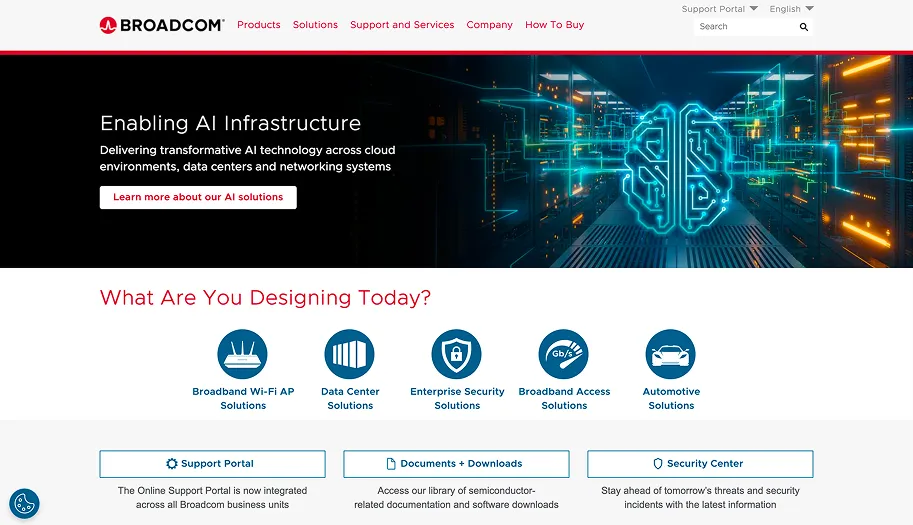
Broadcom CA Workload Automation is an enterprise workload automation platform designed to simplify operations and optimize resource utilization across hybrid IT environments.
Key Features:
Cross-environment automation: Supports on-premises, hybrid, and cloud-based workloads.
Advanced scheduling capabilities: Handles complex dependencies, retries, and dynamic prioritization.
Real-time monitoring and reporting: Provides visibility into job execution and performance metrics.
Integration with enterprise systems: Integrates with SAP, mainframe systems, and cloud platforms.
Best For: Ideal for large enterprises managing complex, distributed workflows across multiple environments.
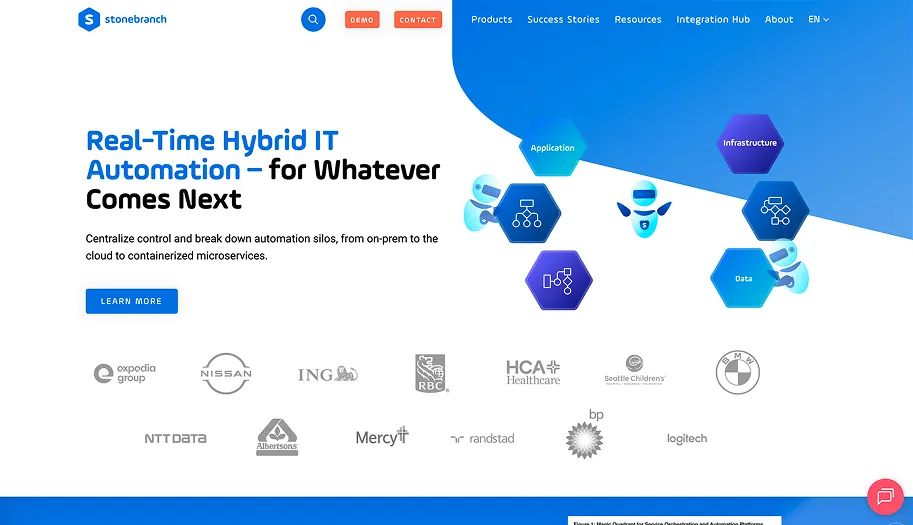
Stonebranch Universal Automation Center (UAC) is a unified automation platform that orchestrates workloads across hybrid IT environments while reducing operational complexity.
Key Features:
Cross-platform orchestration: Supports cloud, on-premises, and mainframe workloads.
Real-time monitoring: Offers visibility into job execution to support proactive management.
Automation of complex workflows: Simplifies orchestration of multi-step and dependency-driven processes.
Secure execution: Includes encryption and access controls to ensure secure job execution.
Best For: Suitable for organizations seeking a secure and scalable automation platform across hybrid and multi-cloud environments.
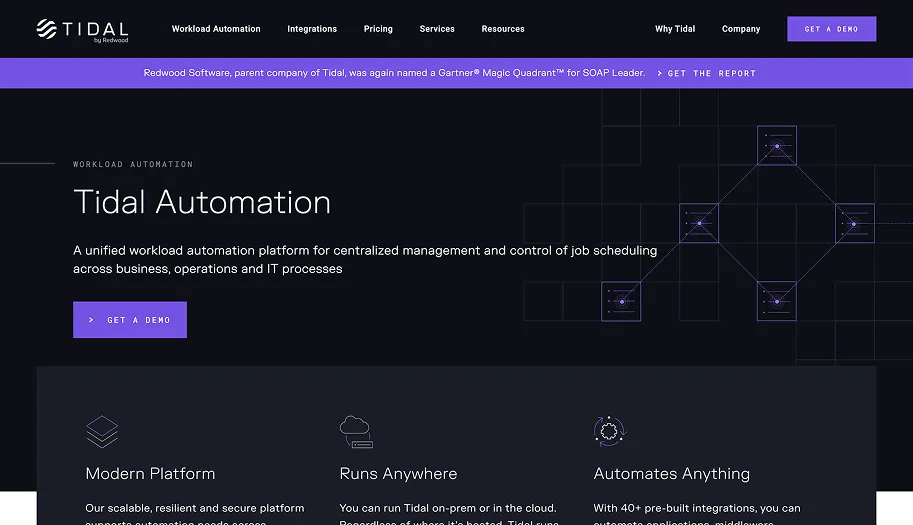
Tidal Workload Automation is designed to manage and automate complex enterprise workloads across hybrid IT environments, focusing on reliability and operational efficiency.
Key Features:
Event-driven scheduling: Supports automation triggered by events rather than fixed schedules.
Real-time monitoring: Provides detailed monitoring and alerting for active workloads.
Job dependencies and orchestration: Supports complex workflows with multiple dependencies.
Cross-platform support: Operates across mainframe, distributed, and cloud environments.
Best For: Best suited for enterprises managing multi-platform workloads that require coordinated scheduling and execution.
Increases efficiency with event-driven automation.
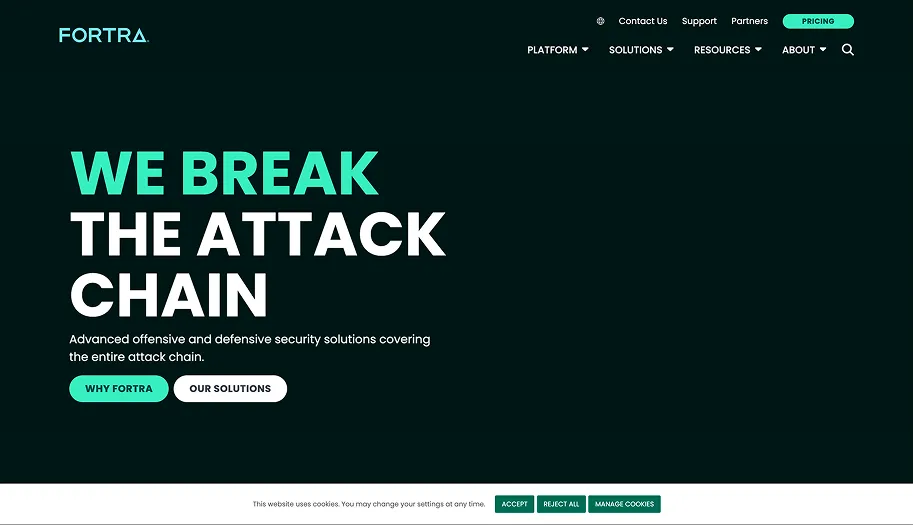
HelpSystems (Fortra)
Secure, flexible IT automation.
Automates processes across environments, ensuring compliance.
Knowing the popular cloud workload automation software helps put into perspective the challenges you might face when implementing it.
Challenges You Might Face When Implementing Cloud Workload Automation
Cloud workload automation introduces continuous change into environments that many teams are accustomed to managing manually. Implementing it successfully requires a shift in assumptions around control, visibility, and risk management.
Autonomous systems predict and act on resource needs before problems surface. Book a demo to see what that looks like in practice across your cloud workloads — no rule rewrites required.
Challenge
Solution
Unstable or short baselines
Establish stable workload patterns before enabling automation.
Unclear engineering intent
Define SLOs, limits, and capacity floors explicitly.
Large blast radius of changes
Apply automation to one service or cluster at a time.
Low trust in automated actions
Make every automated action explainable and auditable.
Organizational resistance to change
Start with low-risk automation and expand gradually.
Cloud workload automation has become essential for managing the growing complexity of modern cloud environments. As workloads grow more dynamic, the need for real-time adjustments increases, making manual intervention difficult to sustain.
Leading organizations continuously refine their approach by scaling resources, optimizing performance, and adopting automation platforms such asSedai.
By analyzing workload behavior and automating resource decisions, Sedai helps reduce inefficiencies, control costs, and maintain consistent performance without constant manual oversight.
With Sedai’s autonomous optimization, cloud environments become largely self-managing. Workloads remain responsive, stable, and cost-effective, while your teams are free to focus on higher-impact work, such as innovation and system design.
Q1. How can cloud workload automation improve disaster recovery?
A1. Cloud workload automation simplifies disaster recovery by automating failover and recovery processes. When a failure occurs, automation can detect issues in real time, trigger predefined recovery workflows, and restore services quickly with minimal human intervention.
Q2. What are the key metrics to monitor for successful cloud workload automation?
A2. To ensure effective workload automation, engineers should monitor metrics such as CPU and memory utilization, latency, error rates, request queue depth, and resource saturation. These metrics provide visibility into workload health and efficiency, enabling automated systems to dynamically adjust resources based on actual demand.
Q3. Can cloud workload automation be integrated with legacy on-prem systems?
A3. Yes, many cloud workload automation platforms support hybrid environments, allowing integration with legacy on-prem systems. This enables automating workflows spanning both cloud and on-prem infrastructure, ensuring consistent performance, scalability, and cost control across environments.
Q4. How does cloud workload automation handle security and compliance requirements?
A4. Cloud workload automation supports security and compliance through policy-driven controls. Automation can enforce encryption standards, manage access policies, run scheduled compliance checks, and ensure configurations remain aligned with regulatory and organizational requirements over time.
Q5. How does workload automation impact multi-cloud environments?
A5. In multi-cloud environments, workload automation enables consistent optimization across platforms such as AWS, Azure, and Google Cloud. By applying provider-specific policies, automation helps balance cost, performance, and reliability while maintaining centralized control across the entire infrastructure.