Serverless Platform Comparison: AWS Lambda, Azure Functions, Google Cloud Functions
What are the main differences between AWS Lambda, Azure Functions, and Google Cloud Functions?
AWS Lambda excels in event-driven processing and deep integration with the AWS ecosystem. Azure Functions is best for enterprise applications, hybrid cloud, and stateful workflows, while Google Cloud Functions is optimized for simplicity, fast deployment, and lightweight, event-driven applications. Each platform offers unique strengths in language support, scaling, and integration with their respective cloud services.
Which serverless platform is best for hybrid or on-premises environments?
Azure Functions is best suited for hybrid or on-premises environments, as it supports execution via Azure Arc and Azure Stack, allowing organizations to run functions outside the Azure cloud while maintaining centralized governance and operational consistency.
How do AWS Lambda, Azure Functions, and Google Cloud Functions handle scaling?
All three platforms offer automatic scaling. AWS Lambda and Google Cloud Functions scale instantly based on event volume, while Azure Functions scales automatically but may require configuration for complex scenarios. Azure's Premium Plan offers pre-warmed instances for predictable performance.
What are the supported programming languages for each serverless platform?
AWS Lambda supports Node.js, Python, Go, Java, Ruby, .NET, and custom runtimes. Azure Functions supports C#, JavaScript, Python, Java, PowerShell, and custom runtimes. Google Cloud Functions supports Node.js, Python, Go, Java, and custom runtimes.
How do the platforms differ in cold start performance?
AWS Lambda and Azure Functions both experience moderate cold starts, with Azure mitigating this via the Premium Plan and Always On option. Google Cloud Functions is optimized for lightweight workloads, keeping cold starts under 1 second for Node.js with minimum instances.
What are the maximum execution timeouts for AWS Lambda, Azure Functions, and Google Cloud Functions?
AWS Lambda allows up to 15 minutes per execution, Azure Functions up to 10 minutes (600 seconds), and Google Cloud Functions up to 9 minutes.
How do the platforms handle stateful processing?
Azure Functions supports stateful workflows via Durable Functions. AWS Lambda and Google Cloud Functions are stateless by default and require external storage for state management.
What are the main integration and compatibility features for each platform?
AWS Lambda integrates with AWS services like S3, DynamoDB, SNS/SQS, API Gateway, and CloudWatch. Azure Functions integrates with Event Grid, Blob Storage, Service Bus, Cosmos DB, Logic Apps, and Power Automate. Google Cloud Functions integrates with Pub/Sub, Firestore, Cloud Storage, BigQuery, and supports third-party services via HTTP triggers.
How does pricing work for AWS Lambda, Azure Functions, and Google Cloud Functions?
All three platforms offer free tiers. AWS Lambda and Azure Functions charge based on invocations and compute time (GB-seconds), with Azure providing millisecond-level billing. Google Cloud Functions uses a similar model, charging per 100 ms of execution time and memory provisioned. See each provider's pricing page for up-to-date rates.
Which serverless platform is best for real-time, high-volume workloads?
AWS Lambda is ideal for high-volume, unpredictable workloads like real-time processing, thanks to its high concurrency limits and mature ecosystem for monitoring and debugging.
How do the platforms support global deployment and availability?
AWS Lambda is available in 30+ regions but requires manual deployment to each. Azure Functions supports global deployment via Resource Manager templates and Azure DevOps pipelines. Google Cloud Functions provides HTTPS endpoints by default and uses Google CDN and Global Load Balancer for reduced latency, though it lacks native multi-region replication.
What are the main security and compliance features of each platform?
AWS Lambda uses IAM roles for function-level permissions and integrates with VPCs, Secrets Manager, and AWS Config. Azure Functions uses Azure Active Directory, Managed Identities, and tools like Security Center and Azure Policy. Google Cloud Functions employs IAM roles, service accounts, and Policy Intelligence tools for automated security and least privilege enforcement.
How do the platforms support developer experience and DevOps integration?
AWS Lambda offers AWS SAM CLI, IDE integrations, and seamless CI/CD with CodePipeline and CodeBuild. Azure Functions integrates with Visual Studio, VS Code, and Azure DevOps pipelines. Google Cloud Functions supports deployment via CLI, Cloud Build, and the Serverless Framework, with a focus on simplicity and rapid iteration.
What are the ideal use cases for each serverless platform?
AWS Lambda is best for real-time file processing, API backends, and microservices. Azure Functions is suited for hybrid cloud, enterprise apps, and stateful workflows. Google Cloud Functions is ideal for mobile backends, lightweight microservices, and event-driven data processing.
How do I handle long-running tasks in AWS Lambda?
Since AWS Lambda is designed for executions up to 15 minutes, long-running tasks should be broken into smaller steps using services like AWS Step Functions or Amazon SQS to ensure reliable execution without hitting timeout limits.
What happens if an AWS Lambda function exceeds its execution time?
If a Lambda function runs beyond its configured timeout, AWS Lambda automatically stops it. You can prevent this by increasing the timeout (up to 15 minutes) or offloading longer workflows to orchestration tools like Step Functions.
How does AWS Lambda pricing compare to traditional virtual machines?
AWS Lambda uses a pay-per-use model based on memory and millisecond-level execution time, while VMs incur continuous charges even when idle. For bursty or event-driven workloads, Lambda is typically more cost-efficient than running dedicated VMs.
Can I schedule AWS Lambda functions to run automatically?
Yes, you can schedule Lambda functions using Amazon EventBridge (formerly CloudWatch Events), which is useful for recurring tasks like cleanups, notifications, or maintenance workflows.
Can I combine AWS Lambda with other cloud platforms like Azure or Google Cloud?
Yes, you can integrate AWS Lambda with services from Azure or Google Cloud using API calls, HTTP triggers, or cloud-specific endpoints. This enables multi-cloud architectures, though it usually involves additional setup and cross-platform management.
Serverless Optimization with Sedai
How does Sedai optimize AWS Lambda, Azure Functions, and Google Cloud Functions?
Sedai uses autonomous resource management powered by machine learning to analyze live usage patterns and automatically tune compute and memory resources across AWS Lambda, Azure Functions, and Google Cloud Functions. This ensures smarter scaling, cost efficiency, and consistent performance without manual intervention. Learn more.
What are the benefits of using Sedai for serverless optimization?
Sedai delivers up to 50% cloud cost savings, reduces latency by up to 75%, and automates remediation of performance issues. It also provides SLO-driven scaling, cross-platform support, and frees engineering teams from manual tuning. Customers like KnowBe4 and Palo Alto Networks have achieved significant savings and productivity gains. Read case studies.
How does Sedai differ from native autoscaling in AWS Lambda, Azure Functions, or Google Cloud Functions?
Native autoscaling relies on static configurations or manual tuning, which can lead to inefficiencies during traffic spikes. Sedai uses machine learning to interpret real workload behavior and autonomously adjusts resources in real time, preventing slowdowns and optimizing costs across platforms.
What is autonomous cloud optimization, and how does Sedai implement it?
Autonomous cloud optimization means using machine learning to optimize cloud resources for cost, performance, and availability without manual intervention. Sedai implements this by continuously learning from workload behavior and outcomes, making real-time adjustments to compute, storage, and networking resources.
What types of integrations does Sedai support for serverless environments?
Sedai integrates with monitoring tools (Cloudwatch, Prometheus, Datadog, Azure Monitor), Kubernetes autoscalers (HPA/VPA, Karpenter), IaC and CI/CD tools (GitLab, GitHub, Bitbucket, Terraform), ITSM (ServiceNow, Jira), notification tools (Slack, Microsoft Teams), and runbook automation platforms. This ensures seamless operation within existing workflows.
How quickly can Sedai be implemented for serverless optimization?
Sedai offers a plug-and-play implementation that takes about 5 minutes for general use cases and up to 15 minutes for specific scenarios like AWS Lambda. The platform is agentless and connects securely via IAM, with comprehensive onboarding support and documentation available. Get started here.
What security and compliance certifications does Sedai have?
Sedai is SOC 2 certified, demonstrating adherence to stringent security requirements and industry standards for data protection and compliance. Learn more.
Who can benefit most from Sedai's serverless optimization platform?
Sedai is designed for platform engineers, IT/cloud operations, technology leaders, SREs, and FinOps professionals in organizations with significant cloud operations. Industries include cybersecurity, IT, financial services, healthcare, travel, e-commerce, and SaaS. See case studies.
What are the most common pain points Sedai solves for serverless teams?
Sedai addresses pain points such as cost inefficiencies, operational toil, performance and latency issues, lack of proactive issue resolution, complexity in multi-cloud environments, and misaligned priorities between engineering and FinOps teams. It automates optimization, reduces manual work, and aligns cost and performance goals.
What business impact can customers expect from using Sedai?
Customers can expect up to 50% cloud cost savings, 75% latency reduction, 6X productivity gains, and a 50% reduction in failed customer interactions. Notable results include Palo Alto Networks saving $3.5 million and KnowBe4 achieving 50% cost savings in production. Read more.
What customer feedback has Sedai received regarding ease of use?
Customers highlight Sedai's quick setup (5–15 minutes), agentless integration, personalized onboarding, and extensive support resources. The 30-day free trial and dedicated Customer Success Manager for enterprise clients are also well received. Learn more.
What technical documentation and resources are available for Sedai?
Sedai provides detailed technical documentation, case studies, datasheets, and strategic guides. Access the documentation at docs.sedai.io/get-started and additional resources at sedai.io/resources.
What are some real-world success stories of Sedai customers?
KnowBe4 achieved 50% cost savings and saved $1.2 million on AWS bills. Palo Alto Networks saved $3.5 million and reduced Kubernetes costs by 46%. Belcorp reduced AWS Lambda latency by 77%. Read KnowBe4's story and Palo Alto Networks' story.
What industries are represented in Sedai's case studies?
Industries include cybersecurity (Palo Alto Networks), IT (HP), financial services (Experian, CapitalOne Bank), security awareness training (KnowBe4), travel (Expedia), healthcare (GSK), car rental (Avis), retail/e-commerce (Belcorp), SaaS (Freshworks), and digital commerce (Campspot). See all case studies.
How does Sedai compare to other cloud optimization tools?
Sedai offers 100% autonomous optimization, proactive issue resolution, application-aware intelligence, and full-stack cloud coverage. Unlike competitors that rely on static rules or manual adjustments, Sedai continuously learns and optimizes based on real application behavior, delivering measurable cost and performance benefits. Learn more.
Choosing the right serverless platform requires a clear understanding of the strengths and limitations of AWS Lambda, Azure Functions, and Google Cloud Functions. Lambda excels in event-driven processing and AWS integration, Azure Functions is best for enterprise applications with hybrid cloud needs, and Google Cloud Functions is suited for lightweight, fast-deploying applications. By understanding these key differences, you can make a more informed decision and optimize your cloud architecture for cost and performance.
Choosing the right serverless platform can significantly impact your application’s performance, costs, and scalability.
AWS Lambda, Azure Functions, and Google Cloud Functions each bring unique strengths to the table, but understanding how they differ is essential for optimizing modern workloads.
Teams often struggle to pick a platform that aligns with their existing infrastructure, scales smoothly under unpredictable traffic, and stays cost-efficient as usage grows.
AWS Lambda stands out for its tight integrations across the AWS ecosystem, and Azure Functions is a strong fit for enterprise and hybrid environments. On the other hand, Google Cloud Functions grows in lightweight, event-driven, and developer-friendly use cases.
In this blog, you’ll explore the core strengths, ideal scenarios, and pricing models for each of these serverless platforms.
Lambda cold starts and misconfigured memory allocations quietly inflate your bill. Book a demo to see how Sedai auto-tunes serverless configurations based on real execution patterns.
What Is AWS Lambda?
AWS Lambda is a serverless compute service that lets developers run code in response to events without provisioning or managing servers.
Lambda automatically handles infrastructure tasks such as scaling, load balancing, and execution, so you can focus on building application logic rather than maintaining servers.
Various AWS services or HTTP requests trigger functions and execute code based on the event type. Since Lambda charges only for actual compute time, it becomes a cost-efficient choice for event-driven and intermittent workloads.
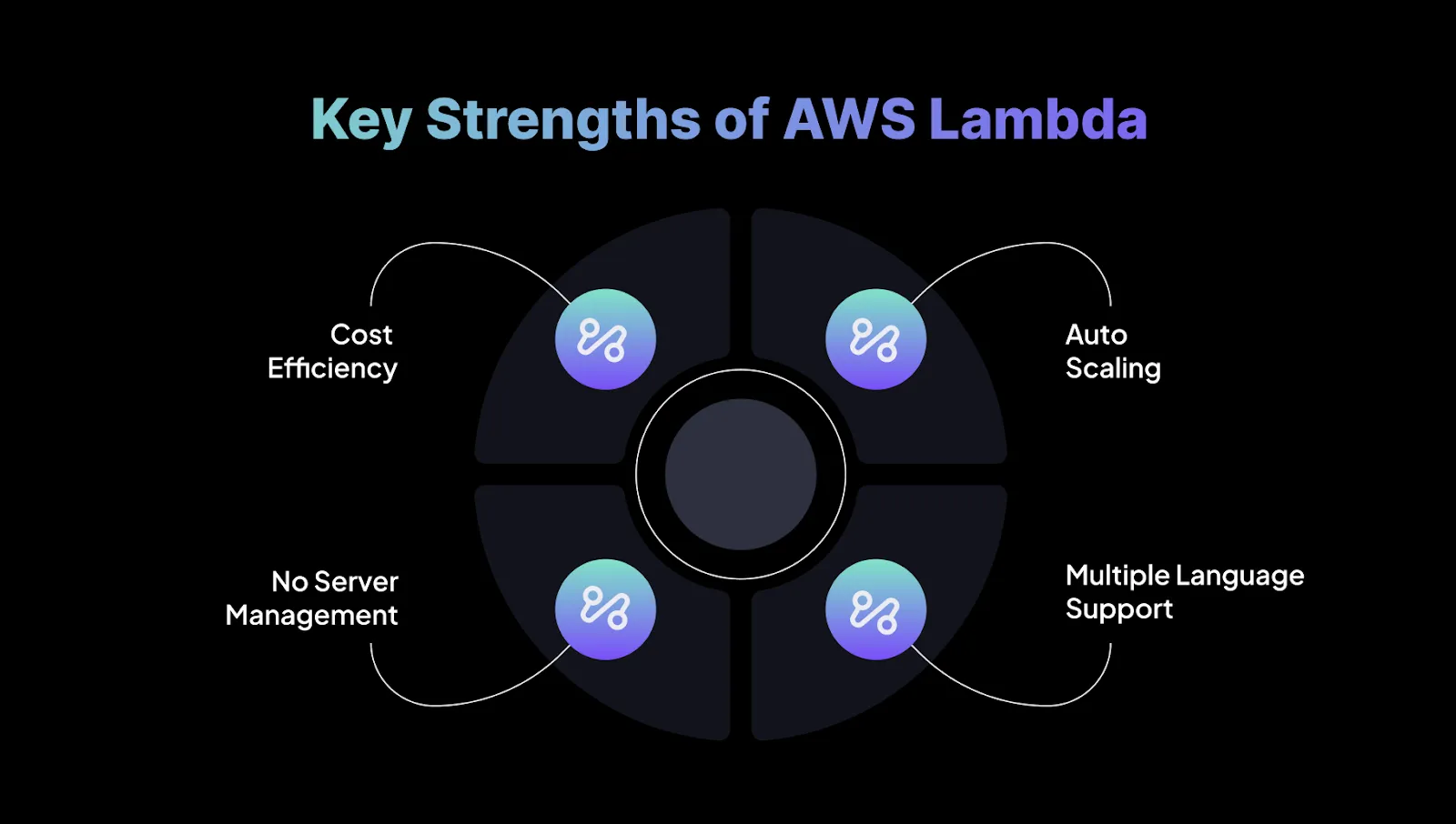
Key Strengths of AWS Lambda:
Cost Efficiency: Lambda follows a pay-per-use model, where billing is based on execution time in 100-ms increments. This removes idle server costs, making it ideal for applications with variable or unpredictable traffic.
Auto Scaling: Lambda scales automatically to handle incoming requests, supporting thousands of concurrent executions without manual setup. This allows you to focus on application logic rather than infrastructure scaling.
No Server Management: All server-related tasks, patching, maintenance, provisioning, or updates, are abstracted away. This reduces operational overhead significantly and is helpful for teams prioritizing agility.
Multiple Language Support: Lambda supports languages such as Node.js, Python, Java, and Go, giving teams the flexibility to use the environments they’re most comfortable with.
Native Integrations & Compatibility:
AWS Lambda integrates tightly with the broader AWS ecosystem, including:
Amazon S3: Run functions on events like new uploads.
Amazon DynamoDB: Trigger functions when items are added, updated, or removed.
Amazon SNS/SQS: Process messages for decoupled microservices and asynchronous workflows.
API Gateway: Build serverless APIs with seamless request handling by Lambda.
Amazon CloudWatch: Monitor performance, logs, and execution behavior.
Lambda also works well with AWS Step Functions, allowing teams to orchestrate multi-step workflows and connect multiple Lambda functions into reliable, managed workflows.
After understanding AWS Lambda, it’s helpful to look at Azure Functions to see how another major cloud provider approaches serverless computing.
Azure Functions is a serverless compute service that enables developers to run event-driven code without managing any underlying infrastructure.
You can execute lightweight functions in response to triggers such as HTTP requests, storage changes, or queue messages.
Azure Functions automatically scales based on incoming demand and uses a pay-as-you-go pricing model, making it a cost-efficient choice for variable or unpredictable workloads.
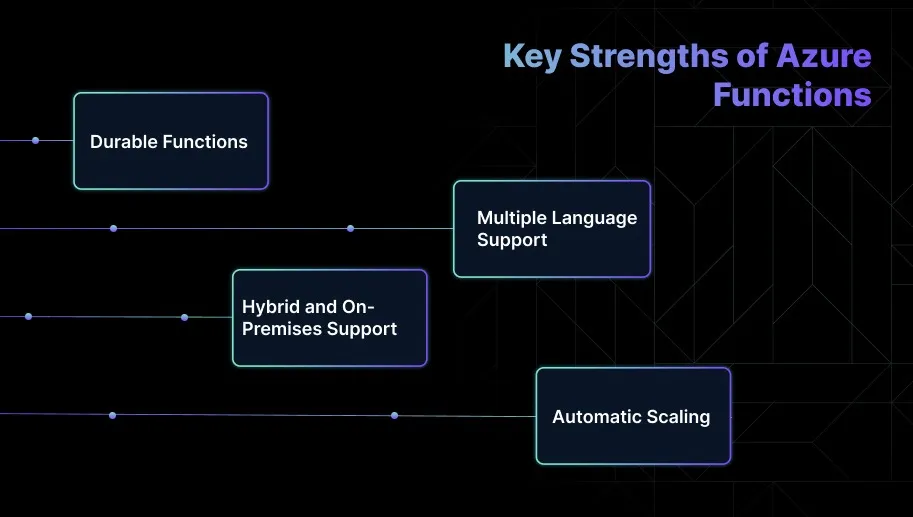
Key Strengths of Azure Functions:
Durable Functions: Azure Functions includes an extension, Durable Functions, which helps build stateful workflows, long-running tasks, and multi-step orchestration logic without relying on external state management systems.
Multiple Language Support: Developers can choose from C#, JavaScript, Python, Java, and PowerShell. This flexibility helps teams work with familiar languages while maintaining consistency across their application stack.
Hybrid and On-Premises Support: Azure Functions can run not only in the Azure cloud but also in hybrid or on-premises environments using Azure Arc or Azure Stack. This is useful for organizations with compliance or latency requirements.
Automatic Scaling: The platform automatically scales functions to handle varying workloads, allowing teams to focus on application logic instead of capacity planning or traffic management.
Native Integrations & Compatibility:
Azure Functions integrates smoothly with the broader Azure ecosystem, enabling engineers to build event-driven applications efficiently:
Event Grid: Trigger functions in response to events from multiple Azure services, enabling real-time processing.
Blob Storage: Automatically run functions when new blobs are added or updated, simplifying file-based workflows.
Service Bus: Process messages and events from Azure’s messaging system to create decoupled and scalable workflows.
Cosmos DB: Trigger functions when changes occur in your database, such as inserts or updates, for responsive data-driven applications.
Logic Apps & Power Automate: Build workflow automations and orchestrate event-driven processes across services.
Azure Functions also supports hybrid execution via Azure Arc and Azure Stack, allowing organizations to run functions on-premises or across multi-cloud environments while maintaining centralized governance and operational consistency.
With Azure Functions in mind, it’s useful to see how Google Cloud Functions offers a similar approach to serverless computing.
What is Google Cloud Functions?
Google Cloud Functions is a serverless compute service that enables engineers to run code in response to events within the Google Cloud ecosystem.
The platform automatically manages infrastructure, scaling, and availability, allowing teams to focus entirely on application logic. Functions can be triggered by HTTP requests, Cloud Storage events, or Pub/Sub messages.
Billing is based solely on execution time, making it a cost-efficient option for event-driven and variable workloads.
Key Strengths of Google Cloud Functions:
Simplicity: Cloud Functions is straightforward to set up and requires minimal configuration, making it well-suited for lightweight, event-driven applications.
Fast Deployment: Functions deploy quickly and integrate smoothly with Google Cloud services, making them a smart choice for web and mobile backend tasks.
Seamless Integration with GCP Services: The service integrates tightly with Pub/Sub, Firestore, Cloud Storage, and other GCP components, enabling cohesive and scalable cloud-native workflows.
Automatic Scaling: Cloud Functions automatically scale up or down based on incoming events without requiring manual capacity planning.
Low Latency: The platform is optimized for fast execution and low-latency triggers, making it a strong fit for real-time or mobile-first applications.
Native Integrations & Compatibility
GCP Services: Integrates natively with Cloud Pub/Sub, Firestore, Cloud Storage, BigQuery, and other GCP services to support end-to-end event-driven architectures.
Third-Party Services: Works with third-party systems through HTTP triggers or with Firebase for mobile and web applications.
DevOps Integration: Easily deployable using the Google Cloud SDK, Firebase CLI, Cloud Build, and CI/CD tools like GitHub Actions.
Serverless Framework: Supports deployment through the Serverless Framework, simplifying configuration, packaging, and version management.
After understanding Google Cloud Functions, it’s helpful to compare it with AWS Lambda and Azure Functions to see how each platform approaches serverless computing.
Quick Comparison of AWS Lambda Vs Azure Functions Vs Google Cloud Functions
Features
AWS Lambda
Azure Functions
Google Cloud
Primary Strength
Deep AWS ecosystem integration, event-driven processing
Moderate to high, depending on the language and environment
Moderate, mitigated with the Premium Plan and Always On option
Moderate, but optimized for lightweight workloads
Scaling
Auto-scales based on events
Auto-scales, but requires configuration for complex scenarios
Auto-scales instantly based on event volume
Event Triggers
S3, DynamoDB, API Gateway, Kinesis, SNS, CloudWatch
Event Grid, Blob Storage, Service Bus, Cosmos DB
Pub/Sub, Cloud Storage, Firestore, HTTP requests
Stateful Processing
Stateless requires external storage for state
Stateful workflows via Durable Functions
Stateless requires external storage for state
Integrations
Extensive integrations with AWS services
Deep integration with Microsoft tools and Azure services
Tight integration with GCP services like BigQuery, Pub/Sub
Pricing Model
Pay-per-invocation, based on execution time and memory
Consumption model, based on execution time and memory
Pay-per-invocation, based on execution time and memory
Ideal Use Case
Real-time file processing, API backends, microservices
Hybrid cloud, enterprise apps, stateful workflows
Mobile backends, lightweight microservices, event-driven data processing
Ecosystem and Tooling
Mature ecosystem with strong monitoring and debugging
Strong DevOps support, integrated with Azure DevOps
Easy deployment with Firebase CLI, good for rapid prototyping
Global Availability
Over 20 regions worldwide
Over 30 regions globally
Growing availability, but fewer regions than AWS and Azure
If you need global real-time event processing, Lambda’s provisioned concurrency can prevent cold start delays.
For hybrid enterprise apps, Azure Durable Functions reduces orchestration headaches. For rapid mobile API deployment, Cloud Functions’ simplicity can save weeks.
Seeing how these platforms compare makes it easier to understand the foundations each cloud provider builds for serverless computing.
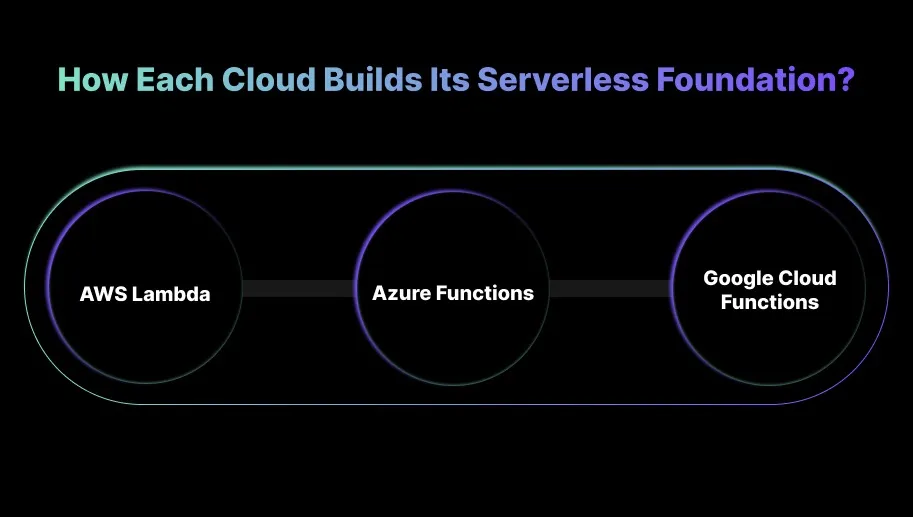
How Each Cloud Builds Its Serverless Foundation?
While AWS, Azure, and Google Cloud all offer serverless computing, each platform approaches function execution, triggers, and runtime environments differently.
Understanding these differences is key to building scalable, event-driven applications.
AWS Lambda is deeply tied to the AWS event ecosystem (S3, DynamoDB, EventBridge). It follows an execution model optimized for high concurrency and predictable scaling.
Azure Functions uses a triggers-and-bindings approach, making it easier to connect to Azure resources without writing glue logic.
Google Cloud Functions is built around simplicity and data workflows, integrating tightly with Pub/Sub and Cloud Storage.
In short, AWS prioritizes performance and ecosystem depth, Azure optimizes developer productivity, and GCP focuses on fast event handling for data-heavy workloads.
Once you understand each cloud’s serverless foundation, it’s easier to see how serverless applications are set up through code or configuration on these platforms.
Code or Configuration: How Serverless Apps Are Set Up on Each Platform?
The balance between code and configuration shapes the developer experience. Some platforms focus on code for flexibility, while others use configuration to simplify integrations.
Platform
How You Deploy
Configuration Method
AWS Lambda
Zip file, container image, SAM/CloudFormation
YAML-based templates
Azure Functions
Zip, container image, VS Code push, Functions Core Tools
Function.json + Azure Portal bindings
Google Cloud Functions
Direct upload, CLI, container image
Minimal config via CLI or console
Once you understand how serverless apps are set up, you can see how each platform handles scalability and manages growing traffic efficiently.
Serverless Costs and Performance Depend on More Than Your Provider
See how Sedai autonomously optimizes serverless workloads across AWS, Azure, and Google Cloud, improving efficiency, reducing cloud costs, and maintaining application performance at scale.
Scalability and Efficiency: How AWS, Azure, and GCP Handle Traffic and Growth?
Serverless platforms excel at automatically scaling based on demand, but each takes a different approach. Knowing these differences helps you optimize for responsiveness, cost, and overall performance.
AWS Lambda
Burst Scaling & Concurrency: Lambda automatically scales to handle thousands of invocations, with a default concurrency limit of 1,000 (adjustable). Reserved concurrency ensures guaranteed throughput for critical functions.
Performance Tuning: Memory settings (128MB–10GB) also influence CPU and network resources, allowing fine-tuning for both cost and speed.
Real-World Use: Ideal for high-volume, unpredictable workloads like real-time processing, where control over performance and scaling is crucial.
Azure Functions
Consumption Plan: Automatically scales but may experience cold starts or throughput limits under heavy load.
Premium Plan: Pre-warmed instances, VNET integration, and scaling based on rules or schedules provide predictable performance for latency-sensitive applications.
Real-World Use: Perfect for enterprises needing scalable solutions with predictable performance, whether workloads are bursty or steady.
Google Cloud Functions
Automatic Scaling: Functions scale horizontally with incoming traffic, with a default concurrency limit of 1,000.
Minimal Configuration: Designed for rapid development, requiring minimal manual scaling setup.
Real-World Use: Best suited for simple, event-driven applications like web or mobile backends, though less optimal for complex scaling scenarios.
Once scalability and efficiency are clear, it’s important to see how each platform extends its reach with multi-region deployment and worldwide availability.
Global Reach: Multi-Region Deployment and Worldwide Availability
As applications reach users worldwide, serverless platforms need to ensure consistent performance, high availability, and low latency.
Each cloud provider handles global scaling differently, offering a unique balance of control, automation, and operational effort.
AWS Lambda
Global Infrastructure: Available in 30+ regions, but you must deploy manually to each one. Offers full control at the cost of extra setup.
Routing Tools: Route 53 and Global Accelerator help optimize network paths and DNS routing to reduce latency.
Performance:
US ↔ Europe: ~160ms
US ↔ Asia: ~270ms Provisioned Concurrency and edge APIs help further reduce latency for global users.
Best For: High-scale, real-time applications that require global reliability, though deployment and failover need careful engineering.
Azure Functions
Region-Aware Scaling: Easily deploy globally via Resource Manager templates or Azure DevOps pipelines, with simpler regional replication.
Traffic Management: Traffic Manager for DNS routing and Premium Plan pre-warmed instances reduces cold starts. Azure Front Door further optimizes routing.
Performance:
US ↔ UK: ~150–180ms Premium Plan reduces cold start latency by up to 70%.
Best For: Enterprises that need smooth global scaling, consistent governance, and strong integration within Microsoft ecosystems.
Google Cloud Functions
Global Access: HTTPS endpoint by default, with Google CDN and Global Load Balancer reducing latency.
Simplified Deployment: Deployed per region; Load Balancing handles traffic across regions. No native multi-region replication.
Performance:
US ↔ Asia: ~250ms Cold starts for Node.js remain under 1s; minimum instances keep functions warm.
Best For: Lightweight web or mobile backends needing fast, simple deployment, but less suited for complex global scaling.
After understanding global reach, it’s equally important to consider how each platform manages security, access, and compliance across regions.
Security and Governance: Managing Access, Identity, and Compliance
Serverless security is foundational, not just an add-on. AWS, Azure, and Google Cloud each take a unique approach, combining access controls, identity management, and compliance features to protect functions. Here’s how they compare:
AWS Lambda
IAM Access: Lambda uses IAM roles for precise, function-level permissions. Provides strong control but requires careful role management.
Compliance & Tooling: Integrates seamlessly with VPCs, Secrets Manager, IAM Access Analyzer, and AWS Config. AWS leads in compliance certifications, including HIPAA, PCI DSS, SOC, and ISO 27001.
Best For: Industries with strict compliance needs, like finance and healthcare, where detailed access control and auditing are critical.
Azure Functions
Entra ID Integration: Uses Azure Active Directory and Managed Identities for service-to-service authentication, removing the need for manual secret management.
Governance Tools: Security Center, Azure Policy, and PIM support role elevation, least-privilege enforcement, and compliance monitoring.
Best For: Enterprises in the Microsoft ecosystem needing strong identity management, governance, and hybrid cloud capabilities.
Google Cloud Functions
IAM & Service Accounts: Employs IAM roles and service accounts with IAM Conditions to scope permissions by IP, time, or other criteria.
Policy Intelligence: Tools like Policy Analyzer and IAM Recommender help enforce least privilege without over-provisioning access.
Best For: Teams that prioritize simplicity, clear permission models, and automated security, especially in DevOps-heavy environments.
Once you understand security and governance, it’s also essential to look at the developer experience and how each platform supports building and deploying applications.
Developer Experience and Ecosystem: How Easy Is It to Build and Deploy?
A serverless platform’s developer experience depends on how efficiently teams can build, test, deploy, and maintain applications.
A rich ecosystem of tools, libraries, and integrations not only accelerates time-to-market but also lowers the learning curve for developers.
AWS Lambda
Development Tools: AWS SAM CLI allows local testing and deployment, with IDE integrations for VS Code and JetBrains. AWS Cloud9 offers a full cloud-based IDE experience.
Language Support: Node.js, Python, Go, Java, .NET, Ruby, and custom runtimes are supported.
DevOps & Observability: Integrates seamlessly with CodePipeline, CodeBuild, and CloudWatch for CI/CD and monitoring.
Ideal For: Teams needing flexibility and strong integrations in complex environments, backed by a strong community and extensive documentation.
Azure Functions
Integrated Tools: Deep integration with Visual Studio and VS Code. Azure Functions Core Tools enable local development with emulated triggers.
CI/CD & DevOps: Smooth integration with Azure DevOps pipelines.
Durable Functions: Simplifies building stateful workflows with minimal code.
Ideal For: .NET-centric teams and enterprises needing integrated security, governance, and seamless Microsoft ecosystem support.
Simplicity: Functions Framework makes local testing easy, supporting Node.js, Python, and Go in standard IDEs.
Deployment: Cloud Build manages CI/CD with minimal setup.
Simplified Debugging: Cloud Logging is available for debugging, though advanced orchestration tools are limited.
Ideal For: Startups or lean teams building simple web APIs or mobile backends, prioritizing rapid iteration over complex workflows.
After considering the developer experience, it’s helpful to compare how these platforms differ when it comes to pricing.
Azure Functions vs AWS Lambda vs Google Cloud Functions: Pricing Breakdown
When it comes to pricing, Azure Functions, AWS Lambda, and Google Cloud Functions all offer free tiers with comparable invocation and compute limits.
AWS Lambda and Azure Functions charge based on invocations and compute time (GB-seconds), with Azure providing millisecond-level billing that can reduce costs for short-lived functions.
Google Cloud Functions uses a similar pricing model but focuses on simplicity, with slightly coarser billing granularity and fewer enterprise pricing features.
Rounded to nearest 1 ms; billed on actual memory‑time consumption
Google Cloud Functions
2M invocations + similar free compute tier (depends on region)
(After free tier) per‑invocation rate varies by region; roughly comparable to others.
Charged per 100 ms of execution time and memory provisioned.
Rounded to the nearest 100 ms.
Once the pricing differences are clear, the next step is deciding which platform best fits your needs and use cases.
Azure Functions vs AWS Lambda vs Google Cloud Functions: Which One Should You Choose?
Choosing the right serverless platform depends on your team’s infrastructure, workload requirements, and development preferences, with AWS Lambda, Azure Functions, and Google Cloud Functions.
Each offers distinct strengths, from AWS’s deep service integrations to Azure’s enterprise-grade governance and Google Cloud’s smooth scalability for cloud-native applications.
AWS Lambda:
Best if you’re deeply invested in AWS and need maximum flexibility, fine-grained control, and broad service integrations.
Lambda’s mature ecosystem, extensive language support, and precise scaling make it ideal for complex, event-driven workloads, microservices backends, or high-volume, unpredictable traffic.
Azure Functions:
Suited for teams working heavily with Microsoft technologies, hybrid or on-prem-to-cloud workflows, or requiring stateful orchestration via Durable Functions.
Its tight integration with Azure services, identity management, and governance tools makes it a strong choice for enterprise scenarios and .NET-centric stacks.
Google Cloud Functions:
Ideal when simplicity, rapid deployment, and minimal operational overhead are priorities. Perfect for lightweight APIs, mobile or web backends, or data-driven workflows tied to Google Cloud services.
Its simple setup and automatic scaling suit agile teams and projects where speed matters more than deep customization.
How Sedai Helps Optimize Serverless Environments (AWS Lambda, Azure Functions, and Google Cloud Functions)
Many teams rely on the default scaling mechanisms provided by AWS Lambda, Azure Functions, and Google Cloud Functions. While these tools are powerful, they often depend on static configurations or manual tuning.
As traffic patterns shift, this can result in inefficient resource allocation, higher costs, and performance dips during unexpected spikes.
Sedai improves serverless optimization by introducing autonomous resource management. Using reinforcement learning, Sedai continually observes real workload behavior and adjusts resource allocation in real time.
This ensures smarter scaling decisions and keeps your serverless environment responsive and cost-efficient without manual effort.
What Sedai offers for serverless optimization:
Real-Time Resource Optimization: Sedai analyzes live usage patterns across AWS Lambda, Azure Functions, and Google Cloud Functions, automatically tuning compute and memory resources in response to demand.
Intelligent Scaling Decisions: Instead of relying on static autoscaling thresholds, Sedai uses machine learning to interpret actual workload behavior. This helps prevent slowdowns or disruptions during traffic spikes.
Cost and Performance Efficiency: Sedai optimizes compute, storage, and networking resources holistically, ensuring your applications remain performant without incurring unnecessary costs.
Automated Remediation: Sedai identifies issues such as rising latency or resource strain as they happen and resolves them autonomously. This reduces operational workload and frees engineering teams to focus on higher-impact tasks.
Cross-Platform Support: Although Sedai’s strongest integrations are with AWS Lambda, the platform is designed to deliver scalable optimization across multi-cloud environments, including Azure Functions and Google Cloud Functions.
SLO-Driven Scaling: Sedai aligns its decisions with your application’s Service Level Objectives (SLOs) and Service Level Indicators (SLIs), helping ensure reliability even during unpredictable traffic patterns.
With Sedai, your serverless environment becomes self-optimizing. It adapts instantly to workload changes, minimizes cloud waste, and keeps performance predictable, all without requiring manual tuning.
If you're exploring ways to optimize serverless workloads with Sedai, try the ROI calculator to estimate potential savings from reduced waste, improved performance, and lower manual effort.
Final Thoughts
As you move forward in selecting the right serverless platform, it’s important to think beyond immediate features and consider how well the platform fits into your broader cloud strategy.
AWS Lambda, Azure Functions, and Google Cloud Functions each excel in different areas, but the best choice is the one that aligns with your team’s long-term goals. This includes future scalability, multi-cloud readiness, and sustained cost efficiency.
This is where Sedai adds real value. By continuously monitoring your serverless workloads, Sedai provides intelligent resource management across platforms. This helps your infrastructure stay optimized as your applications change.
With Sedai’s autonomous optimization in place, your team can stay focused on building and innovating. At the same time, costs remain controlled, and performance stays consistently high, no matter which serverless platform you choose.
Serverless cost is easy to underestimate at scale. Book a demo to see how Sedai continuously monitors and adjusts your Lambda, Azure Functions, and Cloud Functions configurations.
FAQs
Q1. Can I combine AWS Lambda with other cloud platforms like Azure or Google Cloud?
A1. Yes, you can integrate AWS Lambda with services from Azure or Google Cloud using API calls, HTTP triggers, or cloud-specific endpoints. This enables multi-cloud architectures, though it usually involves additional setup and cross-platform management.
Q2. How can I handle long-running tasks in AWS Lambda?
A2. Since Lambda is designed for short-lived executions (up to 15 minutes), long-running tasks are handled by breaking them into smaller steps using services like AWS Step Functions or Amazon SQS, ensuring reliable execution without hitting timeout limits.
Q3. What happens if an AWS Lambda function exceeds the allocated execution time?
A3. If a function runs beyond its configured timeout, Lambda automatically stops it. You can prevent this by increasing the timeout (up to 15 minutes) or offloading longer workflows to orchestration tools like Step Functions.
Q4. How do AWS Lambda pricing and execution limits compare to traditional virtual machines (VMs)?
A4. Lambda uses a pay-per-use model based on memory and millisecond-level execution time, whereas VMs incur continuous charges even when idle. For bursty or event-driven workloads, Lambda is typically far more cost-efficient than running dedicated VMs.
Q5. Can I set up AWS Lambda to run on a schedule?
A5. Yes, you can schedule Lambda functions using Amazon EventBridge (formerly CloudWatch Events). This is useful for recurring tasks like cleanups, notifications, or maintenance workflows.