Automated Kubernetes management relies on control loops that act on real workload signals. Native Kubernetes automation handles recovery and scaling, but it struggles with noisy metrics, request drift, and release-driven instability. Effective automation uses feedback-driven decisions, gradual execution, and SLO-based guardrails to stay safe in production. By choosing tools that coordinate across pods, nodes, and clusters, you can reduce operational toil while keeping cost, performance, and reliability aligned.
Managing Kubernetes over time exposes the same failure mode. Traffic changes faster than configuration, and resource requests drift away from reality. Nodes sit underutilized while engineers chase alerts instead of correcting system behavior.
Conservative autoscaling and poor bin-packing leave 5–9% of cloud spend wasted in many enterprises through underutilized Kubernetes nodes. This waste persists because static scaling rules lag real workload demand, and requests lag behind them.
Manual tuning breaks down once teams operate multiple clusters across AWS, Azure, and Google Cloud. Automated Kubernetes management exists to fix this gap.
In this blog, you’ll explore how automated Kubernetes management works, what matters when evaluating tools, and how 12 leading platforms reduce operational toil.
What Is Automated Kubernetes Management?
Automated Kubernetes management uses continuous control loops to operate clusters without engineers manually reacting to metrics or incidents. It observes real workload behavior, determines when action is safe, and executes changes repeatedly as conditions change.
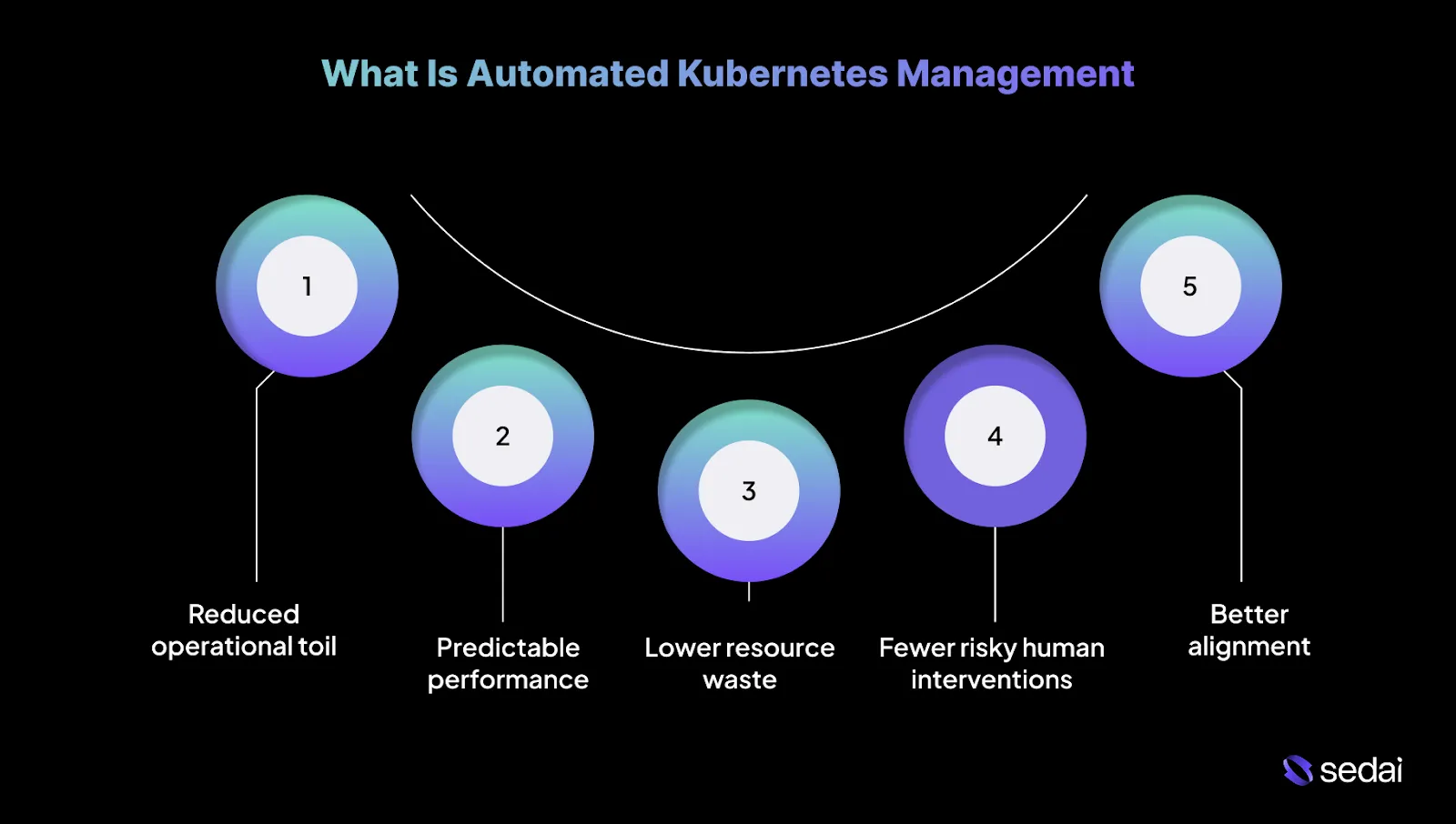
This approach goes beyond scripts and static policies, focusing on keeping systems stable as traffic, code, and dependencies change. Below are the key benefits of automated Kubernetes management.
1.Reduced operational toil
Automation reduces the need to constantly tune requests, limits, and scaling rules. Platforms like Sedai handle these routine adjustments continuously, freeing teams to focus on debugging real issues and improving overall system design.
2.More predictable performance under change
Automated systems respond to traffic shifts and release-related noise using feedback rather than static snapshots. This helps reduce latency spikes and scaling delays that often appear during deployments or sudden load changes.
3.Lower resource waste without manual tuning
Resource usage naturally drifts over time as services evolve. Automation continuously corrects that drift, rather than relying on quarterly cleanup efforts that are usually outdated by the time they run.
4.Fewer risky human interventions
Manual fixes are often applied under pressure and with incomplete data. Automation applies changes gradually, validates outcomes, and rolls back when behavior deviates from expectations.
5.Better alignment between cost and reliability
Automation makes trade-offs explicit. Scaling, rightsizing, and scheduling decisions are evaluated against real workload needs.
Understanding automated Kubernetes management is easier when you look at its core components and built-in automation features.
Core Components and Native Automation in Kubernetes
Kubernetes is designed around reconciliation loops that continuously align actual cluster state with declared intended system state. Below are the core components and native automation in Kubernetes.
1.Pods
Pods are the smallest deployable unit in Kubernetes and represent a single running instance of an application. A pod can include one container or multiple tightly coupled containers that share networking and storage and are scheduled together as a single unit.
2.ReplicaSets
ReplicaSets ensure that a specified number of identical pods are running at all times. If a pod crashes, is evicted, or a node fails, the ReplicaSet automatically creates a replacement to maintain availability without manual intervention.
3.Deployments
Deployments sit above ReplicaSets and manage the application lifecycle. They allow teams to define how an application should change over time, including scaling replicas, performing rolling updates, and automatically rolling back when a release does not behave as expected.
Understanding the core components and native automation features helps guide the selection of the right automated management tool.
Suggested Read: Top 27 Kubernetes Management Tools for 2026
The question is not whether a tool can automate Kubernetes, but whether it can make correct decisions under imperfect signals without introducing new failure modes. Here are the key features to look for while selecting an automated Kubernetes management tool:
- Action verification and rollback: Every automated change should be validated against real production outcomes. If performance degrades or error rates increase, the system must detect it quickly and reverse the action without human intervention.
- Release and workload awareness: Automation needs to recognize deployment windows and treat them differently from steady-state operation. Optimizing during rollouts often misreads transient behavior, leading to incorrect sizing or scaling decisions.
- Kubernetes-native integration: Effective tools work with Kubernetes primitives rather than around them. Direct integration with Deployments, HPA, VPA, and Cluster Autoscaler prevents conflicting actions and preserves expected behavior across EKS, AKS, and GKE.
- Multi-cluster and multi-cloud consistency: Real-world environments span multiple clusters and providers. Automation must behave consistently across clouds while accounting for differences in node types, pricing models, and scaling characteristics.
- Transparency and auditability: You need visibility into what changed, when it happened, and why. A strong platform provides a clear action history, decision rationale, and traceability to support postmortems, audits, and compliance reviews.
With these essential features in mind, you can now explore the leading tools that help simplify Kubernetes management.
Engineering teams are adopting systems that can continuously observe real production behavior and take controlled, reliable action across clusters, workloads, and underlying infrastructure.
Below is a list of automated Kubernetes management tools that meaningfully reduce operational load, improve performance, enable cost control, and remain effective across multi-cluster and multi-cloud environments in 2026.
1.Sedai
Sedai provides an autonomous optimization control layer for Kubernetes and cloud workloads that continuously observes real production behavior and applies optimizations based on learned patterns.
Its core value is shifting optimization decisions away from static rules and dashboards into a closed feedback loop that reduces manual tuning.
The platform analyzes container-level metrics, resource saturation, traffic behavior, and latency signals to build workload behavior models.
Based on configurable confidence thresholds and safety guardrails, Sedai can either recommend changes or apply them automatically, depending on the selected autonomy mode.
Key Features:
- Autonomous workload rightsizing: Continuously analyzes CPU and memory usage at the container and pod level to recommend or apply rightsizing actions without depending on static requests and limits.
- Predictive autoscaling based on behavior models: Learns historical and real-time traffic patterns to scale workloads ahead of demand rather than reacting only after resource saturation occurs.
- Safe optimization with guardrails: Applies changes only when confidence thresholds are met, with configurable modes that support recommendation-only or automated execution.
- Anomaly detection tied to workload behavior: Identifies abnormal runtime patterns such as memory growth, performance regressions, or recurring restarts by detecting deviations from learned baselines.
- Kubernetes-level cost attribution: Maps infrastructure costs across namespaces, workloads, GPUs, storage, and networking to enable engineering-level cost accountability.
- Multi-cluster and multi-cloud support: Supports Kubernetes environments running on EKS, AKS, GKE, self-managed clusters, and hybrid deployments using consistent optimization logic.
- Release-aware performance analysis: Compares workload behavior before and after deployments to surface performance and cost impact, supporting safer optimization around releases.
- Continuously updating behavior models: Relearns workload characteristics as traffic patterns, deployments, and infrastructure conditions evolve over time.
Measured Outcomes:
Best For: Engineering and platform teams operating business-critical Kubernetes workloads who want to reduce cloud cost and operational overhead through behavior-driven optimization.
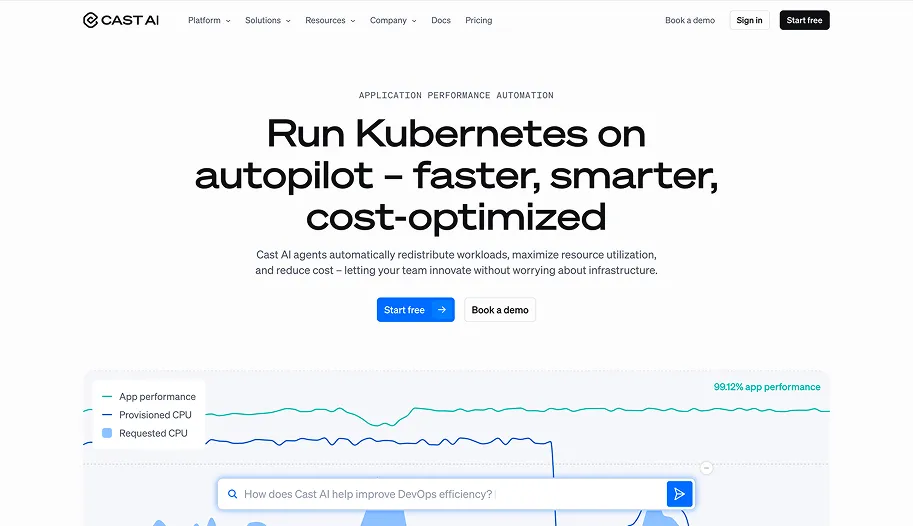
Cast AI is an infrastructure automation platform designed to take over Kubernetes node management. Its primary value lies in replacing static node groups with continuous, workload-aware infrastructure decisions.
The platform continuously evaluates pod requirements, resource pressure, and cloud pricing signals, then automatically provisions, replaces, and drains nodes to improve utilization and cost efficiency.
Key Features:
- Automated node provisioning and replacement: Continuously replaces inefficient nodes with better-fit instance types based on live workload demand.
- Workload-aware bin packing: Reschedules pods to improve density and reduce resource fragmentation.
- Spot and on-demand capacity handling: Manages Spot capacity with automated fallbacks to reduce interruption risk.
- Infrastructure drift correction: Automatically adjusts node pools as workload characteristics evolve.
Best For: Platform teams that are comfortable delegating node-level decisions to an autonomous system in exchange for improved cost efficiency and utilization.
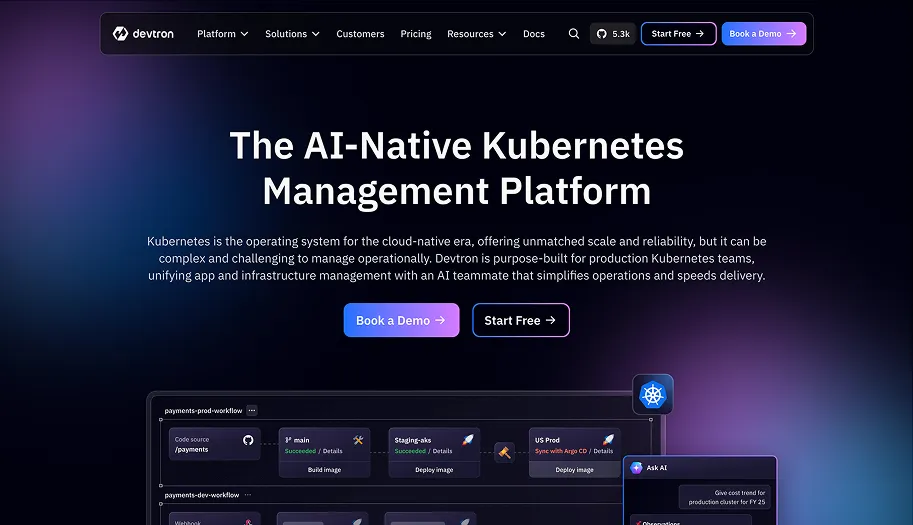
Devtron is a Kubernetes application management platform focused on standardizing delivery, operations, and governance across teams.
It adds an opinionated layer on top of Kubernetes that combines CI/CD workflows, GitOps practices, environment promotion, and operational visibility.
Key Features:
- Opinionated CI/CD workflows: Standardizes build and deployment pipelines across services.
- GitOps-aligned deployments: Supports declarative application delivery driven by version control.
- Environment promotion controls: Manages controlled progression of releases across environments.
- Operational visibility for applications: Centralizes deployment health and runtime signals.
Best For: Teams running many Kubernetes applications that want consistent delivery and operational practices without building custom internal tooling.
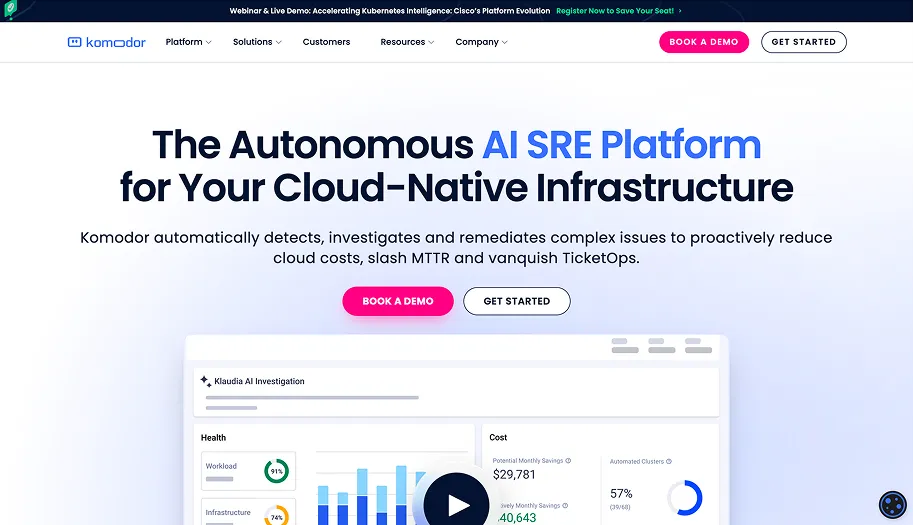
Komodor is an operational intelligence platform focused on Kubernetes incident investigation and troubleshooting.
It does not manage clusters or perform remediation. Instead, it automates correlation across Kubernetes events, configuration changes, deployments, and alerts into a unified operational timeline.
Key Features:
- Automated event correlation: Connects related Kubernetes events across resources and layers.
- Change-aware incident timelines: Links deployments and configuration changes directly to incidents.
- Context-enriched alerts: Adds Kubernetes context to alerts from monitoring systems.
- Operational noise reduction: Filters low-signal events during investigations.
Best For: SREs and senior engineers responsible for incident response who need faster root-cause analysis without introducing automated remediation risk.
Loft is a Kubernetes platform focused on multi-tenancy, access isolation, and environment self-service through virtual clusters.
Its core abstraction is the virtual cluster, which provides isolated Kubernetes control planes running on shared physical clusters. Loft automates virtual cluster lifecycle management, access control, and governance.
Key Features:
- Virtual cluster lifecycle automation: Creates and manages isolated Kubernetes control planes on shared infrastructure.
- Strong tenant isolation: Separates teams without requiring separate physical clusters.
- Self-service environment creation: Allows teams to provision environments independently.
- Centralized governance controls: Applies policies consistently across all virtual clusters.
Best For: Platform teams supporting many internal teams that need isolation and self-service without managing large numbers of physical clusters.
KubeGems is an open-source Kubernetes platform focused on multi-cluster and multi-tenant management.
It provides centralized access to clusters, application components, and cost insights. Automation centers on environment provisioning and standardized component management.
Key Features:
- Multi-cluster access management: Centralizes access across multiple Kubernetes clusters.
- Multi-tenant environment control: Manages isolation and permissions across teams.
- Application component management: Standardizes deployment and management of shared components.
- Cost visibility features: Provides insight into resource consumption across clusters.
Best For: Organizations operating multiple clusters that require centralized access and operational consistency using open-source tooling.
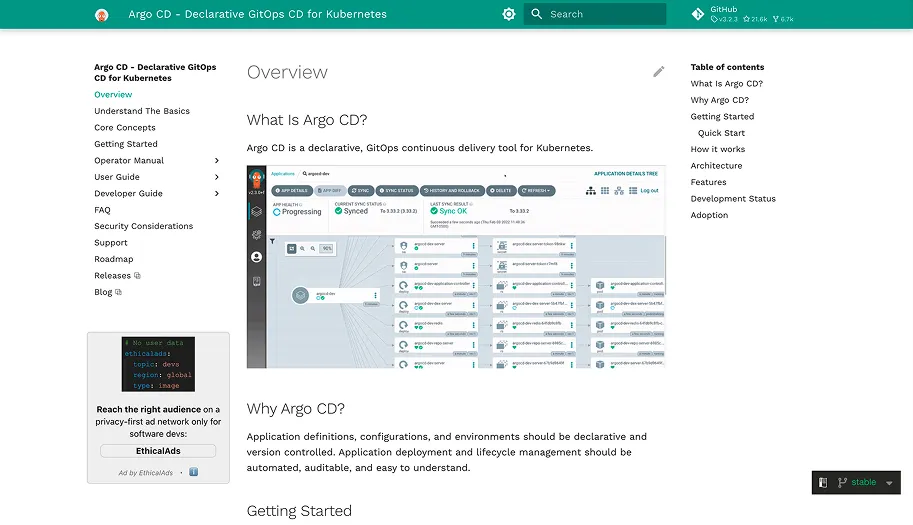
Argo CD is a GitOps continuous delivery tool for Kubernetes. It continuously reconciles the live cluster state with the declarative configuration stored in Git.
Argo CD enforces correctness rather than optimization. All changes flow through Git, making cluster state auditable and reproducible.
Key Features:
- Continuous state reconciliation: Keeps the live cluster state aligned with Git definitions.
- Drift detection: Identifies unauthorized or manual changes.
- Declarative multi-cluster management: Manages applications across clusters using Git.
- Git-based rollback workflows: Restores previous states using version history.
Best For: Teams that require strict, auditable control over Kubernetes deployments through Git.
Flux CD is a GitOps toolkit built around modular Kubernetes controllers. Instead of relying on a single control plane, Flux uses specialized controllers for sources, manifests, Helm releases, and automation tasks. This design provides flexibility but requires more architectural decisions.
Key Features:
- Controller-based reconciliation: Separates responsibilities across focused controllers.
- Source and dependency management: Manages ordering and dependencies declaratively.
- Helm and Kustomize automation: Supports multiple configuration models.
- Drift detection and correction: Maintains alignment between Git and cluster state.
Best For: Teams that want GitOps automation but prefer assembling custom workflows over adopting a fully opinionated system.
9.OpenShift (Red Hat)
Source
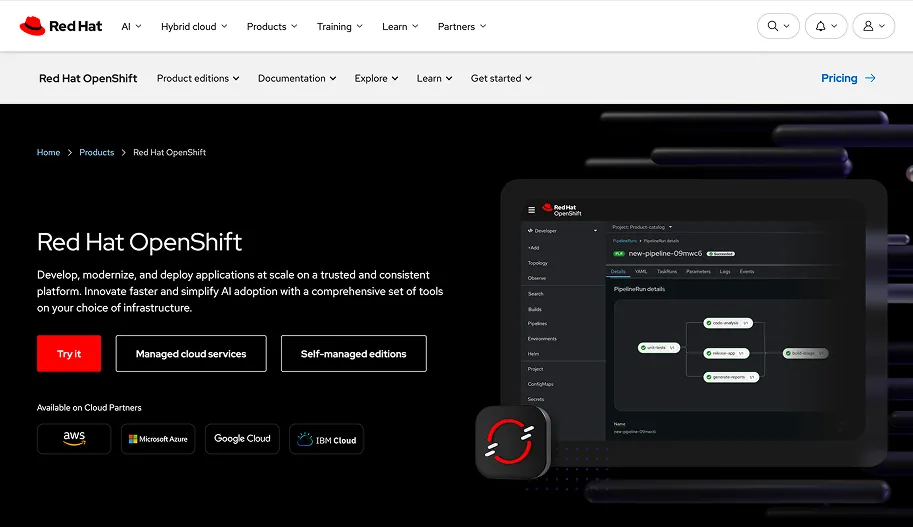
OpenShift is an enterprise Kubernetes platform with tightly integrated automation across cluster lifecycle, security, and operations.
Automation is delivered through opinionated defaults, Operators, and managed upgrade paths. OpenShift prioritizes stability and supportability over flexibility.
Key Features:
- Automated cluster installation and upgrades: Handles lifecycle operations through supported workflows.
- Operator-driven platform automation: Manages add-ons and services using Operators.
- Integrated security controls: Enforces security policies at the platform level.
- Built-in observability stack: Provides monitoring and logging out of the box.
Best For: Large enterprises that prioritize stability, vendor support, and standardized operations over deep customization.
Rancher is a Kubernetes fleet management platform. It centralizes authentication, policy enforcement, and lifecycle management across multiple clusters while leaving workload behavior unchanged.
Key Features:
- Centralized multi-cluster management: Manages clusters across clouds and data centers.
- Automated cluster provisioning and upgrades: Handles lifecycle operations at scale.
- Unified access control: Applies RBAC consistently across clusters.
- Policy-based governance: Enforces standards without modifying workloads.
Best For: Organizations operating large Kubernetes fleets that need centralized control without altering application behavior.
Kubecost is a Kubernetes cost visibility and allocation platform. It maps infrastructure spend to Kubernetes constructs such as namespaces, workloads, and labels. Automation focuses on insight and alerting rather than infrastructure mutation.
Kubecost supports informed engineering and FinOps decision-making.
Key Features:
- Workload-level cost allocation: Maps cloud spend directly to Kubernetes resources.
- Budgeting and alerting: Notifies teams when spending thresholds are exceeded.
- Efficiency insights: Identifies underutilized resources.
- Historical cost analysis: Tracks spending trends over time.
Best For: Engineering and FinOps teams that need accurate cost attribution without automated changes.
12.k0rdent (by Mirantis)
Source
k0rdent is a Kubernetes lifecycle management platform designed for distributed, edge, and enterprise environments.
It automates cluster provisioning, configuration, and upgrades across heterogeneous infrastructure. The emphasis is on consistency and repeatability rather than dynamic optimization.
Key Features:
- Automated cluster lifecycle management: Provisions and upgrades clusters consistently.
- Support for distributed and edge environments: Operates across cloud, on-prem, and edge locations.
- Configuration standardization: Applies a consistent state across clusters.
- Centralized fleet visibility: Provides oversight across environments.
Best For: Teams operating Kubernetes across distributed or edge environments where manual lifecycle management does not scale.
Here’s a quick comparison table:
Knowing which tools are available helps guide the automation strategies that optimize Kubernetes management.
7 Key Automation Strategies for Kubernetes Management
Effective Kubernetes automation is about knowing where to apply control loops and where to slow them down. In production environments, the most successful strategies prioritize stability first, then efficiency.
Below are the key automation strategies for Kubernetes management.
1.Feedback-driven control loops instead of static thresholds
Static CPU or memory thresholds fail when workloads are bursty, seasonal, or latency-sensitive. Feedback-driven control loops adapt to real system behavior by observing multiple signals together. This allows automation to respond to true demand and degrade safely when assumptions no longer hold.
2.Gradual execution with bounded change
Safe automation prioritizes small, deliberate adjustments over large corrective moves. Incremental changes reduce blast radius and make failures easier to detect and reverse. By bounding how much can change at once, systems remain resilient even when recommendations are imperfect.
3.Release-aware automation windows
Deployments temporarily distort metrics through cache warm-ups, traffic shifts, and partial rollouts. Automation that ignores release windows often misinterprets this noise as real demand. Release-aware automation protects stability by separating deployment behavior from steady-state optimization.
4.Continuous rightsizing to prevent request drift
As services change, resource requests slowly drift away from actual needs. This drift leads either to silent waste or sudden instability under load. Continuous rightsizing keeps requests aligned with real usage while avoiding abrupt or risky corrections.
5.SLO-aligned decision making
Optimization must never compromise reliability. SLO-aligned automation ensures cost and capacity decisions respect latency and error budgets first. By treating SLOs as hard guardrails, systems optimize safely without eroding user experience.
6.Coordination across automation layers
Autoscaling at multiple layers can easily conflict when each operates in isolation. Without coordination, pod-level, node-level, and cluster-level automation can amplify instability rather than resolve it. Clear ownership and aligned signals ensure automation works as a system, not as competing controllers.
7.Progressive automation adoption to earn trust
Automation succeeds only when teams trust it. Gradual adoption builds confidence by proving behavior before expanding scope. Transparency, supervision, and clear audit trails turn automation from a risk into a dependable operational partner.
While automation strategies can simplify management, it’s also important to be aware of the challenges teams may face.
Also Read: Kubernetes Cluster Scaling Challenges
Common Challenges in Automated Kubernetes Management
Automation in Kubernetes fails less often due to missing features and more often because it acts on incomplete or misleading signals. Below are some common challenges in automated Kubernetes management.
1.Incorrect workload classification
Automation often treats all workloads as equivalent, even though batch jobs, internal services, and customer-facing APIs carry very different risk profiles. This leads to aggressive actions being applied where stability and predictability matter most.
Solution:
- Classify workloads explicitly based on criticality and traffic sensitivity.
- Apply stricter guardrails and slower execution paths for latency-sensitive services.
- Reserve more aggressive optimization for non-interactive or fault-tolerant workloads.
2.Seasonality misinterpretation
Daily, weekly, or monthly traffic patterns are frequently mistaken for long-term demand shifts. Automation that lacks seasonal awareness permanently scales resources based on short-lived peaks.
Solution:
- Model workload behavior across multiple demand cycles before making structural changes.
- Compare current usage against historical patterns for the same time window.
- Treat seasonal peaks as expected behavior rather than anomalies.
3.Ignoring downstream dependencies
Automation frequently optimizes services in isolation, without accounting for shared databases, caches, or rate-limited APIs. This shifts pressure downstream and introduces secondary bottlenecks.
Solution:
- Explicitly map service dependencies and shared resources.
- Validate scaling and rightsizing actions against downstream saturation signals.
- Block changes that would overload constrained dependencies.
4.Human override without feedback loops
Engineers frequently override automation during incidents, but those actions are not fed back into the system. The same mistakes are then repeated under similar conditions.
Solution:
- Treat manual interventions as signals rather than exceptions.
- Use overrides to update decision constraints and inform future behavior.
- Consider human action corrective input.
5.Automation success masking architectural debt
Automation can compensate for inefficient architectures, obscuring underlying problems until scale increases or constraints change. Cost and complexity then grow quietly beneath the surface.
Solution:
- Surface recurring automation actions as indicators of structural issues.
- Flag services that require constant correction.
- Use automation output to guide architectural improvements rather than replace them.
Once challenges are recognized, the next step is finding ways to automate cost savings and resource management in Kubernetes.
How to Automate Cost Optimization and Resource Efficiency in Kubernetes?
Cost optimization in Kubernetes breaks down when it is treated as a finance exercise rather than a runtime behavior problem. For you, automation only works when cost decisions are made with the same discipline applied to reliability decisions. Here's how to automate cost optimization and resource efficiency.
1.Treat resource waste as signal drift
Most Kubernetes waste comes from outdated requests and limits. Services change as code paths and dependencies change, while resource definitions remain static. Effective automation continuously corrects this drift instead of relying on occasional cleanup efforts.
2.Optimize against real demand
Average CPU and memory usage conceal burst behavior and tail latency risk. Cost automation driven by averages quietly underprovisions workloads that appear idle but spike under real traffic. Percentile-based usage is the only safe input for rightsizing decisions.
3.Separate CPU and memory strategies
CPU is elastic. Memory is not. CPU reductions are usually reversible, while memory reductions are not. Senior teams approach memory optimization cautiously because OOM kills cascade across services faster than autoscaling can compensate.
4.Align cost actions with SLOs
Budgets show where money is spent. Cost automation must be gated by latency and error budgets so savings never come at the expense of tail performance.
5.Avoid autoscaling as a cost control mechanism
Autoscaling protects availability but does not optimize cost on its own. Poor resource requests cause HPA and Cluster Autoscaler to scale unnecessarily, inflating spend while masking the root cause. Fixing requests reduces both pod count and node count.
6.Optimize continuously
Optimizing only during low-traffic periods removes headroom just before demand returns. Effective automation accounts for upcoming traffic patterns and preserves buffer capacity instead of reacting to short-term idle metrics.
7.Coordinate pod and node efficiency
Rightsizing pods without considering node bin-packing wastes capacity. Scaling nodes without correcting inflated requests multiplies the cost. Cost automation must evaluate pod efficiency and node utilization together to deliver real savings.
8.Make every cost action reversible
If a cost reduction cannot be rolled back automatically, it should not be automated. You trust systems that can acknowledge mistakes and recover faster than human intervention allows.
Once resource and cost optimization are addressed, automating security and policy enforcement helps maintain a reliable Kubernetes environment.
Automating Security and Policy Enforcement in Kubernetes
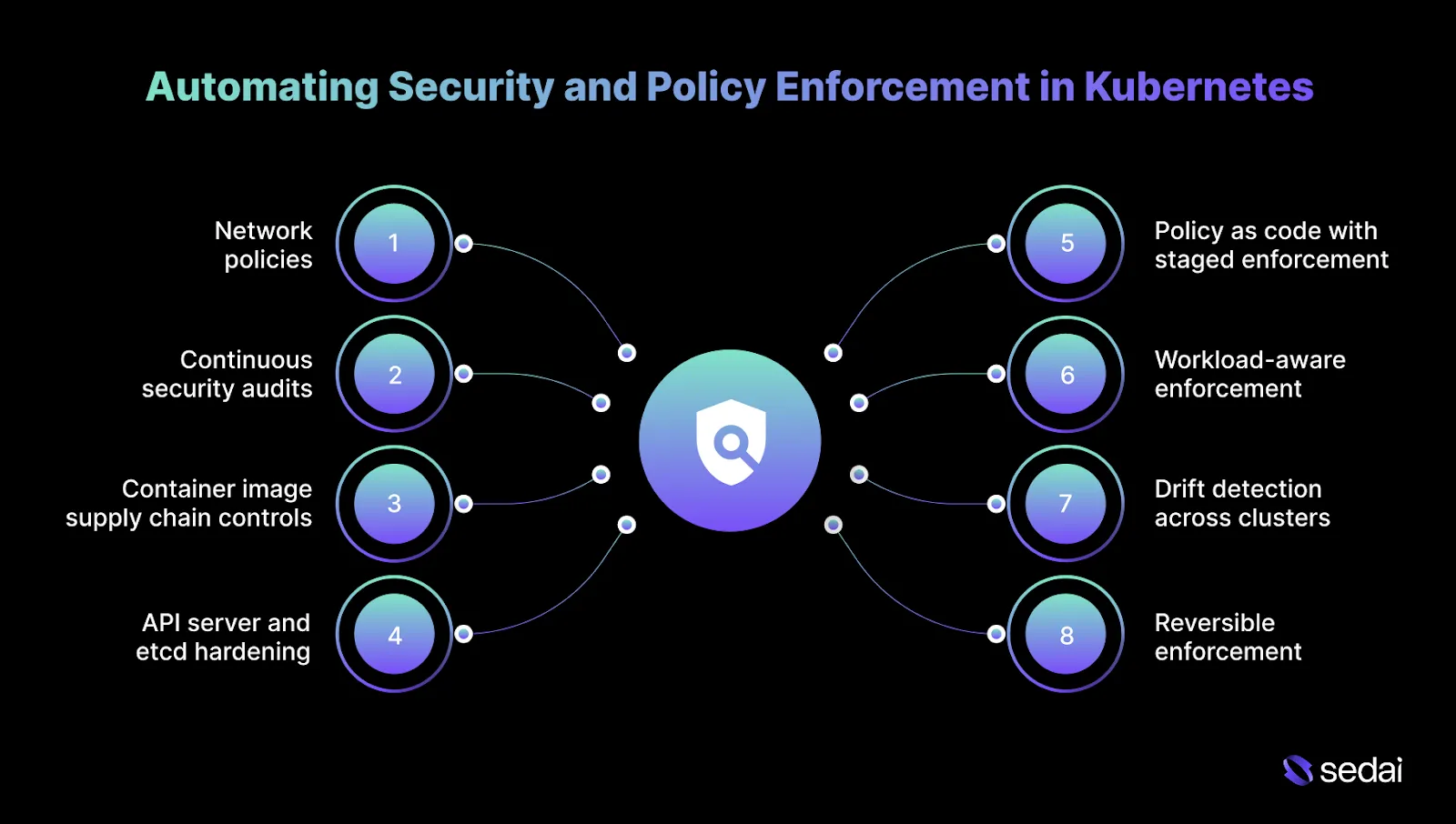
Security automation in Kubernetes works only when it lowers risk without disrupting delivery. You care about predictable enforcement, clear failure modes, and the ability to recover quickly when policies collide with real-world behavior.
To achieve that balance, Kubernetes security automation should concentrate on a small set of core control points where enforcement meaningfully reduces risk without slowing teams down.
1.Network policies to limit blast radius
Kubernetes allows unrestricted pod-to-pod traffic by default, which makes lateral movement easy after a single compromise. Automated enforcement should begin with deny-by-default at the namespace level, then explicitly allow known service paths.
Policies must be validated against live traffic because undocumented dependencies surface quickly once enforcement is applied.
2.Continuous security audits and patch hygiene
Cluster security erodes over time as new vulnerabilities emerge in Kubernetes components, nodes, and workloads.
Automation should continuously scan configurations and images, detect drift, and drive patching workflows that respect version skew and node rotation. The goal is to reduce exposure windows without destabilizing running services.
3.Container image supply chain controls
Most security incidents start before runtime. Automation must enforce trusted registries, require vulnerability scanning on every build, and apply promotion gates for critical findings.
At scale, image signing becomes essential to ensure that what runs in production is exactly what passed review.
4.API server and etcd hardening
The API server is the control plane entry point, and RBAC misconfigurations are a common source of excessive privilege. Automation should enforce least-privilege role assignments, audit service accounts regularly, and restrict network access to the API.
Etcd must be protected with encryption at rest and strict access controls, since compromise here effectively means full cluster takeover.
5.Policy as code with staged enforcement
Policies should be executable and versioned. Enforcement should be introduced gradually: audit first, warn next, block last. This approach avoids pipeline breakage while false positives are identified and resolved.
6.Workload-aware enforcement
Not all workloads carry the same risk. Automation should apply stricter controls to customer-facing services and lighter constraints to batch or internal jobs. Uniform global rules create unnecessary friction and are often disabled.
7.Drift detection across clusters
In multi-cluster environments, divergence happens quietly. Automation must continuously compare the live state with the intended policy and surface deviations early, before they become accepted defaults.
8.Reversible enforcement and visibility
Every automated security action must be explainable and reversible. Decisions should surface through existing alerting and incident workflows so engineers can understand outcomes without guesswork.
When security automation is scoped, observable, and reversible, it fades into the background. When it surprises teams, it gets turned off.
After establishing automated security and policy enforcement, connecting Kubernetes management with DevOps improves overall efficiency and collaboration.
Integrating Automated Kubernetes Management with DevOps
Automation only works when it aligns with how teams already build, deploy, and respond to incidents. The risk is not the absence of automation, but automation operating outside established DevOps workflows.
Here’s how automated Kubernetes management fits into existing DevOps practices without disrupting delivery or incident response.
Once integration with DevOps is in place, it’s easier to take the first steps toward implementing automated Kubernetes management.
Getting Started with Automated Kubernetes Management
Getting started with Kubernetes automation is less about choosing tools and more about setting the right control boundaries. You tend to succeed when automation is introduced deliberately, outcomes are validated, and scope is expanded only after trust is established.
1.Lock down workload intent first
Before introducing tooling, define what each workload is optimizing for. Customer-facing APIs, internal services, and batch jobs have different latency, risk, and cost constraints. Without explicit intent, automation defaults to optimizing the wrong outcomes.
2.Establish behavioral baselines
Automation relies on history. Capture enough data to understand steady state, peak behavior, seasonal patterns, and post-deployment instability. Without this context, automation cannot separate regressions from normal variance.
3.Validate signal quality before execution
Not every metric should trigger action. Identify which signals consistently correlate with user impact and which fluctuate without consequence. Remove metrics that change frequently but do not justify intervention.
4.Start with a narrow, low-risk scope
Enable automation on a limited set of non-critical workloads first. This surfaces decision gaps, edge cases, and unsafe defaults without exposing customer-facing systems to risk.
5.Encode safety limits upfront
Define hard limits for change size, timing, and blast radius before allowing execution. Automation must know when to stop, slow down, or roll back without relying on human intervention.
6.Expand authority only after repeated proof
Automation earns trust through consistent outcomes. Increase autonomy only after actions repeatedly improve stability or efficiency without rollbacks or hidden regressions.
7.Monitor the automation itself
Track how often automation acts, hesitates, or reverses course. These patterns expose blind spots in signal selection, workload modeling, or system design that require attention.
Must Read: Top Kubernetes Cost Optimization Tools for 2026
Final Thoughts
Automated Kubernetes management becomes mandatory once clusters run in a state of constant change. Traffic variability, frequent releases, and ongoing configuration drift make manual tuning brittle and slow at scale.
The difference between effective automation and dangerous automation is decision quality. Systems must understand real workload behavior, operate within explicit safety boundaries, and continuously verify outcomes. Without those controls, automation does not reduce risk, it amplifies it.
This is where autonomous optimization becomes practical. Sedai continuously observes live Kubernetes workloads at the container, pod, and node layers, learning how latency, error rates, and resource saturation behave during normal operation and under peak load.
If latency degrades or error rates rise, actions are paused or rolled back automatically. This allows teams to move beyond recommendation dashboards and safely delegate repetitive optimization work while retaining control, visibility, and predictable performance.
Take control of your Kubernetes automation strategy and reduce operational overhead without compromising reliability.
FAQs
Q1. How long does it take for automation systems to become reliable after onboarding a Kubernetes cluster?
A1. Most automation platforms need to observe several traffic cycles before their decisions settle. For production workloads, it typically takes about 2–4 weeks for behavior models to stabilize. Shorter learning periods often mistake seasonality or deployment-related noise for genuine demand shifts.
Q2. Can automated Kubernetes management work in clusters with frequent feature flags and canary releases?
A2. Yes, provided the system understands releases. Feature flags and canaries create partial and temporary traffic changes that can mislead naive scaling or rightsizing logic. Effective automation recognizes these patterns and treats them differently from true workload growth.
Q3. How do automation tools handle noisy metrics caused by retries, timeouts, or partial failures?
A3. More mature systems smooth and filter signals over time rather than reacting to individual spikes. They correlate latency, saturation, and error signals, reducing the risk of acting on noise from retries rather than real demand changes.
Q4. Is automated Kubernetes management safe for stateful workloads?
A4. It can be, but it requires tighter constraints. Stateful workloads demand conservative memory changes, slower execution, and awareness of dependencies. In these cases, automation should favor safety and reversibility over aggressive optimization.
Q5. How do automation tools behave during cloud provider outages or regional degradation?
A5. Well-designed platforms back off during infrastructure instability. They pause non-essential optimizations, focus only on actions that protect availability, and avoid cost-driven changes until cloud-level signals return to a stable state.