What is Sedai and how does it help with Kubernetes cost management?
Sedai is an autonomous cloud management platform that uses AI and reinforcement learning to optimize Kubernetes environments for cost, performance, and availability. Unlike traditional tools that only visualize costs or alert you to inefficiencies, Sedai acts autonomously to rightsize resources, tune workloads, and resolve issues in real time—eliminating manual intervention and reducing cloud costs by up to 50%.
How does Sedai's autonomous optimization differ from traditional automation tools?
Traditional automation tools rely on static rules (e.g., "if CPU > 70% for 5 minutes, add one pod"), which require manual updates as workloads change. Sedai's patented reinforcement learning framework continuously learns from your workloads, adapts to changes, and makes safe, self-improving decisions—delivering reliable, cost-effective optimizations without manual tuning.
What are the main features of Sedai for Kubernetes cost optimization?
Sedai offers autonomous node optimization, fine-tuned autoscalers (HPA/VPA), safety and reliability checks, release intelligence, smart SLOs, proactive uptime automation, and smarter cost management. These features enable real-time rightsizing, dynamic scaling, and proactive issue resolution, resulting in up to 50% cost savings and improved performance.
How does Sedai ensure safe and reliable optimizations in production?
Sedai's autonomous actions are governed by learned behavior profiles and safety checks. It introduces changes gradually, with built-in safeguards to minimize risk and avoid service disruptions. Sedai has executed over 100,000 production changes with zero service disruptions, demonstrating its reliability in live environments. Source
What is the difference between automated and autonomous Kubernetes cost optimization?
Automated tools execute predefined rules and require manual updates when workloads change, making them brittle. Autonomous platforms like Sedai learn context, adapt to changes, and act independently—reducing human toil, preventing inefficiencies, and continuously optimizing for cost, performance, and reliability.
How does Sedai's patented reinforcement learning framework work?
Sedai's patented reinforcement learning framework models application behavior, learns from every change, and continuously improves its optimization decisions. This feedback loop ensures that optimizations remain reliable, cost-effective, and aligned with performance goals, even as workloads and environments evolve.
What types of Kubernetes cost drivers does Sedai address?
Sedai addresses common Kubernetes cost drivers such as compute over-provisioning, memory mis-sizing, unused persistent volumes, idle services, unoptimized scaling, multiple clusters, and workload distribution issues. By autonomously rightsizing resources and optimizing scaling, Sedai minimizes waste and maximizes resource utilization.
How does Sedai support both autonomous and co-pilot-based operations?
Sedai enables fully autonomous scaling and optimization, but also offers co-pilot-based executions where users can make key decisions on which workloads to optimize. The system handles other scaling actions automatically, providing flexibility for different operational preferences.
What is release intelligence in Sedai?
Release intelligence in Sedai automatically adapts each release to the optimal configuration, provides performance scores, and ensures releases go smoothly. It tracks changes in cost, latency, and errors for each deployment, improving release quality and minimizing risks.
How does Sedai help define and enforce Service Level Objectives (SLOs)?
Sedai helps define and enforce SLOs by proactively adjusting configurations to ensure services meet performance and reliability goals. Smart SLOs are automatically set and monitored based on past performance, reducing manual effort and ensuring high availability.
Business Impact & Customer Success
What business outcomes can I expect from using Sedai?
Customers using Sedai can expect up to 50% reduction in cloud costs, up to 75% lower latency, 6X productivity gains, and up to 50% fewer failed customer interactions. For example, Palo Alto Networks saved $3.5 million and KnowBe4 achieved 50% cost savings in production. See case study
Can you share specific customer success stories with Sedai?
Yes. KnowBe4 achieved 50% cost savings and saved $1.2 million on their AWS bill. Palo Alto Networks saved $3.5 million and reduced Kubernetes costs by 46%. Belcorp reduced AWS Lambda latency by 77%. Read KnowBe4 case study
What industries benefit from Sedai's platform?
Sedai's platform is used across industries such as cybersecurity (Palo Alto Networks), IT (HP), financial services (Experian, CapitalOne Bank), security awareness training (KnowBe4), travel (Expedia), healthcare (GSK), car rental (Avis), retail/e-commerce (Belcorp), SaaS (Freshworks), and digital commerce (Campspot).
Who are some of Sedai's notable customers?
Notable Sedai customers include Palo Alto Networks, HP, Experian, KnowBe4, Expedia, CapitalOne Bank, GSK, and Avis. These organizations trust Sedai to optimize their cloud environments and improve operational efficiency.
What feedback have customers given about Sedai's ease of use?
Customers highlight Sedai's quick plug-and-play setup (5–15 minutes), agentless integration, personalized onboarding, and extensive support resources. The 30-day free trial allows users to experience the platform's value risk-free. Learn more
Features & Capabilities
What integrations does Sedai support?
Sedai integrates with monitoring and APM tools (Cloudwatch, Prometheus, Datadog, Azure Monitor), Kubernetes autoscalers (HPA/VPA, Karpenter), IaC and CI/CD tools (GitLab, GitHub, Bitbucket, Terraform), ITSM (ServiceNow, Jira), notification tools (Slack, Microsoft Teams), and various runbook automation platforms.
What are the different modes of operation in Sedai?
Sedai offers three modes: Datapilot (observability), Copilot (one-click optimizations), and Autopilot (fully autonomous execution). This flexibility allows teams to choose the level of automation that fits their operational needs.
Does Sedai support multi-cloud and hybrid environments?
Yes, Sedai provides full-stack optimization across AWS, Azure, GCP, and Kubernetes environments, making it suitable for organizations with multi-cloud or hybrid strategies.
How does Sedai improve productivity for engineering teams?
Sedai automates routine tasks like capacity tweaks, scaling policies, and configuration management, delivering up to 6X productivity gains. This allows engineering teams to focus on high-value work instead of manual optimizations.
What technical documentation is available for Sedai?
Sedai provides detailed technical documentation covering features, setup, and usage. Access it at docs.sedai.io/get-started. Additional resources include case studies, datasheets, and guides at sedai.io/resources.
Implementation & Onboarding
How long does it take to implement Sedai?
Sedai's setup process takes just 5 minutes for general use cases and up to 15 minutes for specific scenarios like AWS Lambda. For complex environments, timelines may vary. Personalized onboarding and support are available. Learn more
How easy is it to get started with Sedai?
Sedai offers plug-and-play implementation, agentless integration via IAM, and a 30-day free trial. Customers can schedule onboarding calls with Sedai's engineering team and access extensive documentation and support resources.
What support options are available for Sedai users?
Sedai provides personalized onboarding sessions, a dedicated Customer Success Manager for enterprise customers, detailed documentation, a community Slack channel, and email/phone support for ongoing assistance and troubleshooting.
Security & Compliance
What security and compliance certifications does Sedai have?
Sedai is SOC 2 certified, demonstrating adherence to stringent security requirements and industry standards for data protection and compliance. Learn more
How does Sedai ensure safe and auditable changes in cloud environments?
Sedai integrates with Infrastructure as Code (IaC), IT Service Management (ITSM), and compliance workflows to ensure all changes are safe, validated, and auditable. Every optimization is constrained, validated, and reversible, supporting enterprise-grade governance.
Competition & Comparison
How does Sedai compare to other Kubernetes cost management tools?
Sedai stands out with 100% autonomous optimization, proactive issue resolution, application-aware intelligence, full-stack cloud coverage, release intelligence, and rapid plug-and-play implementation. Unlike most competitors, Sedai acts on insights in real time, not just visualizing costs but fixing inefficiencies autonomously.
What makes Sedai different from open-source tools like OpenCost and Goldilocks?
Open-source tools provide cost visibility and recommendations but often lack full automation and vendor support. Sedai offers autonomous optimization, proactive remediation, and enterprise-grade support, enabling continuous improvement and safe, real-time actions beyond what open-source tools deliver.
What are the advantages of Sedai for different user segments?
Platform engineers benefit from reduced toil and IaC consistency; IT/Cloud Ops teams see lower ticket volumes and safe automation; technology leaders gain measurable ROI and reduced cloud spend; FinOps teams align engineering and cost efficiency; SREs experience fewer SLO breaches and less pager fatigue.
How do I justify the cost of a commercial optimization tool like Sedai?
Calculate ROI by comparing cost reductions (e.g., rightsizing savings, reserved-instance discounts) to license fees. Run a pilot with clear KPIs: percent reduction in cloud bills, CPU/memory utilization improvements, and engineering time saved. Most tools pay for themselves within months, especially when automating manual work.
Pain Points & Use Cases
What common pain points does Sedai address for Kubernetes users?
Sedai addresses pain points such as compute over-provisioning, manual scaling, idle resources, configuration drift, ticket overload, and the visibility-action gap. By automating optimization and remediation, Sedai reduces manual toil, cost surprises, and operational risk.
Who is the target audience for Sedai?
Sedai is designed for platform engineering, IT/cloud operations, technology leadership (CTO, CIO, VP Engineering), site reliability engineering (SRE), and FinOps professionals in organizations with significant cloud operations across industries.
What use cases is Sedai best suited for?
Sedai is best for engineering leaders needing continuous optimization across performance, availability, and cost; enterprises adopting multi-cloud or hybrid strategies; and teams seeking to reduce manual effort and operational risk in Kubernetes environments.
How often should we revisit our Kubernetes optimization strategy?
Evaluate your platform annually or when major business changes occur. Continuously monitor unit metrics such as cost per request and mean time to recovery to signal when adjustments are needed.
Technical Requirements & Best Practices
What are the essential features to look for in a Kubernetes cost management tool?
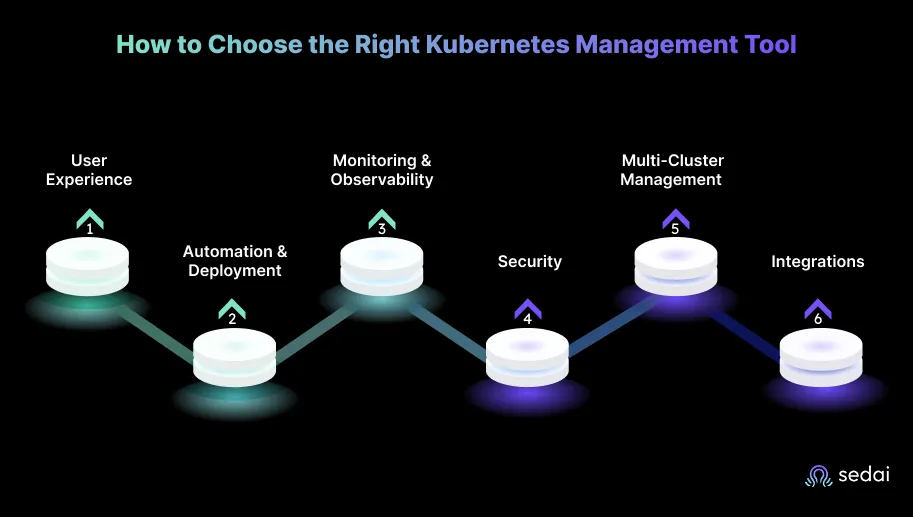
Key features include user experience (UI and CLI), strong automation and deployment, integrated monitoring and observability, robust security, scalability and multi-cluster management, and seamless integrations with CI/CD, GitOps, and other tools.
How does Sedai handle integration with existing workflows?
Sedai integrates with popular monitoring, CI/CD, ITSM, and notification tools, and supports Infrastructure as Code and runbook automation, ensuring seamless adoption into existing cloud-native operations.
Can Sedai help with both cost optimization and performance improvement?
Yes. Sedai reduces cloud costs by up to 50% and improves performance by reducing latency by up to 75%. It ensures resources are allocated efficiently, balancing cost, performance, and reliability.
What is the primary purpose of Sedai's platform?
The primary purpose of Sedai is to eliminate toil for engineers by automating cloud optimization, enabling them to focus on impactful work rather than manual tuning. Sedai acts as an intelligent autopilot for cloud operations, driving efficiency and innovation.
Use Kubernetes cost management tools to improve cluster efficiency and reduce unnecessary cloud spending.
Continuously monitor node and workload utilization to identify hidden infrastructure waste.
Automate Kubernetes optimization to reduce manual operational overhead at scale.
Optimize autoscaling and workload placement to balance performance and cloud efficiency.
In 2026, managing Kubernetes costs is critical as cloud expenses can rapidly escalate without proper optimization. Kubernetes cost optimization tools go beyond monitoring, autonomously managing resources, and intelligently scaling to minimize waste while improving performance. Tools like Sedai utilize AI and reinforcement learning to continuously adjust resources in real-time, eliminating the need for manual intervention and ensuring cost-effective, efficient operations.
As engineering leaders, you know the challenge: Kubernetes offers incredible flexibility and scalability, but it can quickly spiral into an expensive and complex beast if not properly managed.
Traditional cost management tools only go so far. They may alert you to inefficiencies, but they often leave you with the burden of fixing them. That’s where the shift to autonomous systems comes in.
McKinsey’s research shows organizations that align cloud adoption with business outcomes achieve a 180% return on investment, whereas those that migrate legacy workloads without optimization often wait 12–18 months to break even. With Kubernetes becoming the de facto orchestration layer for microservices, engineering teams need tools that not only visualize costs but also act on them autonomously.
That is why we have created this guide that reviews leading Kubernetes cost optimization tools for 2026 to help you make informed decisions.
Knowing the per-hour rates is just the starting point. Book a demo to see how Sedai optimizes node utilization and cuts actual Kubernetes spend across your clusters.
What Is Kubernetes Cost Optimization?
Kubernetes cost optimization is the process of managing and reducing cloud spending when using Kubernetes clusters. As organizations scale their applications in Kubernetes, cloud infrastructure costs can grow quickly if not carefully managed. Kubernetes enables flexibility and scalability, but without proper oversight, resources can become over-provisioned, idle, or inefficiently utilized, leading to unnecessary expenses.
Effective Kubernetes cost optimization focuses on minimizing waste, ensuring that resources are allocated based on actual demand, and maintaining a balance between cost, performance, and reliability.
That balance can’t come from static rules alone. Workloads shift, traffic patterns evolve, and what made sense last week might be wasteful today. The real opportunity in Kubernetes cost optimization lies in systems that continuously learn and adjust without forcing engineers to micromanage every configuration. Otherwise, you are just moving the problem from your cloud bill to your engineering backlog.
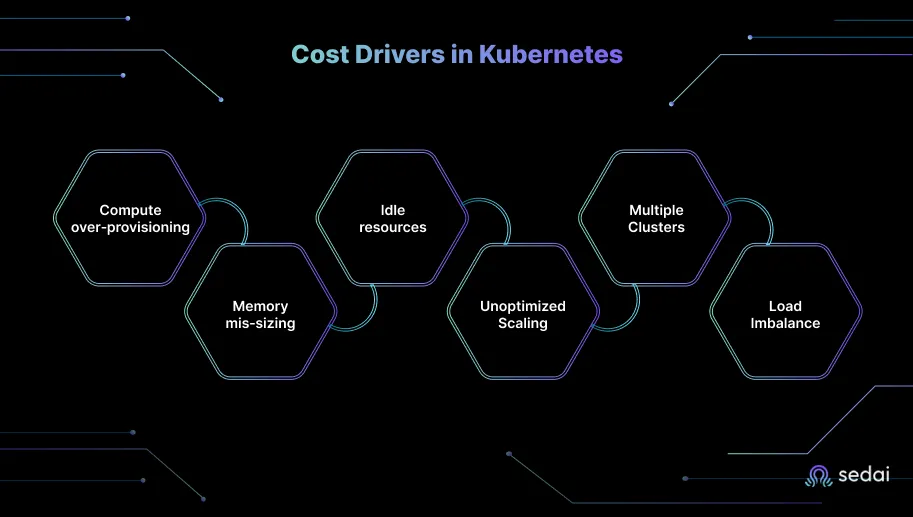
Cost Drivers in Kubernetes
If you want to get serious about Kubernetes cost optimization, you first need to understand where the money is slipping through the cracks. After sitting with dozens of engineering teams, we’ve noticed the same cost drivers repeat themselves, whether the cluster runs a handful of services or hundreds.
Here are the most common ones:
Compute over‑provisioning: Kubernetes encourages developers to request generous CPU/memory headroom to avoid performance issues. Over‑provisioning not only wastes money, but it also reduces pod density and forces larger node pools.
Memory mis‑sizing: Under‑provisioned memory can be just as costly. 5.7% of containers exceeded their memory requests at some point, causing instability and restarts. Balancing CPU and memory allocations is therefore critical.
Unused persistent volumes and idle services: Deloitte reports that orphaned storage volumes and test environments left running over weekends contribute significantly to wasted cloud spend. Persistent volumes not linked to active pods quietly accrue costs.
Unoptimized Scaling: While Kubernetes auto-scaling allows resources to scale up or down automatically, poorly configured auto-scaling policies can lead to over-provisioning during peak usage or under-provisioning during low demand, causing inefficiencies.
Multiple Clusters: Running several Kubernetes clusters in multiple environments (e.g., development, testing, and production) can lead to duplication of resources and higher infrastructure costs.
Workload Distribution Issues: Poor workload placement and distribution across nodes and clusters can create inefficiencies, where some parts of the infrastructure are overburdened, while others are underutilized.
These drivers are not just technical missteps. They are symptoms of a system that relies heavily on human configuration. As long as cost control depends on manual tuning of requests, scaling thresholds, and workload placement, inefficiencies will persist. That is why more teams are starting to look for systems that don’t just highlight these issues but adapt in real time to prevent them in the first place.
What Are Kubernetes Cost Optimization Tools?
Kubernetes cost optimization tools are specialized software solutions that help address these cost drivers. They allow organizations to track, monitor, and manage the costs associated with running Kubernetes clusters by providing insights into resource usage, workload allocation, and scaling policies.
These tools help engineering teams and cloud administrators optimize their Kubernetes environments by offering capabilities like:
Rightsizing: Automatically adjusting resources based on actual usage to avoid over-provisioning.
Idle Resource Detection: Identifying unused resources and shutting them down to reduce waste.
Auto-Scaling Management: Fine-tuning auto-scaling policies to ensure efficient scaling during both high and low demand.
Workload Optimization: Ensuring that workloads are optimally placed across the infrastructure to minimize waste and maximize resource utilization.
However, before reviewing tools, it's essential to understand that not all tools are created equal. It’s worth understanding the difference between automated and autonomous platforms. Automated systems execute predefined rules, for example, “if CPU>70 % for 5 minutes, add one pod”, but they are brittle. Any change in workload or architecture requires manual rule updates.
Autonomous systems, on the other hand, learn context, adapt to change, and act independently. They reduce human toil and catch inefficiencies before they cause outages. Moving from automation to autonomy delivers three significant outcomes: fewer nights spent firefighting, lower cloud costs through continuous rightsizing, and improved performance and availability.
Top 15 Kubernetes Cost Optimization Tools in 2026
The right tools can make all the difference when it comes to managing Kubernetes clusters at scale. Over the years, we’ve seen engineering teams experiment with a wide range of tools to streamline operations: scheduling, deployments, observability, cost management, security, and more.
But here’s the problem we keep running into: Traditional approaches to cost and performance management force a trade-off that rarely works in practice. These tools warn you about issues but leave your team to solve them manually.
This gap is precisely why autonomous systems are becoming essential. They don’t just point out problems: they act on them, reducing the cognitive load on teams while keeping both costs and performance in check.
Let’s start with the one that actually lives up to that promise.
1. Sedai: Autonomous Kubernetes Management
When we say Sedai is #1, we’re not just throwing out a catchy phrase. It’s not about the shock value, but rather the approach. Most tools rely on rules-based automation. You set thresholds, and when usage crosses them, the system reacts. That works until workloads shift unexpectedly, and then the rules break.
What sets us apart is our patented reinforcement learning framework, which powers safe, self-improving decision-making at scale. Instead of just automating responses, it learns from your workloads, models how applications behave, and continuously improves its decisions with every change. That feedback loop is what keeps optimizations reliable, cost-effective, and aligned to performance goals.
That approach is independently validated: GigaOm named Sedai a Leader and Outperformer in its 2026 Radar for Kubernetes Resource Management, ranking it #1 in Key Features with a 4.5-star average — ahead of tools like IBM Turbonomic and Cast AI.
That’s why a growing number of engineering teams are now using AI platforms like Sedai.
Sedai supports both autonomous scaling and co-pilot-based executions, where users are empowered to make key decisions on which workloads to execute, while the system handles other scaling actions automatically.
Sedai autonomously:
Learns how your services and applications behave over time.
Understands the ripple effect of changes across distributed systems.
Acts proactively to cut costs and resolve issues automatically.
This real-time intelligence is what sets Sedai apart. Where most platforms show you what’s wrong, Sedai actually fixes it, adjusting commitments, rightsizing resources, and tuning workloads without manual input.
Autonomous Node Optimization: Sedai fine-tunes your Kubernetes nodes, ensuring they are used efficiently without overprovisioning, cutting wasteful spending.
Fine-Tuned Autoscalers: Sedai optimizes HPA and VPA, enabling the system to scale pods and adjust resource requests dynamically based on workload demands. This ensures that both cost and performance are balanced effectively without manual intervention.
Safety and Reliability: Sedai’s autonomous actions are governed by learned behavior profiles and safety checks to avoid disruption. By understanding normal system behavior first, Sedai gradually introduces changes with built-in safeguards to minimize risk, ensuring performance optimizations without compromising stability.
Autonomous Operations:100,000+ production changes executed safely, up to 75%lower latency with no manual input.
Release Intelligence: With Sedai, every release automatically adapts to the optimal configuration, providing performance scores and ensuring releases go smoothly.
Smart SLOs: Sedai helps define and enforce Service Level Objectives (SLOs), proactively adjusting configurations to ensure services meet these goals.
Proactive Uptime Automation: Detects anomalies early, cutting failed customer interactions by 50% and improving performance up to 6x.
Smarter Cost Management: 30–50% cost savings through rightsizing and tuning. Palo Alto Networks, for example, saved $3.5M by letting Sedai manage thousands of safe changes.
Best for: Engineering leaders who need continuous optimization across performance, availability, and cost. Enterprises adopting multi‑cloud or hybrid strategies and seeking to reduce manual effort will benefit most.
Kubernetes Costs Rise Fast Without Continuous Optimization
See how Sedai goes beyond Kubernetes cost visibility by autonomously optimizing resources, right-sizing workloads, and reducing cloud spend while maintaining application performance and reliability.
2. Rancher (SUSE Rancher Prime)
Rancher is a platform for managing Kubernetes clusters across on‑premises and public clouds. It provides a central control plane where administrators can create, upgrade, and monitor multiple clusters. Rancher abstracts away differences among providers, enabling consistent configuration and policy enforcement.
Key features:
Centralized multi‑cluster management with built‑in RBAC.
Integration with various container runtimes and Kubernetes distributions.
Application catalog and lifecycle tools (including Rancher Apps and Marketplace).
Security policies and admission control with Open Policy Agent (OPA) integration.
Best for: Enterprises operating many clusters across different providers or on‑premises. Teams needing unified governance and RBAC controls will find it valuable.
3. Lens (by Mirantis)
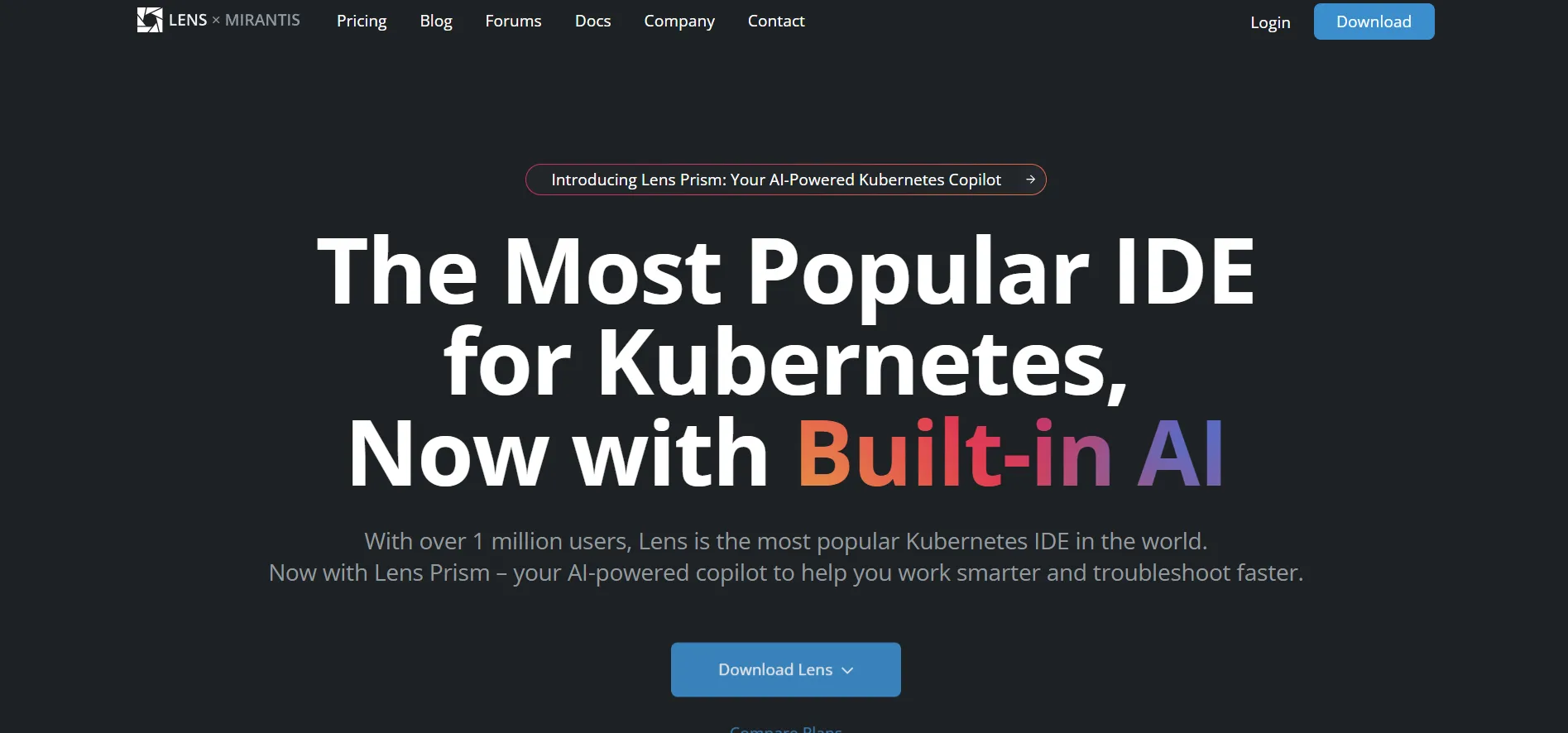
Lens is a desktop application that gives developers an intuitive graphical interface for interacting with Kubernetes clusters. It aggregates multiple clusters into a single workspace, making it easier to explore resources, monitor pods, apply configurations, and troubleshoot issues.
Key features:
Visualization of cluster resources, including pods, services, and namespaces.
Built‑in terminal for running kubectl commands directly within the UI.
Extensions marketplace for integrating tools such as Prometheus, Grafana, and Service Mesh views.
Context switching and cluster grouping to improve workflow for developers.
Best for: Individual developers and small teams who need to interact with multiple clusters without mastering command‑line operations. It is suited for local development as well as production cluster monitoring.
4. Helm
Helm is the de facto package manager for Kubernetes. It allows teams to define, install, and upgrade complex applications using “charts”, versioned templates containing Kubernetes manifests. Helm promotes the reuse of templates and helps enforce consistency across environments.
Key features:
Packaging of Kubernetes resources into charts for easy distribution.
Template functions for parameterising values and supporting environment‑specific overrides.
Versioning and rollback capabilities enable safe release management.
Large community ecosystem with thousands of pre‑built charts.
Best for: DevOps teams responsible for deploying applications repeatedly across environments. Helm is useful when multiple microservices need consistent configuration and upgrades.
5. Kustomize
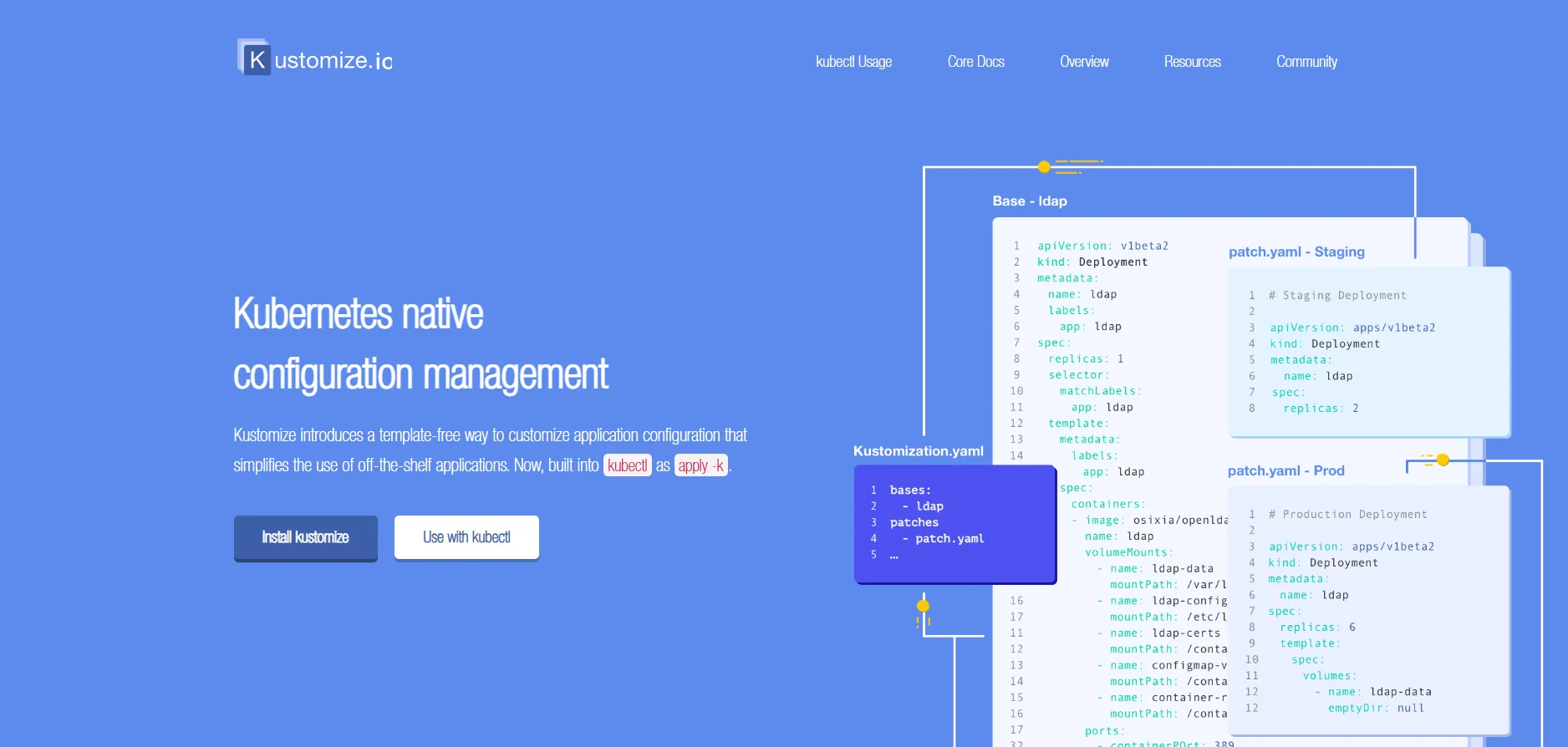
Kustomize is a native Kubernetes configuration tool that lets users customize raw YAML manifests using overlays rather than templating. It is built into kubectl, making it convenient for teams seeking declarative configuration without introducing a templating language.
Key features:
Overlay mechanism to modify base Kubernetes manifests (patch resources, add labels).
Support for multiple environments (development, staging, production) through layered configuration.
No templating language. Manifests remain YAML, reducing the cognitive load.
Native integration with kubectl (kubectl apply -k).
Best for: Teams who prefer plain YAML and want to avoid the complexity of templating. It works well for microservices architectures where each service needs a customized configuration across environments.
6. Argo CD
Argo CD is a GitOps continuous delivery tool that keeps Kubernetes clusters in sync with a declarative state stored in Git repositories. Once configured, it automatically applies updates, monitors drift, and rolls back changes when deployments fail.
Key features:
GitOps workflow: configuration changes are made through pull requests and automatically applied to clusters.
Automatic drift detection and self‑healing capabilities.
Role‑based access control and support for multi‑tenant setups.
Integration with Helm, Kustomize, and plain Kubernetes manifests.
Best for: Teams adopting GitOps practices and seeking an audit trail for deploPortaineryments. It is particularly valuable for organizations running frequent releases across multiple clusters.
7. Portainer
Portainer provides a lightweight user interface for managing Docker and Kubernetes environments. It simplifies deployment, configuration, and monitoring tasks, offering an alternative to command‑line tools.
Key features:
Web‑based dashboard for managing containers, volumes, networks, and Kubernetes resources.
Application templates and stack deployment capabilities.
Role‑based access control and team management features.
Support for both Docker and Kubernetes, making it a versatile choice for hybrid environments.
Best for: Smaller teams or organisations new to Kubernetes who want a straightforward way to manage clusters without heavy infrastructure. It is also used in educational settings to teach container management.
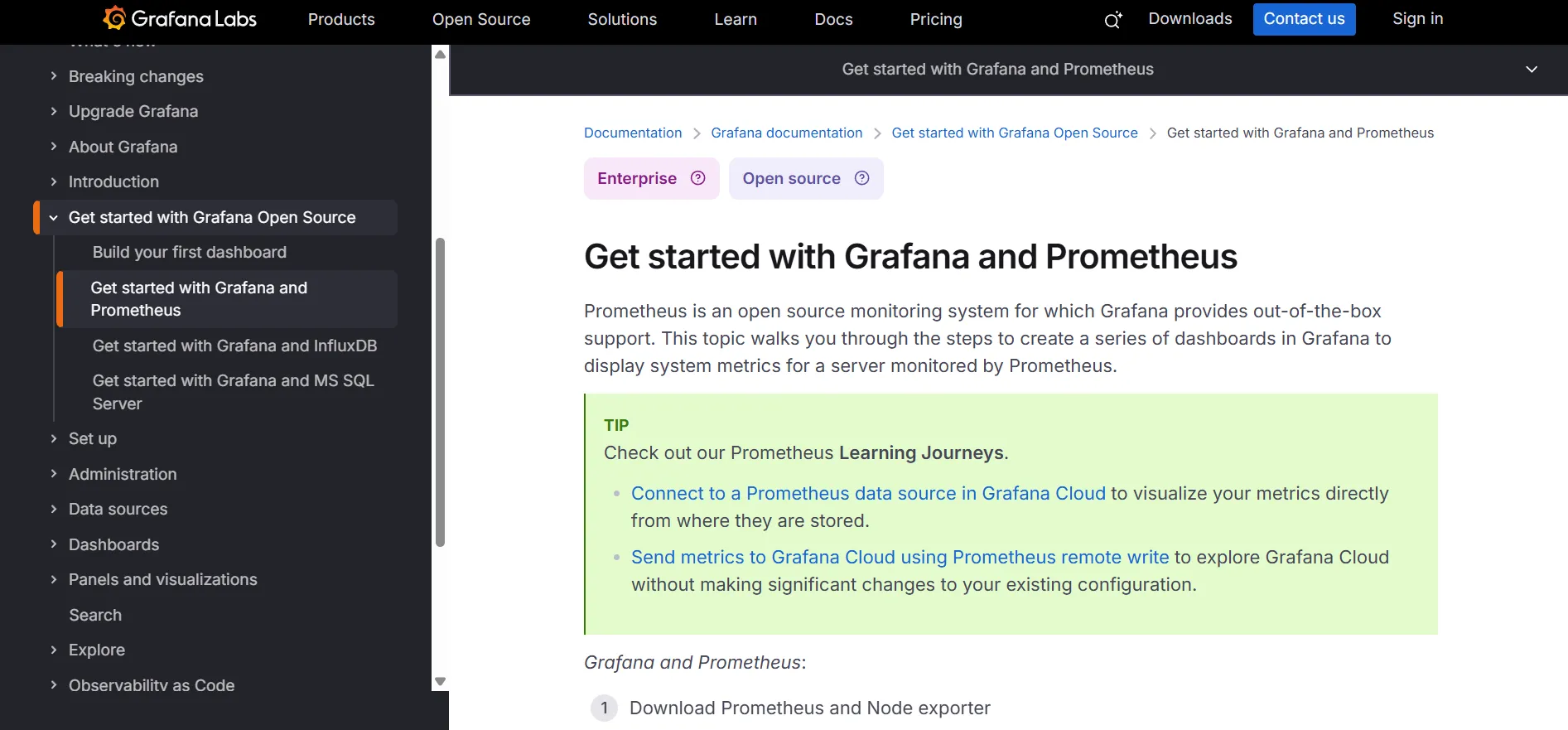
8. Prometheus and Grafana
Prometheus is a leading open‑source monitoring system designed for cloud‑native environments. Grafana is a powerful visualization tool often paired with Prometheus for creating interactive dashboards. Together, they provide metrics collection, alerting, and time‑series visualization.
Key features:
Pull‑based metrics collection with service discovery and flexible query language (PromQL).
Alertmanager for routing alerts based on thresholds and labels.
Grafana dashboards for custom visualisations and multi‑source data integration.
Exporters available for various platforms (Kubernetes, databases, web servers).
Best for: Teams that need detailed metrics and customized dashboards without vendor lock‑in. Prometheus/Grafana setups are widely used by SRE and DevOps teams for infrastructure and application monitoring.
9. Kubecost
Kubecost, now an IBM company, is a Kubernetes-native cost monitoring and optimization tool that provides real-time visibility into cloud spending. It helps teams monitor, allocate, and optimize their Kubernetes expenses across clusters and cloud providers.
Key features:
Real‑time cost allocation and forecasting for clusters.
Alerts for budget thresholds and idle resources.
Recommendations for rightsizing and optimising resources.
Integration with Prometheus and cloud provider billing APIs.
Best for: FinOps and engineering teams that need detailed cost visibility and budgets. Kubecost is useful when organisations want to attribute costs to teams and encourage accountable usage.
10. Istio
Istio is a service mesh that manages traffic routing, security, and observability for microservices running on Kubernetes. It abstracts service‑to‑service communication into a layer above the network, providing fine‑grained control without modifying application code.
Mutual TLS for secure service‑to‑service communication and policy enforcement.
Distributed tracing and telemetry through Envoy proxies.
Centralized control plane to configure and monitor mesh behaviour.
Best for: Organizations running microservices at scale that need advanced networking, security, and traffic management features beyond basic Ingress controllers. Istio is powerful for complex service topologies.
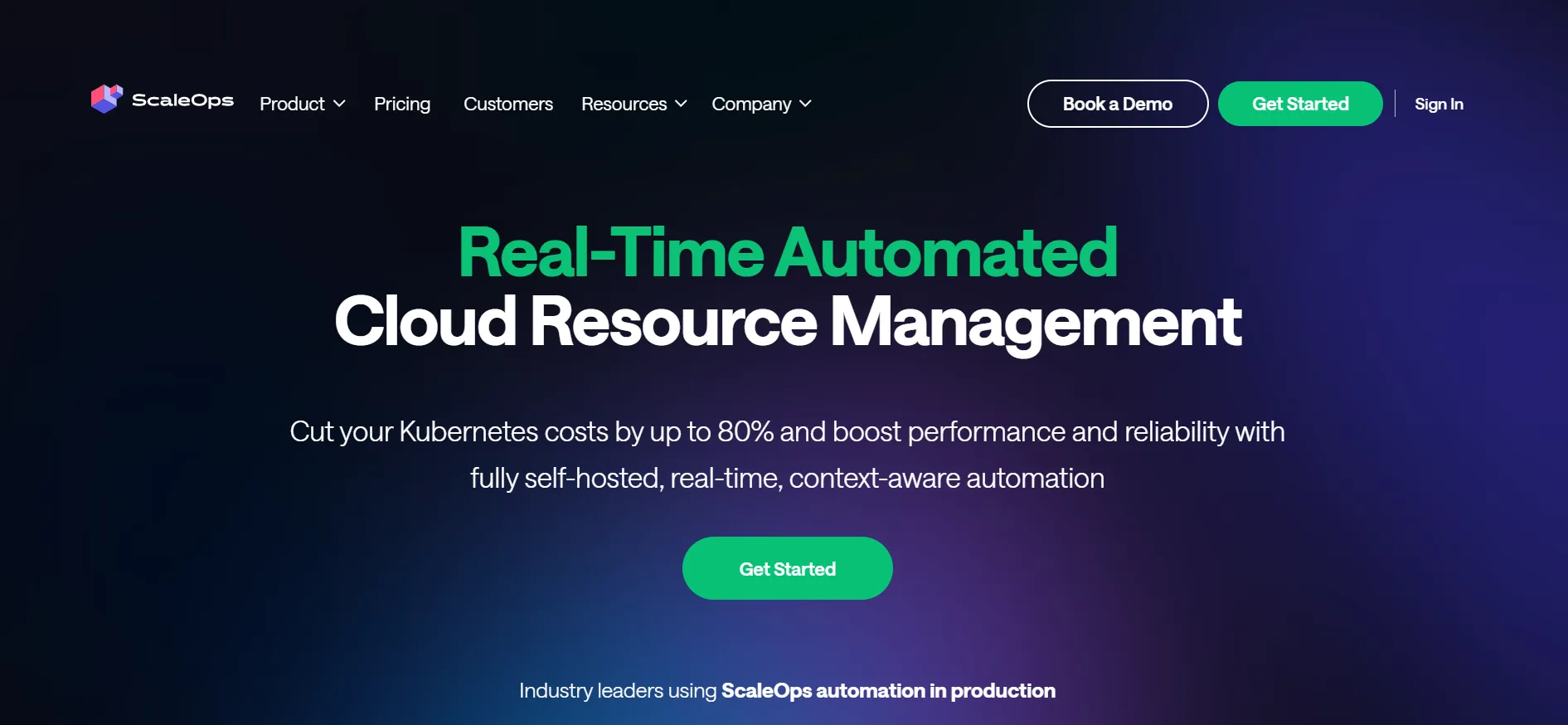
11. ScaleOps
ScaleOps is an automated Kubernetes cost optimization platform that dynamically adjusts pod and node configurations in real-time to ensure resources are optimally utilized. It aims to minimize cost by scaling resources up or down based on actual demand rather than over-provisioning.
Key features:
Automatically adjusts CPU and memory requests per pod based on actual usage, eliminating the need for manual tuning.
Dynamically manages replica counts to proactively scale ahead of demand, reducing costs during off-peak hours.
Enhances Karpenter's instance selection and disruption budgets to maximize savings.
Offers a fully self-hosted solution, ensuring data privacy and compliance with internal governance policies.
Best for: Organizations seeking a fully automated, real-time Kubernetes cost optimization solution that integrates seamlessly into existing workflows and ensures compliance with data governance policies.
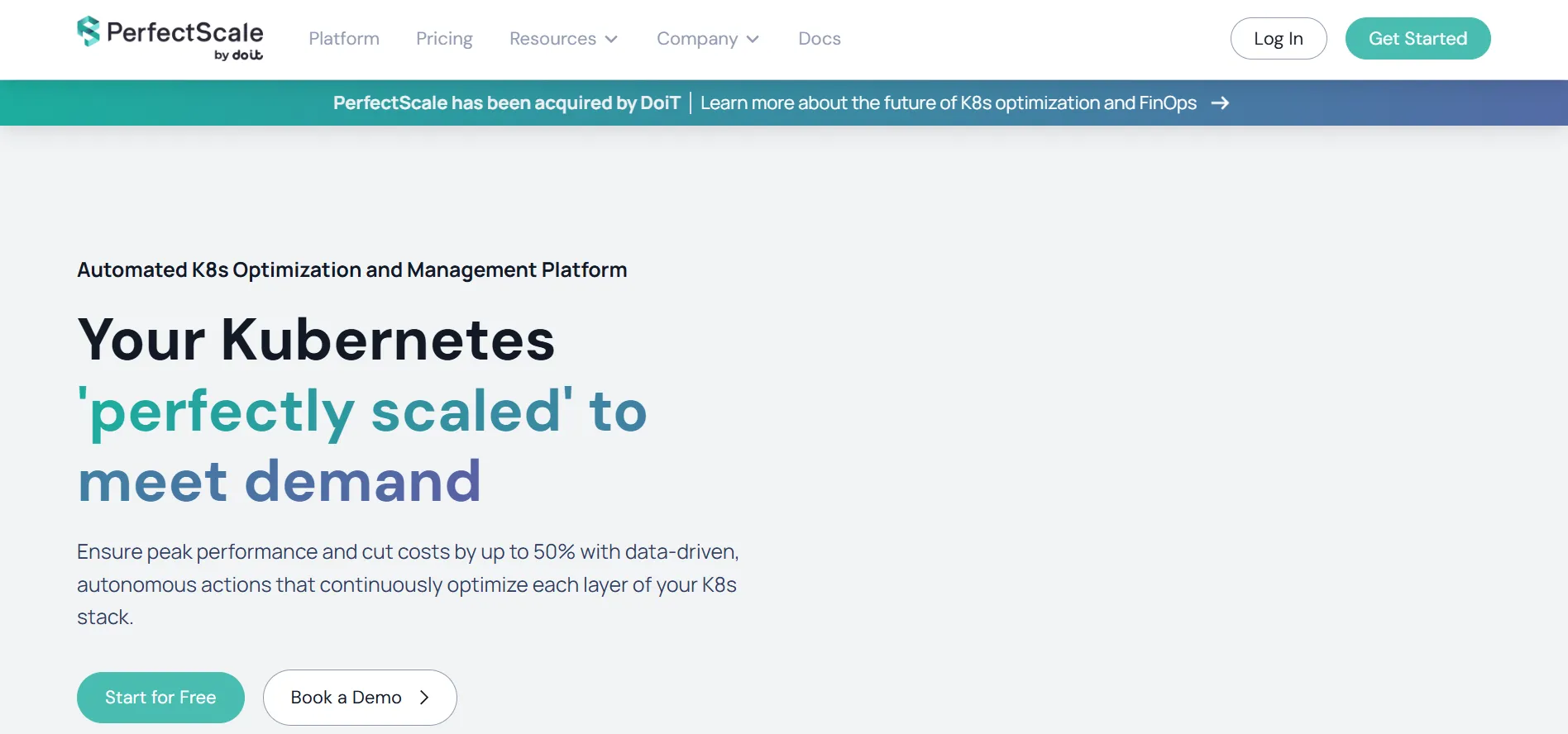
12. PerfectScale
PerfectScale, now part of DoiT, is an autonomous Kubernetes optimization platform platform that leverages AI to continuously fine-tune resource allocation, ensuring peak performance while reducing costs.
Key features:
Utilizes AI to adjust CPU and memory requests based on real-time workload behavior.
Tracks application performance alongside cost metrics to ensure optimal operation.
Operates seamlessly across various cloud providers, including AWS, GCP, and Azure.
Aligns engineering and finance teams by providing insights into cost efficiency and resource utilization.
Best for: Organizations seeking a comprehensive, AI-driven solution for Kubernetes optimization that balances cost reduction with performance and reliability.
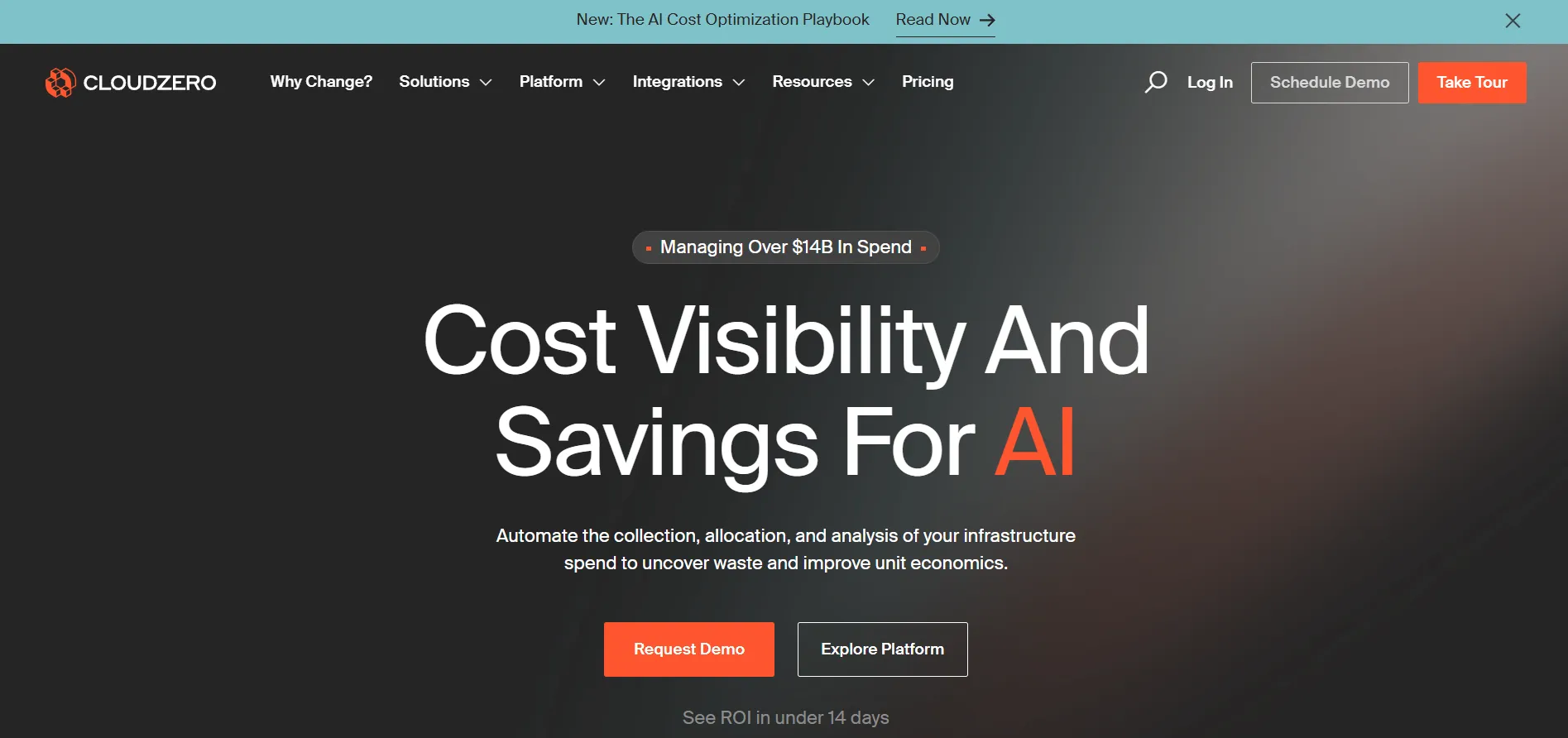
13. CloudZero
CloudZero is a cloud cost intelligence platform that provides engineering and finance teams with real-time visibility into Kubernetes spending. It enables organizations to allocate costs accurately, forecast future expenses, and identify optimization opportunities across multi-cloud environments.
Key features:
Breaks down Kubernetes costs by cluster, namespace, label, and pod, even without relying on tagging.
Links spending to business outcomes by calculating cost per customer, product, feature, or team.
Utilizes AI to detect unusual spending patterns and sends real-time alerts to prevent budget overruns.
Provides predictive analytics to forecast future Kubernetes costs based on historical data.
Best for: Organizations seeking a comprehensive, engineering-led approach to Kubernetes cost optimization. Ideal for teams that require detailed cost visibility, predictive budgeting, and the ability to align cloud spending with business objectives.
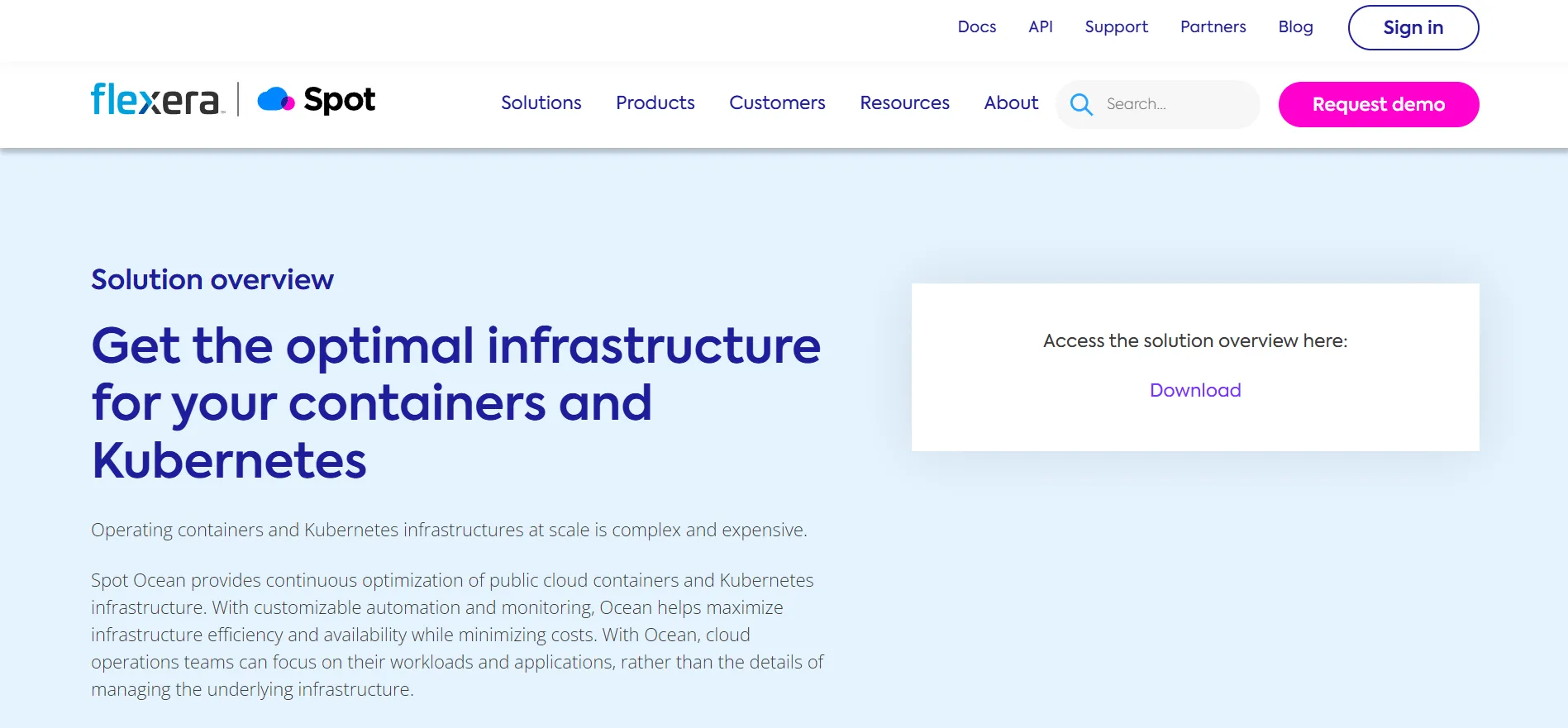
14. Spot Ocean
Spot Ocean, developed by Spot.io (a part of Flexera), is an intelligent Kubernetes infrastructure optimization platform that automates cost-saving strategies by dynamically provisioning the optimal mix of instance types and pricing options for containerized workloads.
Key features:
Eliminates unexpected costs by automatically provisioning the optimal mix of instance types and pricing options for dynamic workloads.
Automatically places containers in a way that optimizes resource utilization and minimizes wasted capacity.
Allows users to configure infrastructure parameters via infrastructure-as-code tools like Terraform, kops, eksctl, CloudFormation, and data analysis tools, as well as Ocean’s UI or API.
Best for: Organizations seeking to streamline Kubernetes infrastructure management while ensuring a continuous balance of cost, performance, and availability. Ideal for teams looking to automate cost-saving strategies and optimize container infrastructure.
15. Zesty
Zesty is an AI-driven cloud cost optimization platform tailored for Kubernetes environments. Its flagship solution, Kompass, offers real-time, automated optimization of compute and storage resources, aiming to reduce cloud expenses without compromising service-level agreements (SLAs).
Key Features:
Enables rapid node hibernation and reactivation in under 30 seconds, facilitating efficient resource management and cost savings.
Automatically adjusts CPU and memory allocations for Kubernetes pods based on real-time usage, optimizing resource utilization.
Safely utilizes spot instances by preemptively migrating pods before interruptions, maximizing cost efficiency.
Automates the purchase and sale of AWS Reserved Instances, aligning commitments with actual usage patterns.
Best For: Zesty is ideal for organizations operating large-scale Kubernetes clusters on AWS that seek to automate cloud cost optimization while maintaining high performance and reliability.
How to Choose the Right Kubernetes Management Tool: Key Features to Look For
From our experience working with engineering teams running multiple Kubernetes clusters across clouds, the same pain points keep resurfacing.
Tools that worked fine when managing a single cluster start to crumble as environments scale. Automation gaps, inconsistent security policies, and poor multi-cluster visibility quickly translate into hours of firefighting and wasted budget.
We’ve seen firsthand that a tool’s value isn’t just in what it can show you but in what it can do on its own. Teams need solutions that take safe, real-time actions to maintain performance, availability, and cost efficiency without requiring constant human intervention. When a system can make those decisions autonomously, engineers can focus on improving applications rather than patching clusters.
Here are the other essential features we recommend focusing on when choosing the right Kubernetes management tool for your organization:
1. User Experience
A tool should offer both UI and CLI options to accommodate different experience levels. A clean, intuitive interface helps new engineers onboard quickly, while powerful command-line capabilities give experienced admins efficiency. Balancing simplicity with depth is critical because a tool that’s hard to use slows the team down.
2. Automation & Deployment
Strong automation is non-negotiable. Declarative configurations, self-healing clusters, and integration with GitOps, Helm, Kustomize, and CI/CD pipelines reduce human error and accelerate infrastructure changes. Without automation, teams are forced to react to issues after they occur, leaving performance and costs in the hands of guesswork.
3. Monitoring & Observability
Integrated monitoring, log aggregation, and alerting are vital for proactive management. Tools that provide comprehensive dashboards, real-time metrics, and log management enable effective troubleshooting. Native compatibility with popular observability stacks is a plus for teams that require in-depth visibility into their Kubernetes clusters.
4. Security
Built-in RBAC, secrets management, policy enforcement, and vulnerability scanning are necessary for ensuring security and compliance. These features help reduce risks, allowing organizations to focus on scaling without compromising safety. Security capabilities should be robust and enterprise-ready.
5. Scalability & Multi-Cluster Management
The tool must support multi-cluster management and handle operations across various cloud environments. It should offer centralized control and seamless lifecycle automation, ensuring that as your infrastructure grows, the tool scales effortlessly with your needs.
6. Integrations
Compatibility with other tools is crucial. A good Kubernetes optimization platform should integrate easily with GitOps workflows, CI/CD systems, service meshes, and container runtimes, ensuring that your cloud-native operations are cohesive and easily managed across different environments.
Conclusion
Kubernetes offers unmatched flexibility and scale, yet complexity is inevitable. With adoption soaring and most organizations experiencing at least one security incident, leaders must adopt disciplined Kubernetes management practices.
Most tools help visualize costs or surface inefficiencies, yet they stop short of taking action, leaving engineers to carry the burden of constant tuning and firefighting.
What changes the equation is autonomy. Instead of adding more dashboards, autonomous platforms close the loop between insight and remediation, continuously rightsizing and optimizing in production without waiting for human intervention.
That’s why engineering leaders are turning to autonomous systems like Sedai, which go beyond reporting by continuously optimizing resources in real time by closing the loop between insight and remediation.
By integrating Sedai's automation tools, organizations can maximize the potential of optimization in Kubernetes, resulting in improved performance, enhanced scalability, and better cost management across their cloud environments.
Kubernetes cost visibility is table stakes. Book a demo to see how Sedai takes the next step — autonomous rightsizing and compaction that actually reduces your bill.
Frequently Asked Questions (FAQs)
Can automated tools really save money without risking availability?
Yes, provided they employ safe, context‑aware policies. Sedai has executed 100,000+ production changes with zero service disruptions. Successful platforms incorporate behaviour modelling, gradual rollouts, and safeguards to avoid over‑aggressive scaling.
How do I justify the cost of a commercial optimization tool?
Calculate ROI by comparing cost reductions (e.g., rightsizing savings, reserved‑instance discounts) to licence fees. Run a pilot with clear KPIs: percent reduction in cloud bills, CPU/memory utilisation improvements, and time saved by engineering. In our experience, most tools pay for themselves within a few months, especially when they automate manual work.
Are open‑source tools like OpenCost and Goldilocks sufficient?
Open‑source tools are excellent for cost visibility and recommendations, but often lack full automation and vendor support. Many teams start with open‑source solutions to gain awareness and then adopt commercial platforms for autonomous optimisation.
How often should we revisit our optimization strategy?
Given the pace of cloud and Kubernetes releases, evaluate your platform annually or when major business changes occur. Continuously monitor unit metrics such as cost per request and mean time to recovery. These will signal when adjustments are needed.


.webp%3Fv%3D2026-04-09T18%253A41%253A05.143Z&w=3840&q=75)