What are the main pricing tiers for Azure API Management?
Azure API Management offers four main pricing tiers: Developer (free for non-production use), Basic (starting at roughly $150/month), Standard (about $700/month), and Premium (starting near $2,800/month). Each tier is designed for different workloads and scale requirements, with higher tiers offering more features, better SLAs, and advanced networking options.
What is included in the Developer tier of Azure API Management?
The Developer tier is free (subject to Azure free account limits) and is intended for non-production use such as development, testing, or learning. It includes all features but does not provide an SLA and has limited throughput, making it unsuitable for live environments.
How does the Basic tier differ from other Azure API Management tiers?
The Basic tier starts at about $150/month and supports production workloads with standard API gateway functionality. However, it lacks advanced features like VNET support and is best suited for smaller projects or internal APIs where advanced networking is not critical.
What features are available in the Standard and Premium tiers of Azure API Management?
The Standard tier (about $700/month) offers VNET integration, 99.95% SLA, multi-region deployments, and enhanced caching. The Premium tier (starting near $2,800/month) is designed for enterprise-scale deployments, providing multi-region active-active deployments, advanced VNET injection, the highest SLA (99.99%), and support for self-hosted gateways for hybrid or multi-cloud strategies.
What happens if I exceed my API call limits in Azure API Management?
If you exceed your tier's API call limits, overage charges apply. For example, the Basic tier charges $3 per extra million calls, while the Standard tier charges $2.50 per extra million calls. It's recommended to monitor usage in Azure Metrics and set alerts at 80% capacity to avoid unexpected costs.
Azure API Management: Features & Capabilities
What is Azure API Management and what does it do?
Azure API Management is a platform that centralizes the publishing, protection, and monitoring of APIs. It acts as a bridge between backend services and API consumers, providing tools for security, documentation, access control, and analytics to streamline API management across teams and services.
What are the core features of Azure API Management?
Core features include an API gateway, policy enforcement, API versioning and revision management, caching, rate limiting and throttling, a developer portal, self-hosted gateway deployment, and built-in security features such as OAuth 2.0, JWT validation, API keys, and RBAC.
How does the API gateway in Azure API Management work?
The API gateway is the entry point for all API calls. It routes requests to backend services, enforces security protocols, applies rate limits, handles request transformations, and supports caching to reduce backend load and improve performance. The self-hosted gateway feature allows deployment outside Azure for hybrid or multi-cloud scenarios.
What is the role of the management plane in Azure API Management?
The management plane is the administrative control hub where you configure APIs, apply policies, manage user access, define API versions, set throttling and logging rules, bundle APIs into products, and monitor performance. It provides dashboards and APIs for governance and automation.
How does the developer portal in Azure API Management help developers?
The developer portal automatically generates interactive API documentation, allowing developers to explore APIs, test calls, manage subscriptions, and monitor usage. This self-service portal simplifies onboarding and reduces support needs for both internal and external developers.
What security features are built into Azure API Management?
Azure API Management includes built-in support for OAuth 2.0, JWT validation, API keys, and role-based access control (RBAC), enabling robust authentication and authorization for all APIs managed through the platform.
Can I use my existing OpenAPI/Swagger specifications with Azure API Management?
Yes, Azure API Management natively imports OpenAPI definitions (YAML/JSON), automatically generating endpoints, documentation, and mock responses without manual rebuilding.
What is the difference between Azure API Management and Azure Application Gateway?
Azure API Management is purpose-built for API lifecycle control, including versioning, policies, and developer portals. Azure Application Gateway operates at lower network layers, providing L7 load balancing and web application firewall (WAF) capabilities. Both can be used together for full-stack protection.
Is VNET isolation available in all Azure API Management tiers?
No, only the Standard v2 and Premium v2 tiers support VNET integration. The Consumption and Basic tiers operate in shared Azure networks, so you should plan your security requirements accordingly.
What deployment options are available for Azure API Management?
Azure API Management supports both Azure-hosted gateways and self-hosted gateways, which can be deployed on-premises or in other clouds. This flexibility enables hybrid and multi-cloud strategies and helps avoid vendor lock-in.
Azure API Management: Use Cases & Benefits
What are common use cases for Azure API Management?
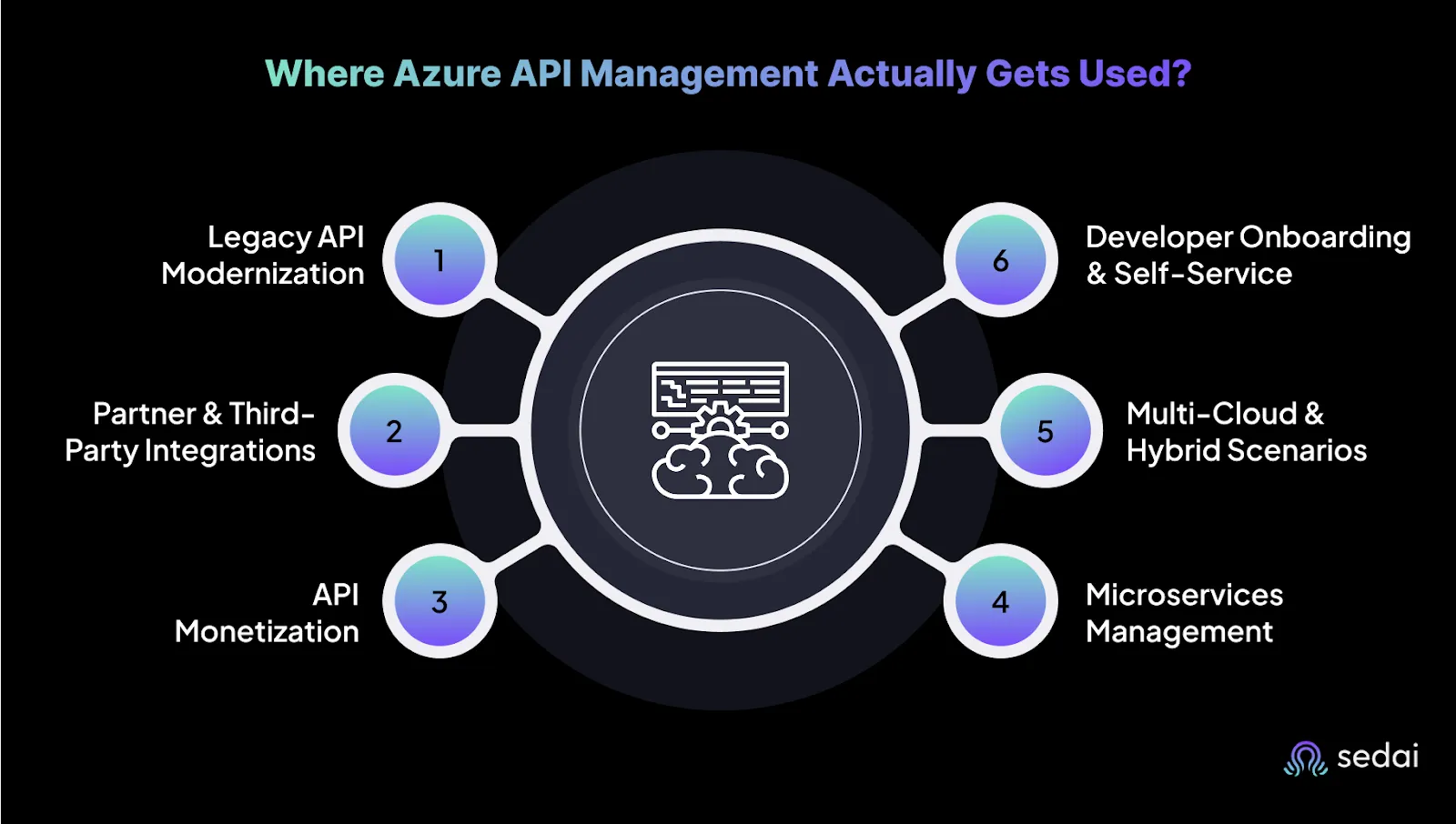
Common use cases include legacy API modernization, partner and third-party integrations, API monetization, microservices management, multi-cloud and hybrid scenarios, and developer onboarding with self-service portals.
How does Azure API Management help with legacy API modernization?
Azure API Management acts as a modern facade for aging APIs, adding governance, security, monitoring, and version control without requiring backend rewrites.
How does Azure API Management support API monetization?
Azure API Management allows you to bundle APIs into products and manage subscription plans, enabling pay-per-use or tiered access models for revenue generation.
How does Azure API Management improve developer onboarding?
The developer portal provides interactive documentation, testing tools, and subscription management, making it easier for developers to discover, test, and use APIs without heavy manual support.
How does Azure API Management integrate with other Azure services?
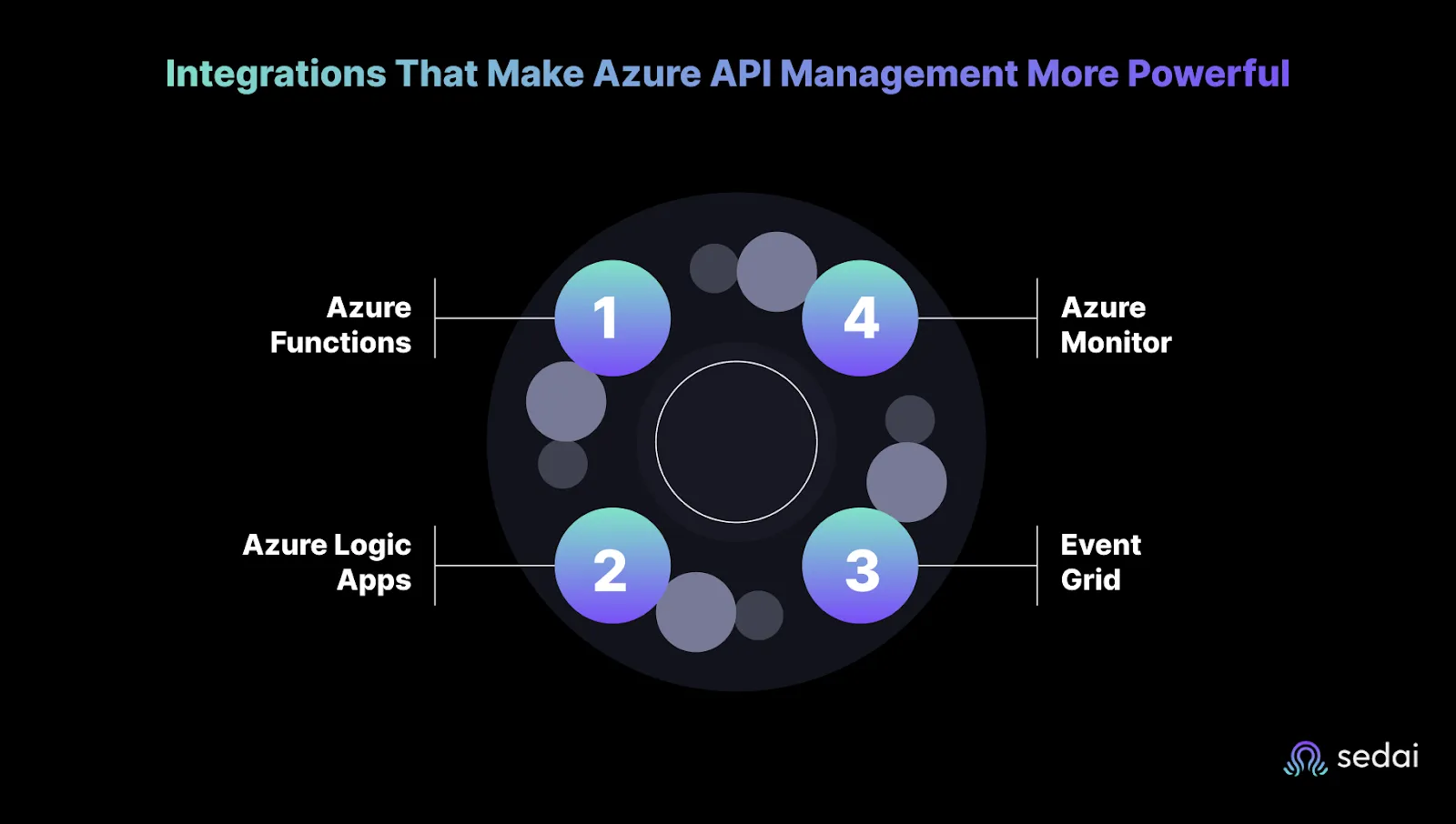
Azure API Management integrates with Azure Functions for serverless backends, Logic Apps for workflow automation, Event Grid for event-driven architectures, and Azure Monitor for metrics, logs, and alerts, enabling comprehensive API management and monitoring.
How does Sedai enhance Azure API Management?
Sedai adds an AI-driven layer to Azure API Management, automating monitoring of API performance and costs, enforcing best practices, and predicting reliability issues before they impact users. Sedai helps spot inefficiencies and risks, providing actionable insights for smoother API operations.
What are the benefits of using Sedai with Azure API Management?
Benefits include automated real-time monitoring, cost anomaly detection, predictive reliability analysis, and enforcement of best practices across APIs without heavy manual effort. Sedai helps teams avoid cost overruns, downtime, and configuration gaps.
Does Sedai replace Azure API Management?
No, Sedai does not replace Azure API Management. Instead, it complements APIM by adding smarter oversight, automation, and actionable insights to help your APIs run more efficiently and reliably.
Sedai Platform: Features, Use Cases & Differentiators
What is Sedai and what does it do?
Sedai is an autonomous cloud management platform that optimizes cloud operations for cost, performance, and availability using machine learning. It eliminates manual intervention, reduces cloud costs by up to 50%, improves performance, and proactively resolves issues across AWS, Azure, GCP, and Kubernetes environments. Source
Sedai reduces cloud costs by up to 50% through autonomous optimization, rightsizing workloads, and eliminating waste. For example, Palo Alto Networks saved $3.5 million, and KnowBe4 achieved 50% cost savings in production. Source
How does Sedai improve application performance?
Sedai enhances application performance by reducing latency by up to 75%. For instance, Belcorp achieved a 77% reduction in AWS Lambda latency, significantly improving user experience. Source
What types of integrations does Sedai support?
Sedai integrates with monitoring and APM tools (Cloudwatch, Prometheus, Datadog, Azure Monitor), Kubernetes autoscalers (HPA/VPA, Karpenter), IaC & CI/CD tools (GitLab, GitHub, Bitbucket, Terraform), ITSM (ServiceNow, Jira), notification tools (Slack, Microsoft Teams), and runbook automation platforms. Source
How quickly can Sedai be implemented?
Sedai's setup process takes just 5 minutes for general use cases and up to 15 minutes for specific scenarios like AWS Lambda. The platform offers plug-and-play implementation with agentless integration and comprehensive onboarding support. Source
What security and compliance certifications does Sedai have?
Sedai is SOC 2 certified, demonstrating adherence to stringent security requirements and industry standards for data protection and compliance. Source
Who are Sedai's target users?
Sedai is designed for platform engineering, IT/cloud operations, technology leadership, site reliability engineering (SRE), and FinOps professionals in organizations with significant cloud operations across industries such as cybersecurity, IT, financial services, healthcare, travel, and e-commerce. Source
What pain points does Sedai address for cloud teams?
Sedai addresses pain points such as cost inefficiencies, operational toil, performance and latency issues, lack of proactive issue resolution, complexity in multi-cloud environments, and misaligned priorities between engineering and FinOps teams. Source
How does Sedai compare to other cloud optimization tools?
Sedai stands out with 100% autonomous optimization, proactive issue resolution, application-aware intelligence, full-stack cloud coverage, release intelligence, and rapid plug-and-play implementation. Unlike competitors that rely on static rules or manual adjustments, Sedai operates autonomously and holistically. Source
What business impact can customers expect from using Sedai?
Customers can expect up to 50% cost savings, 75% latency reduction, 6X productivity gains, 50% fewer failed customer interactions, and improved release quality. Case studies include Palo Alto Networks ($3.5M saved), KnowBe4 (50% cost savings), and Belcorp (77% latency reduction). Source
What industries does Sedai serve?
Sedai serves industries including cybersecurity, IT, financial services, security awareness training, travel and hospitality, healthcare, car rental services, retail and e-commerce, SaaS, and digital commerce. Source
Who are some of Sedai's customers?
Notable customers include Palo Alto Networks, HP, Experian, KnowBe4, Expedia, CapitalOne Bank, GSK, and Avis. These companies trust Sedai to optimize their cloud environments and improve operational efficiency. Source
What customer feedback has Sedai received regarding ease of use?
Customers highlight Sedai's quick setup (5–15 minutes), agentless integration, personalized onboarding, detailed documentation, and risk-free 30-day trial as key factors contributing to its ease of use. Source
Where can I find technical documentation for Sedai?
This guide covers Azure API Management from the ground up, walking you through its core concepts and how to optimize it in real-world scenarios. You’ll see how to design secure APIs, connect with Azure services like Functions and Logic Apps, and manage scaling without overspending. It’s made for engineers and SREs who want to move beyond just setting up APIM and turn it into a reliable, efficient API platform with practical tips and examples. We also explore how Sedai’s AI-driven tools can help you automate monitoring, reduce costs, and keep your API ecosystem running smoothly.
If you’ve worked with APIs at scale, you know the technical debt piles up fast. Endpoints spread across teams. Authorization rules get inconsistent. Monitoring turns into a patchwork of tools. At some point, you’re not managing APIs anymore. They’re managing you.
Azure API Management solves that by giving you one place to publish, protect, and monitor every API across your stack. In this expert guide, we’re not just going to cover what it does. We’ll break down how it works, where it fits in your architecture, and how Sedai can make the whole experience even more efficient.
Azure costs are manageable when you have continuous visibility and autonomous action. Book a demo to see how Sedai closes the gap between spotting waste and actually fixing it.
What is Azure API Management?
Azure API Management is the platform that helps you take control of your API ecosystem. It acts as the bridge between your backend services and the consumers, whether they’re internal teams, partners, or external developers.
What sets it apart is how it centralizes common API management tasks: publishing APIs with standardized documentation, applying security policies, enforcing access controls, and collecting usage data. This approach gives you a consistent, repeatable way to manage APIs as your services grow and evolve.
5 Benefits of Azure API Management
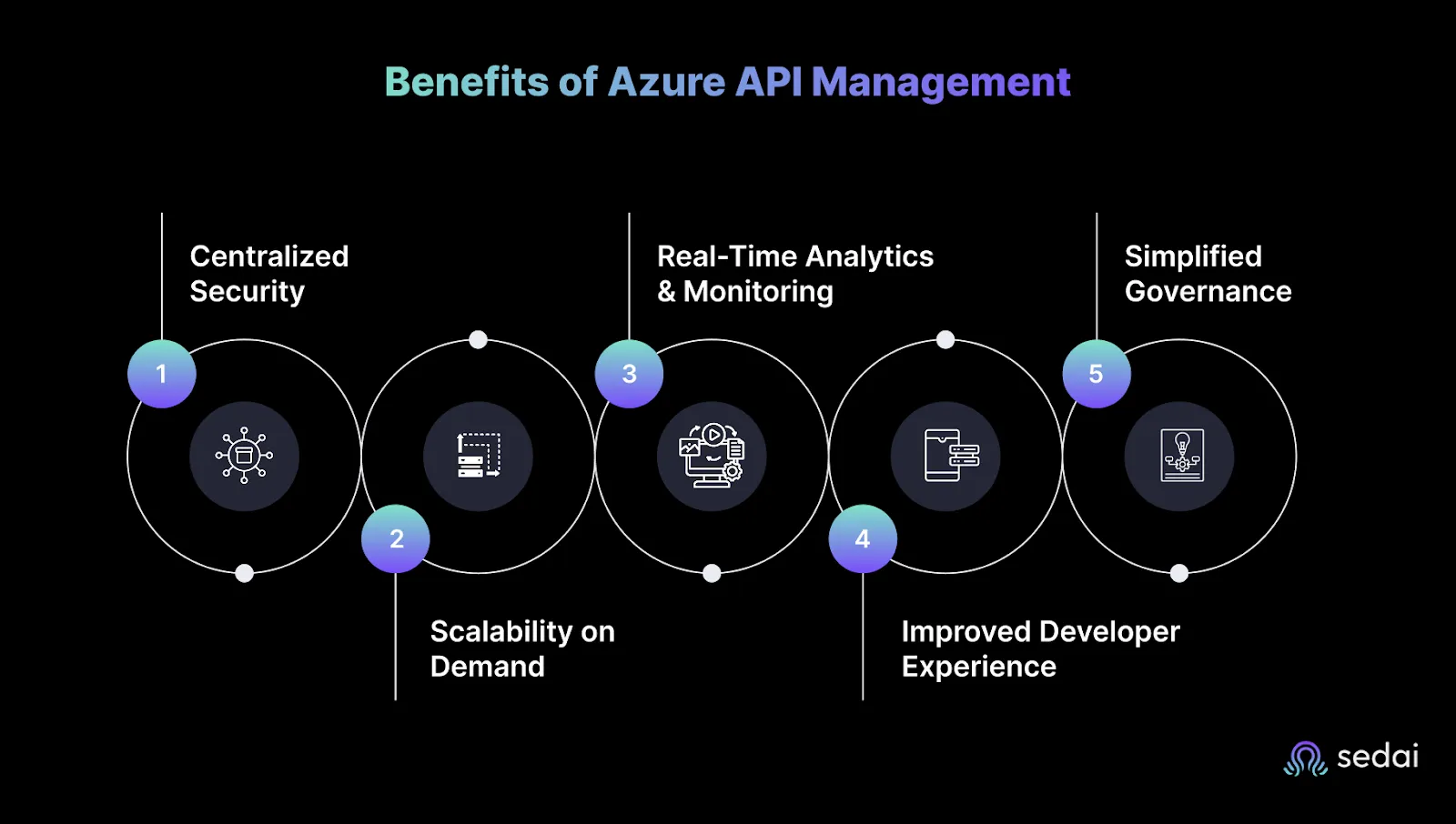
Managing APIs across multiple teams and services quickly gets complicated. Without a solid system, security gaps, scaling issues, and operational headaches are inevitable. Azure API Management is designed to tackle these challenges by streamlining how you secure, scale, monitor, and govern your APIs.
Here’s what that looks like in practice:
Centralized Security: Simplifies enforcing consistent authentication and authorization across all APIs, reducing security risks and protecting backend services.
Scalability on Demand: Handles sudden traffic spikes smoothly with auto-scaling and global distribution, ensuring high availability without manual intervention.
Real-Time Analytics and Monitoring: Provides actionable insights on API usage, errors, and performance to quickly identify and fix issues.
Improved Developer Experience: Offers a self-service portal with interactive documentation and subscription management that accelerates adoption and reduces support load.
Simplified Governance: Centralizes API lifecycle and policy management, enabling teams to maintain compliance and reduce operational overhead.
8 Core Features That Drive Azure API Management
Azure API Management offers a comprehensive set of tools designed to handle the technical needs of your API ecosystem:
API Gateway: Acts as the entry point for all API calls, routing requests to backend services while enforcing policies like authentication, throttling, and caching.
Policy Enforcement: Enables configuration of rules to transform requests and responses, control traffic flow, enforce security checks, and modify headers or payloads—all without changing backend code.
API Versioning and Revision Management: Supports multiple API versions and revisions, allowing you to roll out updates without disrupting existing clients.
Caching: Stores frequently requested responses at the gateway level to reduce latency and backend load.
Rate Limiting and Throttling: Controls traffic by limiting requests per user, IP, or subscription to prevent abuse and manage resource consumption.
Developer Portal: Automatically generates interactive API documentation and provides tools for developers to explore, test, and subscribe to APIs.
Self-Hosted Gateway: Lets you deploy the API gateway in hybrid or multicloud environments, not just within Azure.
Security Features: Built-in support for OAuth 2.0, JWT validation, API keys, and role-based access control (RBAC).
How Azure API Management Works
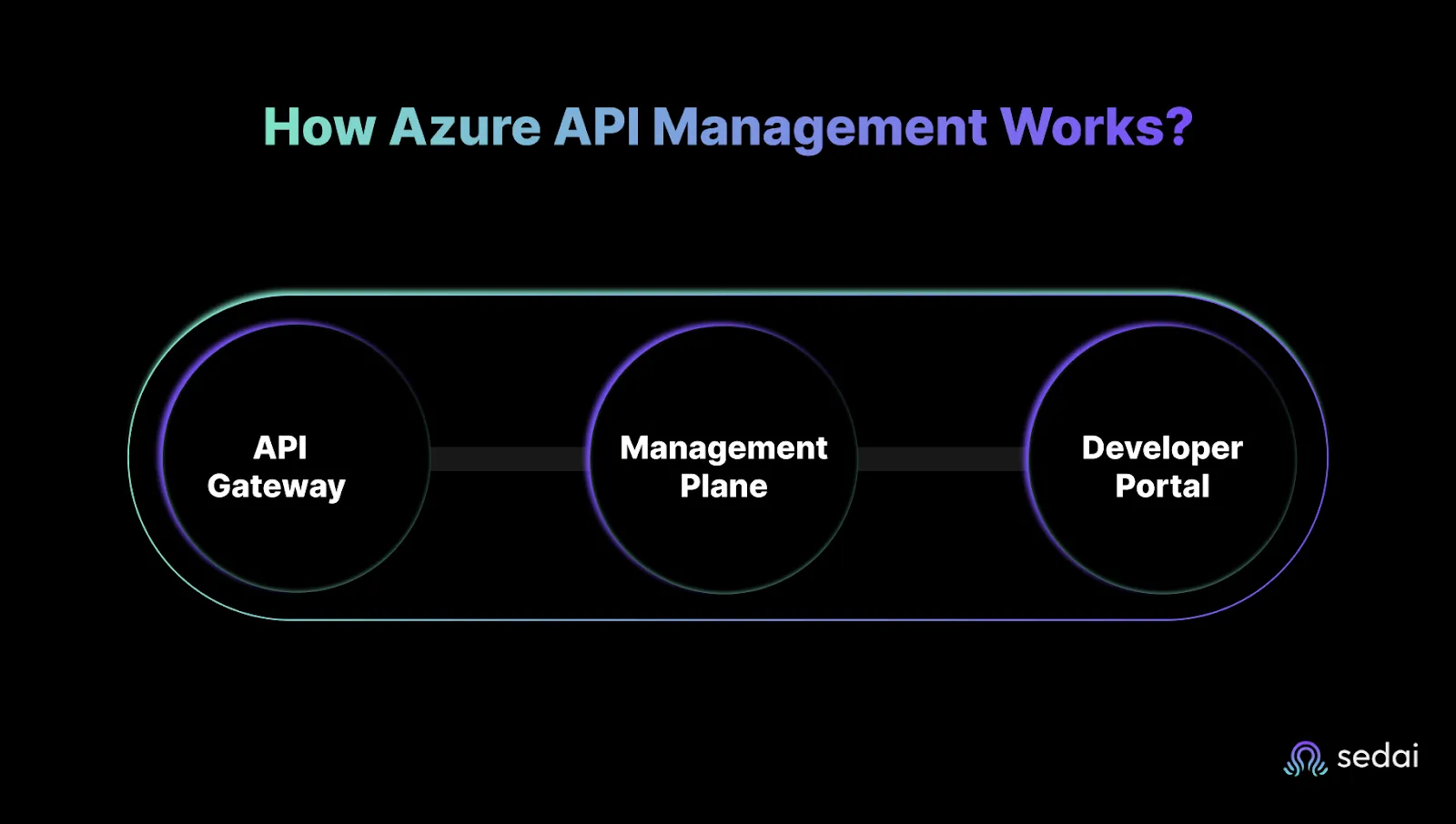
Azure API Management is built around three core components that keep your API operations organized and scalable.
1. API Gateway
This is the frontline of Azure API Management. It processes every API request, directing traffic between clients and backend services. The gateway enforces security protocols like OAuth 2.0 and JWT validation, applies rate limits to prevent abuse, and handles request transformations such as converting XML to JSON or injecting headers.
It also supports caching frequent responses to reduce backend load and improve performance. The Self-Hosted Gateway feature allows you to run the gateway outside of Azure—in your data center, on-premises, or other clouds—giving you deployment flexibility without vendor lock-in.
2. Management Plane
This is the control hub in Azure API Management where you configure APIs, apply policies, and manage user access. Administrators use the management plane to define API versions, set throttling and logging rules, bundle APIs into products for subscription control, and monitor performance and usage. It provides dashboards and APIs for governance, making it easier to automate management tasks and integrate with DevOps workflows.
3. Developer Portal
The developer portal is how Azure API Management connects with your API consumers. It automatically generates interactive documentation from your API specifications (OpenAPI or WSDL). Developers can explore APIs, test calls in the browser, manage subscriptions, and monitor their usage. This portal simplifies onboarding and lowers support needs by providing a self-service experience.
Together, these components separate runtime traffic handling, administrative control, and developer engagement in Azure API Management. This division allows engineering teams to scale securely and maintain APIs efficiently without overlap.
Ready to optimize your Azure API Management costs?
Book a Sedai demo to improve API performance, reduce cloud spend, and automate resource optimization.
Azure API Management Pricing Tiers & Deployment Options
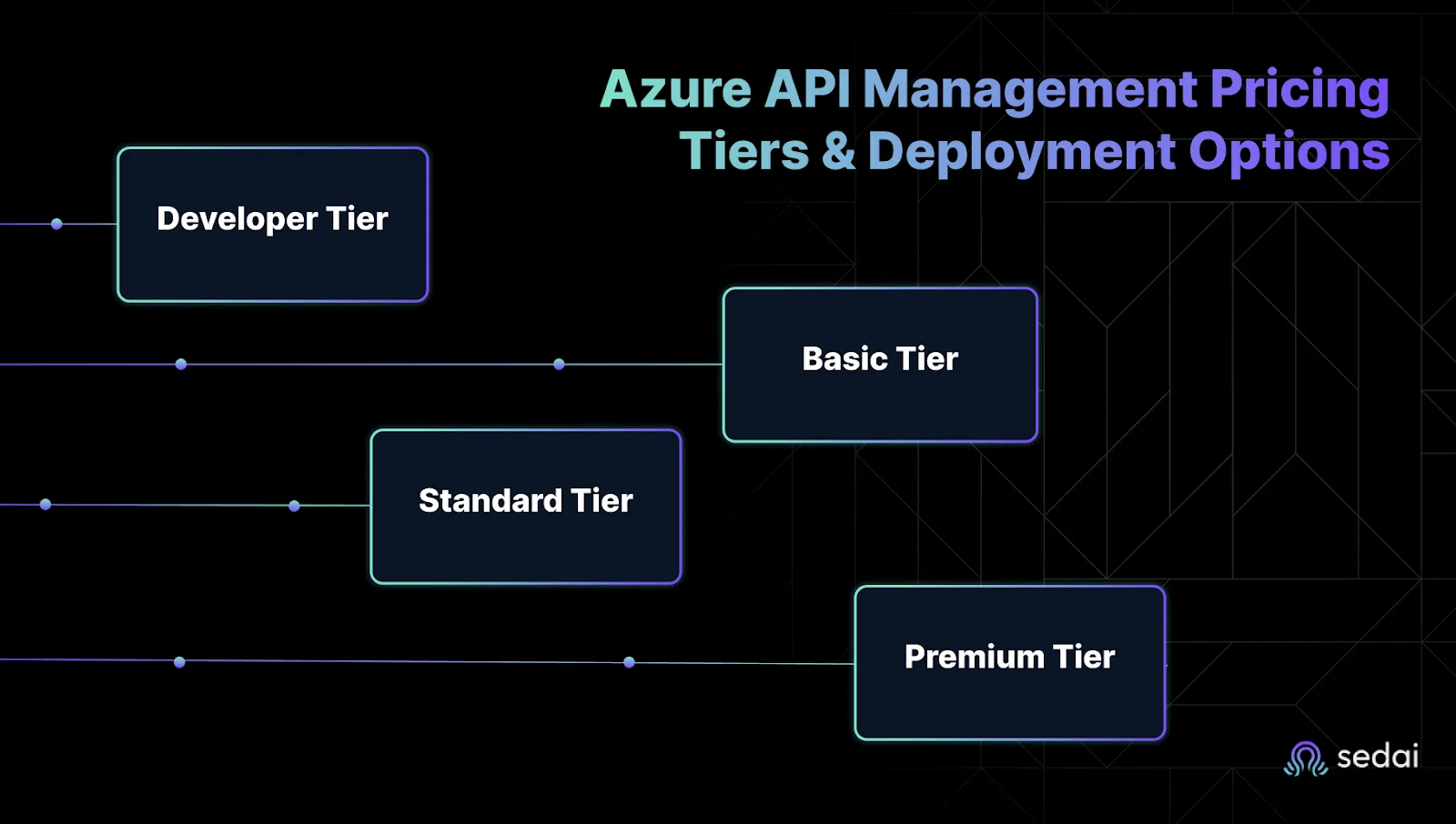
Azure API Management is offered in four main tiers, each designed to fit specific scenarios and scale needs. Choosing the right tier depends on your workload, traffic patterns, and integration requirements.
1. Developer Tier
This tier is free (subject to Azure free account limits) and meant for non-production use—development, testing, or learning. It includes all features so you can build and experiment with your APIs. However, it does not come with an SLA and has limited throughput, so it’s not designed for live environments.
2. Basic Tier
Starting at roughly $150 per month, Basic supports production workloads but with limited scale and fewer features compared to higher tiers. It provides standard API gateway functionality without virtual network (VNET) support, making it suitable for smaller projects or internal APIs where advanced networking isn’t critical.
3. Standard Tier
At about $700 per month, the Standard tier balances price and performance for growing teams and business-critical APIs. It supports VNET integration, enabling secure, private connectivity to backend services. It offers 99.95% SLA, multi-region deployments, and better caching capacity, making it a solid choice for most production use cases.
4. Premium Tier
The Premium tier starts near $2,800 monthly and is geared toward enterprise-scale deployments with stringent reliability and compliance needs. It includes multi-region active-active deployments, advanced VNET injection for complex networking, and the highest SLA at 99.99%. Premium also supports the self-hosted gateway, allowing API gateway deployment outside Azure for hybrid or multi-cloud strategies.
Deployment Options: Besides the Azure-hosted gateways, you can deploy self-hosted API gateways on-premises or in other clouds. This flexibility helps teams that require hybrid models or want to avoid vendor lock-in.
What this means for you: Understanding these tiers helps plan your API management strategy to balance cost, scale, and operational needs. Start with Developer or Basic for smaller workloads, and scale to Standard or Premium as your API traffic and complexity grow.
Understanding what Azure API Management does is one thing. Knowing where it fits in real projects is another. Here are some common situations where teams turn to APIM:
Legacy API Modernization: Many organizations have aging APIs that lack security, monitoring, or version control. APIM acts as a modern facade, adding governance and features without rewriting the backend.
Partner & Third-Party Integrations: When exposing APIs to external partners or customers, APIM controls access, enforces policies, and tracks usage, helping maintain security and SLA commitments.
API Monetization: APIM lets you bundle APIs into products and manage subscription plans, enabling pay-per-use or tiered access models for revenue generation.
Microservices Management: For distributed microservices, APIM centralizes routing, security, and analytics, simplifying operations across complex architectures.
Multi-Cloud & Hybrid Scenarios: APIM’s self-hosted gateways and global presence support APIs running across clouds or on-prem, with unified control.
Developer Onboarding & Self-Service: The developer portal helps internal and external developers discover APIs, test calls, and manage keys without heavy manual support.
Integrations That Make Azure API Management More Powerful
Azure API Management isn’t a standalone tool. It’s built to integrate deeply with other Azure services, making your API workflows smoother and more manageable.
Azure Functions: Use serverless functions as backend logic. APIM routes requests here, letting you inject policies or transform data without touching the function code.
Azure Logic Apps: Automate workflows without coding. APIM can trigger Logic Apps on specific API events or failures, helping you handle retries, notifications, or data sync automatically.
Event Grid: Connect APIM events to event-driven architectures. For example, you can monitor API usage or errors and trigger alerts or downstream processes.
Azure Monitor: Get detailed metrics, logs, and alerts for your APIs. Combine APIM data with Azure Monitor to track latency, errors, traffic spikes, and troubleshoot quickly using tools like Log Analytics.
How Sedai Enhances Your Azure API Management Strategy?
More teams are turning to platforms like Sedai to get better visibility and control over their Azure API Management setups. Sedai focuses on areas that often cause headaches, like cost overruns, unexpected downtime, and complex dependency chains.
What this really means is Sedai helps you spot inefficiencies and risks before they become problems. For example, it can detect when an API is using more resources than expected or identify configuration gaps that could lead to security issues.
Some of the most practical ways teams use Sedai alongside Azure API Management include:
Automating the monitoring of API performance and costs in real time
Enforcing best practices across multiple APIs without heavy manual effort
Predicting potential reliability problems before they impact users
Sedai isn’t here to replace your current setup. It just adds smarter oversight so your APIs run smoother and efficiently.
Azure API Management gives you the framework to organize, secure, and scale your APIs. But managing them day to day is a different challenge. Tools like Sedai can step in to help by offering actionable insights on cost, reliability, and security things that are easy to miss when you’re juggling multiple priorities.
Azure API Management costs scale with usage in ways that are easy to miss. Book a demo to see how Sedai keeps your Azure service costs aligned with actual demand.
If you’re looking for a way to keep your Azure API Management setup running smoothly without the trouble, exploring solutions like Sedai makes sense. It’s about smarter operations, not more work. Get started today.
FAQ
1. How does Azure API Management differ from Azure Application Gateway?
While both handle traffic, API Management is purpose-built for API lifecycle control (versioning, policies, developer portals), whereas Application Gateway operates at lower network layers (L7 load balancing, WAF). Use both together for full-stack protection.
2. Can I use my existing OpenAPI/Swagger specs with APIM?
Absolutely. APIM natively imports OpenAPI definitions (YAML/JSON) to auto-generate endpoints, documentation, and mock responses - no manual rebuilding required.
3. What's the real cost impact if I exceed my tier's API call limits?
Overages add up fast. Basic tier charges $3 per extra million calls (vs. $2.50 in Standard). Monitor usage in Azure Metrics and set alerts at 80% capacity.
4. How does Sedai complement Azure API Management?
Sedai's AI ops layer automates what APIM can't, like predictive scaling of backend services, cost anomaly detection, and cross-service failure analysis - all without APIM configuration changes.
5. Is VNET isolation possible in all APIM tiers?
No. Only Standard v2+ supports VNET integration, while Premium v2 adds full injection. Consumption/Basic tiers operate in shared Azure networks. Plan your security requirements accordingly.
Top Strategies to Optimize Azure SQL Costs in 2026
In today's competitive business landscape, optimizing Azure SQL costs is not just a nice-to-have; it's a necessity. By adopting best practices and leveraging the right tools and techniques, organizations can strike the perfect balance between performance and cost-efficiency, enabling them to stay ahead of the curve in 2025 and beyond.
Top 25 Azure Cost Optimization Tools for Engineering Teams in 2025-26
Find Azure cost optimization tools that rightsize compute, storage, and databases based on real workload patterns. Reduce waste and improve performance.