What is AWS Elastic Block Store (EBS) and how does it work?
AWS Elastic Block Store (EBS) is a block-level storage service designed for Amazon EC2 instances. Unlike ephemeral instance storage, EBS volumes persist independently, so your data remains intact even if your instance crashes or terminates. EBS provides raw block storage volumes that act like physical hard drives, supporting file systems, databases, and applications that require fast, low-latency access. Volumes are automatically replicated within the same Availability Zone for durability and high availability.
What are the main features of AWS EBS?
AWS EBS offers persistent and durable block storage, high availability within an Availability Zone, point-in-time snapshots for backup and disaster recovery, customizable performance options, and encryption by default using AWS Key Management Service. EBS volumes can be resized on the fly, support manual or automated backups, and provide various volume types to match performance and cost needs.
How does EBS ensure data durability and availability?
EBS volumes are automatically replicated within their Availability Zone, providing 99.999% durability. This replication protects against hardware failures and ensures your data remains safe and accessible even if an underlying device fails.
What types of EBS volumes are available and what are their use cases?
The four main EBS volume types are: gp3 (General Purpose SSD) for balanced performance and cost, io1/io2 (Provisioned IOPS SSD) for high-performance, low-latency workloads, st1 (Throughput Optimized HDD) for big data and log processing, and sc1 (Cold HDD) for infrequently accessed data and archives. Each type is optimized for specific workloads, such as databases, analytics, or backup storage.
How does EBS handle encryption and compliance?
All EBS volumes and snapshots are encrypted by default using AWS Key Management Service (KMS). Encryption is handled automatically, with no performance penalty, and helps meet regulatory requirements such as HIPAA and GDPR.
What are EBS snapshots and how are they used?
EBS snapshots are point-in-time backups of your volumes. They can be created manually or scheduled automatically, are incremental to save storage costs, and allow you to quickly restore data or clone volumes for disaster recovery or scaling across regions.
How can you scale EBS storage up or down?
You can resize EBS volumes on the fly without downtime, allowing you to adjust capacity as your needs change. Snapshots can also be used to clone volumes in different Availability Zones or regions for redundancy or scaling purposes.
What are the main advantages of using AWS EBS?
AWS EBS provides high-performance virtual storage, persistent and durable volumes, high availability, low latency, and flexible scaling. It supports mission-critical workloads, databases, and applications that require consistent, reliable storage with the performance of physical drives but without hardware management headaches.
What are the limitations of AWS EBS?
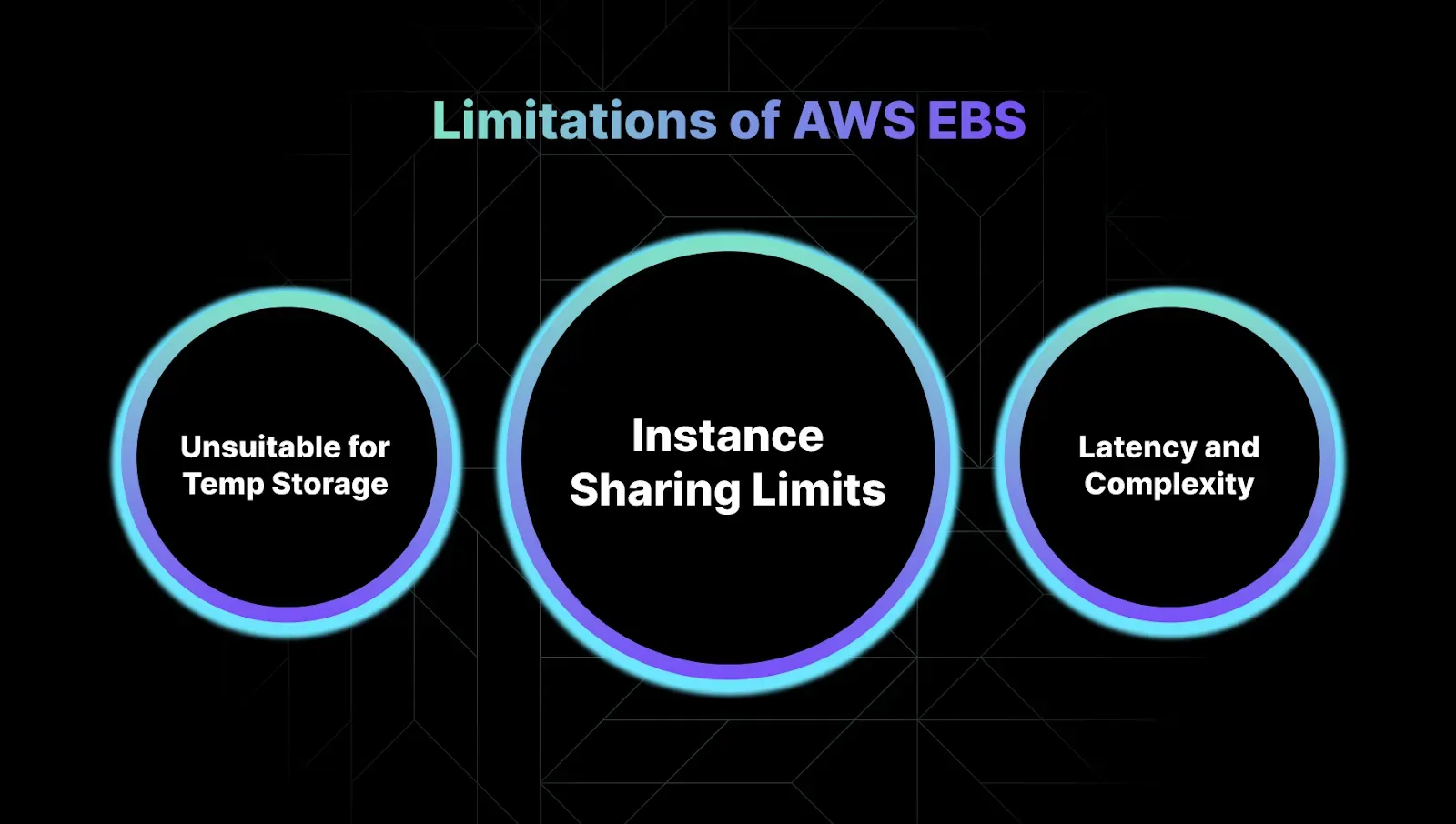
Limitations include paying for unused storage if you don't manually clean up unattached volumes, most volumes only attaching to one EC2 instance at a time (except io1/io2 Multi-Attach), and potential network latency or throttling for heavy I/O workloads. EBS is not ideal for temporary storage or shared file systems; alternatives like instance store, EFS, or FSx may be better for those use cases.
How do you monitor and optimize EBS performance?
You can use AWS CloudWatch to monitor EBS metrics such as IOPS, throughput, and burst credits. If your gp3 volume consistently hits IOPS limits, consider upgrading to io2. Monitoring helps identify bottlenecks and optimize performance for your workloads.
Pricing & Cost Optimization
How is AWS EBS priced?
AWS EBS pricing depends on the volume type, size (per GB-month), provisioned IOPS (for io1/io2), and snapshot storage. gp3 is generally more cost-effective than io1/io2, and st1/sc1 offer lower costs for throughput-optimized or archival workloads. Always review the latest AWS pricing documentation for specifics.
How can I tell if I'm overpaying for EBS?
Red flags for overpaying include gp3 volumes constantly hitting throughput caps, io1/io2 volumes with low IOPS utilization, old snapshots, and a high percentage of storage allocated to temporary or unattached volumes. Regularly audit your EBS usage and consider automation tools like Sedai to identify and eliminate waste.
What best practices help reduce EBS costs?
Best practices include deleting unattached or unused volumes, cleaning up old snapshots, right-sizing volumes to match workload needs, and using the most cost-effective volume type for your use case. Automation tools like Sedai can help by identifying idle resources and optimizing storage classes in real time.
How does Sedai help optimize AWS EBS costs?
Sedai uses autonomous optimization to identify idle volumes, right-size storage classes, and surface real-time usage insights. Customers typically see up to 30% storage cost reductions by automating EBS management with Sedai compared to manual processes. Learn more at Sedai AI.
What is Sedai for S3 and how does it relate to EBS optimization?
Sedai for S3 is a specialized solution that optimizes Amazon S3 costs by managing Intelligent-Tiering and Archive Access Tier selection. While it focuses on S3, Sedai's autonomous optimization platform also addresses EBS by identifying idle volumes, optimizing storage classes, and reducing manual effort in EBS management. Learn more at Sedai Solution Briefs.
Use Cases & Best Practices
What are the most common use cases for AWS EBS?
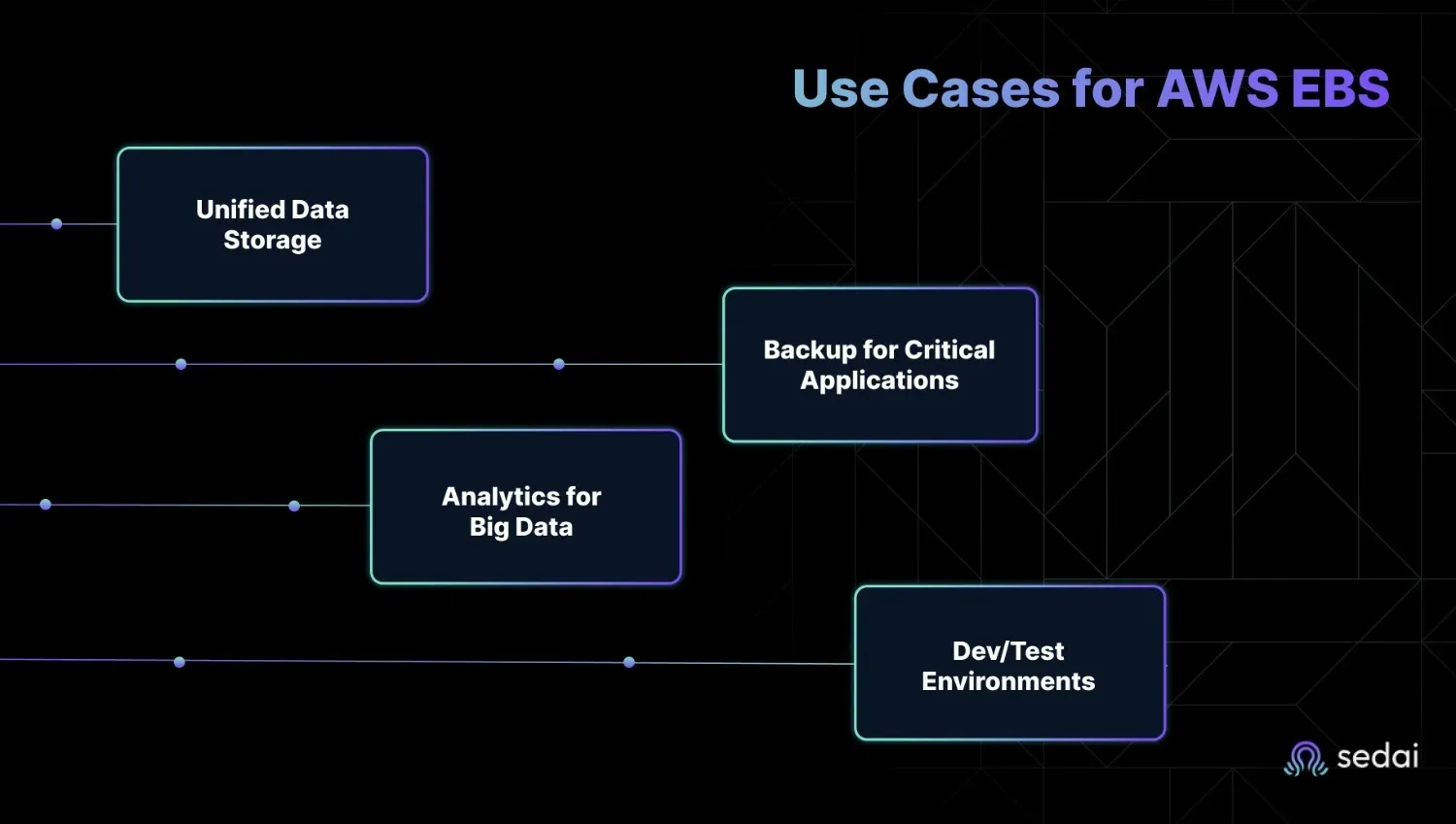
Common use cases include database storage for relational and NoSQL workloads, business-critical applications with backup needs, big data and analytics workloads, and dev/test environments. EBS provides the performance, durability, and flexibility required for these scenarios.
How does EBS support database workloads?
EBS supports latency-sensitive databases like MySQL, PostgreSQL, and DynamoDB by providing consistent I/O performance, high throughput, and low latency. io2 or gp3 volumes are recommended for high-performance database needs, with built-in AZ replication for resilience.
What are best practices for EBS backup and disaster recovery?
Best practices include using EBS snapshots for point-in-time backups, scheduling automated backups, and leveraging AWS Backup for policy-driven protection. Snapshots enable fast recovery and can be used to clone volumes in different regions for disaster recovery.
How does EBS handle big data and analytics workloads?
For big data and analytics, EBS offers throughput-optimized (st1) volumes that provide high throughput at a lower cost, ideal for log processing, data lakes, and streaming workloads where sequential read/write performance is critical.
What are the advantages of using EBS for dev/test environments?
EBS allows you to quickly detach and reattach volumes across EC2 instances, clone volumes from snapshots, and spin up new environments rapidly. This flexibility is ideal for developers who need fast, disposable environments without risking data loss.
How does Sedai automate EBS management compared to manual scripts?
While you can write scripts to manage EBS, this approach requires ongoing maintenance, misses edge cases, and consumes developer time. Sedai automates EBS management, detects idle storage, optimizes costs, and handles anomalies in real time, typically delivering 30% storage cost reductions compared to manual management.
What are the signs of EBS performance issues?
Common signs include gp3 volumes exhausting burst credits, EC2 instances maxing out EBS bandwidth, noisy neighbor VMs causing resource contention, and latency spikes during unoptimized backups. Monitoring with CloudWatch helps identify and address these issues.
When should I use EBS versus EFS?
Use EBS when you need consistent low-latency storage and per-volume performance control, such as for databases. Use EFS when you need shared access across multiple instances and automatic scaling without provisioning, such as for shared file systems.
Sedai Platform & Autonomous Optimization
What is Sedai and how does it relate to AWS EBS management?
Sedai is an autonomous cloud management platform that optimizes cloud resources, including AWS EBS, for cost, performance, and availability. It uses machine learning to automate tasks like identifying idle volumes, right-sizing storage, and resolving performance issues, reducing manual intervention and operational overhead.
What are the key benefits of using Sedai for cloud storage management?
Sedai reduces cloud costs by up to 50%, improves performance by reducing latency by up to 75%, and enhances reliability by proactively resolving issues. It automates routine tasks, delivers up to 6X productivity gains, and provides full-stack coverage across AWS, Azure, GCP, and Kubernetes environments.
How does Sedai's autonomous optimization differ from AWS native tools?
While AWS provides the tools for EBS management, users are still responsible for manual configuration, monitoring, and cleanup. Sedai automates these processes using machine learning, eliminating manual intervention and continuously optimizing for cost, performance, and reliability.
What integrations does Sedai support for cloud management?
Sedai integrates with monitoring and APM tools (CloudWatch, Prometheus, Datadog, Azure Monitor), Kubernetes autoscalers (HPA/VPA, Karpenter), IaC and CI/CD tools (GitLab, GitHub, Bitbucket, Terraform), ITSM platforms (ServiceNow, Jira), notification tools (Slack, Microsoft Teams), and various runbook automation platforms. This ensures seamless integration into existing workflows.
How long does it take to implement Sedai for EBS optimization?
Sedai's setup process is designed to be quick and efficient, taking just 5 minutes for general use cases and up to 15 minutes for specific scenarios like AWS Lambda. The platform offers plug-and-play implementation with agentless integration, comprehensive onboarding support, and a 30-day free trial.
What customer feedback has Sedai received regarding ease of use?
Customers highlight Sedai's quick setup (5–15 minutes), agentless integration, personalized onboarding, and extensive support resources. The 30-day free trial and dedicated Customer Success Manager for enterprise users contribute to positive feedback on ease of use and adoption.
What security and compliance certifications does Sedai have?
Sedai is SOC 2 certified, demonstrating adherence to stringent security and compliance standards for data protection. More details are available on the Sedai Security page.
Who are some of Sedai's customers?
Sedai supports customers across industries such as cybersecurity (Palo Alto Networks), IT (HP), financial services (Experian, CapitalOne Bank), security awareness (KnowBe4), travel (Expedia), healthcare (GSK), car rental (Avis), and more. These companies trust Sedai to optimize their cloud environments. See more at Sedai Resources.
What industries are represented in Sedai's case studies?
Sedai's case studies cover industries including cybersecurity, IT, financial services, security awareness training, travel and hospitality, healthcare, car rental, retail and e-commerce, SaaS, and digital commerce. This demonstrates Sedai's versatility across diverse cloud environments.
Where can I find technical documentation for Sedai?
What support options are available for Sedai users?
Sedai offers personalized onboarding, a dedicated Customer Success Manager for enterprise customers, detailed documentation, a community Slack channel, and email/phone support. These resources ensure smooth adoption and ongoing assistance.
What are the core problems Sedai solves for cloud storage management?
Sedai addresses cost inefficiencies, operational toil, performance and latency issues, lack of proactive issue resolution, complexity in multi-cloud environments, and misaligned priorities between engineering and FinOps teams. It does so through autonomous optimization, proactive issue resolution, and actionable insights.
How does Sedai compare to other cloud optimization tools?
Sedai differentiates itself with 100% autonomous optimization, proactive issue resolution, application-aware intelligence, full-stack cloud coverage, release intelligence, and rapid plug-and-play implementation. Unlike competitors that rely on static rules or manual adjustments, Sedai continuously optimizes based on real application behavior and outcomes.
What business impact can customers expect from using Sedai?
Customers can expect up to 50% reduction in cloud costs, up to 75% reduction in latency, up to 6X productivity gains, and up to 50% reduction in failed customer interactions. Case studies include Palo Alto Networks saving $3.5 million and KnowBe4 achieving 50% cost savings in production. See more at Sedai Resources.
KO THE CLOUD TO ENTER OUR GIVEAWAYKO THE CLOUD TO ENTER OUR GIVEAWAY
What AWS EBS is: A persistent, block-level storage service for EC2 instances that retains data even after instance termination or crashes.
The four EBS volume types: gp3 for general workloads, io2 for high-IOPS databases, st1 for big data throughput, and sc1 for cold archives.
How EBS snapshots work: Point-in-time, incremental backups that enable fast disaster recovery, cloning, and cross-region replication.
How EBS handles security: All volumes and snapshots are encrypted by default via AWS KMS — with no performance penalty.
Where EBS delivers the most value: Databases, business-critical applications, big data pipelines, and dev/test environments needing fast, durable storage.
Key EBS limitations to plan for: Most volumes attach to one EC2 instance at a time, and unattached volumes keep accruing charges if not actively cleaned up.
AWS EBS is your most critical storage layer and your biggest time sink. You're constantly managing IOPS tuning on gp3 volumes, chasing down io2 latency spikes, and finding which unattached volumes are secretly inflating your bill.
You can minimize such errors and multiple tasks by clearly understanding the basics of EBS. This guide will help you understand what AWS Elastic Block Store is and how to utilize it to its full potential.
What is AWS Elastic Block Store (EBS)?
If you’ve ever lost data because of an unexpected instance termination or struggled with slow disk performance, EBS is your fix.
EBS is block-level storage designed for Amazon EC2 instances. Unlike ephemeral instance storage, EBS volumes persist independently, so your data stays intact even if your instance crashes or terminates. It provides:
Block-Level Storage for EC2Amazon EBS provides raw block storage volumes that act like physical hard drives. These volumes can be mounted directly to EC2 instances and support file systems, databases, and other apps that require fast, low-latency access.
Persistent and Durable StorageUnlike ephemeral instance store volumes, EBS volumes persist beyond EC2 instance terminations or reboots. Your data remains safe and accessible.
High Availability within an Availability Zone (AZ)EBS volumes are automatically replicated within the same AZ, protecting against hardware failures and improving reliability without user intervention.
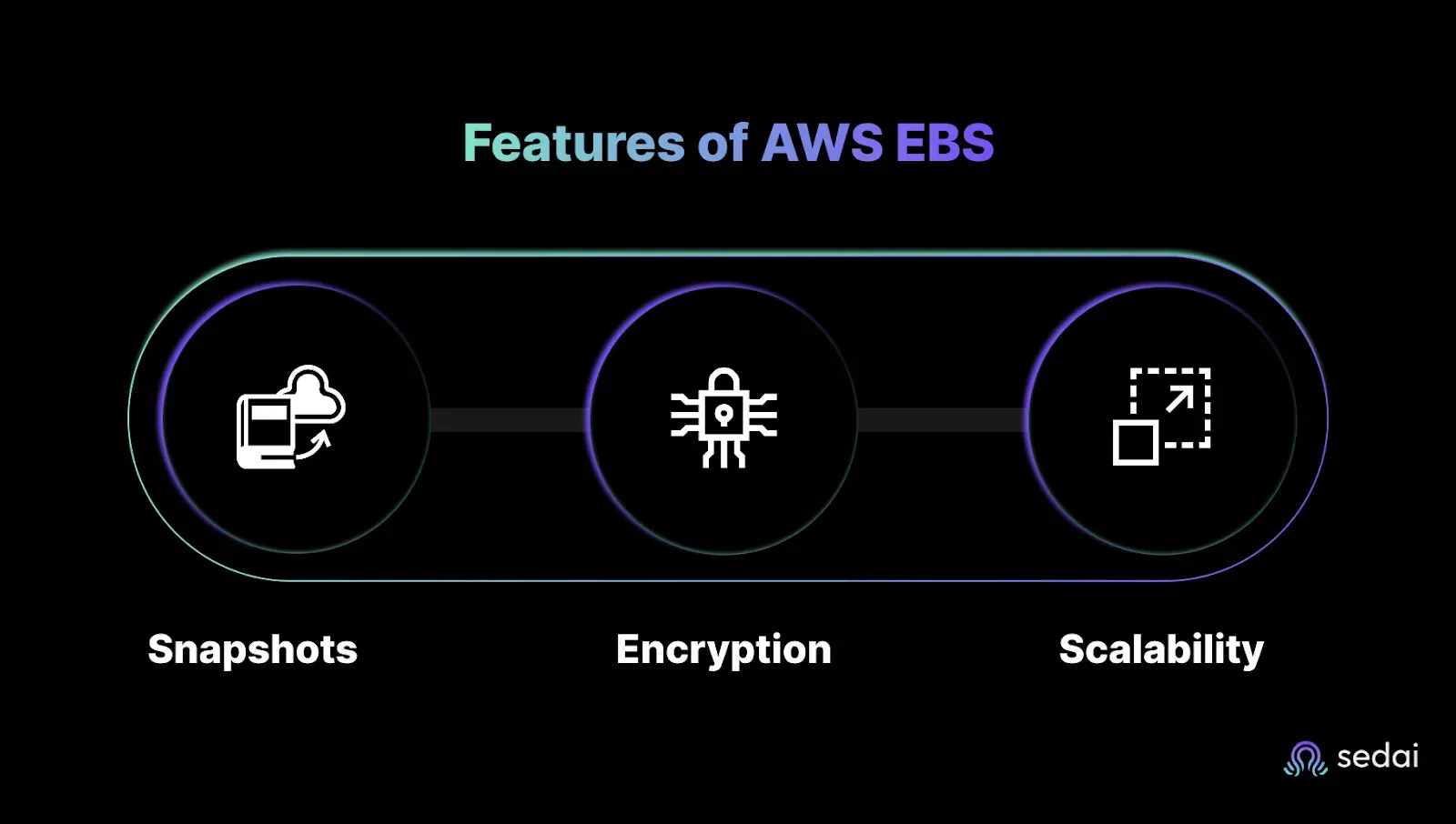
Snapshot Support for Backup and Disaster RecoveryYou can take point-in-time snapshots of your EBS volumes for backup or replication to other regions/accounts. These snapshots are incremental and space-efficient.
Customizable Performance OptionsEBS supports various volume types to match performance needs, whether you're focused on IOPS, throughput, or cost-efficiency.
S3 costs grow quietly until they spike on billing day. Book a demo to see how Sedai monitors your S3 usage patterns and adjusts storage classes before it becomes a surprise.
Features of AWS EBS: Built for Performance, Security, and Scale
You’re managing critical workloads in the cloud, and downtime or data loss isn’t an option. AWS Elastic Block Store (EBS) gives you the reliability and flexibility you need, without the headache of managing physical storage.
Here’s how its key features keep your applications running smoothly.
1. Snapshots: Point-in-Time Backups Without the Hassle
No more scrambling when something goes wrong. Your data stays protected, and you control how long backups stick around.
Manual or automated backups: Take snapshots on-demand or set up scheduled backups for disaster recovery.
Incremental saves storage costs: Only changes since the last snapshot are stored, cutting down on unnecessary expenses.
Fast recovery: Spin up new volumes or restore data in minutes, keeping your RDS databases or enterprise apps online.
2. Encryption: Secure by Default (No Extra Work for You)
If security is non-negotiable (and it should be), EBS keeps your data locked down without adding complexity.
AWS KMS handles the keys: All EBS volumes and snapshots are encrypted automatically using AWS Key Management Service.
No performance hit: Encryption happens in the background, so your high-performance workloads stay fast.
Compliance-ready: Meet strict regulatory requirements (like HIPAA or GDPR) without custom setups.
3. Scalability: Grow (or Shrink) Your Storage in Minutes
You’re not stuck with over-provisioned, or worse, undersized storage. Scale up for peak traffic, then dial it back to save costs.
Resize volumes on the fly if you need more space. Adjust capacity without downtime.
Clone volumes instantly: Use snapshots to create new volumes in different AZs or regions for redundancy.
Match performance to demand: Upgrade from GP3 to IO2 for higher IOPS as your database grows.
Next, we’ll break down the four EBS volume types, so you can pick the best one for your workload (without paying for specs you don’t need).
Ready to optimize your AWS EBS costs?
Book a Sedai demo to improve storage efficiency, reduce cloud spend, and optimize EBS performance.
Types of EBS Volumes: Picking the Right Storage for Your Workload
You’re managing critical systems in AWS, and storage performance can make or break your applications. Choose the wrong EBS volume type, and you’re stuck with sluggish databases, unpredictable costs, or overprovisioned resources.
Let’s break down the four core EBS volume types, so you can optimize performance without wasting money.
1. General Purpose SSD (gp3) – The Balanced Workhorse
Best for: Boot volumes, dev environments, mid-tier databases, and applications needing consistent performance without breaking the bank.
Performance: Baseline 3,000 IOPS and 125 MB/s throughput (scalable up to 16,000 IOPS and 1,000 MB/s).
Cost: Cheaper than io1/io2, with no extra fees for provisioned IOPS (unlike gp2).
Use Case: If you’re running a fleet of EC2 instances or a MySQL database with moderate traffic, gp3 is your default pick.
Why it matters: With gp3, AWS fixed the throttling issues of gp2, giving you predictable performance without overpaying for unused capacity.
Trade-off: If you need frequent access, the latency will hurt.
Alternative: For colder data, consider S3 Glacier, but sc1 keeps it attached to EC2.
Example: Compliance requires you to keep 7 years of audit logs. Sc1 stores them without eating your cloud budget.
Pro Tip: Monitor with CloudWatch. If your gp3 volume constantly hits IOPS limits, it’s time to upgrade to io2. To further limit data volume and focus on cost reduction on AWS cloud, Sedai AI offers autonomous optimization, which might increase efficiency and manual workload.
Now that you know the volume types, let’s talk about where EBS delivers the most value, from databases to disaster recovery.
Use Cases for AWS EBS
You might have been in a similar situation where slow database queries start killing your app’s performance.
Or when a critical workload crashed because storage couldn’t keep up? AWS EBS is built for these exact moments, giving you fast, reliable block storage where it matters most.
Here’s where EBS shines:
1. Database Storage for Relational and NoSQL Workloads
Why it matters: Latency-sensitive apps like MySQL, PostgreSQL, or DynamoDB demand consistent I/O performance.
How EBS helps: Use io2 or gp3 volumes to meet high throughput and IOPS demands. Built-in AZ replication ensures resilience.
2. Business-Critical Applications with Backup Needs
Why it matters: For ERP, CRM, and other enterprise apps, downtime costs money and productivity.
How EBS helps: Quickly restore data using snapshots. Combine with AWS Backup for scheduled, policy-driven protection and faster disaster recovery.
3. Big Data & Analytics Workloads
Why it matters: Streaming platforms and analytics engines process large volumes of data continuously.
How EBS helps: Choose high-throughput volume types like st1 for cost-effective, large-scale data pipelines.
4. Dev/Test Environments
Why it matters: Developers need fast, disposable environments without risking data loss.
How EBS helps: Easily detach and reattach volumes across EC2 instances. Clone volumes from snapshots to spin up new environments quickly.
Tired of overpaying for storage you don’t need, EBS balances cost, performance, and control so you can stop worrying about storage and focus on your apps. Up next, let's break down the common advantages and disadvantages of using AWS EBS.
Advantages of Using AWS EBS
You need storage that doesn’t slow you down, whether you’re running a high-traffic database, a latency-sensitive app, or just need reliable backups. AWS Elastic Block Store (EBS) gives you exactly that: virtual disks with the performance of physical drives, minus the headaches of hardware.
Here’s why engineers and architects trust EBS for critical workloads:
1. High-Performance Virtual Storage (Like Physical Hard Drives, But Better)
No more guessing about I/O issues. EBS volumes behave like raw block devices, so you get consistent, low-latency performance, ideal for databases (MySQL, PostgreSQL) or apps that demand fast disk access.
Choose the right speed for your workload. With options like GP3 (general-purpose SSD) and IO2 (high-performance SSD), you can scale IOPS and throughput independently. Need 250,000 IOPS? Done.
2. Durability You Can Count On (Because Downtime Isn’t an Option)
Data stays safe, even if an AZ fails. EBS volumes automatically replicate within their Availability Zone (AZ), so you get 99.999% durability. No more sweating over single points of failure.
Persistent storage means no surprises. Unlike ephemeral instance storage, EBS volumes stick around after you stop or reboot an EC2 instance. Your databases and apps won’t lose data unexpectedly.
3. High Availability & Low Latency for Critical Workloads
Attach volumes to EC2 instances in seconds. Need to scale up? Resize volumes on the fly without downtime.
Multi-attach (for io1/io2 volumes) lets multiple instances access the same storage. Perfect for clustered apps like SAP HANA or fault-tolerant setups.
Moving further, let's talk about the trade-offs.
Limitations of AWS EBS (And How to Work Around Them)
AWS EBS is powerful, but it’s not perfect. If you’re managing cloud infrastructure, you’ve probably run into these frustrations:
Not ideal for temporary storage needs EBS volumes persist independently of EC2 instances, so you pay for unused storage if you don’t manually clean up.Workaround: Use instance store volumes for temporary data, but remember they’re ephemeral (data disappears when the instance stops).
EBS volumes persist independently of EC2 instances, so you pay for unused storage if you don’t manually clean up.
Workaround: Use instance store volumes for temporary data, but remember they’re ephemeral (data disappears when the instance stops).
Sharing limitations across multiple instances Most EBS volumes can only attach to one EC2 instance at a time (except for io1/io2 Multi-Attach).Need shared file storage? EFS or FSx might be better, but they come with trade-offs like higher latency or cost.
Most EBS volumes can only attach to one EC2 instance at a time (except for io1/io2 Multi-Attach).
Need shared file storage? EFS or FSx might be better, but they come with trade-offs like higher latency or cost.
Network latency and complexity EBS performance depends on the network throughput between the volume and the instance.Heavy I/O workloads? You might hit throttling unless you provision enough IOPS (which gets expensive fast).
EBS performance depends on the network throughput between the volume and the instance.
Heavy I/O workloads? You might hit throttling unless you provision enough IOPS (which gets expensive fast).
EBS is great for persistent block storage, but it’s not a one-size-fits-all solution. You need the right setup, and the right tools to avoid overspending or performance issues. Sedai can be your helping hand in this. Let's discuss how.
Why EBS Still Needs a Smarter Layer
While AWS EBS provides flexible storage, managing cost, performance, and volume sprawl across environments is far from simple. Unused volumes, suboptimal storage classes, and manual tuning often add hidden overhead to already stretched teams.
To address this, some teams are integrating AI-driven tools like Sedai to bring automation into EBS management. From identifying idle volumes to right-sizing storage classes and surfacing real-time usage insights, Sedai helps reduce waste and operational drag, without the need for constant hands-on tuning.
EBS costs are easy to forget about until you run a full audit. Book a demo to see how Sedai continuously flags unused volumes and misaligned storage types before they hit your bill.
Final Thoughts
Let’s face it, EBS gets the job done, but keeping it efficient takes more time than it should. Instead of chasing performance issues or digging through usage logs, you could be focusing on building.
Sedai brings hands-off automation to your EBS volumes. It spots idle storage, detects anomalies, and optimizes costs in real time so you don’t have to.
Not really. While AWS provides the tools, you're still stuck manually configuring IOPS, monitoring burst balances, and cleaning up orphaned volumes. That's where autonomous solutions like Sedai come in - we automate what AWS leaves on your plate.
How do I know if I'm overpaying for EBS?
Look for these red flags:
gp3 volumes constantly hitting throughput caps
io1/io2 volumes with low IOPS utilization
Snapshots older than your last product launch
More than 5% of storage allocated to "temporary" volumes.
Spending dev cycles on storage plumbing instead of features
Our customers typically see 30% storage cost reductions by automating with Sedai versus manual management.
Similar Resources
Introducing the Sedai Karpenter Migration Assistant: Move to Karpenter Without the Risk
Karpenter is the better way to provision EKS nodes, but migrating safely is hard. Sedai's new Migration Assistant automates the cutover, with a pre-flight compatibility check and automatic rollback if anything goes wrong.
Amazon EMR Cost Optimization: Key Strategies for 2026
Optimizing Amazon EMR expenses becomes increasingly critical for organizations looking to maintain budget efficiency while ensuring high performance and scalability in their data processing workflows. By implementing effective cost optimization strategies, businesses can significantly reduce their EMR costs without compromising on workload efficiency.Understanding the key levers for cost savings in Amazon EMR is essential for making informed decisions and achieving long-term financial benefits. These strategies involve a combination of resource management techniques, data storage optimizations, and performance tuning practices that can help organizations strike the right balance between cost and performance.
We'll explore the key strategies and techniques for optimizing Amazon DynamoDB costs in 2025, helping you navigate the complexities of cloud cost management and make informed decisions that drive business value. Optimizing DynamoDB costs is not a one-time task; rather, it requires continuous monitoring, analysis, and adaptation to ensure that resources are being utilized efficiently. By understanding the intricacies of DynamoDB pricing models and implementing best practices, organizations can significantly reduce their database expenses without compromising on performance or reliability.
Cost Optimization Strategies for Amazon RDS in 2026
Cost optimization for Amazon RDS involves a combination of monitoring, right-sizing, and leveraging AWS tools to reduce costs while maintaining optimal performance. By adopting best practices and implementing effective cost management techniques, organizations can significantly lower their RDS expenses without compromising on reliability or performance.In this article, we'll explore various strategies and tools that can help you optimize your Amazon RDS costs. From resource tagging and utilization monitoring to instance right-sizing and automated scheduling, we'll cover the key areas where you can make impactful changes to reduce your RDS spending.
.webp%3Fv%3D2026-04-09T18%253A41%253A05.143Z&w=3840&q=75)