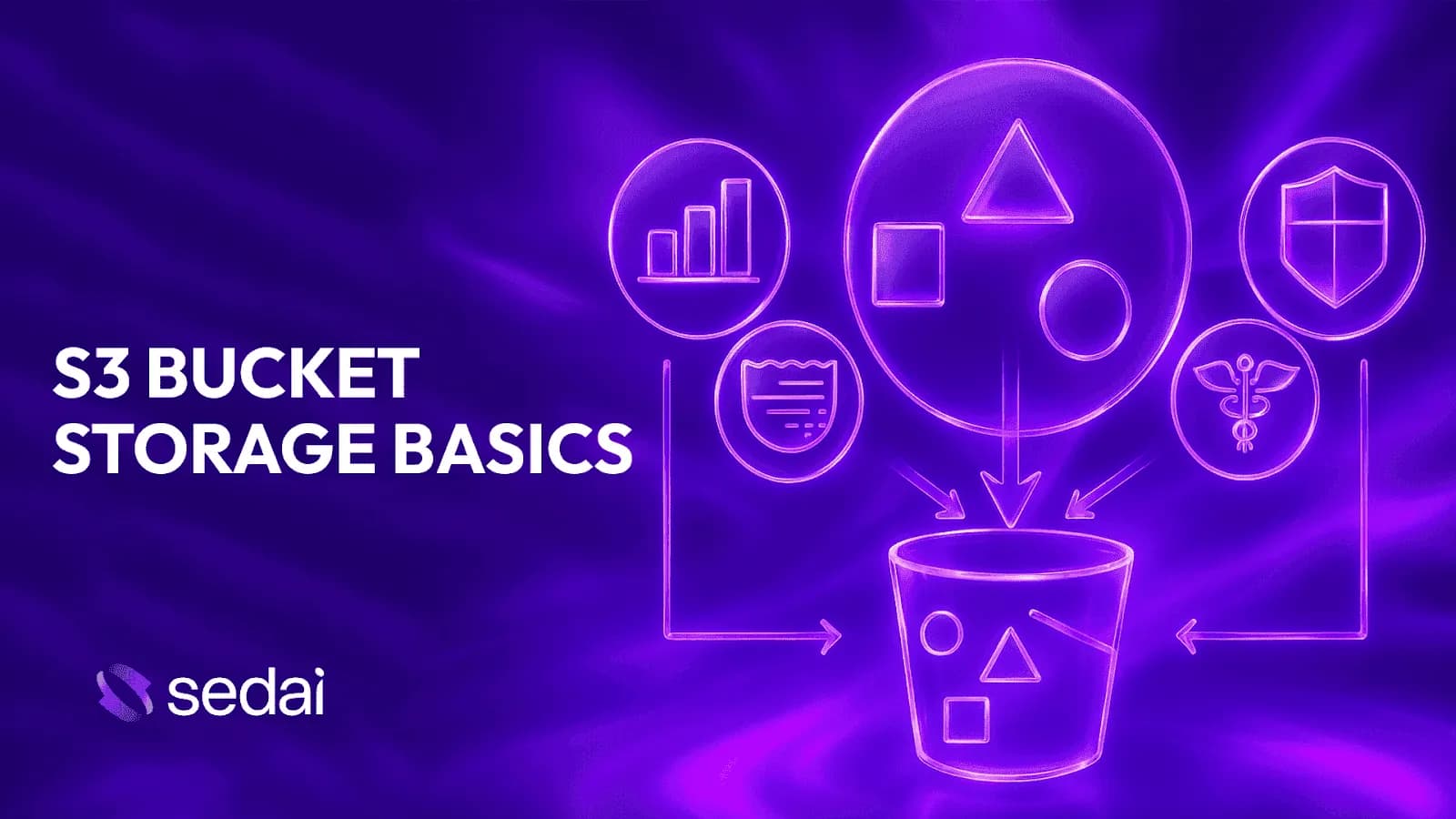
An Amazon S3 bucket is a top-level container for storing objects (files) in AWS. Each bucket has a globally unique name, a defined region, and attached permissions. S3 uses a flat object storage architecture, meaning there are no real directories—just objects with unique keys, data, and metadata. Buckets are designed for limitless scale and can store millions to billions of objects, with AWS handling distribution and durability automatically.
How is S3 different from a traditional file system?
S3 is not a traditional file system. It uses a flat object storage model, so there are no real directories or folders. What appears as folders in the AWS console are just visual representations based on object key prefixes. All objects are stored in a flat structure, which improves scalability and performance at large scale.
What are the main components of an S3 object?
Each S3 object consists of a unique key (its identifier), the data (file content), and metadata (system and user-defined attributes such as content type, size, and custom tags).
How does S3 scale and what are the cost implications?
S3 buckets scale automatically to handle petabytes of data and millions of requests. However, costs can rise quickly if you lack visibility into storage class usage, access patterns, and lifecycle management. You are charged for storage, access frequency, retrieval, and API operations, so poor bucket hygiene can lead to higher spend and performance issues.
What are the essential features of S3 buckets for engineers?
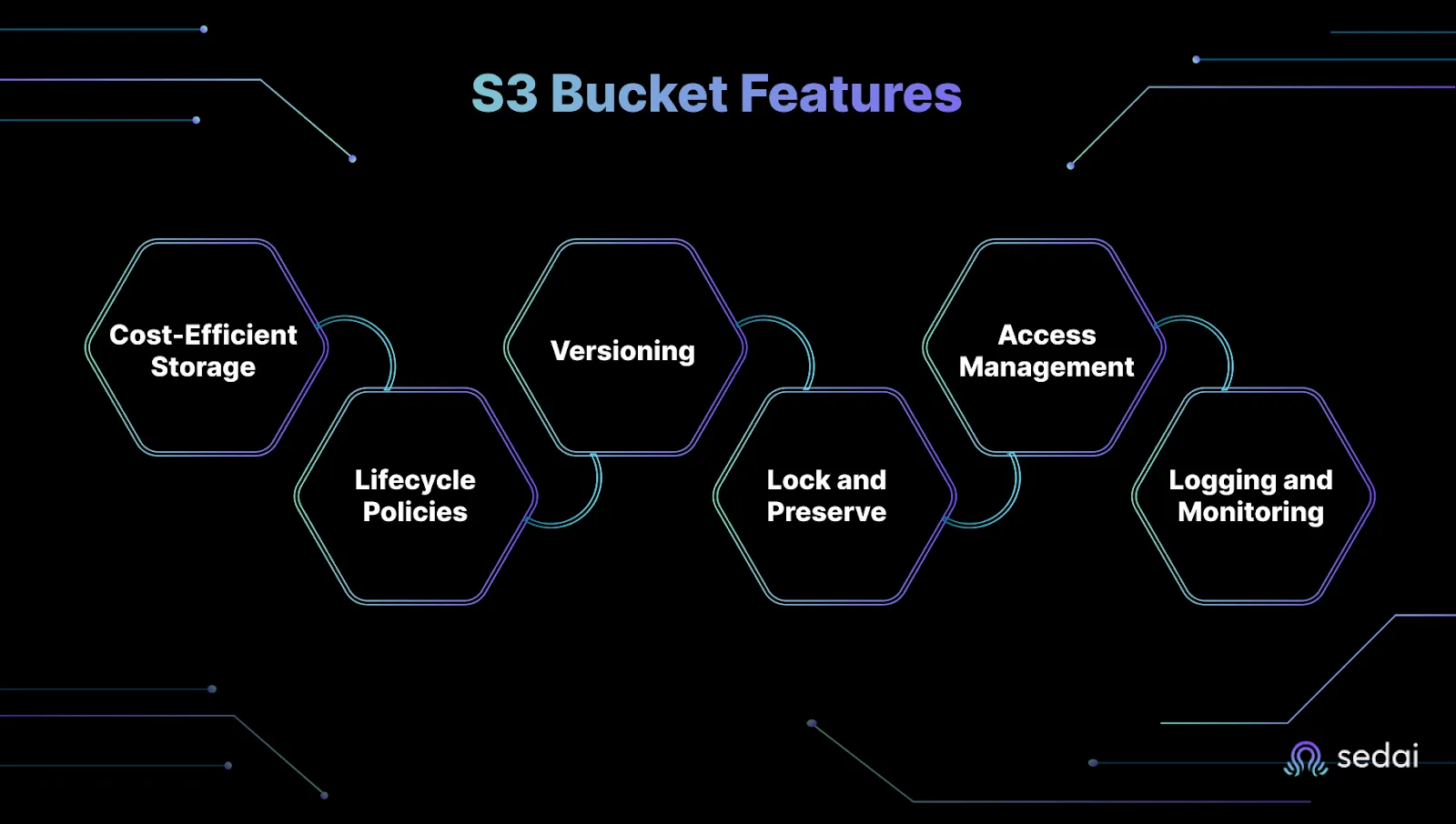
Key features include multiple storage classes for cost control, lifecycle policies for automating data transitions and deletions, versioning for data protection, object lock for immutability, granular access management, and logging/monitoring for visibility and security.
How does S3 ensure data durability and availability?
Amazon S3 promises 99.999999999% (11 9s) durability and 99.99% availability by automatically distributing objects across multiple Availability Zones. This makes data loss due to hardware failure extremely unlikely.
What are common mistakes that lead to unnecessary S3 expenses?
Common mistakes include misconfigurations, keeping outdated data in expensive storage classes, ignoring unused or orphaned objects, and failing to set up lifecycle policies or monitor access patterns.
How can I automate S3 cost optimization?
Automation can be achieved by using AI-driven tools like Sedai, which monitor usage patterns, automatically move data between storage tiers, detect issues, and suggest or execute cost-saving actions with minimal manual effort.
Does optimizing S3 buckets affect data availability?
No. Using Intelligent-Tiering and archive tiers is designed to maintain availability for both frequently and infrequently accessed data, balancing cost and access speed without impacting availability.
How do I get clear visibility into my S3 spending?
Tools like Sedai provide real-time dashboards and actionable insights, allowing you to track usage and costs precisely and avoid billing surprises. AWS also offers S3 Storage Lens and cost reports for visibility.
What are S3 lifecycle policies and why are they important?
Lifecycle policies automate transitions between storage classes or deletions, helping you clear out old logs, archive stale data, and enforce retention policies without manual effort. This prevents cost creep and keeps your storage lean.
How does S3 versioning help with data protection?
S3 versioning allows you to keep multiple versions of an object, protecting against accidental deletes or changes. It enables easy recovery and restoration of previous versions, especially when combined with lifecycle policies for cleanup.
What is S3 Object Lock and when should I use it?
S3 Object Lock provides Write Once Read Many (WORM) compliance, making objects tamper-proof for a set duration. It's critical for audit logs, legal holds, and regulated workloads where data immutability is required.
How should I manage access to my S3 buckets?
Access should be managed using IAM policies, bucket policies, and ACLs. Grant only the permissions users or applications need, use deny rules to override accidental allows, and enable logging to track access and changes for security reviews.
How does S3 support event-driven architectures?
S3 supports event-driven architectures by allowing you to trigger AWS Lambda, SNS, or SQS when objects are created or modified. This enables automated processing workflows, such as image conversion, indexing, or backups, and is ideal for serverless patterns.
What are the top real-world use cases for S3 buckets?
Common use cases include backup and disaster recovery, data lakes, static website hosting, real-time processing for event-driven architectures, and secure file distribution at global scale.
How can I maximize S3 efficiency and control costs?
Set lifecycle policies to automate cost savings, use versioning wisely, monitor storage class and access patterns, control access with strict IAM policies, and compress/optimize object sizes. Tools like Sedai can automate and optimize these practices for you.
Why are teams turning to AI platforms like Sedai for S3 management?
AI platforms like Sedai simplify S3 management by providing real-time visibility into cold data, automating Intelligent-Tiering decisions, and catching misconfigurations before they become expensive mistakes. This reduces manual effort and helps teams balance performance with cost control.
How does Sedai help with S3 cost optimization?
Sedai uses AI to monitor S3 usage patterns, automatically move data between storage tiers, detect issues, and suggest or execute cost-saving actions. This can achieve up to 30% cost efficiency gain and 3X productivity gain by reducing manual effort in S3 management. Learn more.
Features & Capabilities
What features does Sedai offer for S3 optimization?
Sedai for S3 optimizes Amazon S3 costs by managing Intelligent-Tiering and Archive Access Tier selection. It automates lifecycle management, identifies cost-saving opportunities, and provides real-time recommendations and safe, autonomous actions to maximize efficiency and control costs. See solution brief.
How does Sedai's autonomous optimization work for S3?
Sedai uses machine learning to analyze S3 usage patterns and automatically optimize storage class selection and lifecycle policies. This eliminates manual intervention, reduces costs, and improves operational efficiency.
What productivity gains can Sedai deliver for S3 management?
Sedai can deliver up to 3X productivity gain for S3 management by automating manual tasks such as tier selection, lifecycle policy management, and cost anomaly detection. This allows engineering teams to focus on higher-value work.
Does Sedai support integration with monitoring and notification tools?
Yes, Sedai integrates with monitoring and APM tools like Cloudwatch, Prometheus, Datadog, and Azure Monitor, as well as notification tools like Slack and Microsoft Teams. This ensures seamless workflow integration and real-time alerts.
What modes of operation does Sedai offer for S3 optimization?
Sedai offers Datapilot (observability), Copilot (one-click optimizations), and Autopilot (fully autonomous execution) modes, allowing users to choose the level of automation and control that fits their needs.
How does Sedai ensure safe and auditable changes in S3 optimization?
Sedai integrates with Infrastructure as Code (IaC), IT Service Management (ITSM), and compliance workflows to ensure all changes are safe, validated, and auditable. This supports enterprise-grade governance and compliance requirements.
Is Sedai SOC 2 certified for security and compliance?
Yes, Sedai is SOC 2 certified, demonstrating adherence to stringent security requirements and industry standards for data protection and compliance. Learn more.
Where can I find technical documentation for Sedai's S3 optimization?
Detailed technical documentation for Sedai's S3 optimization is available at docs.sedai.io/get-started. Additional resources, including case studies and datasheets, can be found on the Sedai resources page.
Use Cases & Benefits
Who can benefit from using Sedai for S3 optimization?
Sedai is ideal for platform engineers, IT/cloud ops teams, technology leaders, SREs, and FinOps professionals managing large-scale S3 environments. It is especially valuable for organizations seeking to reduce costs, improve performance, and automate cloud operations across AWS, Azure, GCP, and Kubernetes.
What business impact can I expect from using Sedai for S3?
Customers can achieve up to 30% cost efficiency gain, 3X productivity gain, and improved operational reliability. Sedai's autonomous optimization reduces manual toil, prevents cost overruns, and ensures data is stored in the most cost-effective tier without sacrificing performance.
What pain points does Sedai address for S3 users?
Sedai addresses pain points such as cost overruns from overprovisioning, manual lifecycle management, misaligned storage class usage, and lack of visibility into S3 spending. It automates optimization, reduces manual effort, and aligns cost and performance objectives.
Can you share a customer success story related to S3 optimization?
KnowBe4 achieved up to 50% cost savings in production and improved customer experience with AWS Lambda using Sedai. They also saved $1.2 million on their AWS bill despite rapid growth. Read the case study.
What industries have benefited from Sedai's S3 optimization?
Industries such as cybersecurity (Palo Alto Networks), IT (HP), financial services (Experian, CapitalOne Bank), security awareness training (KnowBe4), travel (Expedia), healthcare (GSK), car rental (Avis), retail/e-commerce (Belcorp), SaaS (Freshworks), and digital commerce (Campspot) have benefited from Sedai's S3 optimization. See more case studies.
How long does it take to implement Sedai for S3 optimization?
Sedai's setup process is quick and efficient, taking just 5 minutes for general use cases and up to 15 minutes for specific scenarios like AWS Lambda. For complex environments, the timeline may vary. Personalized onboarding and extensive documentation are available. Get started here.
What support resources are available for Sedai S3 users?
Sedai provides detailed documentation, a community Slack channel, email/phone support, and personalized onboarding sessions. Enterprise customers receive a dedicated Customer Success Manager for tailored assistance. Access documentation.
What feedback have customers given about Sedai's S3 optimization?
Customers highlight Sedai's quick plug-and-play setup (5–15 minutes), agentless integration, comprehensive onboarding support, and risk-free 30-day trial as key benefits. These features make adoption smooth and accessible. Learn more.
Competition & Comparison
How does Sedai's S3 optimization differ from other solutions?
Sedai offers 100% autonomous optimization, proactive issue resolution, and application-aware intelligence, which are not commonly found in other solutions. Unlike competitors that rely on static rules or manual adjustments, Sedai operates autonomously, reducing S3 costs by up to 30% and improving productivity by up to 3X.
What are the advantages of Sedai for different user segments?
Platform engineers benefit from reduced toil and automation of routine tasks. IT/cloud ops teams see lower ticket volumes and safer automation. Technology leaders achieve measurable ROI and cost savings. FinOps teams gain actionable savings and alignment with engineering, while SREs experience fewer alerts and less manual intervention.
Amazon S3 Bucket Storage Basics: The 2026 Cloud Storage Guide
Benjamin Thomas
CTO
May 28, 2026
Featured
14 min read
Key Takeaways
What an S3 bucket is: A globally named, region-bound container for storing objects using a flat — not folder-based — architecture.
How S3 scales and bills you: Storage grows automatically, but costs compound fast without lifecycle rules and access pattern visibility.
Which S3 features matter most: Storage classes, lifecycle policies, versioning, Object Lock, IAM access controls, and logging all reduce risk and cost
How S3 operates under the hood: Objects are accessed via APIs, distributed across Availability Zones, and support event-driven triggers with Lambda or SQS.
Top real-world use cases: Backup and disaster recovery, data lakes, static website hosting, real-time pipelines, and secure global file distribution.
How to cut costs without manual effort: Automate tier transitions, compress objects, monitor access patterns, and use AI tools like Sedai for continuous optimization.
Amazon S3 is more than simple cloud storage. It’s a flexible, scalable platform that powers modern applications. This guide breaks down how S3 manages data, versioning, security, and lifecycle functions. And with Sedai’s AI-driven optimization, you can maximize efficiency and control costs effortlessly.
When you're running cloud workloads at scale, storage often becomes a silent drain. Costs climb, performance dips, and misconfigurations go unnoticed until it’s too late. Amazon S3, while powerful, often contributes to this with confusing storage tiers, unmanaged backups, and unpredictable billing.
This guide helps you break through that complexity. By understanding how S3 buckets actually work, you can eliminate inefficiencies, improve data access, and gain full control over your storage footprint before it impacts your budget or application performance.
S3 costs grow quietly until they spike on billing day. Book a demo to see how Sedai monitors your S3 usage patterns and adjusts storage classes before it becomes a surprise.
What is an S3 Bucket?
Let’s skip the fluffy definitions. You’re managing scale, uptime, and cost, and S3 is quietly at the center of it all. If you're running a distributed app, building a data pipeline, or optimizing for cost, chances are you’re using Amazon S3 buckets more than you think.
Here’s what you really need to know.
An S3 Bucket Is Your Base Unit of Storage in AWS
Think of an S3 bucket as a top-level container for storing your objects (files). Every object lives in exactly one bucket, and each bucket has:
A unique name (globally across AWS)
A defined region where the data physically resides
Attached permissions and policies that control who can access what
It’s simple on the surface. But the power (and the complexity) comes from how you configure and manage them.
Buckets Hold Objects, But It’s Not a Filesystem
Let’s be clear: Amazon S3 is not a traditional file system. You’re not dealing with real directories or folders under the hood. S3 uses a flat object storage architecture, and everything you store, whether it’s a CSV, image, log file, or JSON blob, is treated as an object.
Each S3 object consists of three key components:
Key: This is the unique identifier for the object, essentially its full path name. While it looks like a folder structure (logs/2024/app.log), it's just a key string. S3 has no concept of actual directories.
Data: This is the raw content or file body. It can be anything, text, binary, images, etc.
Metadata: Optional attributes that describe the object. This includes system metadata (like content type, size, last-modified date) and user-defined metadata (like custom tags or encryption status).
When you see “folders” in the S3 console, they’re just visual representations based on key prefixes. There are no real nested directories, S3 is simply interpreting delimiter / in your keys to mimic a hierarchy.
This flat structure has performance benefits, especially at scale. You can store virtually unlimited objects in a bucket, and S3’s API-driven access means you can quickly retrieve, version, or replicate files without traversing a directory tree.
So when designing with S3, think in terms of object keys and naming patterns not folder hierarchies. Your structure lives in your keys, not in any actual file system.
Buckets Are Built to Scale (and Bill You)
Amazon S3 buckets are designed for limitless scale: you can dump petabytes of data, handle millions of requests, and AWS won’t blink. But here’s the catch: S3’s ability to scale automatically is a double-edged sword. Without granular visibility into how your data is stored, accessed, and aged, you’ll quickly lose control of your cloud bill.
You’re charged not just for the data you store, but for the storage class, frequency of access, retrieval costs, and API operations. Store frequently accessed logs in Glacier or forget to set lifecycle rules on stale backups, and you’re racking up avoidable costs. Engineers often underestimate the compound effect of tiny inefficiencies across massive datasets.
The real problem? S3 makes it easy to scale but hard to optimize. Most teams don’t have time to track changing access patterns or shuffle objects across storage tiers manually. That’s how you end up with standard storage for data that hasn’t been touched in six months or hundreds of orphaned files from deprecated pipelines quietly eating into your budget.
TL;DR for Tech Leads and Engineers
Buckets are region-bound and globally named
Scale is automatic, cost is not
Poor bucket hygiene = slow access, higher spend, and headaches later
S3 buckets are simple, but simplicity at scale can get expensive.
Up next: The features that help you stay in control.
Essential Features That Make S3 Buckets Work for You
S3 looks simple on the surface, but as an engineer managing cost, performance, or uptime, you know the devil’s in the details. If you’re not using the right S3 features intentionally, you’re either burning cash or adding avoidable risk.
Let’s break down the features that actually matter to you when managing S3 buckets at scale.
1. Storage Classes Built for Cost Control
S3 offers multiple storage classes each priced for different use cases:
Standard, for frequent access
Intelligent-Tiering, for unpredictable access patterns
Infrequent Access (IA) and Glacier, for archiving or rare access
Intelligent-Tiering sounds good on paper but knowing when to pay for it isn’t always straightforward. Sedai uses AI to make those decisions for you, balancing cost and performance with zero manual intervention.
The right storage class strategy can cut storage costs by up to 70%.
2. Lifecycle Policies
Automate transitions between storage classes or deletions. Ideal for:
Clearing out old logs
Archiving stale data
Enforcing data retention policies without manual effort
Set it and forget it, but make sure it's set up correctly.
3. Versioning
S3 Versioning allows you to keep multiple versions of an object within the same bucket, protecting your data from accidental deletes or changes.
It helps you recover and restore any previous version easily.
To control storage growth and costs, you should combine versioning with lifecycle policies for cleanup.
4. Object Lock and Immutability
Need WORM (Write Once Read Many) compliance? S3 Object Lock makes objects tamper-proof for a set duration. It’s critical for:
Audit logs
Legal holds
Regulated workloads
Use it where required but don’t blanket everything with it.
5. Access Management
IAM policies, bucket policies, and ACLs determine who can do what. Misconfigurations are a leading cause of data breaches. To stay secure, follow key principles:
Grant only the permissions users or applications absolutely need.
Use deny rules to override any accidental allows.
Enable logging to track access and changes for security reviews.
You don’t want your S3 bucket featured in the next security headline.
6. Logging and Monitoring
Turn on access logs and integrate with CloudWatch or a third-party observability tool. Track:
Who’s accessing what
Request frequency
Latency and errors
This is gold when investigating cost spikes or performance issues.
Curious how this works in practice? Sedai makes S3 optimization seamless from automatic discovery to real-time recommendations and safe, autonomous actions.
These features give you the control knobs but using them right is what makes the difference.
S3 Storage Seems Simple Until Costs and Complexity Increase
See how Sedai helps engineering teams optimize cloud resources, improve storage efficiency, and autonomously reduce infrastructure waste while maintaining performance, reliability, and cost control.
Inside S3 Buckets: How They Actually Operate
If you’re managing uptime or chasing down cloud costs, you don’t have time for guesswork. You need to understand exactly how S3 works under the hood, because one wrong setting can mean a massive bill or a critical data loss.
Here’s a clear breakdown of how S3 buckets operate so you can configure, scale, and optimize them with confidence.
1. S3 Is a Flat Object Store
There’s no hierarchy or file system. Just objects stored in buckets.
Each object consists of data, metadata, and a unique key
Buckets act as containers for these objects
You access objects via HTTP-based APIs (PUT, GET, DELETE, etc.)
That “folder” you see in the AWS console is actually just a visual aid. Behind the scenes, everything is stored in a flat structure, so it doesn’t work exactly like a traditional file system.
2. Object Storage Means Scalability by Design
You don’t need to provision storage. You don’t need to manage capacity. S3 handles all of that for you.
You can store millions to billions of objects per bucket
AWS automatically distributes objects across multiple Availability Zones for durability
You only pay for what you store and transfer
It scales with you, but if you’re not careful, it also charges with you.
3. Event-Driven Architecture Is Baked In
Want to trigger actions when something changes in your bucket? That’s native.
Use S3 Event Notifications to trigger Lambda, SNS, or SQS
Automate processing workflows (e.g., image conversion, indexing, or backups)
Works great for serverless patterns and low-latency pipelines
This is how you turn S3 from a passive storage bucket into a real-time data engine.
4. It’s Designed for High Durability and Availability
That means once your data is in S3, it’s practically impossible to lose it due to hardware failure. But “always available” doesn’t mean “always cheap”, especially if you’re pulling large volumes from the wrong storage class.
S3’s architecture does the heavy lifting, but smart usage is on you.
Top Real-World Use Cases for S3 Buckets
Let’s be real, no one’s storing pet photos in S3 at enterprise scale. If you’re in the trenches managing infrastructure, you're using buckets to solve very real problems around scale, durability, and cost. Here's how teams like yours are actually using S3 to ship faster, store smarter, and stop bleeding budget.
1. Backup and Disaster Recovery That Actually Holds Up
You can’t afford to lose data, ever. S3 gives you a safety net with 11 9s of durability and multi-region replication if needed.
Use S3 Standard or S3 Glacier Deep Archive for long-term retention
Automate backups with lifecycle policies and versioning
Build regionally redundant recovery strategies without complex tooling
Why it matters: No more scrambling for snapshots when something breaks. You’ve got durable, hands-off protection.
2. Data Lakes That Don’t Become Swamps
Trying to unify logs, clickstreams, or IoT feeds? S3 is the foundation of your lake architecture.
Dump structured and unstructured data at massive scale
Integrate directly with Athena, Redshift Spectrum, and EMR
Use S3 Select for low-latency querying without moving data around
Why it matters: You can analyze petabytes without blowing up your storage budget or managing another pipeline tool.
3. Static Website Hosting That Scales Without Servers
If you just need to host static assets like landing pages, frontend apps, product docs, S3 makes it dead simple.
Host HTML, CSS, JS files directly
Serve globally with CloudFront
No servers, no patches, no uptime anxiety
Why it matters: You don’t need a dev team maintaining static site infra. Just drop your files and go.
4. Real-Time Processing for Event-Driven Architectures
Need to process data the moment it lands? S3 integrates seamlessly with serverless compute.
Trigger AWS Lambda, Step Functions, or custom apps on object creation
Chain storage to processing pipelines without ops overhead
Build real-time analytics, media processing, or automation flows
Why it matters: Your pipeline can run itself, without constantly monitoring queues, workers, or cron jobs.
5. Secure File Distribution at Global Scale
Whether it’s media files, reports, or software packages, S3 makes global file delivery straightforward.
Use signed URLs for secure, time-limited access
Deliver through CloudFront with minimal latency
Apply granular IAM, bucket policies, and object ACLs
Why it matters: You control access to your data, not the other way around.
5 Ways You Can Maximize S3 Efficiency
If you’re tired of unexpected S3 bills that blow your budget, it’s time to take control. The reality is, managing S3 costs isn’t just about turning knobs, it’s about smart habits that save you time, money, and headaches. Here’s how you stay sharp and efficient with your buckets.
1. Set Lifecycle Policies to Automate Cost Savings
Don’t let data linger in costly storage tiers. Use lifecycle policies to:
Automatically move old data to cheaper tiers like Glacier or Deep Archive
Delete objects that are no longer needed after a set time
Keep your storage lean without manual cleanup
This simple step prevents silent cost creep and keeps your bills predictable.
2. Use Object Versioning Wisely
Versioning protects you from accidental deletes or overwrites, but it can also double your storage if unchecked. Follow these tips:
Enable versioning only on critical buckets
Regularly clean up old versions you don’t need
Combine with lifecycle policies to expire obsolete versions automatically
This balances safety with cost control.
3. Monitor Storage Class and Access Patterns
Not all data is equal. You need visibility into what’s hot and what’s cold:
Tag your data to track usage and apply the right storage class
Use S3 Storage Lens or cost reports to find anomalies
Shift infrequently accessed data to cost-effective classes proactively
Knowing your access patterns helps you avoid paying premium prices for stale data.
4. Control Access to Minimize Unexpected Costs
Over-permissioned buckets can lead to accidental data transfers and charges. Protect yourself by:
Applying strict IAM policies with least privilege principles
Using signed URLs for temporary access instead of public buckets
Auditing access logs regularly to catch misuse or leaks
Security and cost management go hand in hand.
5. Compress and Optimize Object Sizes
Large objects multiply your storage and transfer costs:
Compress files before upload whenever possible
Break large files into smaller chunks for faster retrieval and partial downloads
This reduces your storage footprint and speeds up workflows.
It’s not just about lowering your S3 bill, it’s about freeing up engineering hours and improving service reliability. Sedai delivers on both fronts through continuous, AI-driven optimization.
Why Smarter Teams Are Reassessing Their S3 Strategy
Managing Amazon S3 can feel deceptively simple until storage bills start creeping up and no one’s quite sure why. With growing volumes of infrequently accessed data and complex tiering decisions, teams often struggle to balance performance needs with cost control. Manual configurations, missed lifecycle rules, and unclear usage patterns only add to the challenge.
That’s why more engineers are turning to AI platforms like Sedai to simplify the process. Instead of wrestling with scripts or second-guessing tiering policies, teams use Sedai to get real-time visibility into cold data, automate Intelligent-Tiering decisions, and catch misconfigurations before they become expensive mistakes. It's not about replacing your setup: it’s about making it smarter and more responsive as your cloud scales.
Uncontrolled S3 costs can quickly spiral out of control, draining both your time and budget. The challenge of managing unclear usage patterns, confusing storage tiers, and avoiding surprise charges is a constant headache.
With Sedai, you can automate cost-saving transitions and optimize your S3 storage tiers using AI, improving both efficiency and data accessibility. Sedai helps you regain up to 3X productivity by eliminating the daily manual toil of managing S3 buckets.
S3 cost grows with your data whether you're watching it or not. Book a demo to see how Sedai keeps storage spend under control without manual audits.
FAQs
How can I reduce my S3 storage costs without impacting performance?
Focus on using AWS Intelligent-Tiering and archive tiers for cold data. Automating this with AI helps cut costs while keeping access fast.
What common mistakes lead to unnecessary S3 expenses?
Misconfigurations, keeping outdated data in costly tiers, and ignoring unused or orphaned objects are top culprits that inflate your bill.
How does Sedai automate S3 cost optimization?
Sedai uses AI to monitor usage patterns, automatically move data between tiers, detect issues, and suggest cost-saving actions , all with minimal manual effort.
Can optimizing S3 buckets affect data availability?
No. Intelligent-Tiering and archive tiers are designed to maintain availability for frequently and infrequently accessed data, balancing cost and access speed.
How do I get clear visibility into my S3 spending?
Tools like Sedai provide real-time dashboards and actionable insights, so you can track usage and costs precisely and avoid billing surprises.


.webp%3Fv%3D2026-04-09T18%253A41%253A05.143Z&w=3840&q=75)