What is Amazon EMR and how does it help with big data processing?
Amazon EMR (Elastic MapReduce) is a fully managed cloud service that processes massive data sets quickly and cost-effectively. It runs popular open-source frameworks like Apache Spark, Hive, and Presto, automating cluster setup, scaling, and maintenance so you can focus on extracting insights rather than managing infrastructure. [source]
What are the core components of Amazon EMR architecture?
An Amazon EMR cluster consists of three main node types: the Master Node (coordinates tasks and monitors health), Core Nodes (run distributed processing and store persistent data), and optional Task Nodes (provide additional compute for scaling but do not store data). This modular setup ensures performance and cost efficiency. [source]
Which open-source frameworks are supported by Amazon EMR?
Amazon EMR supports Apache Spark, Hive, Presto (Trino), HBase, Flink, Tez, and Pig. These frameworks are pre-installed and can be customized, allowing teams to run batch, streaming, and interactive analytics workloads out of the box. [source]
How does Amazon EMR integrate with other AWS services?
Amazon EMR integrates natively with Amazon S3 for storage, EC2 for compute, IAM for access control, CloudWatch for monitoring, and services like AWS Glue and Lake Formation for metadata management. This tight integration streamlines workflows and reduces manual configuration. [source]
What deployment options are available for Amazon EMR?
Amazon EMR supports multiple deployment models: EMR on EC2 (full control over clusters), EMR on EKS (run Spark on Kubernetes), and EMR Serverless (run big data applications without managing infrastructure). This flexibility allows you to choose the best fit for your workload. [source]
How does Amazon EMR handle scalability and fault tolerance?
Amazon EMR can automatically add or remove task nodes based on metrics like CPU, memory, or YARN queue length. It also supports cluster lifecycle management and auto-termination to eliminate idle clusters. If a node fails, EMR reassigns the workload, ensuring resilience and minimizing downtime. [source]
What security features are built into Amazon EMR?
Amazon EMR provides encryption for data at rest and in transit, IAM integration for fine-grained access control, and VPC support for network isolation. These features help maintain compliance and protect sensitive data. [source]
How do you create and configure an EMR cluster?
To create an EMR cluster, use the AWS Console to select frameworks, configure hardware (instance types and counts), set up networking and permissions, enable logging, add tags, and configure auto-termination. Cluster provisioning typically takes 5–10 minutes. [source]
What are the main cost drivers for Amazon EMR?
The main cost drivers are EC2 instance charges (type, count, run time) and the EMR per-second service fee. Additional costs can come from S3 storage, data transfer, and long-running or idle clusters. [source]
How can you optimize Amazon EMR costs?
To optimize EMR costs, use autoscaling, enable Spot Instances, set auto-termination for idle clusters, monitor usage in real-time, and rightsize clusters regularly. Tagging and using S3 lifecycle policies also help manage storage costs. [source]
Amazon EMR Use Cases & Best Practices
What are the most common use cases for Amazon EMR?
Common use cases include batch processing and data transformation, real-time stream processing, machine learning at scale, and interactive analytics/data exploration. EMR is ideal for processing large data volumes, running ETL pipelines, training ML models, and enabling ad hoc analytics. [source]
How does EMR support real-time stream processing?
EMR supports Apache Spark Streaming and Flink, enabling ingestion and analysis of real-time data such as clickstreams, IoT sensor data, and application logs. This allows for instant alerts, automated decisions, and seamless integration with downstream systems. [source]
How can you use Amazon EMR for machine learning workloads?
Amazon EMR allows you to distribute ML training across multiple nodes using frameworks like TensorFlow, XGBoost, or Spark MLlib. This enables scalable model training and feature engineering without manual infrastructure management. [source]
What are best practices for managing EMR cluster costs?
Best practices include setting auto-termination policies for non-production clusters, using Spot or Reserved Instances for cost savings, tagging resources for cost allocation, and monitoring usage with AWS Cost Explorer or third-party tools. [source]
How does EMR handle job orchestration and monitoring?
EMR manages job lifecycle execution, retries, logging, and health monitoring. Metrics are reported through CloudWatch, providing real-time visibility and alerting for cluster performance and job status. [source]
How does EMR use S3 for storage?
EMR uses Amazon S3 as primary storage for both input and output data, decoupling compute from storage. This design improves fault tolerance, reduces costs, and enables seamless integration with other AWS analytics services. [source]
What are the risks of not monitoring EMR clusters closely?
Without granular cost and performance monitoring, idle clusters, inefficient jobs, and untagged resources can lead to budget overruns and operational issues. Regular monitoring and automation are essential to avoid these risks. [source]
How can Sedai help optimize Amazon EMR environments?
Sedai uses AI-powered automation to optimize EMR clusters in real time by identifying idle resources, right-sizing jobs, and automating cost controls. This helps keep EMR costs under control, reduces waste, and maintains efficiency. [source]
What are the benefits of integrating Sedai with Amazon EMR?
Integrating Sedai with EMR enables real-time optimization, reduces manual tuning, prevents cost overruns, and ensures clusters are right-sized for workload demands. This leads to improved efficiency and lower operational costs. [source]
Pricing & Cost Optimization
Why does my EMR bill spike even when workloads seem consistent?
EMR costs often spike due to idle clusters, over-provisioned instances, or jobs running longer than expected without alerts. Monitoring and automation are key to preventing these surprises. [source]
What’s the best way to reduce Amazon EMR costs without sacrificing performance?
Use autoscaling, enable Spot Instances, terminate idle clusters quickly, and monitor usage in real-time. Automation platforms like Sedai can further optimize costs without impacting performance. [source]
How do I track costs across multiple EMR clusters and teams?
Use detailed billing reports and cost allocation tags. Automation platforms like Sedai can provide faster and more accurate tracking across teams and clusters. [source]
Are Spot Instances safe to use for production EMR jobs?
Spot Instances can be safe for production if you architect for interruptions. Tools like Sedai can monitor and auto-recover from interruptions to avoid job failures. [source]
How often should I rightsize my EMR jobs?
Cluster needs change frequently, so jobs should be rightsized more often than you might expect. Automating this process with Sedai avoids constant manual tuning and ensures optimal resource usage. [source]
Sedai Platform & Integration
What is Sedai and how does it relate to Amazon EMR?
Sedai is an autonomous cloud management platform that uses machine learning to optimize cloud resources for cost, performance, and availability. When integrated with Amazon EMR, Sedai automates cluster optimization, right-sizing, and cost controls, reducing manual intervention and operational costs. [source]
What are the key features of Sedai's autonomous cloud optimization platform?
Sedai offers autonomous optimization, proactive issue resolution, full-stack cloud coverage (including AWS, Azure, GCP, Kubernetes), release intelligence, and enterprise-grade governance. It reduces cloud costs by up to 50%, improves performance, and enhances reliability. [source]
How does Sedai's platform improve cloud performance and cost efficiency?
Sedai reduces cloud costs by up to 50%, improves application performance by reducing latency by up to 75%, and proactively resolves issues to reduce failed customer interactions by up to 50%. It automates routine tasks, delivering up to 6X productivity gains. [source]
What integrations does Sedai support for cloud management?
Sedai integrates with monitoring tools (Cloudwatch, Prometheus, Datadog, Azure Monitor), Kubernetes autoscalers (HPA/VPA, Karpenter), IaC and CI/CD tools (GitLab, GitHub, Bitbucket, Terraform), ITSM (ServiceNow, Jira), notification tools (Slack, Microsoft Teams), and various runbook automation platforms. [source]
How easy is it to implement Sedai for cloud optimization?
Sedai offers a plug-and-play implementation that takes just 5 minutes for general use cases and up to 15 minutes for specific scenarios like AWS Lambda. It uses agentless integration via IAM and provides comprehensive onboarding support, documentation, and a 30-day free trial. [source]
What security and compliance certifications does Sedai have?
Sedai is SOC 2 certified, demonstrating adherence to stringent security requirements and industry standards for data protection and compliance. [source]
Who are some of Sedai's notable customers?
Sedai's customers include Palo Alto Networks, HP, Experian, KnowBe4, Expedia, CapitalOne Bank, GSK, and Avis. These companies use Sedai to optimize cloud environments and improve operational efficiency. [source]
What industries does Sedai serve?
Sedai serves industries such as cybersecurity, information technology, financial services, security awareness training, travel and hospitality, healthcare, car rental services, retail and e-commerce, SaaS, and digital commerce. [source]
What customer success stories demonstrate Sedai's impact?
KnowBe4 achieved up to 50% cost savings and saved $1.2 million on AWS bills. Palo Alto Networks saved $3.5 million and reduced Kubernetes costs by 46%. Belcorp reduced AWS Lambda latency by 77%. [KnowBe4], [Palo Alto Networks]
What technical documentation is available for Sedai?
Sedai provides detailed technical documentation, case studies, datasheets, and strategic guides. These resources are available at docs.sedai.io and sedai.io/resources.
Who is the target audience for Sedai?
Sedai is designed for platform engineering, IT/cloud operations, technology leadership, site reliability engineering, and FinOps professionals in organizations with significant cloud operations across industries. [source]
What pain points does Sedai address for cloud teams?
Sedai addresses pain points such as cost inefficiencies, operational toil, performance and latency issues, lack of proactive issue resolution, complexity in multi-cloud environments, and misaligned priorities between engineering and FinOps teams. [source]
How does Sedai compare to other cloud optimization tools?
Sedai differentiates itself with 100% autonomous optimization, proactive issue resolution, application-aware intelligence, full-stack cloud coverage, release intelligence, and rapid plug-and-play implementation. Many competitors rely on manual adjustments or focus on specific areas, while Sedai offers a holistic, automated approach. [source]
What business impact can customers expect from using Sedai?
Customers can expect up to 50% cost savings, 75% latency reduction, 6X productivity gains, and up to 50% fewer failed customer interactions. These outcomes are supported by customer case studies and real-world metrics. [source]
How does Sedai ensure safe and compliant cloud optimization?
Sedai uses safety-by-design principles, including constrained, validated, and reversible optimizations, continuous health verification, automatic rollbacks, and integration with compliance workflows. This ensures safe, auditable changes and compliance with enterprise standards. [source]
KO THE CLOUD TO ENTER OUR GIVEAWAYKO THE CLOUD TO ENTER OUR GIVEAWAY
Let’s be real, managing big data pipelines isn’t easy. You’re under pressure to keep jobs running fast, costs under control, and teams unblocked. The challenges? Unpredictable workloads, sluggish provisioning, surprise failures, and clusters that rack up costs even when idle.
Legacy Hadoop setups don’t make it easier. It's resource-heavy and slow to scale. That’s where Amazon EMR can help you.
Built for the cloud, EMR helps you process massive data workloads at speed and scale without sinking hours into infrastructure. In this guide, we’ll break down what EMR really offers, where it fits in your stack, and how Sedai can help you simplify and save along the way.
AWS costs are manageable when someone is watching them around the clock. Book a demo to see how Sedai acts as that continuous layer of optimization across your AWS environment.
What is Amazon EMR?
Running big data jobs means managing cluster delays, scaling surprises, and jobs that burn through budget when no one’s looking. Traditional Hadoop clusters demand endless maintenance, manual tuning, and tackling hardware issues, time you can’t afford to lose.
Amazon EMR (Elastic MapReduce) was designed to take that load off your plate. It’s a fully managed cloud service that processes massive data sets quickly and cost-effectively. EMR runs popular open-source frameworks like Apache Spark, Hive, and Presto without forcing you to wrestle with infrastructure management.
Before EMR, you had to manually provision and configure clusters, always worried about hitting capacity limits or battling hardware failures. Now, EMR automates cluster setup, scaling, and maintenance, so you can focus on what matters: extracting insights and driving impact.
Next, we’ll dive into the key features that make Amazon EMR a game-changer for your data workflows.
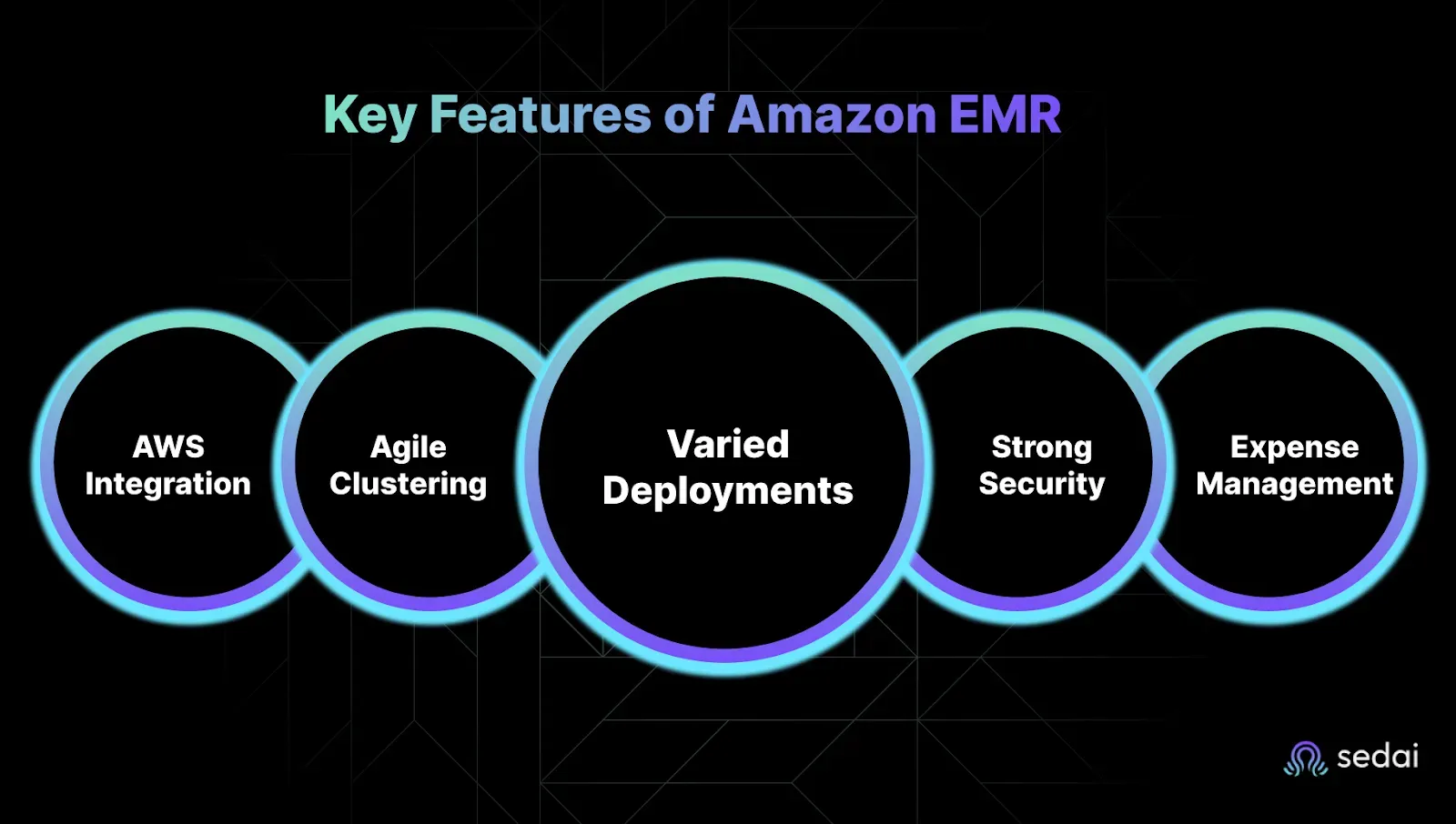
Key Features of Amazon EMR
You’re under pressure to move fast, scale smart, and keep cloud costs from spiraling out of control. Every cluster left running, every over-provisioned node, every missed alert, it all hits your budget and your sleep.
Amazon EMR gives you the control, flexibility, and integrations to run big data workloads without blowing up your AWS bill or burning out your team.
Seamless Integration with AWS Services
You don’t have time to duct-tape services together.
Amazon EMR is designed to work cohesively with other AWS services, reducing the need for manual configurations and enabling streamlined workflows. Key integrations include:
Amazon S3: Utilize EMR File System (EMRFS) to directly read and write data, allowing for scalable and durable storage solutions.
Amazon EC2: Leverage a variety of instance types to match your compute requirements, ensuring optimal performance.
AWS IAM: Implement fine-grained access controls to manage permissions and enhance security.
Amazon CloudWatch: Monitor cluster performance and set up alerts for proactive management.
This tight integration allows faster deployments and reduces the overhead associated with managing disparate systems.
Scalable and Flexible Cluster Management
You’ve got enough fires to fight: your clusters shouldn’t be one of them.
EMR provides the flexibility to scale clusters based on workload demands:
Auto-Scaling: Automatically adjust the number of instances in your cluster to match the workload, optimizing resource utilization and cost.
Instance Fleets: Combine On-Demand and Spot Instances to balance cost and performance, allowing for diversified resource allocation.
Manual Resizing: Manually add or remove instances to accommodate specific processing needs.
This elasticity ensures that you can handle varying workloads efficiently without over-provisioning resources.
Multiple Deployment Options
Not every job fits in the same box. EMR supports multiple deployment models to cater to different operational requirements:
EMR on EC2: Provides full control over the cluster configuration, suitable for customized environments.
EMR on EKS: Run Spark applications on Kubernetes, allowing for resource sharing and unified infrastructure management.
EMR Serverless: Execute big data applications without managing the underlying infrastructure, ideal for intermittent workloads.
These options offer flexibility in how you deploy and manage your data processing tasks.
Robust Security Features
Compliance and security aren’t optional. And in complex environments, even small misconfigurations open you up to risk.
Security is integral to EMR's design, providing features that help maintain compliance and protect data:
Encryption: Data is encrypted both at rest and in transit, ensuring confidentiality.
IAM Integration: Define user roles and permissions to control access to resources.
VPC Support: Launch clusters within a Virtual Private Cloud for network isolation.
These features help safeguard your data and meet organizational security requirements.
Cost Optimization Tools
Let’s be honest, cost is often the last thing configured and the first thing questioned when bills spike.
EMR includes tools to manage and reduce operational costs:
Spot Instances: Utilize spare EC2 capacity at reduced prices for cost-effective processing.
Auto-Termination: Set policies to automatically shut down idle clusters, preventing unnecessary charges.
Per-Second Billing: Pay only for the compute time you use, enhancing cost efficiency.
These mechanisms enable you to align your spending with actual usage, avoiding budget overruns.
Next, we’ll break down how EMR actually works behind the scenes to deliver this power and flexibility.
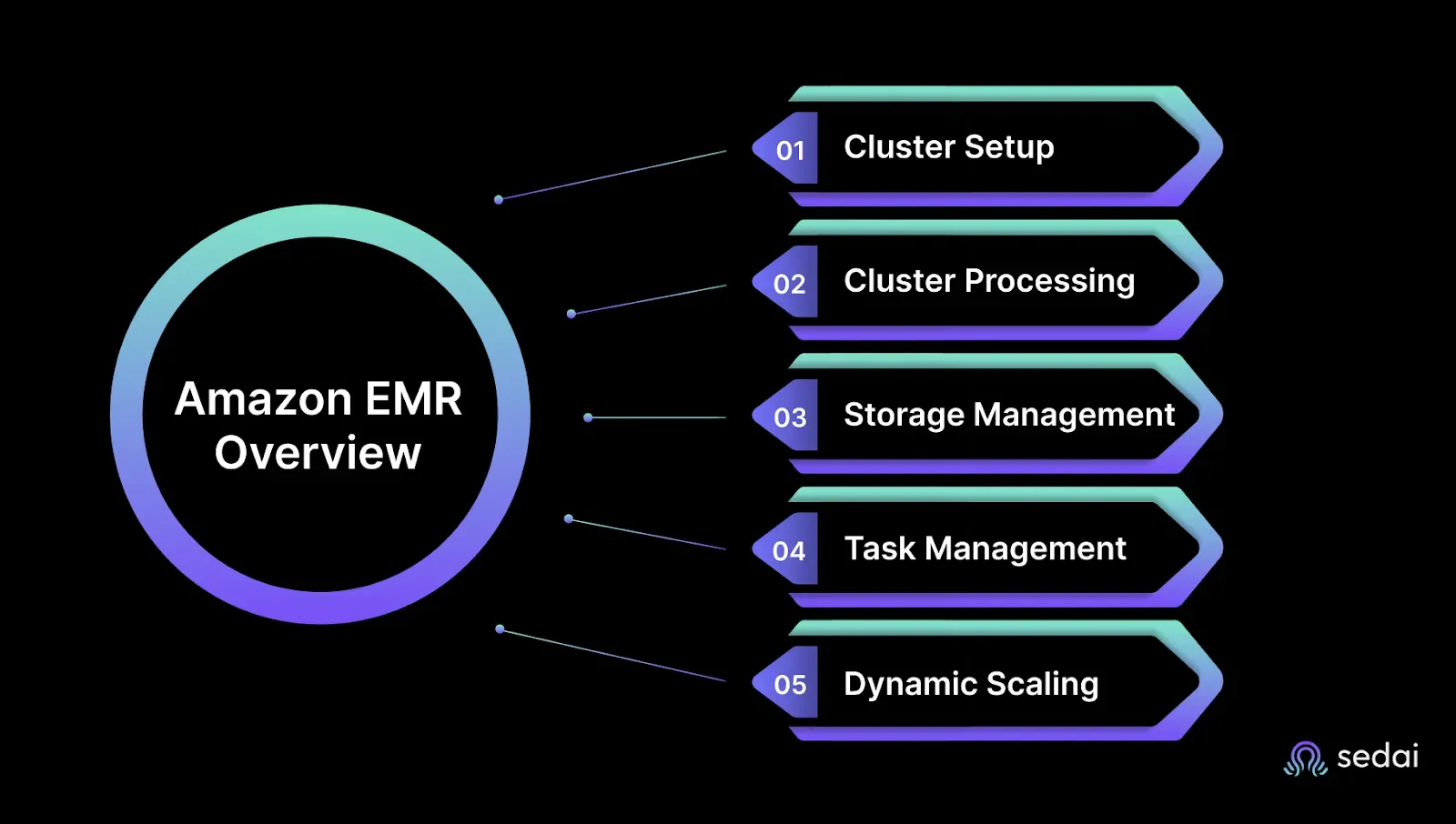
How Does Amazon EMR Work?
You’re handling growing workloads, unpredictable costs, and the constant fear of performance delays at 2 a.m. Amazon EMR simplifies that chaos, giving you speed, control, and scale without the hands-on overhead.
1. Cluster Setup and Resource Allocation
You define your cluster, pick your instance types, node count, and the tools you need. EMR takes it from there. It automatically spins up EC2 instances, configures your environment, and handles provisioning.
No more shell scripts for bootstrap actions. No more guessing instance limits. You save time and avoid the late-night panic when something fails to scale.
2. Distributed Processing with Apache Hadoop and Spark
EMR runs on frameworks you trust, Hadoop and Spark, to parallelize your jobs across multiple nodes. This means faster results, no single-node congestion, and better throughput even during peak load.
You don’t have to worry about job retries clogging queues or long-running tasks jamming pipelines. EMR distributes the load so your systems stay responsive.
3. Data Storage and Access
EMR integrates tightly with S3 and HDFS. Your nodes access data directly without unnecessary transfers, which means faster execution and lower latency.
You avoid the usual fear of data lag, stale reads, or hidden costs from moving terabytes back and forth. Your data stays where it is, ready when you are.
4. Job Orchestration and Monitoring
You submit your job, and EMR manages the lifecycle execution, retries, logging, and health. It reports metrics through CloudWatch so you can monitor performance in real-time.
No more flying blind during processing windows. No more last-minute scrambles when jobs silently fail. EMR gives you the visibility you need to stay in control.
5. Auto-scaling and Cost Control
Clusters scale automatically based on job demand. EMR adds nodes during spikes and scales down when idle. You can also tap into Spot Instances for massive cost savings.
You don’t have to manually kill idle clusters or wonder why yesterday’s job cost 4x more. EMR does the work for you without blowing up your budget.
Deep Dive into Amazon EMR Architecture
Designing reliable, high-performance big data pipelines requires an architecture that scales effortlessly and integrates tightly with your broader cloud ecosystem. Amazon EMR delivers exactly that with a modular architecture that balances performance, cost, and resilience.
Ready to optimize your Amazon EMR costs?
Book a Sedai demo to reduce EMR spend, improve cluster efficiency, and maximize big data performance.
Core Components of EMR Architecture
An Amazon EMR cluster consists of a set of Amazon EC2 instances grouped into three key node types. Each plays a distinct role in processing and managing your data:
Master Node:Acts as the control center of the cluster. It coordinates task execution, tracks job progress, and monitors cluster health using YARN ResourceManager and Hadoop NameNode. Every EMR cluster has a single master node.
Core Nodes:These are the backbone of your cluster. Core nodes run distributed data processing applications (like Spark executors or Hadoop MapReduce tasks) and store persistent data in HDFS. They form the main compute-and-storage tier.
Task Nodes(optional):Task nodes process workloads like the core nodes but do not store data. They’re ideal for dynamically scaling compute capacity to meet demand, such as during ETL spikes or streaming bursts.
This three-tiered setup ensures your EMR environment is both performance-optimized and cost-efficient.
Native AWS Integration
Unlike self-managed Hadoop clusters, EMR is deeply embedded in the AWS ecosystem. This native integration simplifies architecture and automates complex tasks:
Amazon S3 as Primary Storage:Instead of relying solely on HDFS, EMR uses S3 for both input and output data. This design decouples compute from storage, making your pipelines more fault-tolerant and cheaper to operate.
IAM for Access Control:EMR integrates with AWS Identity and Access Management to enforce fine-grained, role-based permissions at the user, job, or cluster level.
Amazon CloudWatch:Real-time monitoring, logging, and alerting are built in. You can track everything from job latency to resource utilization and automate responses with EventBridge or Lambda.
AWS Glue and Lake Formation:Seamless metadata cataloging and schema management allow faster integration with your data lake and querying layers like Athena or Redshift Spectrum.
Supported Software and Frameworks
Amazon EMR supports a wide suite of open-source big data tools out of the box:
Apache Spark – Fast, in-memory data processing for batch and real-time jobs
Apache Hive – SQL-like querying and data warehousing
Presto (Trino) – Low-latency, distributed SQL queries across S3 and other sources
Apache HBase – NoSQL database for sparse datasets
Flink, Tez, Pig – For specialized big data use cases
These are pre-installed and can be customized through bootstrap actions, letting teams skip environment setup and jump straight to analysis.
Scalability and Fault Tolerance
Amazon EMR is built to scale with your workload:
Auto-Scaling:EMR can automatically add or remove task nodes based on metrics like CPU, memory, or YARN queue length. You define thresholds EMR handles the scaling logic.
Cluster Lifecycle Management:Use step functions or trigger auto-termination when workflows complete, eliminating idle clusters and wasted cost.
Resilience by Design:If a node fails, EMR reassigns the workload to another node. Thanks to S3-based storage and YARN’s distributed scheduling, jobs don’t crash: they self-heal.
How to Create Clusters Using Amazon EMR
Spinning up an EMR cluster is simple, but optimising for cost and performance requires a few smart choices. Here’s how to create one from the AWS Console:
2. Choose “Create Cluster” → “Go to advanced options”
This lets you select specific frameworks and configurations.
3. Select Applications
Choose your desired frameworks, such as Spark, Hive, Presto, etc. You can also include custom software with bootstrap actions.
4. Configure Hardware
Define instance types and counts for:
Master node (e.g., m5.xlarge)
Core nodes (e.g., r5.2xlarge)
Optional task nodes for scaling (e.g., Spot instances for savings)
5. Set up Networking and Permissions
Choose a VPC and subnets. Attach an EC2 key pair for SSH access. Assign IAM roles for EMR and EC2.6. Enable Logging and Debugging
Send logs to Amazon S3 and enable debugging to troubleshoot steps visually in the console.7. Add Tags (strongly recommended)
Use consistent tagging for team, project, and environment. This enables spend tracking and access control.8. Configure Auto-Termination(optional but cost-saving)
Set your cluster to terminate automatically after job completion, especially important for dev/test workloads.9. Launch the Cluster
Review your configuration and launch. Cluster provisioning typically takes 5–10 minutes.
Next, we’ll break down how pricing works so you can optimize EMR costs without sacrificing performance.
Why EMR Costs Spiral and How to Regain Control
Running big data jobs on EMR? Then you know this: the real cost isn’t just what you expect, it’s what you miss. You’re not alone if your monthly bill makes you squint. That’s because EMR pricing, while simple on paper, can spiral out of control fast if you're not watching closely.
1. The Two Core Charges: EC2 + EMR
What’s driving the cost:
Most of your EMR bill comes from EC2 instance charges based on type, count, and run time.
On top of that, there’s the EMR per-second service fee, which feels negligible… until you scale clusters across environments.
What can go wrong:
You spin up a cluster Friday evening and forget it’s running. By Monday, it’s chewed through hundreds of dollars in idle compute.
How to fix it:
Always set auto-termination policies for non-production clusters. Use EMR’s step functions to trigger shutdown after job completion.
2. Hidden Costs: Storage and Data Transfer
What’s driving the cost:
Every time your job writes to or reads from S3, especially across regions, the meter runs.
Cached datasets, long-term outputs, or failed jobs that dump gigabytes? All of that adds up.
What can go wrong:
One debugging session turns into 10 job reruns. Each one dumps more data to S3. Multiply that by your whole team.
How to fix it:
Use S3 lifecycle policies to auto-transition stale data to infrequent access or archival storage.
Tag datasets by job or team so you know who’s filling up your buckets.
3. Want to Save? Use Spot or Reserved Instances
What’s driving the cost:
On-demand instances are safe but expensive. You could be saving up to 90% with Spot, or getting long-term discounts with Reserved Instances.
What can go wrong:
You tried Spot once. It interrupted a production report. Now you avoid it altogether and pay premium prices.
How to fix it:
Use capacity-optimized Spot strategies for non-critical workloads. Reserve compute only for predictable, always-on jobs like ETL.
4. Monitor Aggressively or Pay for Idle Time
What’s driving the cost:
Without granular cost visibility, idle clusters and inefficient jobs go undetected. Especially in shared or dev environments.
What can go wrong:
That ML pipeline you approved last week? It’s been running non-stop. No tags. No guardrails. You’ll find out about it in next month’s spike report.
How to fix it:
Set team-level tagging policies and enforce them via pipeline scripts. Use AWS Cost Explorer or third-party tools to slice spend by project.
And always, always right-size your clusters.
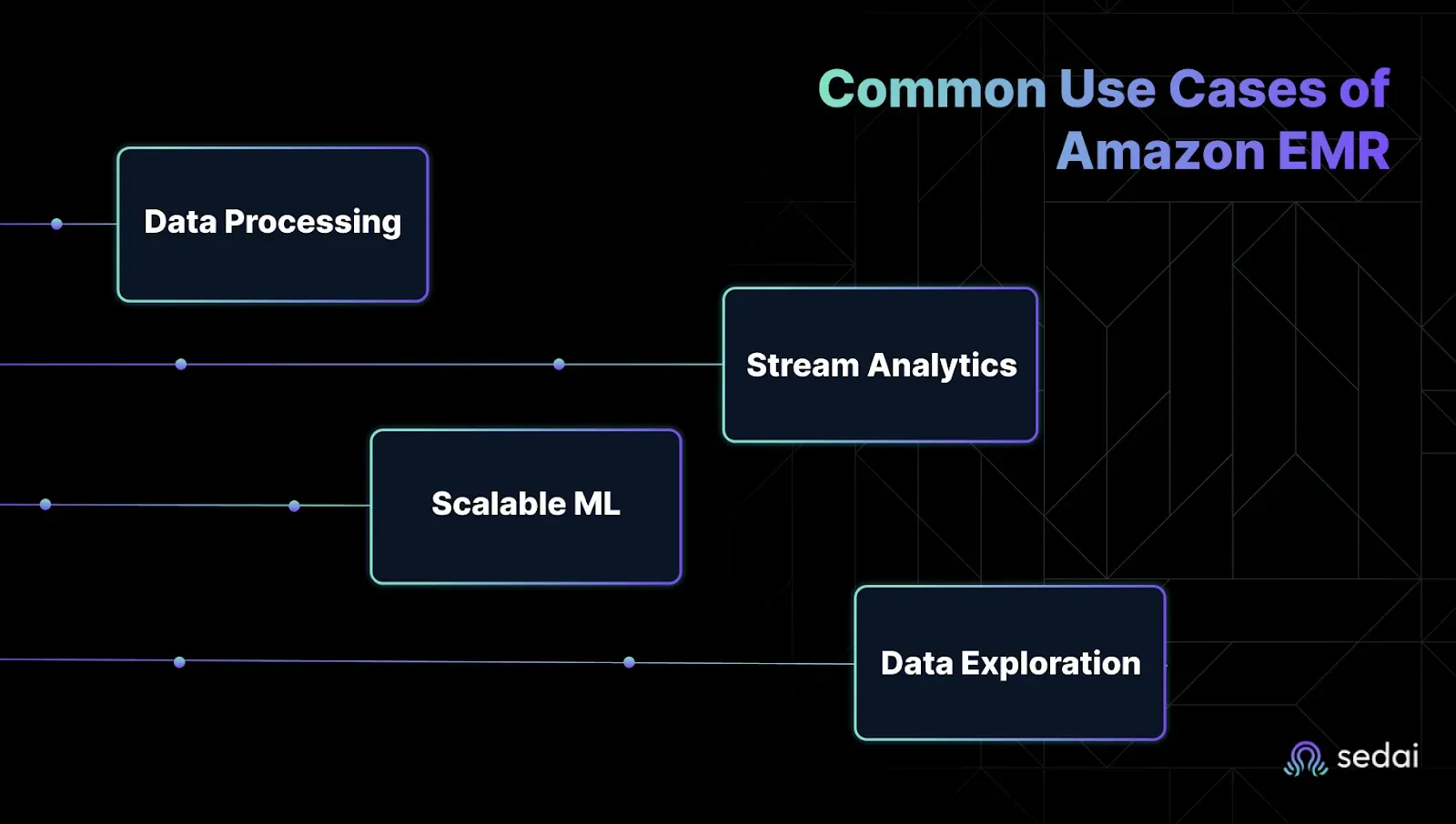
Common Use Cases of Amazon EMR
You’re under constant pressure to process massive data volumes fast, stay under budget, and not waste hours fighting with fragile pipelines. But knowing when to use EMR is just as important as knowing how.
Below are the day-to-day scenarios where EMR actually makes your life easier and where it justifies every cent.
1. Batch Processing and Data Transformation
You’ve got petabytes of raw logs, events, and metrics piling up and no patience for slow or brittle jobs. EMR’s distributed compute power helps you get through high-volume batch tasks faster and without micromanaging infrastructure.
Crunch terabytes of raw data in parallel without overprovisioning.
Automate transformations, enrichment, and ETL steps across your data pipelines.
Plug directly into S3, Glue, Redshift, and other AWS services with minimal setup.
Why it matters: You don’t need to watch your pipeline jobs or spin cycles chasing failed retries. EMR gets out of your way
2. Real-Time Stream Processing
You can’t afford to wait hours for dashboards to refresh. If your alerts are late, your team’s already battling. EMR supports Apache Spark Streaming and Flink so you can turn data-in-motion into real-time action without building everything from scratch.
Ingest and analyze clickstreams, IoT sensor data, or app logs in real time.
Trigger alerts, automate decisions, or push downstream actions instantly.
Avoid the ops headache of managing stream processors manually.
Why it matters: You stay ahead of issues instead of reacting too late. Stream processing becomes part of your everyday toolkit, not a side project.
3. Machine Learning at Scale
Training models on a laptop? That stopped working three datasets ago. You need scalable compute, access to your full data lake, and freedom to use the frameworks your team already knows. EMR gives you all of that without surprise costs or painful setup.
Distribute ML training across as many nodes as you need.
Use TensorFlow, XGBoost, or Spark MLlib with zero manual installs.
Accelerate feature engineering by pushing prep closer to your data.
Why it matters: Your data science team can actually focus on models, not debugging broken infrastructure or managing flaky clusters.
4. Interactive Analytics and Data Exploration
When execs need answers now, you can’t afford to wait on overnight batch jobs. EMR supports engines like Presto and Trino so your analysts can query petabyte-scale data directly in S3 without a BI bottleneck.
Run ad hoc SQL on massive datasets without moving them around.
Give analysts self-serve access to explore and visualize live data.
Avoid the overhead of managing separate data warehouses just for reporting.
Why it matters: Your team gets insights faster, your analysts stop pinging you for help, and you skip the data duplication mess.
Understanding these use cases helps you stop guessing where EMR fits. Instead, you deploy it where it drives real performance, real value, and real savings.
Why EMR Alone Isn’t the Full Story
Running Amazon EMR in production is rarely just about EMR. You’ve got upstream APIs, data collectors, microservices, and downstream jobs, all tightly connected. If one part lags or fails, the entire pipeline can feel the impact, often leading to reactive fixes, unexpected costs, or unnecessary overprovisioning.
That’s why teams managing complex data platforms are increasingly opting for AI-based systems like Sedai. These platforms help surface performance patterns across interconnected services, flag early signals of failure, and fine-tune resources without constant oversight. It’s not about handing over control, it’s about freeing up engineers to work smarter, not just harder.
Choosing the right instance type and cluster size for EMR workloads is a decision that needs revisiting as job patterns evolve. Book a demo to see how Sedai keeps your EMR environment right-sized as data volumes and complexity grow.
Conclusion
Amazon EMR provides scalability, but without careful tracking, it can quietly lead to unexpected costs. Over-provisioned clusters, idle jobs, and resource waste can escalate without proper attention, resulting in surprise bills when you least expect them.
Integrating Sedai into your EMR environment can eliminate these challenges. With AI-powered automation, Sedai helps you optimize clusters in real time by identifying idle resources and right-sizing jobs. This ensures that you can keep your EMR costs under control, reduce waste, and maintain efficiency. Take control of your costs and optimize automatically before the bill hits.
FAQs
1. Why does my EMR bill spike even when workloads seem consistent?
Costs often spike due to idle clusters, over-provisioned instances, or jobs running longer than expected without alerts.
2. What’s the best way to reduce Amazon EMR costs without sacrificing performance?
Start with autoscaling, enable Spot Instances, terminate idle clusters quickly, and monitor usage in real-time.
3. How do I track costs across multiple EMR clusters and teams?
Use detailed billing reports and cost allocation tags but automation platforms like Sedai can do this faster and more accurately.
4. Are Spot Instances safe to use for production EMR jobs?
Yes, if you architect for interruptions. Tools like Sedai can monitor and auto-recover to avoid job failures.
5. How often should I rightsize my EMR jobs?
More often than you think. Cluster needs change frequently automating this with Sedai avoids constant manual tuning.
Introducing the Sedai Karpenter Migration Assistant: Move to Karpenter Without the Risk
Karpenter is the better way to provision EKS nodes, but migrating safely is hard. Sedai's new Migration Assistant automates the cutover, with a pre-flight compatibility check and automatic rollback if anything goes wrong.
Amazon EMR Cost Optimization: Key Strategies for 2026
Optimizing Amazon EMR expenses becomes increasingly critical for organizations looking to maintain budget efficiency while ensuring high performance and scalability in their data processing workflows. By implementing effective cost optimization strategies, businesses can significantly reduce their EMR costs without compromising on workload efficiency.Understanding the key levers for cost savings in Amazon EMR is essential for making informed decisions and achieving long-term financial benefits. These strategies involve a combination of resource management techniques, data storage optimizations, and performance tuning practices that can help organizations strike the right balance between cost and performance.
We'll explore the key strategies and techniques for optimizing Amazon DynamoDB costs in 2025, helping you navigate the complexities of cloud cost management and make informed decisions that drive business value. Optimizing DynamoDB costs is not a one-time task; rather, it requires continuous monitoring, analysis, and adaptation to ensure that resources are being utilized efficiently. By understanding the intricacies of DynamoDB pricing models and implementing best practices, organizations can significantly reduce their database expenses without compromising on performance or reliability.
Cost Optimization Strategies for Amazon RDS in 2026
Cost optimization for Amazon RDS involves a combination of monitoring, right-sizing, and leveraging AWS tools to reduce costs while maintaining optimal performance. By adopting best practices and implementing effective cost management techniques, organizations can significantly lower their RDS expenses without compromising on reliability or performance.In this article, we'll explore various strategies and tools that can help you optimize your Amazon RDS costs. From resource tagging and utilization monitoring to instance right-sizing and automated scheduling, we'll cover the key areas where you can make impactful changes to reduce your RDS spending.