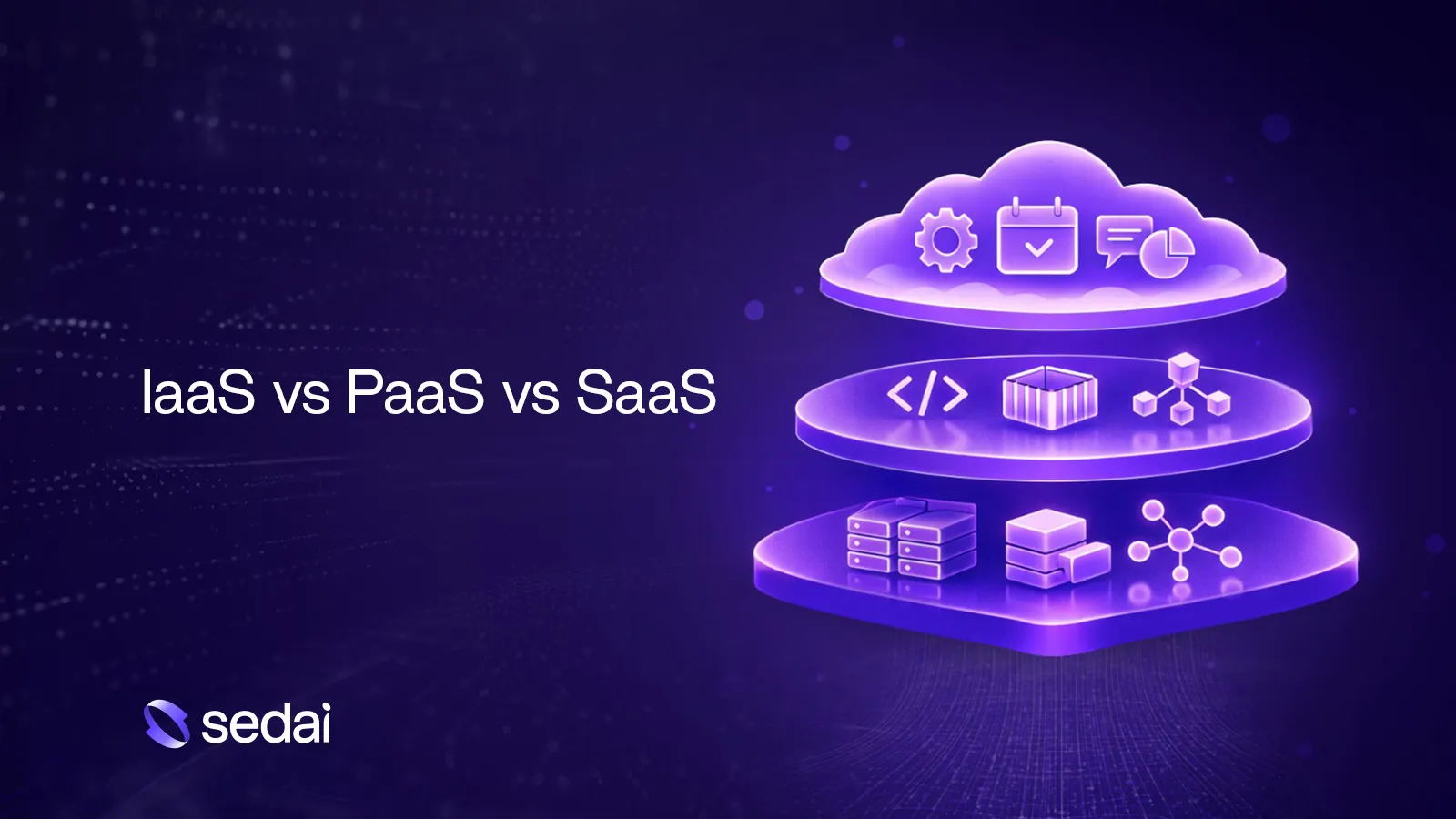
IaaS delivers raw computing resources such as virtual machines, storage, networking, and load balancers. You manage operating systems, runtime environments, scaling logic, security configurations, and application code, while the provider manages physical hardware and basic virtualization. IaaS is ideal for teams needing maximum control, supporting legacy workloads, or requiring flexibility for custom architectures. Source
What is Platform as a Service (PaaS)?
PaaS operates at a higher abstraction, allowing you to deploy applications to a managed platform. The provider handles OS patching, runtime management, auto-scaling, load balancing, and some security defaults. You focus on application code, configuration, and data models. PaaS is best for faster deployment, less operational overhead, and smaller platform teams, but comes with tradeoffs in control and customization. Source
What is Software as a Service (SaaS)?
SaaS is the highest level of abstraction, where you simply use the software without managing infrastructure or platforms. The provider manages infrastructure, platform, application logic, updates, and security. You manage configuration, users, and data usage. SaaS offers the fastest time to value, minimal operational effort, and predictable pricing, but limits customization and control. Source
What are the key differences between IaaS, PaaS, and SaaS?
IaaS offers the highest control and customization but requires strong infrastructure and operations skills and has the highest maintenance burden. PaaS provides medium control, faster deployment, and less operational overhead, but limits customization to platform-supported features. SaaS offers the lowest control, fastest deployment, and minimal maintenance, requiring only basic technical skills. Source
When should you choose IaaS?
Choose IaaS when you need deep control over networking, OS, or runtime behavior, are running legacy workloads or custom stacks, or have compliance and security requirements demanding fine-grained configuration. Source
When should you choose PaaS?
PaaS is best when you want to move fast without building a large platform team, your application fits common patterns, and you are willing to trade some flexibility for speed and simplicity. Source
When should you choose SaaS?
SaaS is ideal when the problem is not core to your competitive differentiation, you want fast deployment and minimal operational effort, and customization needs are limited. Source
Can you use IaaS, PaaS, and SaaS together in the same architecture?
Yes, most organizations use a combination of all three models. Different layers of the system benefit from different levels of abstraction, allowing teams to modernize gradually and optimize for control, speed, and simplicity. Source
Does PaaS lock you into a specific cloud provider?
PaaS can lock you in, depending on how tightly your application is coupled to platform-specific services. Designing for portability helps, but tradeoffs are inevitable. Source
Can I migrate from IaaS to PaaS or vice versa?
Yes, many teams start on IaaS for flexibility and move to PaaS as patterns stabilize, or move back to IaaS when they hit platform limits. Migration is possible but requires careful planning. Source
Which service model offers the most control over infrastructure?
IaaS provides the highest level of control, but also the highest operational responsibility. Source
How do IaaS, PaaS, and SaaS compare in terms of deployment speed?
IaaS has the slowest deployment speed due to manual setup and configuration. PaaS is faster, as much of the infrastructure is managed for you. SaaS offers the fastest deployment, as you simply use the software without setup. Source
What are some industry-specific examples of IaaS, PaaS, and SaaS usage?
Enterprise application development often uses IaaS for legacy ERP systems, PaaS for new internal tools, and SaaS for collaboration and CRM. Analytics stacks combine IaaS for compute-intensive workloads, PaaS for managed data pipelines, and SaaS for BI and reporting. E-commerce uses PaaS for customer-facing apps, IaaS for specialized services, and SaaS for payments and support. Regulated industries lean toward IaaS for sensitive workloads, PaaS where compliance exists, and SaaS for non-core functions. Source
Why do modern architectures take a hybrid approach to IaaS, PaaS, and SaaS?
Modern systems are hybrid by design because different parts of the system have different requirements. Core systems may need control (IaaS), customer-facing services may need speed (PaaS), and business functions may need simplicity (SaaS). Hybrid architectures optimize for these needs and avoid operational friction. Source
How does Sedai help manage hybrid cloud architectures?
Sedai closes the gap in hybrid architectures by treating the cloud as programmable infrastructure. Its patented, safety-first autonomous platform operates across IaaS, PaaS, and SaaS layers, automatically adjusting cost and reliability in real-time. Sedai enables engineers to focus on innovation by handling systematic infrastructure management safely and gradually, with continuous validation checks. Source
What are the tradeoffs between control, speed, and simplicity in cloud service models?
IaaS gives you control, PaaS gives you speed, and SaaS gives you simplicity. Successful teams adapt their approach as requirements evolve, using all three models intentionally to optimize for their needs. Source
How does Sedai ensure safe, autonomous optimizations in production?
Sedai is the only cloud optimization platform patented for safe, autonomous optimizations in production. Unlike risky optimizers that make all-at-once changes, Sedai makes gradual optimizations with continuous validation checks, automatic rollbacks, and SLO enforcement, ensuring no incidents or breaches occur. Source
Sedai Platform Features & Capabilities
What core problems does Sedai solve for cloud teams?
Sedai addresses cost inefficiencies, operational toil, performance and latency issues, lack of proactive issue resolution, complexity in multi-cloud and hybrid environments, and misaligned priorities between engineering and finance. It delivers up to 50% cloud cost reduction, 6X productivity gains, and 75% latency reduction. Source
What are Sedai's key features for cloud optimization?
Sedai offers autonomous optimization, application-aware intelligence, proactive issue resolution, full-stack cloud coverage, safety-by-design, release intelligence, and plug-and-play implementation. These features enable cost savings, performance improvements, and operational efficiency. Source
How does Sedai's autonomous platform improve performance?
Sedai delivers measurable performance improvements, including up to 30% reduction in cloud costs, 75% fewer failed customer interactions, and 50% reduction in engineering toil. For example, KnowBe4 reduced response time from 18.5 seconds to 80 milliseconds, a 99.5% duration reduction. Source
Sedai's onboarding takes about 15 minutes for agentless or agent-based deployment. Integrations with CI/CD and other tools may require additional setup. Sedai offers plug-and-play implementation, seamless integration with existing workflows, and a free Proof of Value. Source
What technical documentation is available for Sedai?
Sedai provides a Getting Started Guide, Kubernetes Optimization Guide, and a Platform Overview. These resources are available at docs.sedai.io/get-started and sedai.io/resources.
What security and compliance certifications does Sedai have?
Sedai is SOC 2 certified, demonstrating adherence to stringent security requirements and industry standards for data protection and compliance. More details are available on Sedai's Security page.
What is Sedai's pricing model?
Sedai uses a volume-based pricing model, charging based on resources optimized (Kubernetes pods, ECS tasks, VMs, etc.). Pricing is transparent, flexible, and includes a free tier and a 30-day free trial. Details are available on Sedai's pricing page.
Who are Sedai's customers?
Sedai's customers include KnowBe4, Palo Alto Networks, Belcorp, Campspot, Inflection, and Freshworks. These companies have achieved measurable results in cost savings, performance improvements, and operational efficiency. Source
What industries are represented in Sedai's case studies?
Sedai's case studies span cybersecurity (Palo Alto Networks, KnowBe4), financial services (Experian), healthcare, e-commerce (Wayfair, Campspot), IT and technology (HP, Freshworks), consumer goods (Belcorp), and digital commerce (Informed). Source
What business impact can customers expect from Sedai?
Customers can expect up to 50% cloud cost reduction, 75% latency reduction, 50% fewer failed customer interactions, and 6X productivity improvements. Typical ROI is greater than 400%, with financial payback in under six months. Source
Who is Sedai's target audience?
Sedai is designed for IT/cloud operations, FinOps, technology leadership, platform engineering, and site reliability engineering (SRE) roles. It serves organizations in cybersecurity, financial services, healthcare, e-commerce, and IT. Source
What pain points does Sedai address for its customers?
If you have experience with cloud computing, you have likely encountered explanations of IaaS, PaaS, and SaaS many times, often with diagrams or analogies that oversimplify the reality.
In practice, confusion arises not from definitions, but from understanding when each model is appropriate, the tradeoffs involved, & why most systems use a combination of all three.
This article examines IaaS, PaaS, & SaaS from the perspective of engineers & platform leaders in 2026, focusing on:
Control
Responsibility, speed, and long-term operational impact.
Infrastructure as a Service (IaaS) delivers raw computing resources, including virtual machines, storage, networking, and load balancers. It is comparable to renting a data center that you manage through APIs.
With IaaS, you manage:
Operating systems
Runtime environments
Scaling logic
Security configurations
Application code
The cloud provider manages physical hardware and basic virtualization, while you are responsible for all layers above.
Why teams choose IaaS:
Maximum control over the stack
Ability to support legacy or highly customized workloads
Flexibility to run almost anything
The tradeoff: IaaS offers flexibility, but also increases your responsibilities. Tasks such as patching, scaling, monitoring, and ensuring reliability remain your responsibility, even when they occur in a provider’s data center.
Most cost visibility tools show you the problem. Book a demo to see how Sedai fixes it, taking autonomous action based on your actual workload behavior.
What Is PaaS?
Platform as a Service (PaaS) operates at a higher level. Rather than managing servers and operating systems, you deploy applications to a managed platform.
With PaaS, the provider typically handles:
OS patching
Runtime management
Auto-scaling
Load balancing
Some security defaults
You focus on:
Application code
Configuration
Data models
PaaS is most effective when your application aligns with the platform’s supported patterns and requirements.
Why teams choose PaaS:
Faster deployment
Less operational overhead
Smaller platform teams
The tradeoff: You give up some control. You relinquish some control and are limited by the platform’s supported features, scaling methods, and customization options.
What Is SaaS?
Software as a Service (SaaS) is the highest level of abstraction. You don’t manage infrastructure or platforms—you just use the software.
Email, CRM, analytics tools, and collaboration platforms—all fall under SaaS.
With SaaS, the provider manages:
Infrastructure
Platform
Application logic
Updates and security
You manage:
Configuration
Users
Data usage
Why teams choose SaaS:
Fastest time to value
No infrastructure or platform work
Predictable pricing
The tradeoff: Control is very limited. Your processes must adapt to the software, rather than customizing the software to fit your processes.
IaaS, PaaS & SaaS Tradeoffs That Shape Modern Cloud Architecture
See how Sedai helps engineering teams manage hybrid cloud environments across IaaS, PaaS, and SaaS by continuously optimizing cost, reliability, and operational efficiency while balancing control, speed, and simplicity.
IaaS, PaaS, and SaaS Key Differences
Here’s where IaaS vs. PaaS vs. SaaS becomes clearer when you compare them side by side.
Dimension
IaaS
PaaS
SaaS
Management responsibility
You manage OS, runtime, and apps
You manage apps
Provider manages everything
Control level
Highest
Medium
Lowest
Customization
Full
Limited to the platform
minimal
Deployment speed
Slowest
Faster
Fastest
Cost model
Usage-based infra
Usage + Platform fee
Subscription-based
Scalability
Manual or scripted
Built-in
Fully managed
Maintenance burden
High
Medium
Low
Skill requirement
Strong infra & ops skills
App-focused
Minimal technical skills
This table explains that debates about which model is superior often overlook that each optimizes for different constraints.
When to Choose IaaS, PaaS, or SaaS
Choose IaaS when:
You need deep control over networking, OS, or runtime behavior
You’re running legacy workloads or custom stacks
Compliance or security requirements demand fine-grained configuration
Choose PaaS when:
You want to move fast without building a large platform team
Your application fits common patterns
You’re okay trading some flexibility for speed and simplicity
Choose SaaS when:
The problem is not core to your competitive differentiation
You want fast deployment and minimal operational effort
Customization needs are limited
In real organizations, these choices are rarely binary.
IaaS vs PaaS vs SaaS Examples by Industry
The difference between IaaS, PaaS, and SaaS becomes much clearer when you look at how each model is actually used across industries. In practice, most organizations don’t choose just one; they mix and match based on workload criticality, compliance needs, and the level of control their teams want over the stack.
Across industries, the IaaS vs PaaS vs SaaS examples follow a consistent pattern:
IaaS → Maximum control, custom architectures, compliance-heavy workloads
PaaS → Faster development, less operational overhead
SaaS → Ready-to-use business applications with minimal IT involvement
Below are realistic, industry-specific examples showing how IaaS, PaaS, and SaaS are applied in the real world.
Enterprise Application Development
Large enterprises often use:
IaaS for legacy ERP systems or tightly controlled back-end services
PaaS for new internal tools and APIs
SaaS for collaboration, HR, CRM, and finance
This mix allows teams to modernize gradually without rewriting everything at once.
Data Analytics & Machine Learning Workloads
Analytics stacks often combine:
IaaS for custom compute-intensive workloads
PaaS for managed data pipelines and model deployment
SaaS for BI, dashboards, and reporting
The data layer tends to stay closer to IaaS or PaaS, while consumption moves toward SaaS.
E-Commerce & Customer-Facing Applications
A typical setup might look like:
PaaS for customer-facing applications and APIs
IaaS for specialized services like search or recommendations
SaaS for payments, marketing automation, and customer support
Here, speed and scalability matter more than low-level control.
IaaS for sensitive workloads requiring strict control
PaaS selectively, where compliance certifications exist
SaaS only for non-core or well-regulated functions
IaaS, PaaS, and SaaS each carry hidden cost tradeoffs that compound as usage scales. Book a demo to see how Sedai continuously optimizes your cloud infrastructure costs regardless of which service model your team has adopted.
Why Modern Architecture Takes a Hybrid Approach?
Very few modern systems are purely IaaS, PaaS, or SaaS.
Most successful architectures are hybrid by design.
Why?
Because different parts of the system have different requirements:
Core systems might need control (IaaS)
Customer-facing services might need speed (PaaS)
Business functions might need simplicity (SaaS)
Trying to force everything into one model usually creates friction somewhere else.
In 2026, the main challenge is not just selecting the best model, but managing all three to avoid operational problems. The real strength of the cloud is its programmable infrastructure, which can handle tasks autonomously.
This is the gap Sedai closes.
Instead of asking teams to react to a never-ending stream of alerts or "clever prompts," Sedai treats the cloud as programmable infrastructure. Our platform operates across the IaaS, PaaS, and SaaS layers to handle the "boring" but critical execution; automatically adjusting cost, and reliability in real-time.
We believe in separating human reasoning from machine execution. By letting an autonomous system handle the systematic, unglamorous work of infrastructure management, your engineers are finally free to focus on what actually drives value: product innovation and solving the next big problem.
Once you’ve seen your infrastructure manage itself, it’s hard to justify doing it any other way.
Conclusion
The debate around IaaS vs. PaaS vs. SaaS isn’t about which one wins. It’s about understanding tradeoffs.
IaaS gives you control. PaaS gives you speed. SaaS gives you simplicity.
Modern systems use all three - intentionally.
Successful teams in 2026 will not be those who commit to a single model indefinitely, but those who adapt their approach as requirements evolve.
FAQ
Can you use IaaS, PaaS, and SaaS together in the same architecture?
Yes—and most organizations do. Different layers of the system benefit from different levels of abstraction.
Does PaaS lock you into a specific cloud provider?
It can, depending on how tightly you couple your application to platform-specific services. Designing for portability helps, but tradeoffs are inevitable.
Can I migrate from IaaS to PaaS or vice versa?
Yes. Many teams start on IaaS for flexibility and move to PaaS as patterns stabilize or move back when they hit platform limits.
Which service model offers the most control over infrastructure?
IaaS provides the highest level of control, but also the highest operational responsibility.


.webp%3Fv%3D2026-04-09T18%253A41%253A05.143Z&w=3840&q=75)