AWS Secrets Manager uses a pay-as-you-go pricing model. You are charged $0.40 per secret per month (including replica secrets) and $0.05 per 10,000 API calls to retrieve or manage secrets. There are no upfront contracts or extra licensing fees. [Source]
Is there a free trial for AWS Secrets Manager?
Yes, AWS offers a 30-day free trial for Secrets Manager starting when you store your first secret. This allows you to test secret rotation, retrieval, and management at no cost. [Source]
Can I estimate my AWS Secrets Manager costs before using it?
Yes, you can use the AWS Pricing Calculator to build a custom estimate tailored to your usage. This helps you plan and avoid surprises. [AWS Pricing Calculator]
What are some real-world AWS Secrets Manager pricing examples?
Example scenarios: A production-scale web app with 15 secrets and 4,000 API calls per month costs about $6.02/month. A team with 1,500 secrets and 900,000 API calls pays about $604.50/month. Large teams with 10,000 secrets and 12 million API calls pay about $4,060/month. [Source]
How does Sedai help reduce costs associated with secrets management?
Sedai helps teams cut unnecessary costs by identifying unused or overprivileged secrets, automating cloud usage, and optimizing resource allocation without compromising security. [Source]
Features & Capabilities
What is AWS Secrets Manager?
AWS Secrets Manager is a service that helps you securely store, manage, and retrieve sensitive information such as database passwords, API keys, and OAuth tokens. It provides encryption, automatic rotation, and fine-grained access controls to keep your credentials safe. [Source]
What types of secrets can be stored in AWS Secrets Manager?
You can store database credentials, on-premises resource credentials, SaaS application credentials, third-party API keys, and custom secrets in JSON (up to 64 KB). [Source]
What secrets should not be stored in AWS Secrets Manager?
Do not store AWS credentials (use IAM roles and policies), encryption keys (use AWS KMS), SSH keys (use EC2 Instance Connect), or private keys/certificates (use AWS Certificate Manager) in Secrets Manager. [Source]
How does AWS Secrets Manager improve security?
AWS Secrets Manager centralizes credential storage with encryption, automatic rotation, and fine-grained access controls, removing the need for hardcoded secrets in applications or scripts. [Source]
Does AWS Secrets Manager support automatic rotation of secrets?
Yes, AWS Secrets Manager can automatically rotate credentials on a schedule you define, reducing operational overhead and improving security. [Source]
How does AWS Secrets Manager handle access control and monitoring?
It uses AWS IAM for fine-grained access control and integrates with AWS CloudTrail and monitoring tools for real-time auditing and full lifecycle protection. [Source]
How can I access secrets from AWS Secrets Manager in my application?
You can access secrets securely at runtime using AWS SDKs (e.g., Python, Java), CI/CD workflows (e.g., GitHub Actions), or Kubernetes clusters via the Secret Provider Class. This reduces the need for hardcoded secrets in code or configuration files. [Source]
What is the process for creating and managing secrets in AWS Secrets Manager?
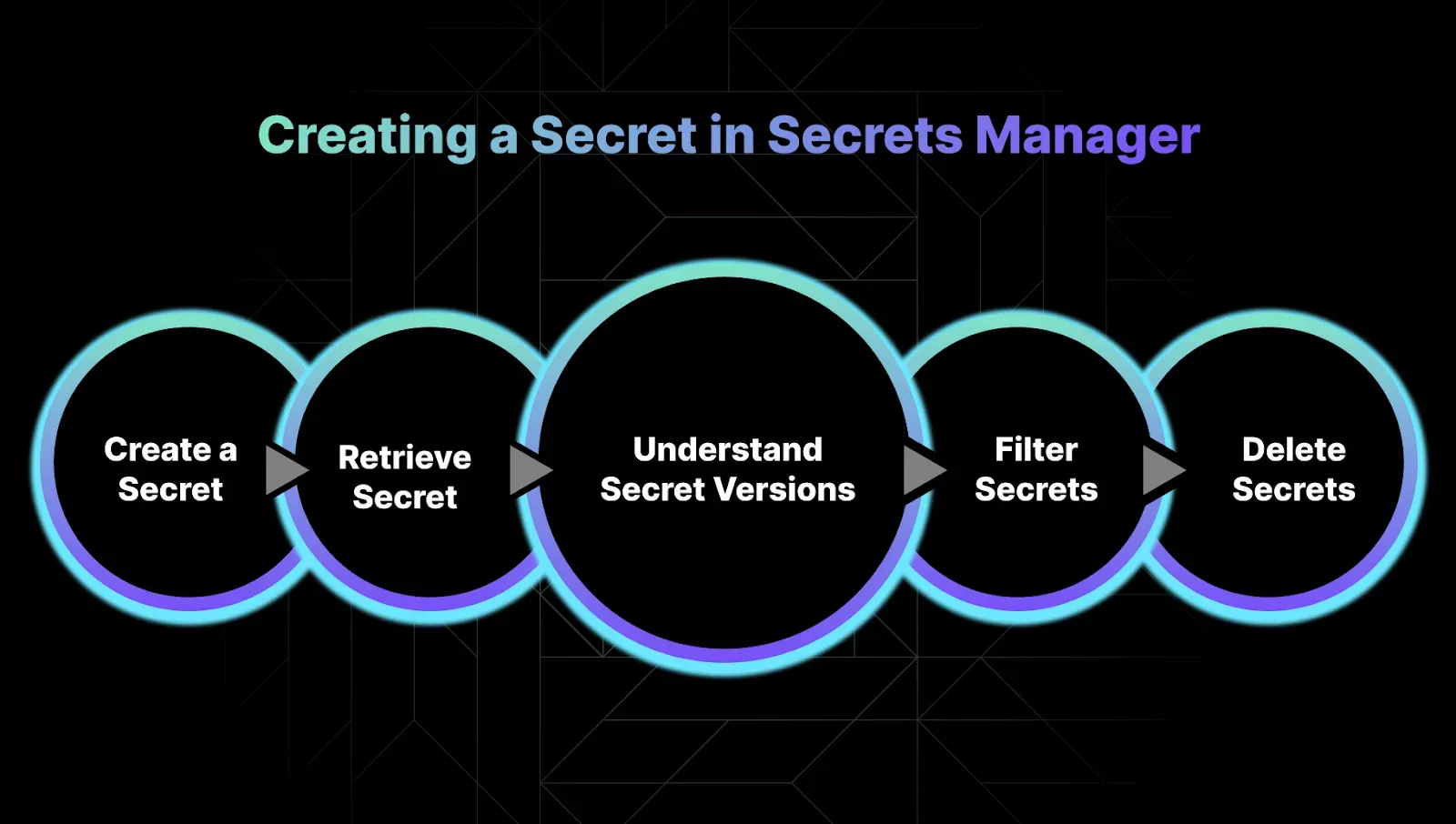
You can create or update secrets via the AWS Console or CLI, retrieve or update them programmatically, and manage secret versions with labels like AWSCURRENT and AWSPREVIOUS. Deletion is scheduled with a recovery window for safety. [Source]
How does AWS Secrets Manager handle secret versioning?
Each update to a secret creates a new version, labeled automatically (e.g., AWSCURRENT for the active version, AWSPREVIOUS for the last version). This makes rollbacks and audits easier. [Source]
Can I filter and list secrets in AWS Secrets Manager?
Yes, you can list all secrets or filter them by name prefix, description, tag-key, tag-value, owning-service, or primary-region. [Source]"}}
How does deletion work in AWS Secrets Manager?
Deleting a secret is not instant; you schedule a deletion with a recovery window, allowing you to recover the secret if needed. Immediate deletion is possible but only recommended if you are certain. [Source]
How does Sedai enhance secrets management with AWS Secrets Manager?
Sedai integrates with AWS Secrets Manager to cut unnecessary costs, simplify compliance with real-time monitoring and audit trails, and optimize performance by analyzing cloud usage patterns and automating rotations. [Source]
Use Cases & Benefits
Who can benefit from using AWS Secrets Manager?
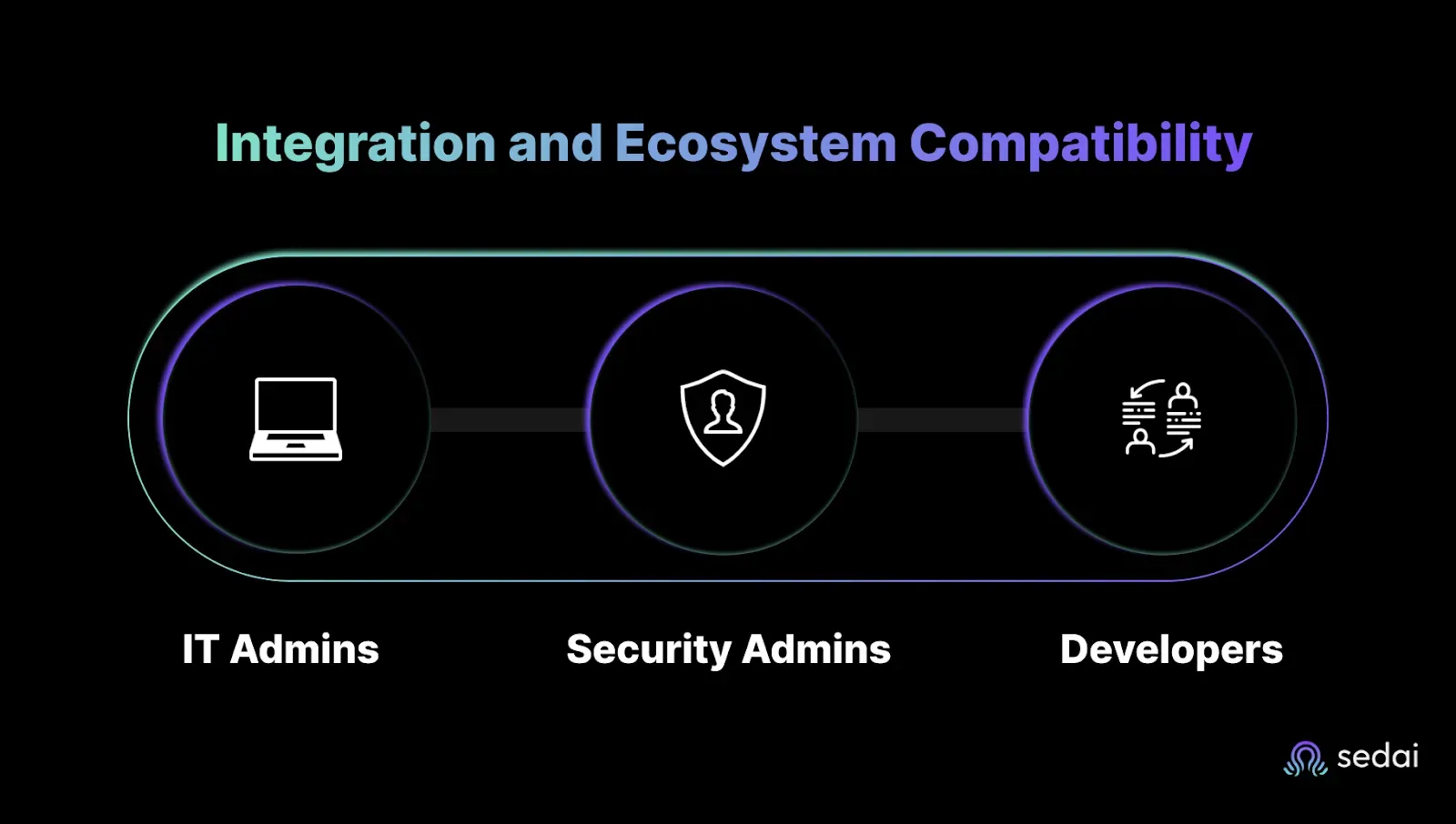
IT admins, security admins, and developers all benefit from AWS Secrets Manager. It centralizes credential management, automates rotation, and streamlines access, reducing manual effort and risk. [Source]
Is AWS Secrets Manager suitable for hybrid or multi-cloud environments?
While AWS Secrets Manager is designed for AWS, it can also store credentials for on-premises or third-party services, making it suitable for hybrid environments. [Source]
How does AWS Secrets Manager help with compliance and audits?
It provides centralized management, automatic rotation, and integration with AWS CloudTrail for monitoring and audit trails, helping you meet compliance standards and simplify audits. [Source]
How does Sedai help with compliance in secrets management?
Sedai simplifies compliance by providing real-time monitoring, audit trails, and integration with AWS Secrets Manager, ensuring your secrets management meets regulatory requirements. [Source]
What are the main benefits of using AWS Secrets Manager?
Main benefits include centralized, encrypted storage of secrets, automatic rotation, fine-grained access control, real-time monitoring, and reduced risk of credential exposure. [Source]
How does AWS Secrets Manager help developers?
Developers can keep secrets out of code and version control, pull secrets securely at runtime, and build and deploy faster without compromising security. [Source]
How does AWS Secrets Manager help IT and security admins?
IT and security admins can manage all credentials centrally, automate rotations, enforce policies, monitor usage, and audit access without manual spreadsheets or risky updates. [Source]"}}
Technical Requirements & Implementation
What are the technical requirements for accessing AWS Secrets Manager from a Python application?
You need Python 3.8 or newer, botocore 1.12 or higher, and setuptools_scm 3.2 or higher. The application must have IAM permissions for secretsmanager:DescribeSecret and secretsmanager:GetSecretValue. [Source]
How can GitHub Actions access AWS Secrets Manager?
GitHub Actions can access AWS Secrets Manager by using the GitHub OIDC provider. The IAM role assumed by GitHub Actions must have GetSecretValue and ListSecrets permissions. Secrets can then be retrieved and used as masked environment variables in workflows. [Source]
How can Kubernetes clusters access AWS Secrets Manager?
Kubernetes clusters can access AWS Secrets Manager using the Secret Provider Class (SPC). You define which secrets to mount in AWS EKS using YAML, and the SPC handles secure retrieval and mounting. [Source]
How long does it take to implement Sedai for secrets management optimization?
Sedai’s setup process is quick: 5 minutes for general use cases and up to 15 minutes for specific scenarios like AWS Lambda. For complex environments, timelines may vary. [Source]
What support resources are available for Sedai implementation?
Sedai provides detailed technical documentation, personalized onboarding sessions, a dedicated Customer Success Manager for enterprise customers, and a community Slack channel for ongoing support. [Documentation]
Security & Compliance
What security certifications does Sedai have?
Sedai is SOC 2 certified, demonstrating adherence to stringent security requirements and industry standards for data protection and compliance. [Security Page]
How does Sedai ensure safe and auditable changes in secrets management?
Sedai integrates with Infrastructure as Code (IaC), IT Service Management (ITSM), and compliance workflows to ensure all changes are safe, auditable, and compliant with enterprise standards. [Solution Briefs]
Competition & Comparison
How does Sedai differ from other cloud optimization tools for secrets management?
Sedai offers 100% autonomous optimization, proactive issue resolution, application-aware intelligence, and full-stack cloud coverage, setting it apart from competitors that rely on static rules or manual adjustments. [Solution Briefs]
What unique features does Sedai provide for secrets management optimization?
Unique features include autonomous optimization, proactive issue resolution, application-aware intelligence, release intelligence, and plug-and-play implementation, all designed to reduce costs and improve security and compliance. [Solution Briefs]
Customer Success & Case Studies
Can you share a customer success story related to Sedai and secrets management?
KnowBe4 achieved up to 50% cost savings in production and improved customer experience with AWS Lambda, leveraging Sedai’s autonomous optimization. [Case Study]
What industries use Sedai for cloud and secrets management optimization?
Sedai is used in industries such as cybersecurity, IT, financial services, healthcare, travel, car rental, retail, SaaS, and digital commerce. Customers include Palo Alto Networks, HP, Experian, KnowBe4, Expedia, CapitalOne Bank, GSK, and Avis. [Resources]
Whether you’re a CTO, a recent engineering grad, or somewhere in between, you need to know how to safely store and manage your company’s secrets.
Today, many companies solve this challenge with AWS Secrets Manager. The tool helps engineers secure sensitive data, such as credentials, API keys, and OAuth tokens. Let’s explore how it helps you meet compliance standards and removes the overhead of secret management in cloud environments.
What is AWS Secrets Manager?
Hard-coded secrets are a ticking time bomb. Your team might know it, yet they're still buried in code, scripts, and YAML files. Every exposed token or forgotten API key is a potential security incident waiting to happen. And the pressure to "just ship it" doesn't leave much room for manual rotation or patchwork vault systems.
This is how AWS Secrets Manager can help you with it.
Secure Storage for Sensitive Data
Secrets Manager stores things like:
Database passwords
API keys
OAuth tokens
SSH credentials
All encrypted, all safe, no more grepping through repos to check what's exposed.
AWS costs are manageable when someone is watching them around the clock. Book a demo to see how Sedai acts as that continuous layer of optimization across your AWS environment.
Real-Time Access Without the Risk
Your applications don't need to know secrets in advance. They fetch them securely at runtime, reducing your attack surface and removing the need for hard-coded values in:
Application source code
CI/CD pipelines
Kubernetes manifests
Automatic Rotation
Secrets Manager can automatically rotate credentials on a schedule you define. That means fewer operational headaches and no last-minute scrambles to rotate access keys after an engineer leaves.
Built-In Access Control and Monitoring
You get:
Fine-grained access control using AWS IAM
Seamless integration with AWS CloudTrail and monitoring tools
Full lifecycle protection without extra tools or overhead
What Secrets Can Be Stored in AWS Secrets Manager?
You don’t need another security headache or another spreadsheet of credentials. If you’re like most SREs, DevOps engineers, or platform owners, you're already juggling enough fire drills.
Credentials scattered across repos, environment variables, and sticky notes (we see you) only add risk, complexity, and manual overhead. That’s where AWS Secrets Manager can help, if you know what to store and what to skip.
Secrets You Can Store
AWS Secrets Manager is built to manage sensitive data safely and centrally. You can store:
Database credentials – Think RDS, Redshift, or any external database you rely on.
On-premises resource credentials – For hybrid setups that still need airtight access control.
SaaS application credentials – When tools like Salesforce or PagerDuty need secure integration.
Third-party API keys – Stripe, Twilio, GitHub.
Custom secrets in JSON – Any plaintext or structured data up to 64 KB.
This flexibility means you can store a wide range of secrets, but that doesn’t mean you should store everything here.
What Not to Store in Secrets Manager
Some secrets are better handled by purpose-built AWS services. Here's what to offload elsewhere:
AWS credentials: Use IAM roles and policies instead. They’re safer and scale better.
Encryption keys: Use AWS Key Management Service (KMS).
SSH keys: Use EC2 Instance Connect for short-term, secure access.
Private keys and certificates: Go with AWS Certificate Manager.
Secrets Manager is powerful, but knowing when to use it (and when not to) saves you both risk and cost. Next, let’s break down who can actually use Secrets Manager, and how access works.
Who Can Use Secrets Manager?
If managing secrets feels like a never-ending game of hide-and-seek, you're not alone. From lost credentials to manual rotations, the process eats up time, increases risk, and adds stress you just don’t need. Secrets Manager is here to change that for every role that touches security, uptime, or speed.
This isn't just a tool for one team. It's built to work across your org, streamlining how secrets are stored, rotated, and secured, so you can stop chasing issues and start scaling with confidence.
For IT Admins
Tired of juggling a dozen vaults and sticky notes? Secrets Manager gives you a centralized, automated system to manage secrets—no more risky manual updates or last-minute fire drills.
Manage all credentials from one place.
Set and forget automated rotations.
Stop playing phone tag to get access approved.
For Security Admins
You’re on the hook for compliance and audit-readiness. Secrets Manager helps you stay one step ahead, without needing an army of analysts.
Enforce rotation policies automatically.
Monitor usage and access patterns in real time.
Audit with confidence, not spreadsheets.
Ready to secure and optimize your cloud operations?
Book a Sedai demo to automate cloud optimization, improve efficiency, and reduce operational complexity.
For Developers
Your job is to ship code, not worry about embedded API keys or rotating database passwords. Secrets Manager lets you stay focused on building, while it keeps your secrets safe.
Keep secrets out of code and version control.
Pull secrets securely at runtime.
Build and deploy faster without cutting corners on security.
Secrets Manager helps your entire team move faster and sleep better. Next, let's look at why using a secret manager is a no-brainer.
Creating a Secret in Secrets Manager
Hardcoding secrets into your app or CI/CD pipeline isn’t just risky, it’s asking for a breach. Your team will have more valuable tasks at hand than chasing down expired credentials or troubleshooting mystery 500s caused by missing API keys.
With AWS Secrets Manager, it actually can be.
Here’s how to create and manage secrets without breaking a sweat.
Create or Update a Secret
You’ve got options, GUI or CLI. Pick what fits your workflow:
Via the AWS Console
Go to Secrets Manager in the AWS console
Choose “Other type of secret”
Name it something like MyTestSecret1
Leave default settings unless you need something specific
Done in a few clicks.
Via the CLI (for the automation-first crowd)
Prefer to keep things clean in a JSON file? No problem.
1. Create a file called mycreds.json:
2. Use it to create a secret:
Retrieve or Update the Secret
Get the value of your secret:
Update the secret:
Each update creates a new version, which is helpful when you need to roll back.
Understand Secret Versions
AWS Secrets Manager tracks secret versions with labels:
AWSCURRENT: The active version
AWSPREVIOUS: The last version
Versions are rotated and labeled automatically
List versions like this:
The version labeling system keeps your secrets secure and rollbacks easy—no need to manage a version history manually.
List and Filter Secrets
You can list all your secrets or filter them.
List all secrets:
Filter by name prefix:
Other useful filters include:
description
tag-key
tag-value
owning-service
primary-region
Delete (With Safety Nets)
Deleting a secret isn’t instant, and that’s a good thing.
Schedule a deletion witha recovery window:
Recover a scheduled deletion:
Need to delete immediately? Only if you know what you're doing:
Next, we'll look at how to manage access and permissions for your secrets safely and efficiently.
How To Easily Access Secrets in AWS Secrets Manager
Now that your secrets are safely stored and set up, it’s time to put them to work. You’ll want your applications to fetch these secrets securely, without exposing them in your code or configuration files. One common way to do this is by accessing Secrets Manager directly through AWS SDKs, letting your app retrieve secrets at runtime with minimal hassle.
1. From Applications Directly Using SDK
For example, to access secrets from a Python application, you will need:
Python 3.8 or newer.
botocore 1.12 or higher. See AWS SDK for Python and Botocore.
setuptools_scm 3.2 or higher.
To install the component, use the following command.
The Python application needs the following IAM permissions:
secretsmanager:DescribeSecret
secretsmanager:GetSecretValue
For example, if you are running the Python app on an EC2 virtual machine, the instace profile of that EC2 needs the above permissions.
The following code snippet example shows how to get the secret value for a secret named MyTestSecret1:
2. From CI Workflows (Example: GitHub Actions)
We can use a secret in a GitHub job to retrieve secrets from AWS Secrets Manager and add them as masked Environment variables in our GitHub workflows.
To do this, you first need to allow GitHub Actions to access AWS Secrets Manager, which can be achieved by using the GitHub OIDC provider. The IAM role assumed by the GitHub Actions must have the following permissions:
GetSecretValue on the secrets you want to retrieve
ListSecrets on all secrets.
Then you can simply add a step in our GitHub Actions workflow using the following syntax to access secrets from Secrets Manager:
3. From K8s/EKS Clusters with the Secret Provider Class (SPC)
Similarly, you can use the Kubernetes Secret Provider Class to access secrets from Kubernetes clusters.
We use YAML to describe which secrets to mount in AWS EKS. The SPC is in the following format:
Here's an example:
With the fundamentals of secret management in place, it’s time to simplify the key operations. Below is a quick-reference cheat sheet to help you rotate and access secrets efficiently using AWS Secrets Manager.
Cheat Sheet on How To Rotate and Access Secrets with AWS Secrets Manager
Managing secrets should never feel like a guessing game or a manual headache. If you’re a CTO, SRE, DevOps, or Platform Engineer, you know that handling secrets safely and efficiently is mission critical, but often time-consuming and error-prone. This quick-reference cheat sheet gets you straight to the essentials for rotating and accessing secrets with AWS Secrets Manager, so you can keep your applications secure without the stress.
1. Secrets CRUD
Create:
Create using a file:
Read:
Update:
List versions:
List/search:
Delete:
Force delete without a recovery window:
2. Access Secrets from GitHub Actions
GitHub Actions step to read a secret:
How Much Does AWS Secrets Manager Cost?
If you're managing secrets at scale, guessing your AWS Secrets Manager bill can feel like a gamble. You want clear pricing without hidden fees or surprise charges that throw your budget off. AWS Secrets Manager pricing is simple, transparent, and tied directly to what you use, no upfront contracts or extra licensing fees.
Pay Only for What You Use
AWS charges based on two things:
Secrets stored: $0.40 per secret per month. Replica secrets count separately.
API calls: $0.05 per 10,000 calls to retrieve or manage secrets.
You don’t pay for the underlying infrastructure or extra personnel to keep secrets safe and accessible. That’s all baked in.
Try It Free First
AWS offers a 30-day free trial starting when you store your first secret. Use this period to test secret rotation, retrieval, and management at no cost.
Estimate Your Costs with AWS Pricing Calculator
Want to see how Secrets Manager fits into your overall architecture budget? The AWS Pricing Calculator helps you build a custom estimate tailored to your usage.
Real-World Pricing Examples
To help you understand costs in action, here are some typical scenarios:
1. Production-Scale Web App
15 secrets total
About 4,000 API calls per month
Monthly cost: $6.02
2. Microservices with Ephemeral Secrets
5 million secrets (hourly tokens)
10 million API calls per month
Monthly cost: $2,850
3. Teams Spending $40K+ Monthly on AWS
1,500 secrets
900,000 API calls per month
Monthly cost: $604.50
4. Teams Spending $250K+ Monthly on AWS
10,000 secrets
12 million API calls per month
Monthly cost: $4,060
If your secret volume or API calls are very high, consider contacting AWS for custom pricing options.
Understanding these numbers helps you plan better and avoid surprises. Next, we'll explore how sedai enhances secret management to get the most value from your spend.
How Sedai Enhances Your Secrets Management?
Managing secrets is about keeping your cloud secure without draining your team’s time or your budget. Sedai works hand-in-hand with AWS Secrets Manager to make your secrets management smarter, safer, and cost-efficient.
Cut unnecessary costs by identifying unused or overprivileged secrets impacting cloud usage.
Optimize performance by analyzing cloud usage patterns, workloads, and automating rotations.
Sedai connects seamlessly with your AWS cloud environment to optimize and manage your resources securely and efficiently, without the manual toil.
Security and cost optimization are both easier with continuous oversight. Book a demo to see how Sedai keeps your AWS environment compliant and cost-efficient without manual intervention.
Conclusion
Hardcoded secrets are a ticking time bomb. You know the risks, exposure, breaches, and endless manual rotations. AWS Secrets Manager takes that headache away by securing your credentials and automating rotation and access control.
But as your cloud footprint grows, keeping governance tight and costs in check gets tougher. Pairing Sedai with AWS Secrets Manager lets you automate cloud cost optimization without risking security or performance.
Join us and cut your cloud spend by up to 50% while keeping credentials safe and sound.
FAQ
1. How does AWS Secrets Manager improve security?
AWS Secrets Manager centralizes credential storage with encryption, automatic rotation, and fine-grained access controls, removing the need for hardcoded secrets in applications or scripts.
2. Can Sedai reduce the costs associated with secrets management?
Yes. Sedai can help teams eliminate additional usage by restricting and automating cloud usage as per requirement, without compromising security.
3. What types of secrets work best in AWS Secrets Manager?
Database credentials, API keys, and service account passwords are ideal. For AWS-specific credentials (like IAM keys) or certificates, consider using IAM or AWS Certificate Manager instead.
4. Is Secrets Manager suitable for hybrid or multi-cloud environments?
While designed for AWS, Secrets Manager can store credentials for on-premises or third-party services.