Key Takeaways
- On-demand, reserved, & spot are rate levers, not savings; the discount only lands when the underlying instance is right-sized to real demand.
- Reserved instances & savings plans cut up to 72% off on-demand, but lock you into 1 to 3 years of a size you may outgrow.
- Spot instances save up to 90% off on-demand rates, yet the provider can reclaim them with a two-minute warning, so only interruption-tolerant workloads qualify.
- Production fleets blend all three models; KnowBe4 cut AWS costs 27% by optimizing the workload first, then the purchasing model.
- Static commitment & spot automation break when traffic shifts; application-aware autonomy keeps the rate decision correct as workloads change.
Cloud pricing models are the three ways you pay for compute. Cloud infrastructure services are growing 25% year over year, with trailing twelve-month revenues reaching $366 billion, and every dollar of that infrastructure spend runs on one of three purchasing models: on-demand, reserved (or savings plan), or spot. The rate difference between the most expensive and cheapest options exceeds 90% for the same compute resource. Choosing the right model looks straightforward, but it is not.
A pricing model is a rate, not a saving. Committing to a 3-year reserved instance on an oversized workload doesn't reduce the bill; it locks in the overpay. Moving a fault-tolerant batch job to spot saves money only if the infrastructure handles interruptions cleanly. Waste sits in the workload, not the price sheet. This article explains how each model works, when each fits, & why the rate decision and the workload decision have to be made together.
Summary
For more on the mechanics of how teams pay for compute over time, see Sedai's breakdown of time-based vs usage-based pricing.
In This Article
What Are Cloud Pricing Models?
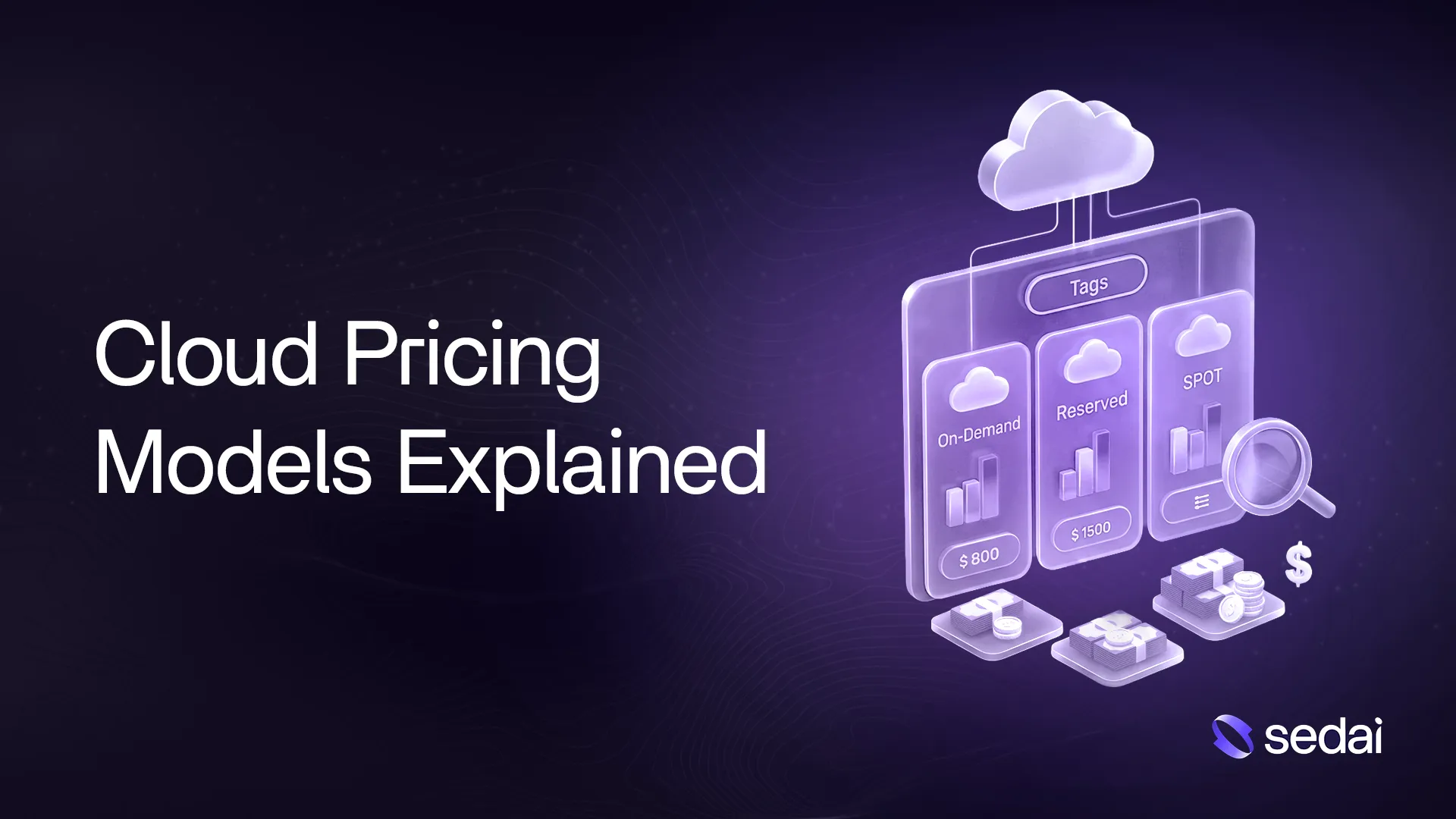
Cloud pricing models are the three ways you pay for compute: on-demand, reserved (commitment-based), and spot. On-demand charges the highest rate with no commitment. Reserved instances and savings plans cut up to 72% in exchange for a 1- or 3-year commitment. Spot sells spare capacity at up to 90% off, with the caveat that the provider can reclaim the instance with a two-minute warning.
What Are the Main Cloud Pricing Models?
Three models cover almost all computing expenses.
- On-demand charges by the second with no commitment, at the highest unit rate.
- Reserved instances & savings plans offer a steep discount in exchange for a 1 or 3-year usage commitment.
- Spot instances sell spare provider capacity at the deepest discount, with the caveat that the provider can reclaim capacity with limited notice.
You can break down what drives the bill across all three cost dimensions, but the rate choice comes first. Take a team running two EC2 workloads: a checkout API with tight SLO commitments and a nightly batch ETL job that's fault-tolerant. Each model prices the same compute differently, and the right choice for one workload is wrong for the other. The hard part is applying that logic consistently as workloads evolve.
How Does On-Demand Pricing Work?
On-demand compute bills by the second with no upfront payment and no commitment period. You provision an instance, run it, stop it, and pay for what ran. The rate is the highest of the three models; that premium is the price of flexibility.
AWS describes on-demand instances as designed for workloads with unpredictable demand that can't be forecast in advance. For the checkout API, on-demand is correct during the initial profiling period, before you know what baseline demand looks like or what size to commit to. For the ETL job, on-demand is a daily waste: the job runs on a fixed nightly schedule, so every on-demand second is a second that a savings plan would cover at a lower rate.
The mistake is treating on-demand as a permanent state. New workloads start on demand, get profiled, then graduate to the right commitment model. Keeping every workload on-demand indefinitely is the most common form of rate waste, and it compounds as fleets grow.
What Are Reserved Instances & Savings Plans?
Reserved instances & savings plans trade a usage commitment for a discount. Microsoft Azure's reservation documentation shows savings of up to 72% off pay-as-you-go rates for a 3-year commitment, with similar discount ranges across AWS & GCP.
The distinction between reserved instances vs savings plans determines which vehicle fits your workload profile.
- Reserved instances lock to a specific EC2 instance type, operating system, and region for the commitment term. Savings plans commit to a dollar-per-hour spend level that applies flexibly across any EC2 instance family, AWS Fargate, or Lambda. The flexibility of savings plans costs a few percentage points of maximum discount compared to reserved instances. For stable workloads running a fixed instance type, reserved instances typically deliver a deeper discount. For mixed or evolving fleets, savings plans reduce the risk of commitment mismatch.
- Savings plans commit to a dollar-per-hour spend level that applies flexibly across any EC2 family, Fargate, or Lambda usage.
That flexibility costs a few percentage points of maximum discount. Understanding when a reservation beats a savings plan depends on how stable your instance family has been over the past 12 months.
For the checkout API, a 1-year savings plan makes sense once you've profiled the baseline load. A 3-year reserved instance on a specific instance type is a bet that the instance family won't change; in a year of active migration, that bet fails.
How Do Spot Instances Work, & What's the Catch?
Spot instances sell cloud provider capacity that isn't currently in use. AWS offers savings of up to 90% off on-demand prices for EC2 spot instances. Google Cloud spot VMs can save up to 91% off on-demand rates, and Azure spot VMs work on the same model. The discount is real and available across all three major providers.
The catch is reclamation. AWS provides a two-minute interruption notice before terminating a spot instance. Two minutes is enough to check some batch workloads. It is not enough to drain an active user session, commit an in-flight transaction, or safely terminate a stateful service.
For the ETL job, spot is the right answer: checkpointing is straightforward, restarts are cheap, & the two-minute warning is enough to save state and exit cleanly. For the checkout API, a reclaimed spot instance becomes a user-facing outage with only two minutes of notice. Understanding how spot instances actually behave in production, including which instance types have lower interruption rates and how to diversify across families, is different from knowing the definition.
On-Demand vs. Reserved vs. Spot: Which Should You Use?
No single model wins for a production fleet. The decision depends on three questions about each workload: How predictable is its usage? How tolerant is it of interruption? How stable is its resource profile?
- Predictable, stable, interruption-intolerant workloads:
reserved instances or savings plans - Unpredictable traffic, active development, or variable instance needs:
on-demand until the profile stabilizes - Fault-tolerant batch jobs, stateless services, CI/CD runners:
spot, with checkpoint & fallback logic
For commitments across AWS, Azure & GCP, the discount mechanics are similar, but the coverage rules differ by provider. You can also blend spot, savings plans & RIs for a more efficient combined fleet. For the checkout API and ETL team, the practical answer is: baseline load on a 1-year savings plan, burst on on-demand, and the ETL on spot with clean checkpointing. That is the right answer for this workload now. Revisit as the system changes.
Why Picking the Right Model Isn't Enough
A 1-year savings plan with 40% off on-demand still overpays on an oversized instance. The discount is calculated on the on-demand rate, which is set for a resource configuration that may not match actual demand. If the checkout API is provisioned for peak traffic but idles between spikes, the savings plan captures 40% off the idle compute, along with the useful compute.
Cloud costs break into two parts: the rate and the usage.
- Rate optimization (choosing the right purchasing model) handles one part.
- Usage optimization handles the other.
A team that right-sizes the checkout API to actual peak demand, then applies a savings plan, gets two discounts: one from the provider and one from the workload itself.
Cloud cost optimization best practices that stop at rate optimization leave the usage half unaddressed. Commitment waste (paying for reserved capacity you don't use) and spot risk (interrupting workloads that can't handle it) both trace back to the same root: a rate decision made without reading the workload first.
Why Commitment & Spot Automation Backfire
The tool category that promises to solve the pricing model problem is commitment & spot automation: platforms that scan usage history, auto-buy the right reserved instances or savings plans, & bid on spot capacity based on past interruption rates. The pitch is compelling, but the results are inconsistent.
Threshold-based automation reads historical data, sets a commitment or bid, and stops. When the checkout API receives a new feature that doubles p99 latency, the automation doesn't notice. When the ETL job doubles in data volume next quarter, the spot configuration doesn't adjust. The commitment was correct for last month's workload; it's wrong for this month's.
How autonomous systems differ from automated ones comes down to this gap: automation executes a rule; autonomy reads the application. Automated commitment tools don't verify that a savings plan change improved or degraded application performance. They don't roll back when an optimization causes a latency spike. Spot automation faces the same problem: bidding on cheap capacity without understanding which services can tolerate interruption is how a FinOps initiative creates an on-call incident.
How Sedai Turns Pricing Models Into Real Savings
The Challenge: Teams Buy Rate Discounts Before the Workload Earns Them
Teams switching purchasing models assume the discount is the saving. They buy a 3-year reservation on an instance that will be resized next quarter. They enable spot on workloads that aren't built to handle a two-minute eviction. The rate gets cheaper; the total bill does not, because the workload was never right-sized before the commitment was made.
Sedai’s Approach: Autonomous, Application-Aware Pricing Model Optimization
Sedai is an autonomous, application-aware optimization platform. It continuously analyzes each workload's real demand — latency, throughput, and error rate — and connects that data to the right purchasing model and instance size. When the checkout API's baseline stabilizes, Sedai applies a savings plan. When demand drops, it consolidates. When spot is safe, it moves eligible workloads there. Every change is validated against SLOs before execution.
The Outcome: 27% AWS Cost Reduction and $1.2M Saved at KnowBe4
The result is the discount you actually meant to buy. KnowBe4 cut AWS costs 27% by optimizing the workload first, then the purchasing model, while running autonomous optimization across thousands of ECS & Lambda services. The pricing model became real savings because the instance under it was right & the change was safe. Book a demo to see Sedai run in your environment →
Why the Pricing Model Is the Floor, Not the Ceiling
On-demand, reserved, & spot set the rate you pay for compute. They cannot right-size an instance, read a traffic spike, or roll back a bad commitment. The rate is one variable in a two-variable equation; the workload is the other.
The teams that win at cloud cost treat the model as the last decision and the workload as the first. Profile what your service actually uses. Right-size to real demand. Then apply the commitment that matches what the workload can sustain, and keep both correct as the system changes.
A pricing model calibrated to last month's traffic on an instance sized to last year's demand generates waste at two levels. The rate discount is real; the compute you're discounting at that rate is wrong. Get the workload right, then apply the model.
FAQs About Cloud Pricing Models
What Are the Three Main Cloud Pricing Models?
Cloud providers offer three purchasing models for compute: on-demand, reserved (also sold as savings plans), & spot. On-demand charges per second with no commitment. Reserved instances & savings plans discount the rate in exchange for a 1 or 3-year commitment. Spot sells spare capacity at a steep discount with interruption risk. Production environments use a blend of all three, matched to workload characteristics.
Is Spot Pricing Always Cheaper Than Reserved?
Spot lists a deeper discount than reserved (up to 90% vs. up to 72%), but interruption risk makes the comparison incomplete. A spot instance reclaimed mid-job requires a restart that may consume more total compute than an uninterrupted reserved instance. For fault-tolerant batch workloads, spot is the right choice. For latency-sensitive or stateful services, reserved or on-demand is cheaper in practice.
When Should I Avoid Reserved Instances?
Reserved instances backfire when workloads change faster than the commitment period allows. Active instance family migrations, architectural shifts, or unpredictable scaling make savings plans the better choice; they cover any EC2 family, Fargate, or Lambda usage with more flexibility. A 3-year reserved instance on a family you abandon in year two is prepaid waste. Start with a 1-year savings plan before committing to a longer term.
How Do Reserved Instances Differ From Savings Plans?
Reserved instances commit to a specific EC2 instance type, operating system, & region. Savings plans commit to a dollar-per-hour spend level that applies flexibly across any EC2 instance family, Fargate, or Lambda usage in the account. Savings plans are more flexible but carry a slightly smaller maximum discount. Reserved instances yield the deepest discount when the instance configuration is stable across the full commitment period.
Does a Cheaper Pricing Model Guarantee a Lower Cloud Bill?
No. A cheaper rate on an oversized instance costs more than a higher rate on a right-sized one. The pricing model sets the unit rate; the instance configuration sets the volume of compute you buy at that rate. Committing to reserved instances or moving to spot without right-sizing first often leaves the bill unchanged. Both the model and the workload have to be correct before the discount becomes real savings.
Sources
- Synergy Research Group, "Cloud Market Nears $100 Billion Milestone - and it's Still Growing by 25% Year over Year," 2025. https://www.srgresearch.com/articles/q2-cloud-market-nears-100-billion-milestone-and-its-still-growing-by-25-year-over-year
- AWS, "On-Demand Instances vs Reserved Instances," 2025. https://aws.amazon.com/compare/the-difference-between-on-demand-instances-and-reserved-instances/
- Microsoft Azure, "Save costs with Azure Reservations," 2026. https://learn.microsoft.com/en-us/azure/cost-management-billing/reservations/save-compute-costs-reservations
- AWS, "Amazon EC2 Spot Instances," 2025. https://aws.amazon.com/ec2/spot/
- Google Cloud, "Spot VMs," 2026. https://docs.cloud.google.com/compute/docs/instances/spot
- AWS, "Spot Instance Interruptions," 2025. https://docs.aws.amazon.com/AWSEC2/latest/UserGuide/spot-interruptions.html
- FinOps Foundation, "Rate Optimization," 2025. https://www.finops.org/framework/capabilities/rate-optimization/


.webp%3Fv%3D2026-04-09T18%253A41%253A05.143Z&w=3840&q=75)