What are cloud cost management tools and why are they important?
Cloud cost management tools help organizations monitor, allocate, and optimize spending across cloud providers such as AWS, Azure, and Google Cloud. They consolidate billing and usage data, map costs to teams or projects, and identify optimization opportunities like idle resources, oversized instances, and inefficient pricing plans. These tools are essential for reducing waste, improving budget accuracy, and enabling collaboration between engineering and finance teams. (Source: Sedai.io/blog/cloud-cost-management-tools-compared, October 12, 2026)
What types of cloud costs can these tools manage?
Cloud cost management tools can manage compute, storage, database, networking, Kubernetes, serverless, SaaS, and AI/GPU infrastructure costs. They normalize billing data and allocate expenses to applications, environments, and owners, while surfacing optimization opportunities specific to each resource type. (Source: Sedai.io/blog/cloud-cost-management-tools-compared)
Key Features of Cloud Cost Management Tools
What are the core features to look for in cloud cost management tools?
Core features include multi-cloud cost visibility, cost allocation and chargeback, Kubernetes cost management, budgeting and forecasting, cost anomaly detection, rightsizing recommendations, idle resource detection, reserved instance and savings plan optimization, and automated cost optimization actions. (Source: Sedai.io/blog/cloud-cost-management-tools-compared)
Comparison of Top Cloud Cost Management Tools
How does Sedai differ from other cloud cost management tools?
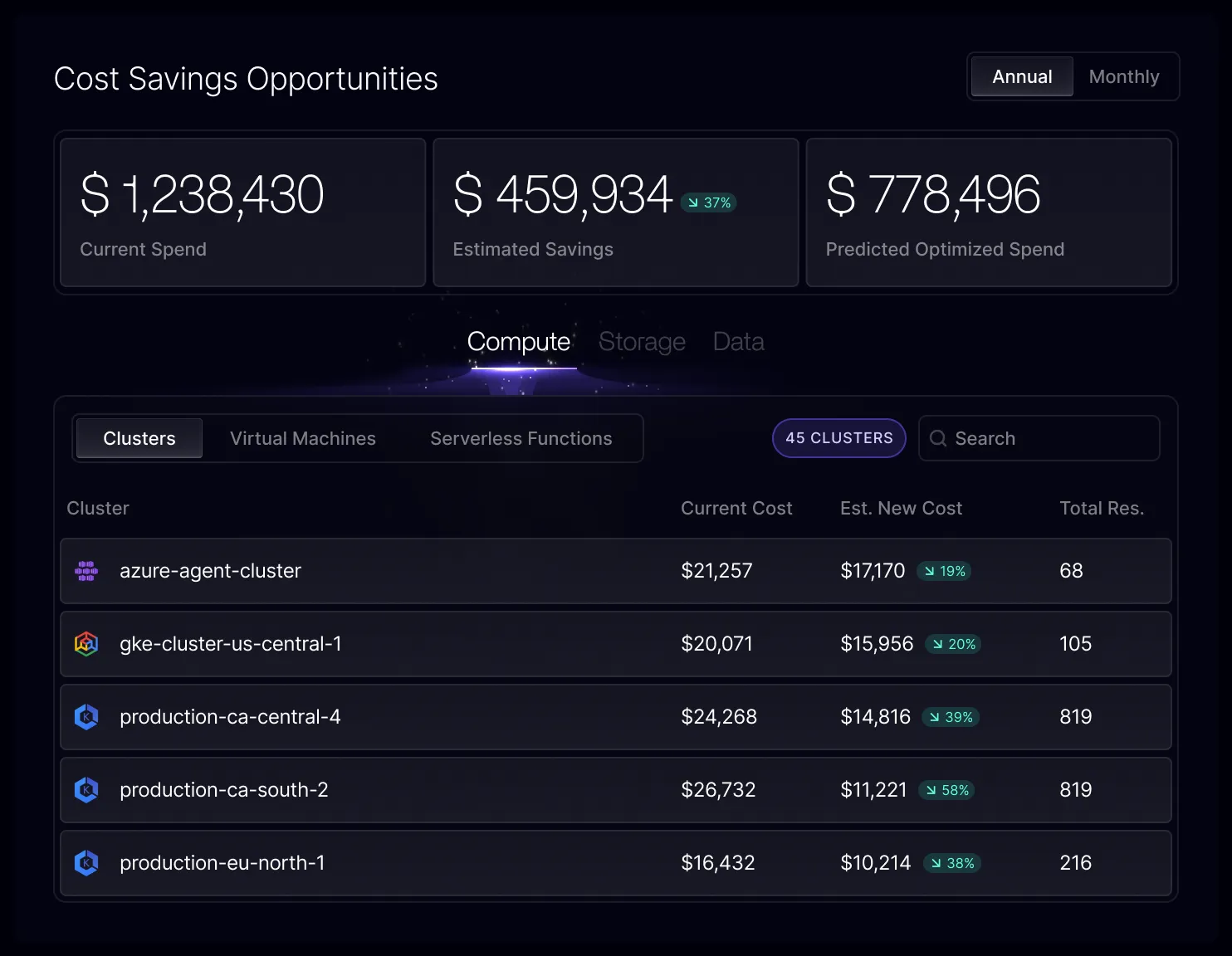
Sedai is built for safe, autonomous optimization across cloud, Kubernetes, VMs, and GPUs. Unlike tools that only advise, Sedai executes optimization actions in production, using gradual, explainable changes with continuous safety checks against reliability guardrails. It offers three autonomy modes (Datapilot, Copilot, Autopilot), FinOps observability, workload rightsizing, cluster compaction, and smart scaling policies. User-reported limitations include a learning curve for navigation and production setup requiring vendor assistance. (Source: Sedai.io/blog/cloud-cost-management-tools-compared; G2 reviews)
What are the strengths and limitations of Cast AI compared to Sedai?
Cast AI specializes in autonomous Kubernetes cluster optimization, autoscaling, bin packing, and Spot Instance lifecycle automation. Its strengths include live migration and advanced pod autoscaling. Limitations reported by users include pricing tied to cluster size, a learning curve for policy configuration, and transparency issues in decision-making. Sedai, by contrast, focuses on gradual, safe optimizations with explainable actions and continuous validation. (Source: Sedai.io/blog/cloud-cost-management-tools-compared; G2 reviews)
How does ProsperOps compare to Sedai for cloud cost optimization?
ProsperOps automates commitment discounts across AWS, Azure, and Google Cloud, focusing on rate optimization and workload optimization. Its strengths are autonomous discount management and Effective Savings Rate reporting. Limitations include scope centered on commitments and schedules, limited coverage for managed database services, and reporting customization gaps. Sedai offers broader optimization across workloads and infrastructure, including Kubernetes and AI, with explainable, safe actions. (Source: Sedai.io/blog/cloud-cost-management-tools-compared; G2 reviews)
What are the main differences between Sedai and CloudZero?
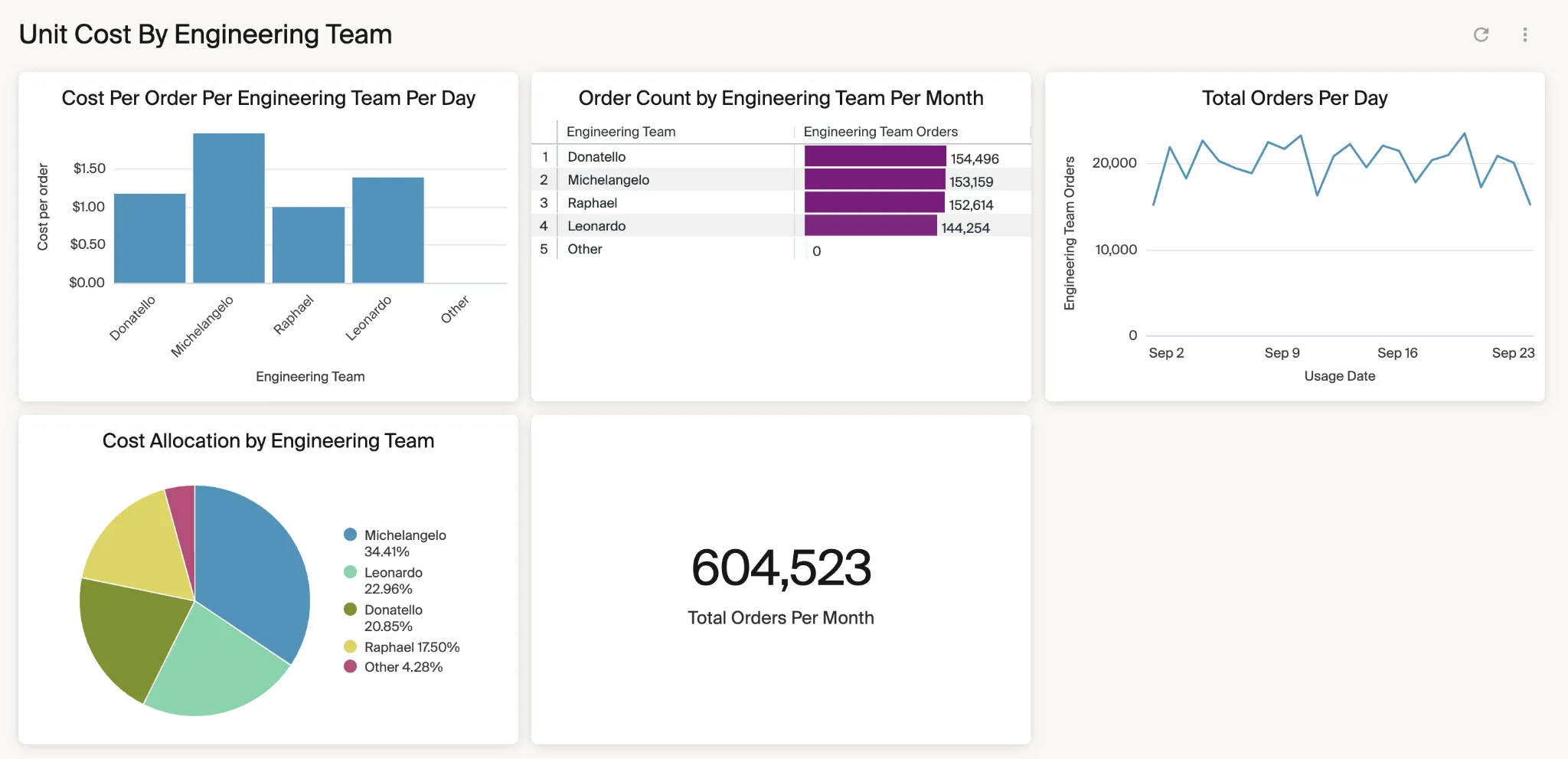
CloudZero is best for cost intelligence and unit economics, allocating spending by customer, feature, or team without requiring tagging. Its strengths are allocation flexibility and anomaly detection. Limitations include the need for custom dashboards for detailed analysis and ongoing engineering maintenance. Sedai, meanwhile, focuses on autonomous optimization actions and workload rightsizing, with explainable, safe changes and full-stack coverage. (Source: Sedai.io/blog/cloud-cost-management-tools-compared; G2 reviews)
Implementation and Usability
What are common challenges when deploying cloud cost management tools?
Common challenges include initial setup complexity, learning curves for navigation and policy configuration, report customization limitations, and integration depth with niche services. For Sedai, production deployment often requires vendor assistance, and some users report the interface takes time to learn. (Source: Sedai.io/blog/cloud-cost-management-tools-compared; G2 reviews)
KO THE CLOUD TO ENTER OUR GIVEAWAYKO THE CLOUD TO ENTER OUR GIVEAWAY
TL;DR: Cloud cost management tools track, allocate, and reduce spending across cloud providers. Sedai is best for autonomous cloud and Kubernetes optimization, CloudZero for unit economics, and IBM Cloudability for enterprise FinOps reporting.
Cloud cost management tools help organizations monitor, allocate, and optimize multi-cloud spending. They collect billing and usage data from providers such as AWS, Microsoft Azure, and Google Cloud, then map costs to services, applications, teams, projects, or business units.
These tools identify cost drivers and optimization opportunities, such as idle resources, oversized instances, unused storage, and inefficient pricing plans. They can also provide budgets, forecasts, anomaly detection, allocation rules, and automated actions. This gives engineering and finance teams the data needed to reduce waste while keeping cloud spending aligned with actual business use.
Core features to look for in cloud cost management tools:
Multi-cloud cost visibility: Consolidates billing data from AWS, Azure, Google Cloud, and other providers into a unified view for easier spend analysis.
Cost allocation, showback, and chargeback: Maps cloud costs to teams, products, projects, or business units to improve accountability and budgeting.
Kubernetes cost management: Connects cluster costs to namespaces, deployments, pods, and labels to provide workload-level cost visibility.
Budgeting and forecasting: Tracks spending against defined limits and uses historical trends to estimate future cloud costs.
Cost anomaly detection: Identifies unusual spending or usage patterns and helps teams investigate unexpected cost increases.
Rightsizing recommendations: Compares provisioned resources with actual utilization to recommend more cost-effective configurations.
Idle and underutilized resource detection: Finds unused or low-value resources such as idle VMs, unattached disks, and old snapshots.
Reserved instance and savings plan optimization: Analyzes usage to improve commitment-based discount coverage and avoid unused commitments.
Automated cloud cost optimization: Applies policy-based actions such as resizing, shutdowns, cleanup, and commitment management.
Cloud Cost Management Tools at a Glance
The table below summarizes the key differences between the tools covered in this guide, including what each one is built to do and where users report gaps. Each tool is explored in more detail in the sections that follow.
Category
Solution
Best For
Key Strengths
Things to Consider
Automated and autonomous optimization
Sedai
Executing optimization actions, not just advising
Safe autonomous optimization across cloud, Kubernetes, VMs, and GPUs
Initial setup in production often needs assistance
Automated and autonomous optimization
Cast AI
Autonomous workload automation
Autoscaling, bin packing, Spot lifecycle automation
Pricing scales with cluster size; policy tuning takes time
Automated and autonomous optimization
ProsperOps
Automating commitment discounts across three clouds
AutoStopping behavior and reporting draw mixed feedback
Why Are Cloud Cost Management Tools Important?
Cloud cost management tools help organizations understand, control, and optimize cloud spending across teams, services, and environments. They provide the visibility, forecasting, accountability, and automation needed to reduce waste and align cloud usage with business goals.
Improve cloud cost visibility: These tools consolidate billing and usage data so teams can analyze spend by account, service, application, region, environment, or owner.
Reduce wasted cloud spend: They identify idle, oversized, unattached, or misconfigured resources and recommend actions such as rightsizing, scheduling, or pricing plan optimization.
Improve budget accuracy: Historical cost and usage data helps teams forecast future spend, monitor budgets, and detect unexpected changes before overruns become significant.
Enable FinOps collaboration: Shared cost data helps engineering, finance, and business teams evaluate tradeoffs between cost, performance, reliability, and growth.
Cloud bills contain charges from many resource types, pricing models, and services. Cloud cost management tools normalize this data and help teams allocate costs to the applications, environments, and owners that generated them. They can also identify optimization opportunities specific to each resource type.
Compute Costs
Compute costs come from the processing capacity used to run applications and workloads. Charges vary based on instance type, runtime, capacity, region, and pricing model, making compute a major area for rightsizing and commitment planning.
Examples of cost items:
Virtual machines and bare-metal instances
Autoscaling groups
On-demand instances
Reserved instances and savings plans
Spot or preemptible instances
Committed-use discounts
How cost management tools can help:
Identify idle or consistently underutilized instances.
Recommend smaller instance types based on CPU and memory utilization.
Compare on-demand costs with reservation or commitment options.
Find unused reserved capacity or commitments.
Track compute spending by application, environment, team, or account.
Storage Costs
Storage costs depend on the amount of data retained, its storage class, access frequency, and associated operations. Long-lived snapshots, unattached volumes, and data stored in unnecessarily expensive tiers can increase costs over time.
Examples of cost items:
Object storage
Block and file storage
Persistent volumes
Snapshots
Backups
Archive storage
Storage read and write operations
How cost management tools can help:
Find unattached volumes, stale snapshots, and unused storage.
Identify duplicated or unnecessarily retained data.
Analyze access patterns to find candidates for lower-cost storage tiers.
Track storage growth and associated costs over time.
Allocate storage spending to applications, accounts, projects, or owners.
Database Costs
Database costs extend beyond the database instance itself. Managed database services can generate charges for compute, storage, backups, replicas, data processing, and licensing, with each component affected by workload requirements.
Examples of cost items:
Relational database instances
NoSQL databases
Data warehouses
Database storage and backups
Read and write operations
Read replicas
Database licenses
How cost management tools can help:
Detect oversized or underutilized database instances.
Identify replicas or clusters with low utilization.
Highlight excessive storage and backup retention.
Compare on-demand database capacity with commitment-based pricing.
Combine cost and performance metrics to support safer rightsizing decisions.
Networking and Data Transfer Costs
Networking costs are generated as data moves between services, regions, availability zones, and external destinations. These charges can be difficult to trace because application traffic may pass through several billable network components.
Examples of cost items:
Internet egress
Cross-region data transfer
Cross-availability-zone traffic
Load balancers
NAT and other gateways
Private networking services
How cost management tools can help:
Break down network spending by service, region, account, or workload.
Identify applications generating high egress or transfer charges.
Surface expensive cross-region and cross-zone traffic patterns.
Help teams evaluate colocating services that exchange large amounts of data.
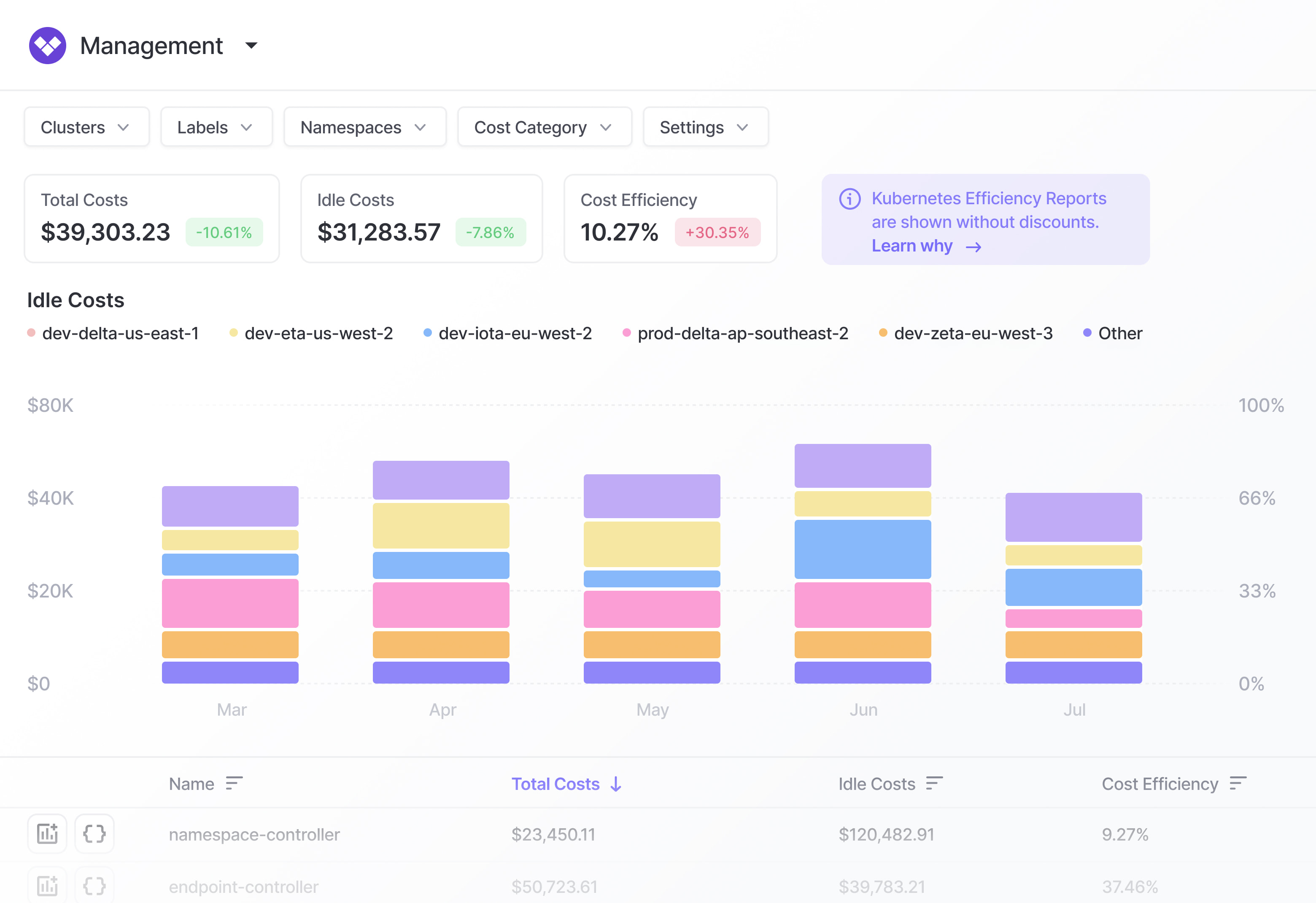
Kubernetes costs are difficult to allocate because multiple pods, workloads, and teams can share the same cluster infrastructure. Provider bills usually charge for the underlying nodes and services rather than showing the cost of each Kubernetes workload.
Examples of cost items:
Worker nodes and node pools
CPU and memory capacity
Persistent volumes
Load balancers
Cluster networking
Managed Kubernetes control planes
How cost management tools can help:
Allocate cluster costs by namespace, workload, label, application, or team.
Compare requested CPU and memory with actual utilization.
Identify idle or underutilized cluster capacity.
Find workloads with oversized resource requests.
Identify opportunities to resize nodes, node pools, or workloads.
Serverless costs are consumption-based and can grow rapidly when functions execute frequently or use more resources than necessary. Costs may also originate from services invoked by a function, making it important to examine the complete execution path.
Examples of cost items:
Function invocations
Execution duration
Allocated memory
Compute time
Data processed
API requests
Provisioned concurrency or capacity
How cost management tools can help:
Track costs by function, service, application, or environment.
Identify functions with unusually long execution times.
Detect excessive memory allocation.
Surface unexpected increases in invocation volume.
Find architectures that generate unnecessary calls between managed services.
SaaS and Platform Costs
SaaS and platform expenses include externally managed products used alongside cloud infrastructure. Pricing can depend on seats, licenses, API usage, data volume, feature tiers, or other consumption metrics, so actual spending may not reflect actual adoption.
Examples of cost items:
Per-user SaaS licenses
Software subscriptions
Platform usage fees
API calls
Data processing or storage
Premium product tiers
How cost management tools can help:
Centralize SaaS and platform spending alongside cloud costs.
Allocate expenses to departments, teams, projects, or cost centers.
Identify inactive or unused licenses.
Detect overlapping or duplicate subscriptions.
Compare purchased capacity or plans with actual consumption.
AI and GPU Infrastructure Costs
AI workloads combine expensive accelerator infrastructure with consumption-based AI services, storage, and data processing. Costs can vary substantially between training and inference workloads, while poorly utilized GPUs can continue generating charges even when little useful work is being performed.
Examples of cost items:
GPU and accelerator instances
Model training hours
Inference endpoints and requests
Tokens processed by managed AI services
Provisioned inference throughput
Vector databases
Model and dataset storage
AI data processing pipelines
How cost management tools can help:
Measure GPU utilization and identify idle accelerator capacity.
Allocate AI spending by model, workload, application, team, or project.
Track training and inference costs separately.
Monitor tokens, requests, training hours, and provisioned throughput.
Calculate unit costs such as cost per inference, request, or model.
Identify AI resources that remain provisioned when workloads are inactive.
Key Features of Cloud Cost Management Tools
Multi-Cloud Cost Visibility
Organizations using AWS, Microsoft Azure, Google Cloud, and other providers often receive billing data in different formats. Multi-cloud cost visibility brings this information into a common view, allowing teams to analyze spending without maintaining separate reporting processes for each provider.
Tools can break down costs by provider, account, subscription, region, service, application, or environment. Normalized reporting also makes it easier to compare spending trends and identify which cloud platforms or workloads are driving cost increases.
Cost Allocation, Showback, and Chargeback
Cost allocation assigns cloud spending to the teams, products, projects, or business units responsible for it. Tools typically use tags, labels, accounts, resource metadata, or custom allocation rules to map resources to owners.
Showback reports inform teams about the costs they generate without transferring those expenses internally. Chargeback goes further by assigning the costs to departmental or project budgets. Both approaches improve accountability and make shared infrastructure costs easier to distribute.
Kubernetes Cost Management
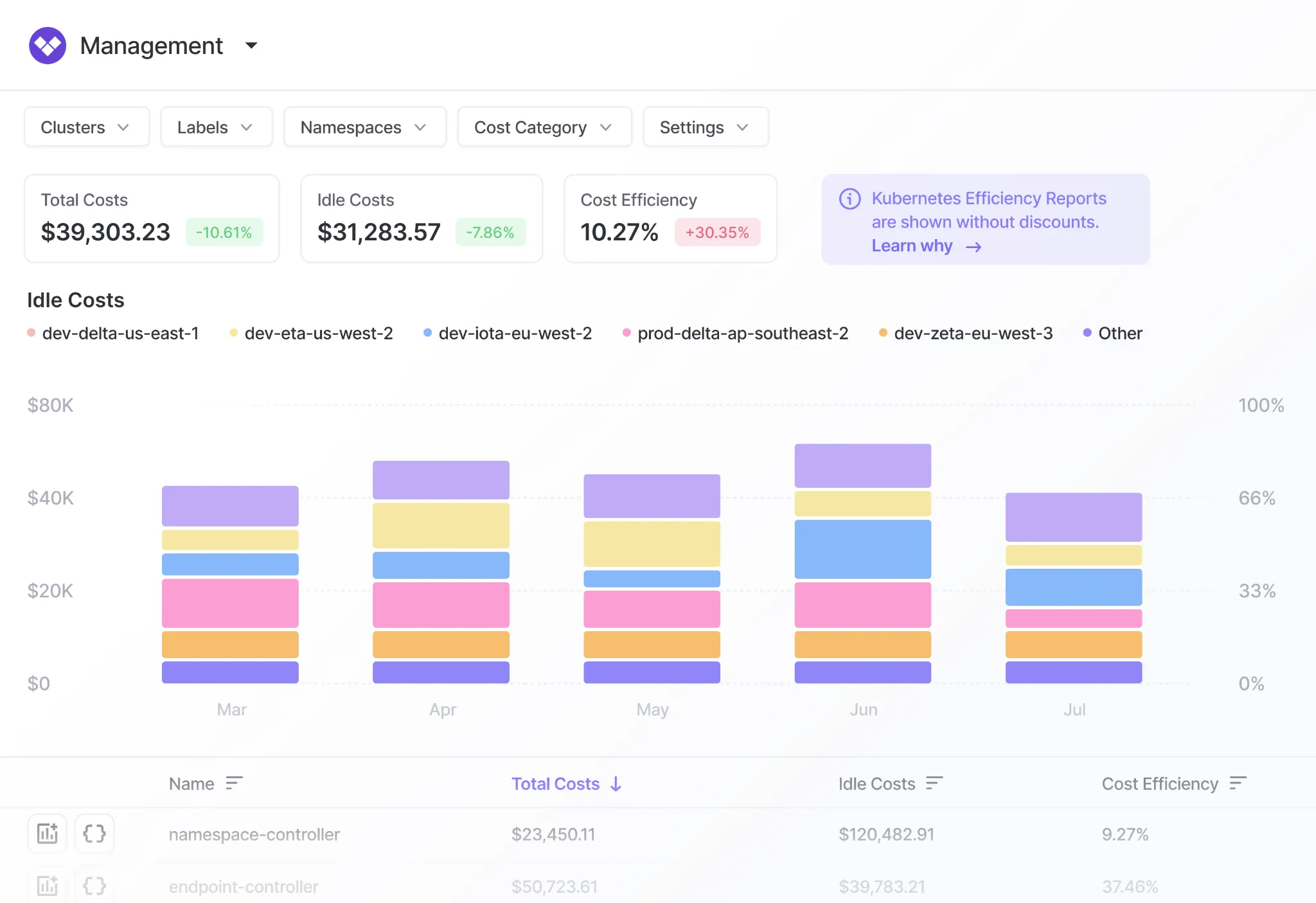
Kubernetes cost management connects cluster infrastructure costs with Kubernetes objects such as namespaces, deployments, pods, and labels. This provides workload-level visibility that is not available from the cloud provider's node-level billing data alone.
These tools can compare CPU and memory requests with actual utilization, allocate shared cluster costs, and identify idle capacity. This helps teams tune resource requests, improve node utilization, and understand the infrastructure cost of individual applications.
Budgeting features let organizations define spending limits for accounts, teams, projects, or services and track actual costs against those limits. Alerts can notify owners when spending reaches specified thresholds or is projected to exceed a budget.
Forecasting uses historical spending and usage patterns to estimate future costs. More advanced tools can account for trends, seasonality, planned growth, and committed-use purchases, giving finance and engineering teams better data for capacity and financial planning.
Cost Anomaly Detection
Cost anomaly detection identifies unusual changes in cloud spending or usage. Instead of relying only on fixed budget thresholds, these systems can compare current spending with historical patterns and flag unexpected increases.
Tools can often narrow an anomaly down to a service, account, region, tag, or resource. This helps teams investigate causes such as configuration errors, traffic spikes, runaway workloads, or newly provisioned resources before they produce a large bill.
Rightsizing Recommendations
Rightsizing recommendations compare provisioned resources with their actual utilization. For example, a tool may detect a virtual machine that consistently uses only a small portion of its allocated CPU and memory and recommend a smaller instance type.
Effective rightsizing considers historical utilization, peak demand, and performance requirements rather than average usage alone. Recommendations may cover virtual machines, databases, Kubernetes workloads, storage, and other configurable cloud resources.
Idle and Underutilized Resource Detection
Cloud environments often accumulate resources that are no longer needed or provide little useful work. Examples include idle virtual machines, unattached disks, unused load balancers, old snapshots, and development resources left running outside working hours.
Cost management tools detect these resources by combining billing information with utilization and activity metrics. They can estimate potential savings and identify resource owners, making it easier to prioritize cleanup without manually inspecting the entire environment.
Reserved Instance and Savings Plan Optimization
Cloud providers offer discounts in exchange for committing to a certain level or type of usage. Cost management tools analyze historical and expected consumption to determine how much usage could be covered by reserved instances, savings plans, or similar commitment-based pricing.
They can also track utilization and coverage after commitments are purchased. This helps organizations avoid both insufficient coverage, which leaves predictable workloads on expensive on-demand pricing, and excessive commitments that remain unused.
Automated Cloud Cost Optimization
Automated optimization turns cost recommendations into actions based on predefined policies. Depending on the tool, automation can resize resources, shut down idle development environments, remove unused resources, adjust Kubernetes capacity, or manage purchasing commitments.
Policies can include approval workflows, schedules, utilization thresholds, and exceptions for critical workloads. This allows organizations to automate repetitive savings actions while maintaining controls that protect application performance, availability, and operational requirements.
Book a demo to speak with a technical expert. 30 minutes and no commitment.
Notable Cloud Cost Management Tools
Cloud cost management tools can be divided into the following categories:
Automated and autonomous cloud cost optimization platforms: Tools that reduce cloud spend by taking optimization actions automatically, such as rightsizing, scaling, commitment management, cluster compaction, and scheduling.
Multi-cloud cost visibility and FinOps platforms: Platforms that centralize cloud, SaaS, AI, and Kubernetes spend, then support allocation, forecasting, budgeting, anomaly detection, chargeback, and FinOps reporting.
Kubernetes and engineering platform cost tools: Tools focused on Kubernetes or engineering workflows that connect cost data to workloads, clusters, services, and delivery processes for allocation and optimization.
How we selected these tools: We shortlisted cloud cost management tools based on multi-cloud cost visibility and allocation, Kubernetes and AI cost coverage, anomaly detection and forecasting, commitment and rightsizing optimization, and the ability to automate savings actions.
Automated and Autonomous Cloud Cost Optimization Platforms
1. Sedai
Best for: Executing cloud optimization actions rather than only advising
Strengths: Safe autonomous optimization across cloud, Kubernetes, VMs, and GPUs
Things to consider: Production deployment often needs initial assistance
Sedai is an autonomous optimization platform that reduces cloud and AI spending by acting on how applications behave in production. It combines FinOps observability and cost attribution with continuous workload rightsizing, cluster compaction, and purchase optimization.
The platform works across AWS, Azure, Google Cloud, IBM Cloud, and Oracle Cloud, as well as self-managed Kubernetes, OpenShift, Rancher, VMware Tanzu, and Platform9. Teams set SLOs and guardrails, then choose how much autonomy to grant. Every change is explainable and reversible.
Key features include:
Autonomous Optimization Engine: Learns traffic patterns, dependencies, and golden signals for each application, then makes gradual configuration changes while running continuous safety checks against reliability guardrails.
Three autonomy modes: Datapilot surfaces cost and performance insights and explains what it would do without changing anything, Copilot applies recommended actions on one-click approval, and Autopilot acts within defined policies.
FinOps observability and cost attribution: Shows what is being spent, which teams are spending it, and why costs spike, and uses that visibility as the input for the optimization actions that follow.
Continuous workload rightsizing: Adjusts CPU and memory requests and limits based on real utilization and latency, including in-place pod resizing where supported, and verifies changes against SLOs and error budgets.
Cluster compaction and node optimization: Improves bin packing while honoring affinities, taints, and pod disruption budgets, then removes idle or underused nodes and resizes node groups and instance mixes.
Smart scaling policies: Tunes HPA and VPA targets, minimums and maximums, step sizes, and cooldowns, schedules policies by time of day and seasonality, adjusts around releases, and rolls back automatically if SLOs drift.
Full-stack and IaC coverage: Optimizes Kubernetes, VMs, serverless, storage, databases, data platforms, GPUs, AI agents, and tokens, and updates infrastructure as code so savings persist without drift.
Initial navigation: Some reviewers noted the interface takes time to learn before it feels straightforward to move around.
Production setup: One reviewer said deploying in a production environment was not simple and required vendor help during onboarding.
Market presence: A reviewer described the product as relatively new to the category.
2. Cast AI
Best for: AutonomousAutomating Kubernetes cluster and workload scaling decisions
Strengths: Autoscaling, bin packing, and Spot Instance lifecycle handling
Things to consider: Pricing scales with cluster size and policies take tuning
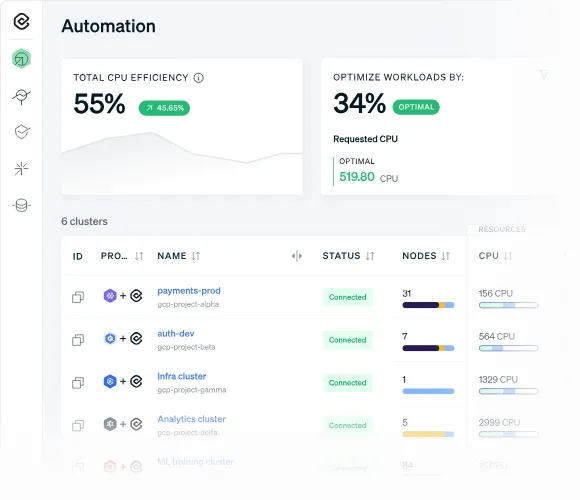
Cast AI automates Kubernetes cluster optimization across AWS, GCP, Azure, and Oracle Cloud. It monitors organization-wide and cluster-level resource spending, then automates resource allocation and scaling.
Setup runs a single script that deploys a lightweight read-only agent to analyze the cluster. Teams then set policies and allow the platform to optimize automatically, with automation applied on an ongoing basis rather than as periodic reviews.
Key features include:
Cluster autoscaler: Automatically provisions the most cost-efficient compute resources and scales them up and down against real-time requirements, using bin packing and pod placement scheduling to raise utilization.
Spot Instance automation: Manages the full Spot lifecycle, including interruption events, Spot diversity, and fallback to on-demand nodes, and temporarily shifts workloads to on-demand capacity during a Spot drought.
Container live migration: Moves running workloads between nodes with minimal disruption for stateful applications and long-running jobs, which allows bin packing of workloads that were previously not movable.
Commitments utilization: Applies commitments across all clusters or prioritizes specific ones, and balances commitment coverage against Spot Instance usage.
Rebalancer and pod mutations: Brings a cluster to its optimal state on a schedule or on demand, and modifies pod specifications dynamically so scheduling and resource utilization stay efficient.
Advanced pod autoscaling and memory handling: Scales workloads vertically and horizontally at the same time, and provisions additional resources immediately when a pod runs out of memory.
Pricing model: Reviewers report that charges tied to cluster size or savings make the bill harder to forecast, and costly for small or static clusters.
Learning curve: Configuring advanced optimization policies, guardrails, and constraints takes time, particularly for teams newer to Kubernetes.
Decision transparency: Several users said it is not always clear why a specific node was selected or a pod evicted, which complicates audits and incident reviews.
Scaling behavior: Some reviewers described aggressive scaling causing pod scheduling latency during sudden traffic spikes, needing manual review afterwards.
Documentation: Users mentioned gaps in onboarding documentation, including IAM permission details and troubleshooting guidance.
Best for: Automating commitment discounts across AWS, Azure, and Google Cloud
Strengths: Autonomous Discount Management with Effective Savings Rate reporting
Things to consider: Scope centers on commitments and resource schedules
ProsperOps is a FinOps automation platform that combines rate optimization and workload optimization. It collects usage and cost data from cloud billing accounts, calculates an optimal coverage point, and executes adjustments to the discount portfolio automatically.
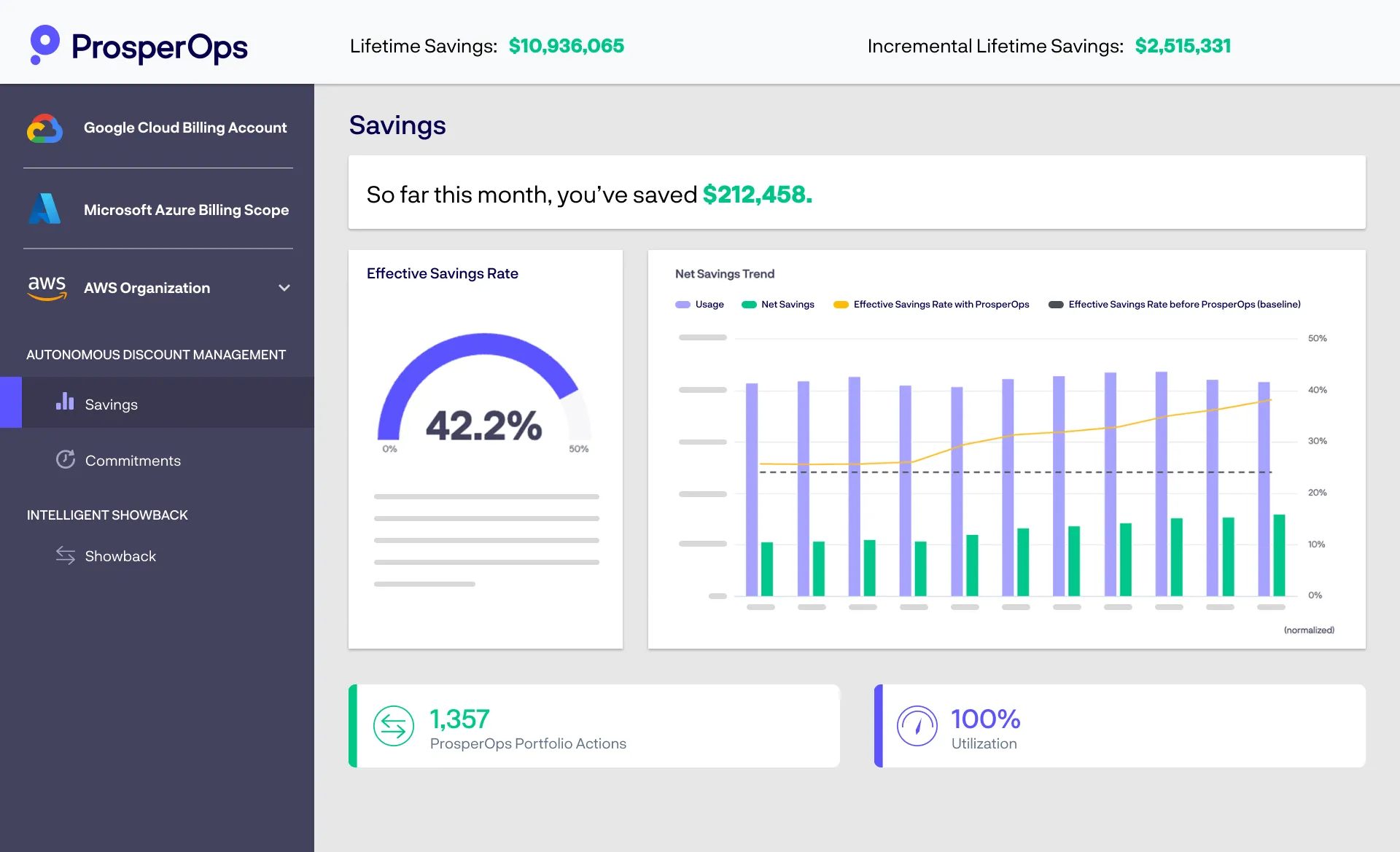
The platform reports outcomes using FinOps metrics including Effective Savings Rate, Commitment Lock-In Risk, and Effective Avoidance Rate, so teams can quantify results and compare performance over time.
Key features include:
Autonomous Discount Management: Continuously manages a portfolio of commitments that adapts to usage changes, aiming to raise Effective Savings Rate while limiting long-term lock-in risk across AWS, Azure, and Google Cloud.
ProsperOps Scheduler: Manages resource schedules so unused resources are not left running, and synchronizes those schedules with commitment coverage so the two optimization types do not work against each other.
Continuous execution: Runs a high-frequency series of adjustments to discount instruments around the clock, taking many actions per month rather than operating on a monthly purchase cycle.
Intelligent Showback: Reallocates commitment costs and savings automatically across accounts and teams, which supports month-end close and internal cost reporting.
Metrics and reporting: Provides Net Savings Trend graphs, utilization and coverage views, commitment lock-in risk tracking, benchmarking against peers, and data export for internal reporting.
Access model: Uses least-privileged access to manage commitments and workloads, with configuration and deployment completed in a few hours.
Best for: AWS-centric teams automating commitments and cost visibility
Strengths: Hourly commitment rebalancing plus Kubernetes and AI cost views
Things to consider: Coverage and reporting depth vary by cloud and tier
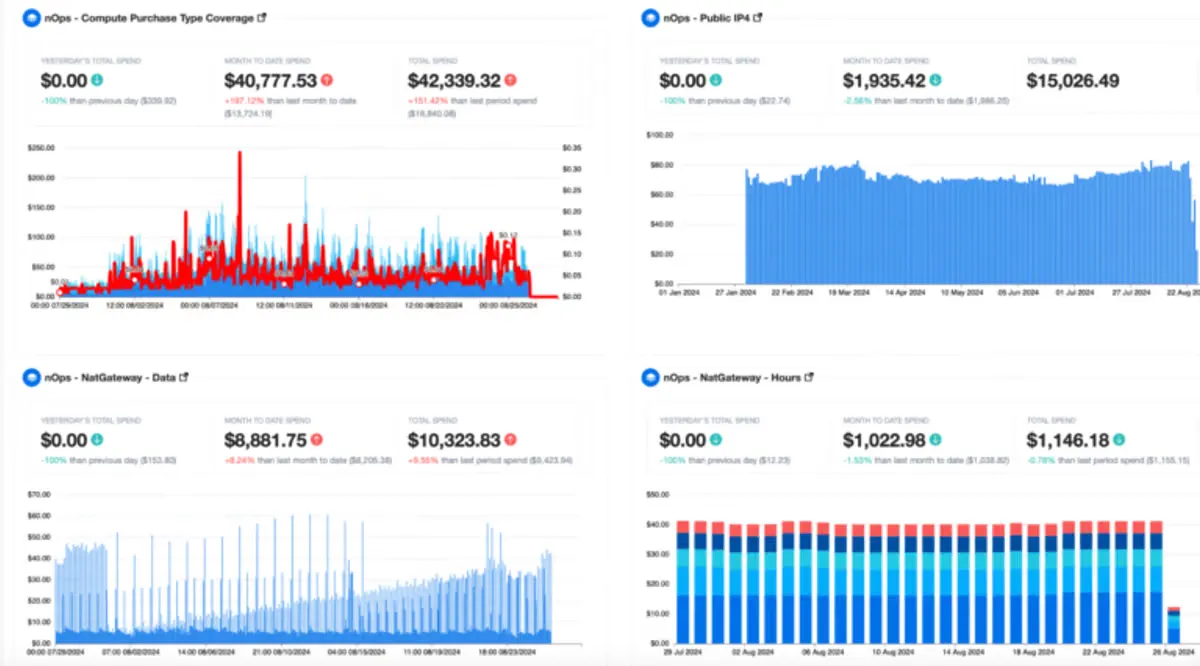
nOps is an automated cost optimization platform covering AWS, Azure, and Google Cloud. It manages commitment portfolios on the customer's behalf and reports savings through Effective Savings Rate, coverage, and commitment lock-in risk metrics.
Accounts connect in under five minutes using read-only access with no agents or infrastructure changes. The platform then maps usage patterns, identifies commitment levels, and purchases and manages a mix of Reserved Instances, Savings Plans, and committed use discounts.
Key features include:
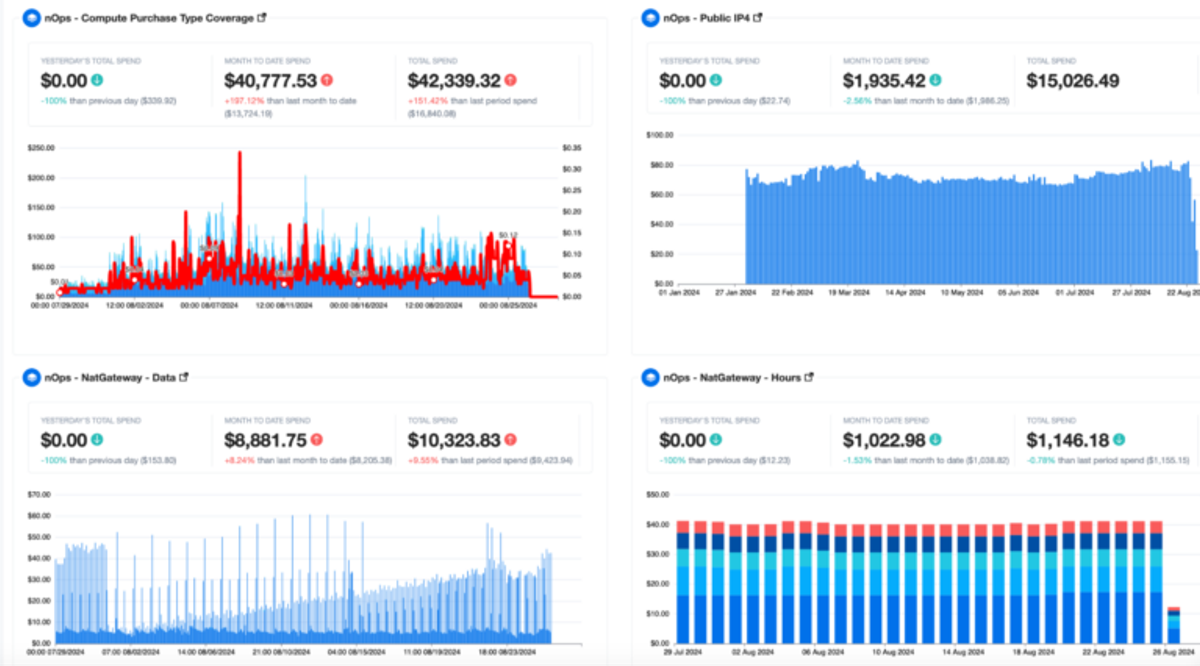
Commitment management: Applies discounts against on-demand pricing for multicloud, Kubernetes, and AI workloads, using a continuous rebalancing engine that adapts hourly to changes in usage.
AI cost visibility and allocation: Allocates hourly AI spend to the model, account, team, customer, and feature that drove it, covering Bedrock, Cursor, Claude, and OpenAI among others.
AI optimization recommendations: Surfaces suggestions for token efficiency, model choice, and cache tuning, aimed at reducing the cost of running AI workloads rather than only reporting on them.
Unified cost visibility: Brings multicloud, Kubernetes, SaaS, and AI costs into one view with reporting, dashboards, cost allocation, forecasting, anomaly detection, and unit economics.
FinOps AI agent: Answers cost questions and handles cost-related tasks inside the platform, with integrations that include Cursor and Claude.
Reporting and tracking: Tracks Effective Savings Rate, commitment lock-in risk, coverage, and realized savings in real time for reporting to finance and engineering stakeholders.
Dashboard usability: Reviewers described earlier dashboard versions as difficult to navigate and noted that the volume of filters can be confusing.
Reporting tiers: Some users said more advanced reporting sits behind an additional service, leaving base reporting limited.
Documentation: Reviewers cited unclear pages, missing step-by-step tutorials, and limited API reference documentation.
Data freshness and scope: One reviewer noted cost data trails AWS by roughly a day because it depends on the billing report, and asked for equivalent depth on other providers.
Automation oversight: A reviewer reported occasional mis-sized instances and heavy-handed automation that required vendor follow-up.
Best for: Engineering teams measuring cost per customer, feature, or team
Strengths: Allocation without tagging plus unit cost and anomaly detection
Things to consider: Detailed analysis often means building extra dashboards
CloudZero is a cost intelligence platform that ingests cloud, PaaS, and SaaS spending and organizes it by the dimensions a business cares about. It connects to AWS, GCP, Azure, Snowflake, Kubernetes, Databricks, Anthropic, and other sources.
Rather than requiring a tagging program first, the platform allocates spending using its own model and then exposes that data to engineers so cost information arrives alongside the decisions that create it.
Key features include:
CostFormation allocation: Allocates 100% of spending within hours regardless of tagging quality, using dimensions defined by the customer rather than only the provider's own billing categories.
Unit cost metrics: Converts spending data into business-relevant metrics such as cost per customer and cost per feature, which supports pricing, packaging, and margin analysis.
Anomaly detection: Defines normal spending automatically using machine learning and alerts the relevant owners when it deviates, without requiring manual threshold tuning.
Kubernetes cost allocation: Allocates all Kubernetes costs at hourly granularity and presents them alongside the rest of cloud spending rather than in a separate container view.
Explorer and Analytics: Lets any stakeholder explore spending in views relevant to them and reconfigure those views quickly, with Analytics available for deeper querying.
Budgets, forecasting, and AI Hub: Supports budgeting and forecasting based on unit cost metrics, with a dedicated hub for tracking AI platform spending through connectors including Anthropic, OpenAI, and Cursor.
FinOps Account Manager: Assigns a named contact to each customer to review spending patterns and implement practices inside the platform.
Metric depth in Explorer: Reviewers said detailed usage metrics are not available directly in the standard Explorer view and require building a separate Analytics dashboard each time.
Reporting and customization: Users reported gaps in custom usage reports for specific services, and limited sorting and filtering options for budgets.
Forecasting: Forecasting was described as still developing and an area where accuracy could improve.
Setup effort: Reviewers noted that configuration leans on engineering skills, which adds ongoing maintenance for teams without that capacity.
Alert handling: Managing notifications and dismissals, and the level of detail carried in alerts, were raised as areas for improvement.
Best for: Allocating cloud, SaaS, and AI costs in a single system of record
Strengths: Virtual tagging, Savings Plan automation, Kubernetes agent
Things to consider: Some niche integrations return less granular detail
Vantage is a cost management platform that acts as a system of record for cloud, SaaS, and AI spending. It supports AWS, Azure, Google Cloud, Cloudflare, Kubernetes, Snowflake, MongoDB, Databricks, Datadog, OpenAI, Anthropic, and other providers through a library of 35 integrations.
The platform pairs reporting with direct optimization features, including commitment purchasing and waste detection, and pushes cost information into Slack, Jira, and Microsoft Teams.
Key features include:
Cost Reports and Canvas: Builds filtered cost views across providers and arranges them into shared boards, so teams can analyze spending patterns without maintaining separate reporting per provider.
Virtual Tagging: Applies tagging rules on top of existing billing data, which allows allocation to teams, products, or environments without relabeling resources at the source.
Autopilot for AWS Savings Plans: Automates the purchase of Savings Plans, alongside cost recommendations and cross-provider recommendations for identifying savings.
Kubernetes agent: Gathers granular metrics to break down compute by namespace and label, identifies pod waste and cluster idle costs, and generates automated rightsizing recommendations.
Unit costs and token allocation: Tracks unit economics and allocates LLM token spending, with support for new AI providers as organizations adopt them.
Anomaly detection and budgets: Provides anomaly detection, budget alerts, custom cost alerts, and financial commitment reports, delivered through Slack, Jira, Microsoft Teams, or email.
Programmatic access: Offers a Terraform provider for managing every resource as code, data exports, asset inventory, network cost visibility, and hosted or local MCP server support.
Best for: Enterprises consolidating multi-cloud, Kubernetes, SaaS, and AI bills
Strengths: Unified data layer with AI-powered virtual tagging and shared costs
Things to consider: Cloud-hosted only, with relatively basic recommendations
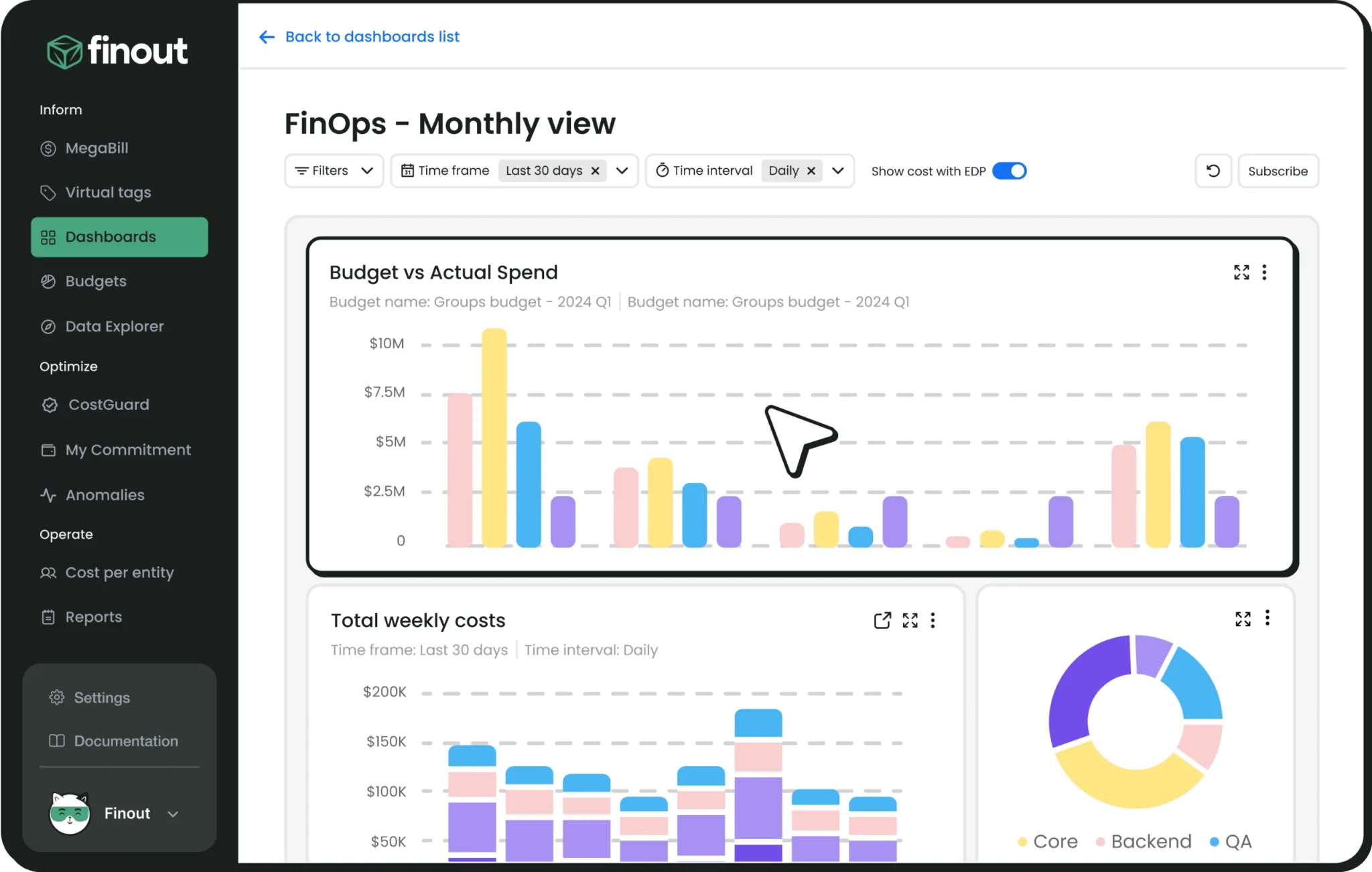
Finout is an enterprise FinOps platform that unifies charges from multi-cloud environments, Kubernetes, AI services, and SaaS products into a single view. It runs without agents or code changes and connects to AWS, GCP, Azure, OCI, Kubernetes, Snowflake, Databricks, Datadog, GitHub, OpenAI, Anthropic, and others.
Its allocation model is designed to work without a source-level tagging program, assigning costs to owners through a tagging layer applied after billing data is ingested.
Key features include:
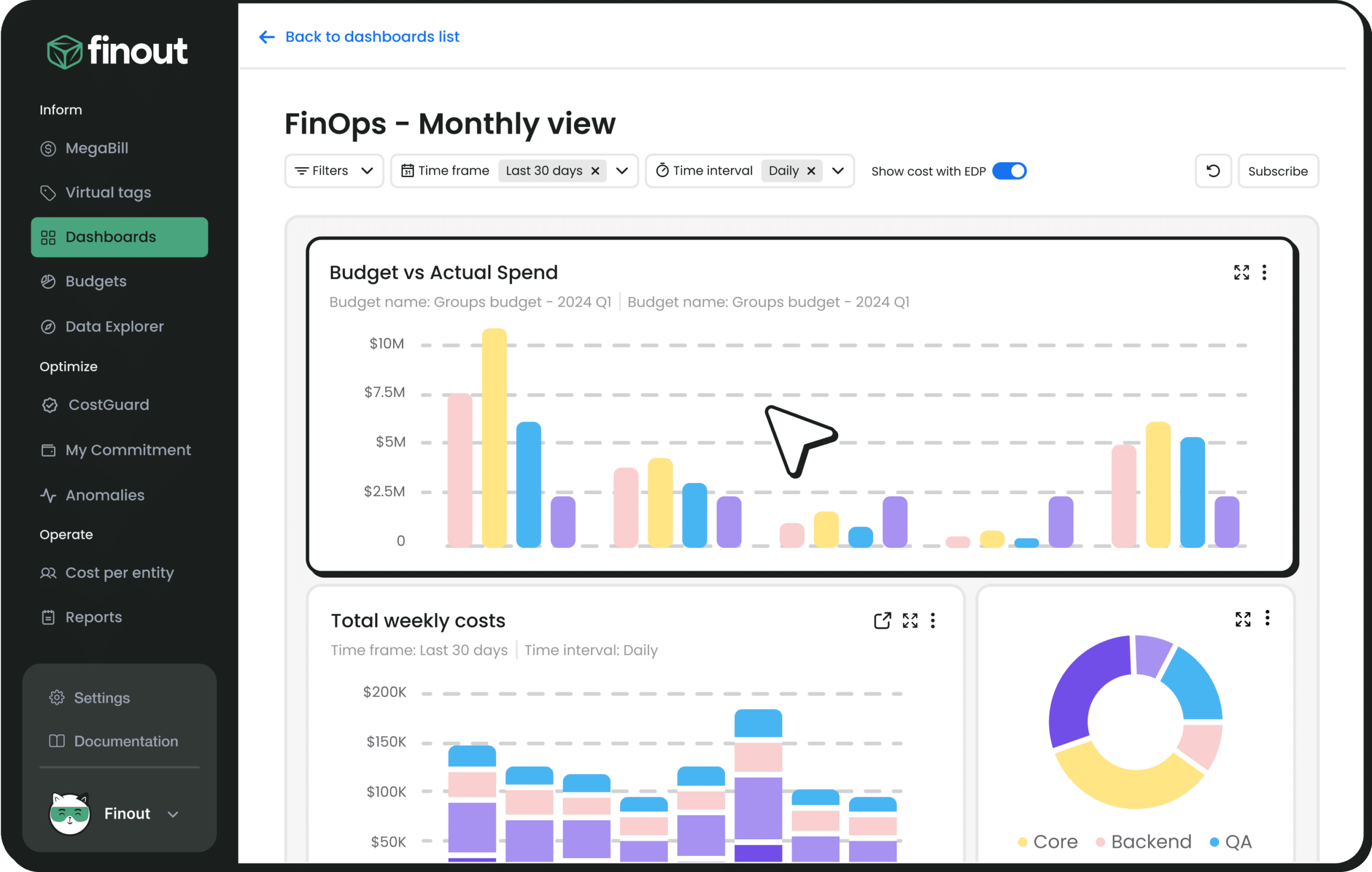
Unified data layer: Consolidates every charge from cloud providers, Kubernetes, AI services, and SaaS into one FinOps-ready view, which removes the need to reconcile separate provider reports.
AI-powered Virtual Tags: Allocates spending by team, environment, or region without relabeling the underlying resources, and keeps allocation consistent as environments change.
Shared Cost: Splits shared resource costs according to actual consumption data, so multi-tenant and shared infrastructure can be attributed rather than left unallocated.
CostGuard and anomaly detection: Detects waste and identifies anomalies, with alerting connected to the tools teams already use.
Financial plans and forecasting: Supports planning and forecasting on top of the virtual tagging layer, reducing manual reconciliation when environments change between planning cycles.
Workflow integrations: Pushes cost context, alerts, and action items into Jira, ServiceNow, Microsoft Teams, and Slack, with dashboards for tracking progress.
Enterprise controls: Provides role-based access control, SSO and SAML support, SOC 2 Type II compliance, ISO 27001, and GDPR alignment.
Deployment model: A reviewer noted the platform cannot be deployed on an on-premise server, which rules it out for some environments.
Recommendations: Users described the cost recommendation engine as basic compared with other offerings in the market.
Interface complexity: Reviewers said the platform can be overwhelming for engineers who use it occasionally, and that locating the right metrics and filters takes practice.
Access controls and sessions: Users asked for finer-grained role-based access policies and reported frequent session timeouts without warning.
Performance: Some reports were described as slow to load when handling very large datasets.
Best for: Large enterprises running FinOps across cloud, AI, and SaaS
Strengths: Business mapping, chargeback, forecasting, and rightsizing
Things to consider: Report customization and container detail draw criticism
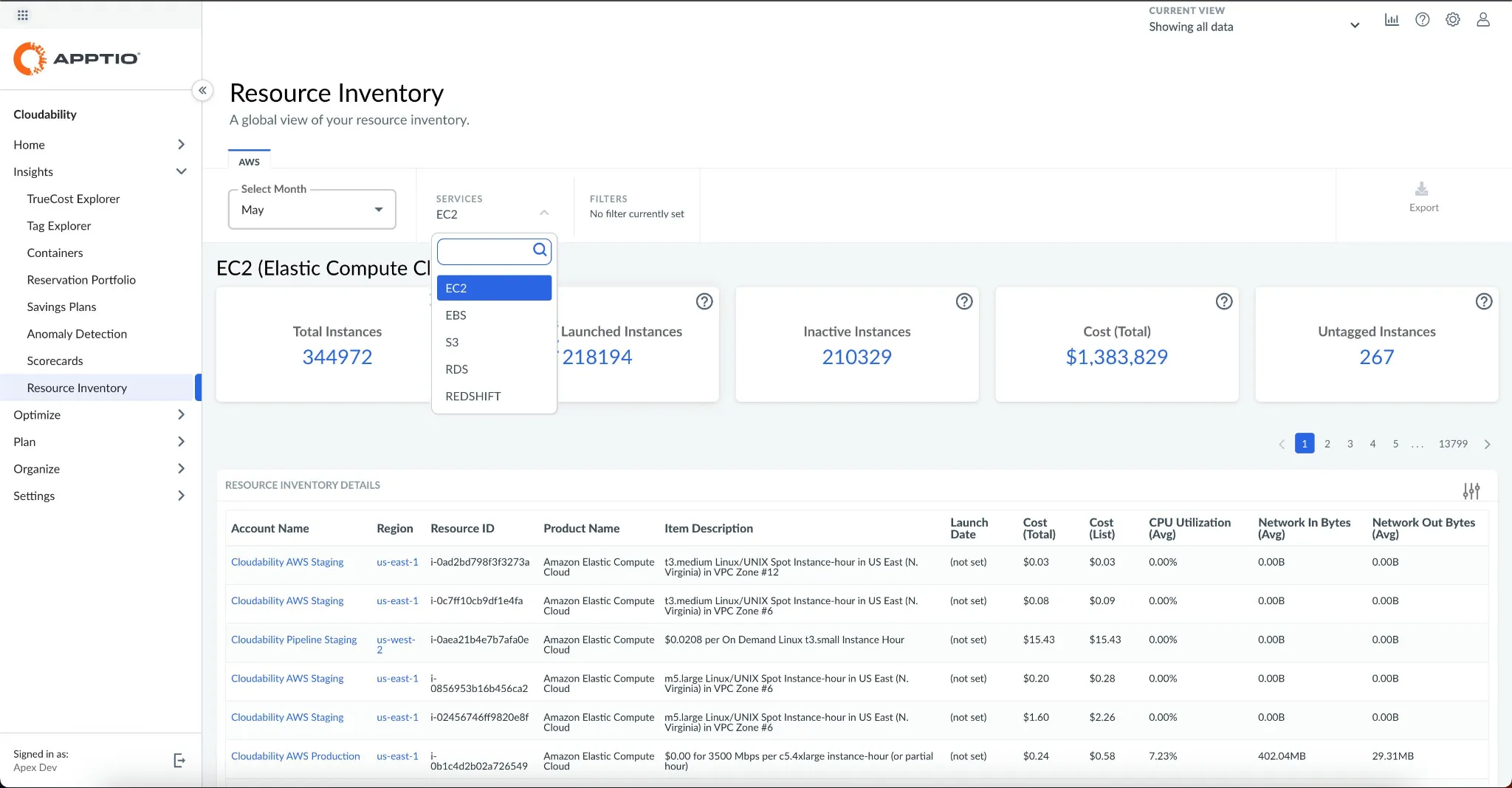
IBM Cloudability is an enterprise FinOps platform that provides unified visibility across technology spending and connects costs to ownership. It covers multi-cloud, AI, and SaaS costs in one place and supports allocation, budgeting, forecasting, and optimization workflows.
The product is sold in Essentials, Standard, and Premium packages, with capabilities layered as a FinOps practice matures. It is used by finance, engineering, product, leadership, and procurement teams working from the same dataset.
Key features include:
Business Mapping and Cost Sharing: Allocates direct and shared cloud and AI costs using purpose-built mapping tools, supporting full chargeback without spreadsheet reconciliation.
Container cost allocation: Provides Kubernetes cost allocation alongside automated pod placement, cluster scaling, and container sizing.
True Cost Explorer, dashboards, and Views: Offers resource-level analytics with organization-wide dashboards and personalized views per team, application, or product.
Budgets, forecasts, and planning: Combines bottom-up forecasting with top-down budgeting, plus cloud financial planning and workload planning for estimating future deployments.
Anomaly detection and governance: Alerts on budget breaches and spending anomalies, with scorecards for benchmarking teams against each other and against peers.
Rightsizing and automation: Surfaces rightsizing recommendations with utilization and performance context, prioritizes high-impact opportunities through policies that create ITSM tickets, and automates routine actions such as terminating orphaned resources.
Commitment and AI tracking: Provides commitment-based discount recommendations with coverage and utilization tracking, and breaks AI usage down by model, token type, and direction.
Report customization: Reviewers described reporting as lacking customization and dynamism, which limits tailoring reports to specific scenarios.
Container reporting: Users said reporting on containers, particularly on AWS, needs better usage and savings information.
Cross-dataset analysis: One reviewer noted that reporting across disjointed datasets is only possible in Apptio BI, which they found slow and limited in presentation.
Integrations and ingestion: Reviewers asked for better integration with adjacent tools and broader ingestion of external datasets.
Setup effort: Initial setup was described as cumbersome for teams without the right technical resources, and pricing was cited as a barrier for some organizations.
Best for: Enterprises tying cloud cost to licensing, SaaS, and IT assets
Strengths: Unified rate and workload optimization on one data foundation
Things to consider: Complex setup and reporting that leans on technical skill
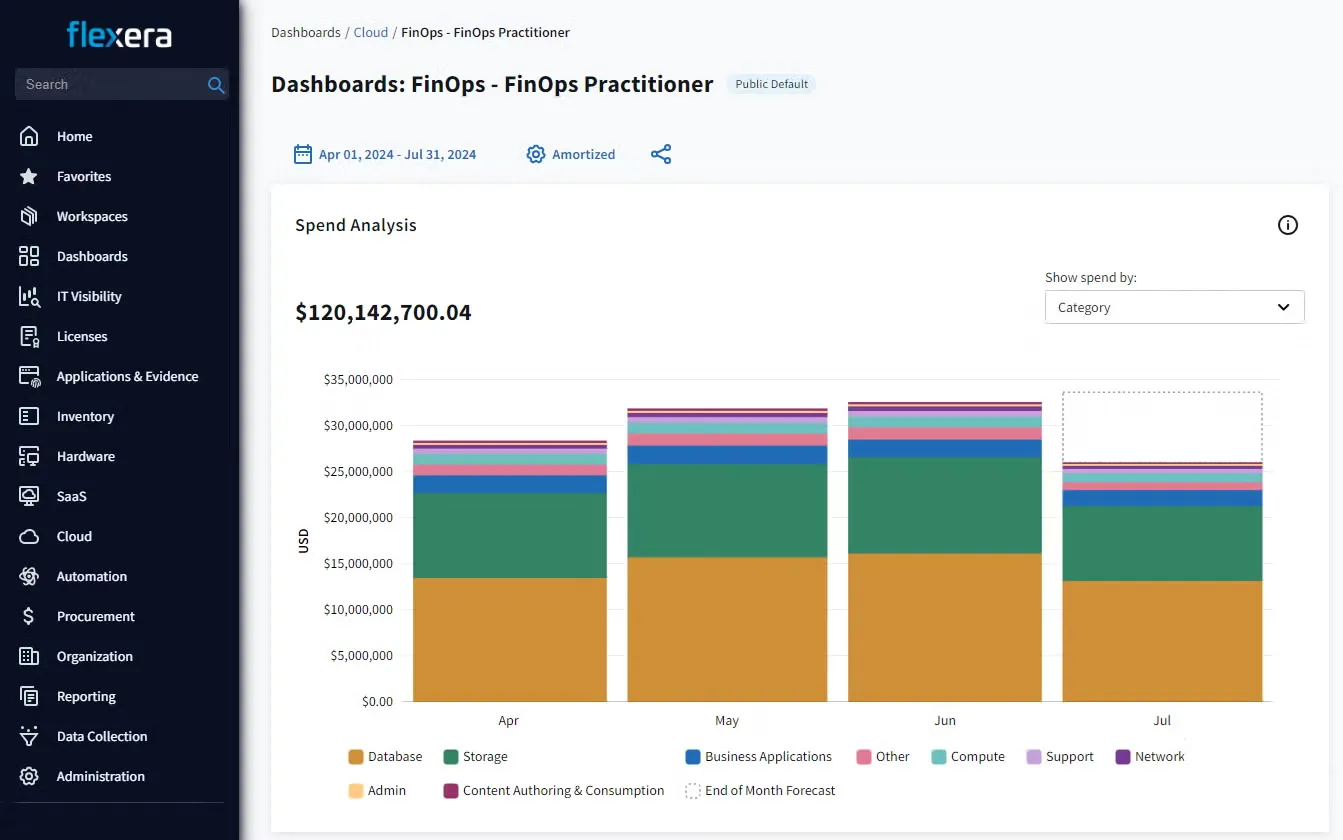
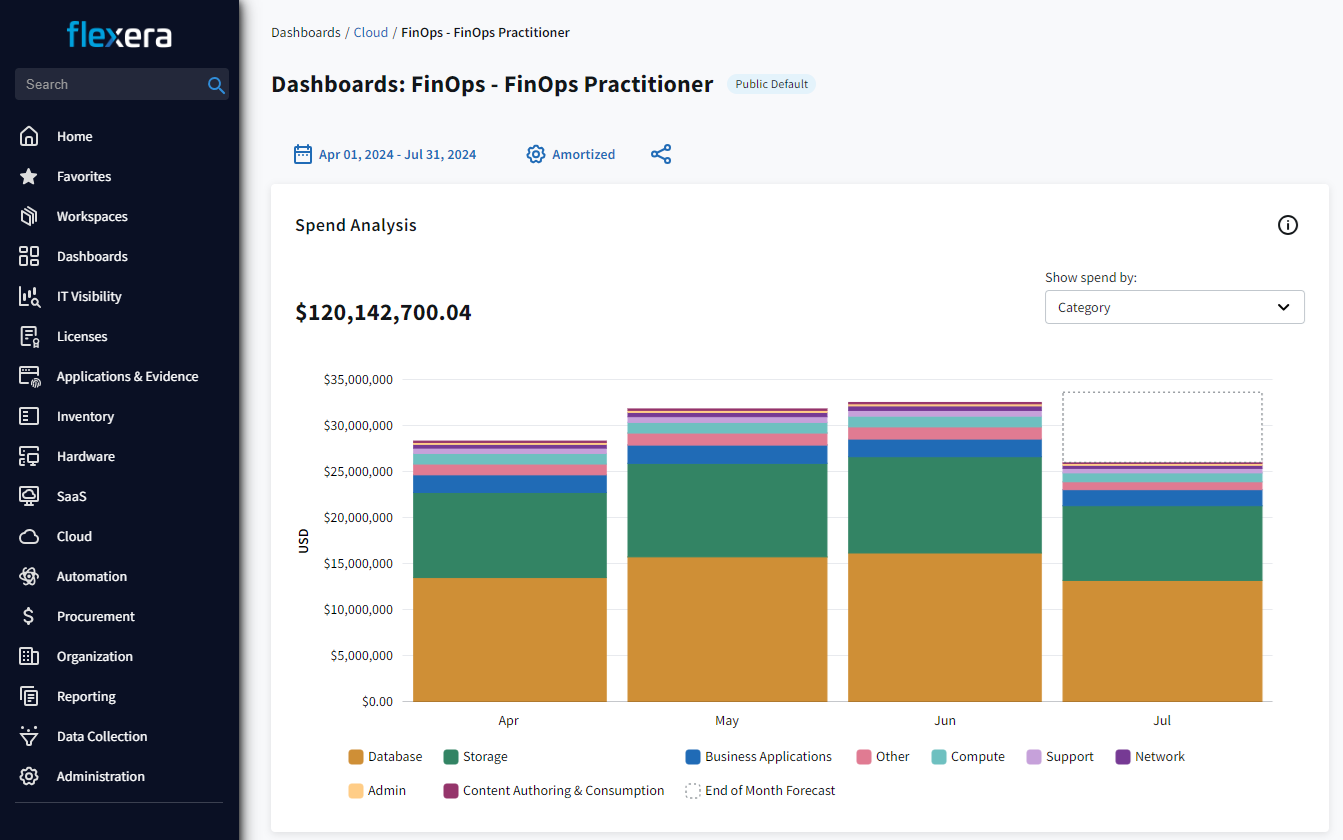
Flexera One FinOps is a portfolio within the wider Flexera One platform, which spans cloud, SaaS, and on-premises IT. It normalizes cost and usage data from different sources and maps it to business structures so teams can identify cost and value drivers.
The portfolio covers all clouds, AI costs, containers, Kubernetes, and data platforms including Databricks and Snowflake, and shares a data foundation with Flexera's IT asset management and SaaS management products.
Key features include:
Cost and usage visibility: Normalizes billing data across providers, allocates shared costs, and supports forecasting, budgeting, reporting, and anomaly management with AI assistance.
Cloud Cost Optimization: Acts as the foundation of the portfolio, providing multi-cloud and multi-tenant visibility for forecasting and controlling spending.
Rate Optimization: Handles autonomous discount management of Reserved Instances, Savings Plans, and committed use discounts through ProsperOps, which sits inside the Flexera portfolio.
Workload Optimization: Provides autonomous rightsizing, autoscaling, and spot management for VMs and Kubernetes, coordinated with commitment decisions rather than run separately.
Data Cloud Optimization: Adds visibility and rightsizing for Databricks and Snowflake spending, which falls outside standard infrastructure billing views.
Automation spectrum: Supports human-in-the-loop approval through to fully autonomous optimization, so teams can decide how much control to delegate.
Governance and adjacent scopes: Adds unit economics and total cost of ownership reporting, plus cloud license management, sustainability reporting, and migration cost modeling.
Implementation effort: Reviewers repeatedly described initial setup and configuration as complex and slower than expected, sometimes requiring vendor assistance.
Learning curve: The breadth of features was cited as making onboarding difficult, with some dashboards and interfaces described as less intuitive.
Report customization: Users noted that customizing reports requires technical knowledge or Power BI expertise.
Data quality dependency: Reviewers said insights rely heavily on accurate tagging to be useful.
Performance and support: Slower performance on very large datasets, timeouts, and longer than expected support response times were mentioned by multiple reviewers.
Best for: Teams that need in-cluster Kubernetes cost allocation
Strengths: Free install, real-time allocation, and cloud bill reconciliation
Things to consider: Kubernetes scope only, with a capped free tier
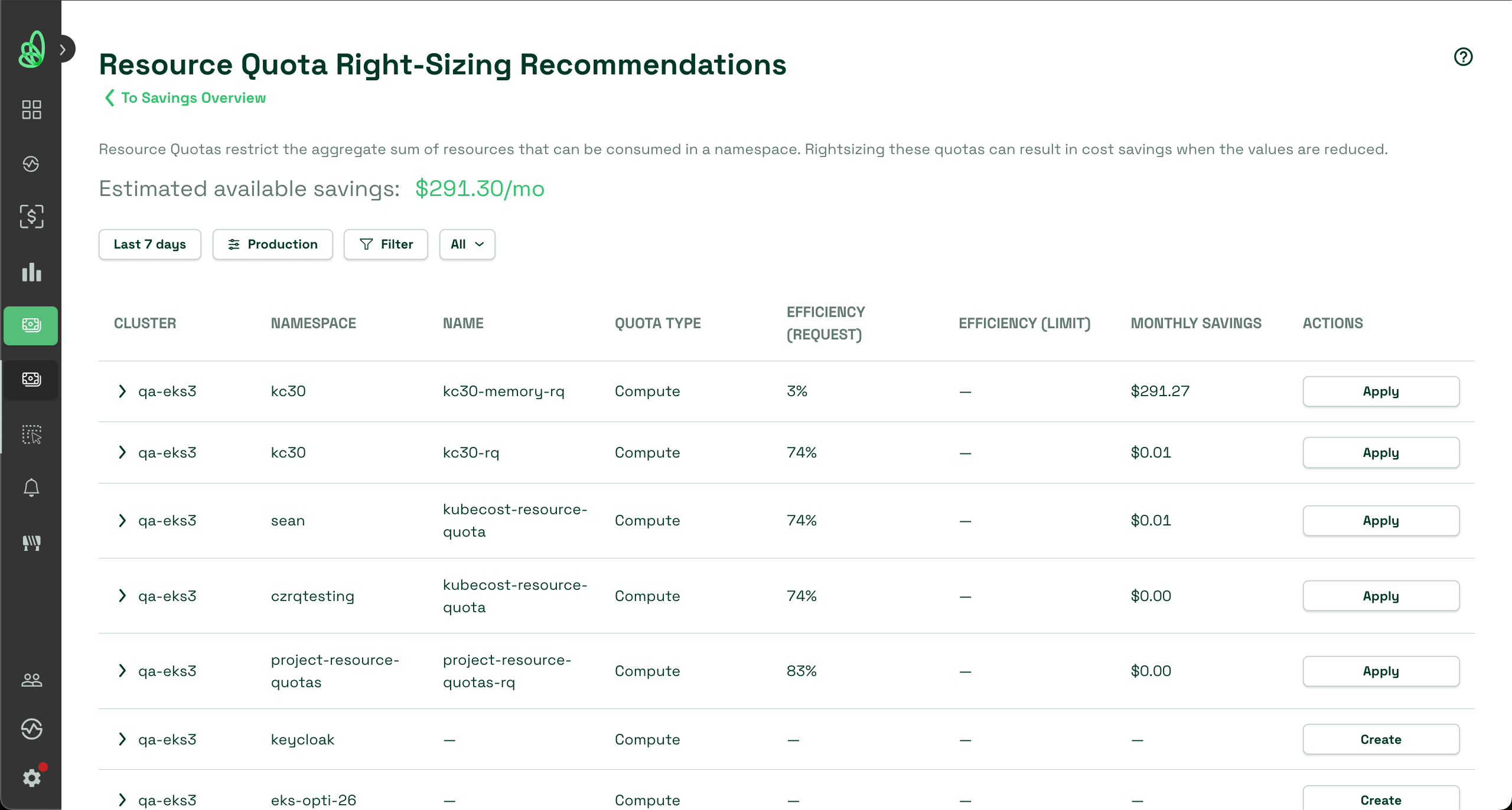
IBM Kubecost is a Kubernetes cost monitoring and optimization tool that began as an open source project and was acquired by IBM in 2024. It provides real-time visibility, allocation, optimization, and governance for Kubernetes environments.
It installs in under five minutes and is free to start. Deployment options cover a free self-hosted tier, an enterprise self-hosted version, and a managed SaaS version that runs the agent locally on customer clusters.
Key features include:
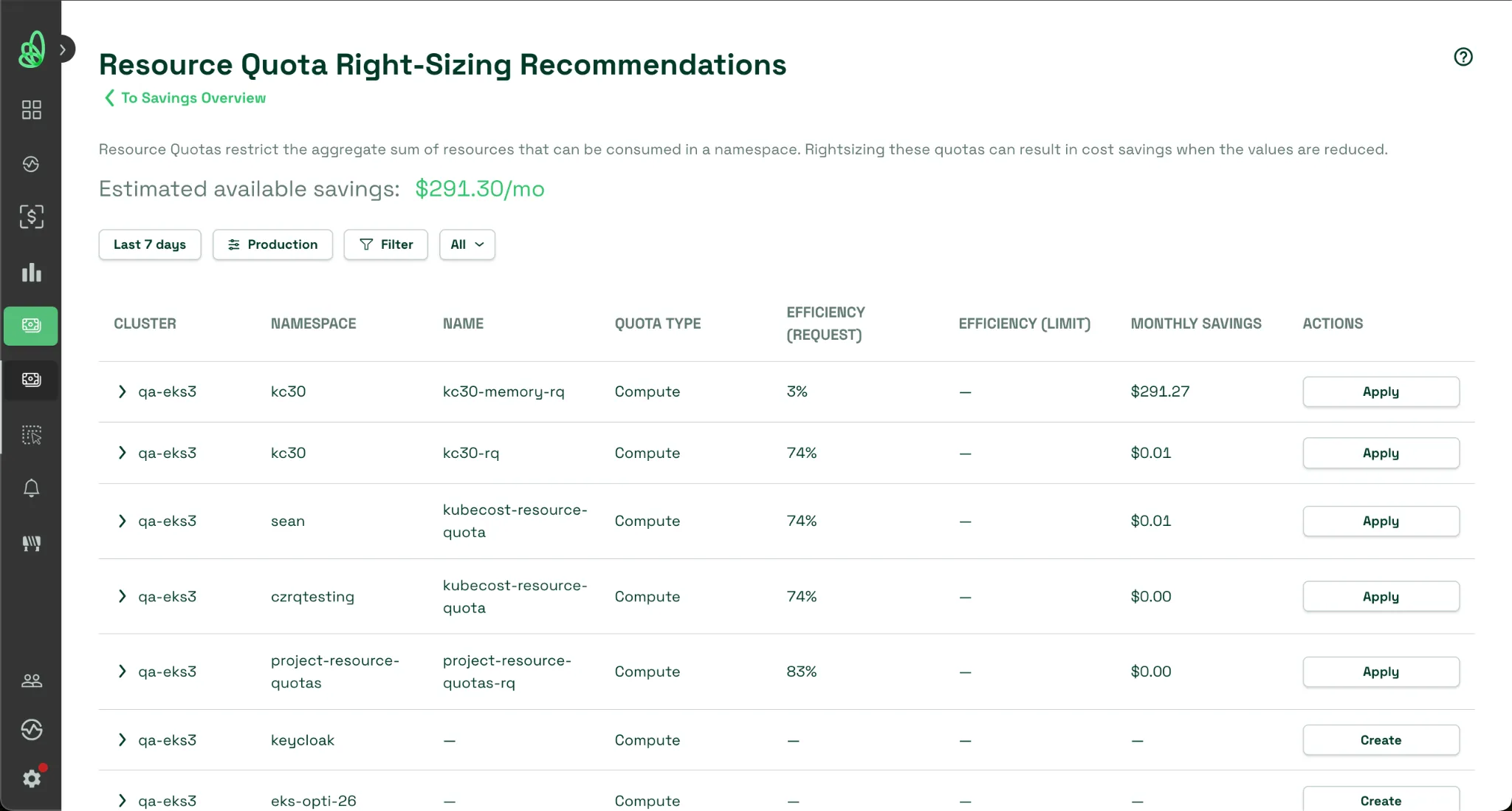
Cost visibility: Shows real-time Kubernetes costs across clusters, teams, namespaces, workloads, and shared resources, and breaks spending down by any Kubernetes object.
Bill reconciliation: Reconciles in-cluster costs against the cloud provider bill for defensible showback and chargeback, and supports custom pricing where native billing does not apply.
Operability across environments: Runs on multi-cloud, hybrid, and on-premises Kubernetes in a lightweight architecture that scales as environments grow.
Optimization insights: Uses real usage data to surface over-provisioned workloads across clusters, containers, nodes, and storage, with enhanced GPU optimization in enterprise tiers.
Automated actions: Turns recommendations into actions such as automated request sizing, namespace turndown, and resource quota automations.
Governance: Provides budgets, forecasting, anomaly detection, alerts when spending drifts, and role-based access control for aligning engineering, FinOps, and finance.
Limitations (based on publicly available sources):
Free tier limits: The free Foundations tier is capped at 250 cores with 15-day metric retention and no unified multi-cluster view, which pushes larger estates to paid tiers.
Kubernetes scope: Coverage is limited to Kubernetes, so costs outside clusters need to be handled by a separate tool.
Provider assumptions: Deployments outside the major cloud providers rely on customizing pricing settings for accurate allocation.
Action breadth: Automation focuses on sizing and turndown rather than custom actions triggered by arbitrary cluster events.
Scale tiers: Deployments above 3,200 VPCs require a conversation with the vendor rather than standard self-service purchase.
Best for: Teams already standardized on Datadog for observability
Strengths: Cost data inside dashboards, catalogs, and container monitoring
Things to consider: Economics depend on already using the wider platform
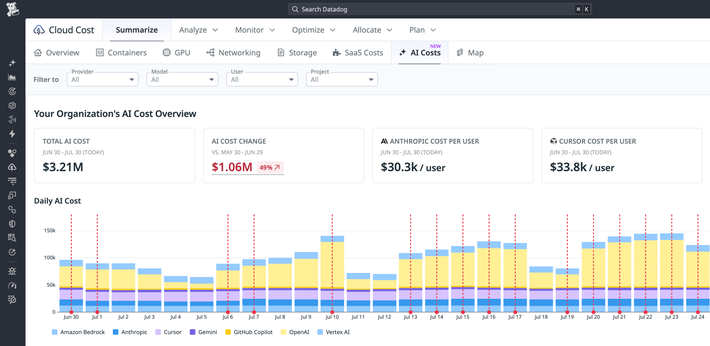
Datadog Cloud Cost Management is a cost observability product inside the Datadog platform. It combines cloud, SaaS, and AI cost data with performance telemetry so engineers and FinOps practitioners work from the same dataset.
Because cost data sits next to infrastructure and application monitoring, spending changes can be correlated with the workloads that caused them rather than investigated in a separate tool.
Key features include:
Unified cost and observability data: Surfaces AWS, Azure, Google Cloud, OCI, SaaS, and AI costs in dashboards, Software Catalog, Resource Catalog, and Container Monitoring.
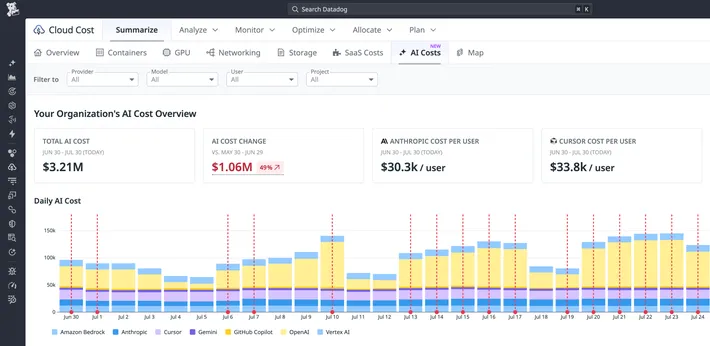
AI spend tracking: Provides a centralized view of AI spending, daily trends, top cost drivers, and anomalies across providers, with costs attributed to user, project, or model.
Cost recommendations and automations: Generates recommendations for OpenAI, Anthropic, AWS, Azure, and Google Cloud spending, with Cost Optimization Automations and generated fix code through Bits Code.
Granular allocation: Allocates cloud, container, SaaS, and AI spending to teams, products, or services, including GPU, data transfer, and network costs for containers.
Tag Pipelines and allocation rules: Corrects missing or incorrect tags and applies custom rules so shared resources are attributed accurately.
FOCUS ingestion: Accepts any cost data source in the FinOps FOCUS format for standardized reporting alongside native integrations.
Budgets and governance: Supports budgets by provider, anomaly monitors with root cause analysis, commitment coverage and utilization management, and organization-wide FinOps policies.
Limitations (as reported by users onG2, where reviews cover the wider Datadog platform rather than the cost module alone):
Spending predictability: Reviewers describe managing Datadog's own cost as the main challenge, requiring active governance of retention, dashboards, and alert configuration as usage grows.
Interface density: Users called the interface busy and said the platform can feel overwhelming given the number of products it spans.
Cost transparency: A reviewer specifically cited cost transparency as an area that falls short.
Learning curve: Reviewers mentioned time needed to become effective with queries and dashboard customization.
Platform dependency: Full container cost allocation relies on Datadog Infrastructure Monitoring, which adds to the total deployment cost.
Best for: Engineering organizations pairing cost control with delivery tooling
Strengths: AutoStopping, commitment orchestration, and policy governance
Things to consider: AutoStopping behavior and reporting draw mixed feedback
Harness Cloud Cost Management, sold as the AI and Cloud Costs product within the Harness Cost Management Agent, covers AWS, Azure, Google Cloud, and Kubernetes. It runs on the same platform as Harness CI/CD, security, and feature flags.
The product combines attribution, automated optimization, and governance, and extends the same controls to AI agents and model spending as teams build and run those workloads.
Key features include:
Cost attribution: Maps spending to team, workload, model, and agent without manual tagging, and builds cost perspectives from plain language descriptions that resolve accounts, tags, and services.
Kubernetes allocation: Allocates cost down to individual pods and namespaces across clusters, with chargeback and showback reporting aligned to the FinOps FOCUS specification.
AutoStopping: Detects idle VMs and containers, stops them automatically, and restarts them on demand, aimed at non-production environments running outside working hours.
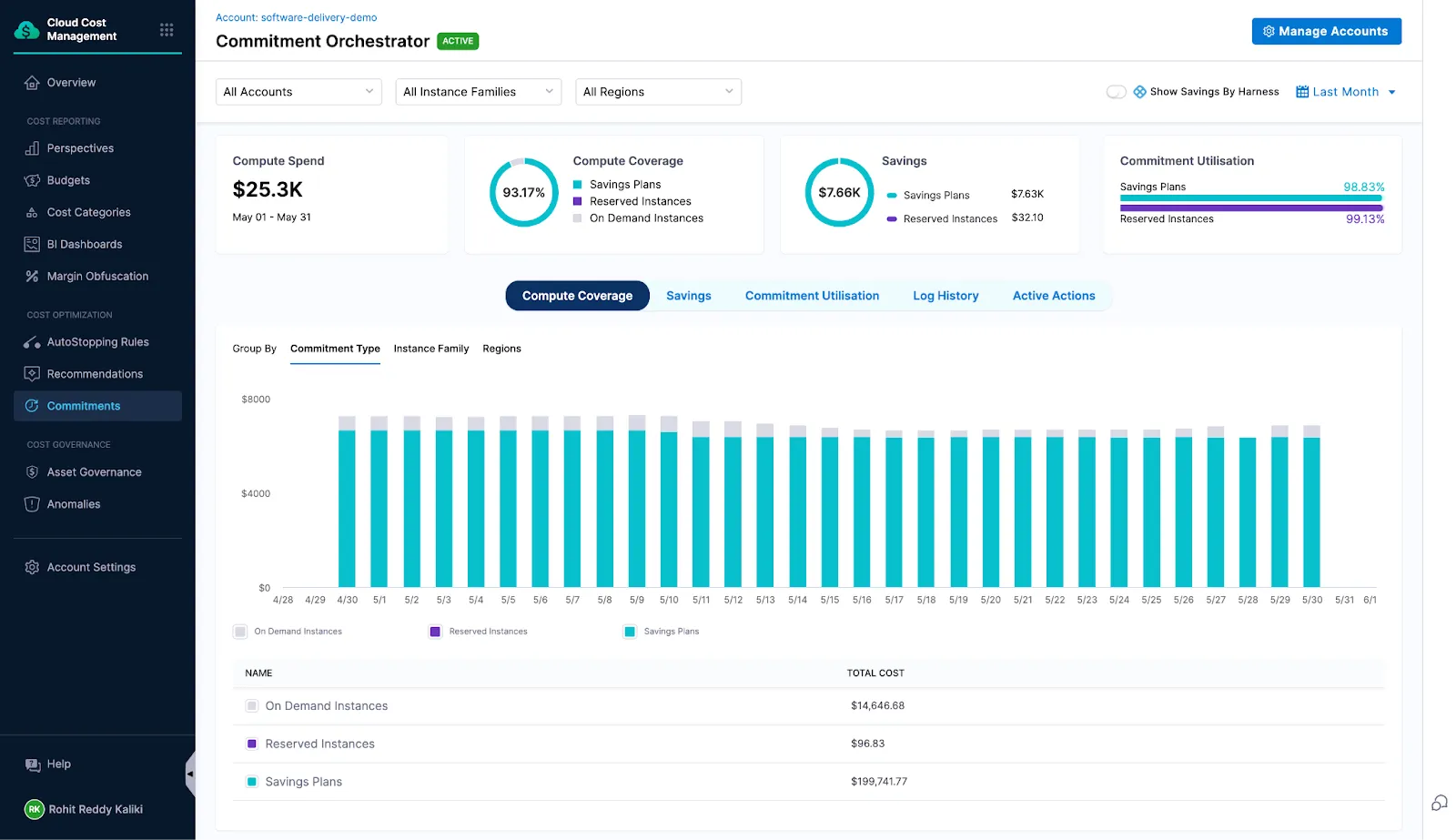
Commitment Orchestrator: Automates the Reserved Instance and Savings Plan lifecycle across providers, including renewals and coverage gap remediation, with configurable splits between instrument types.
Cluster Orchestrator: Handles Kubernetes node autoscaling, spot orchestration, and bin packing to reduce over-provisioned compute.
Governance: Sets budget alerts at configurable thresholds with forecast projections, enforces policies written in plain language through Open Policy Agent, and routes provisioning through approval workflows with audit trails and 150+ asset governance rules.
AI cost management: Captures token, request, and workflow-level spending across OpenAI, Anthropic, AWS Bedrock, and Vertex AI, with budgets and hard limits by agent, team, or business unit.
Limitations (as reported by users onG2, where the profile covers the wider Harness Platform):
Filtering options: A reviewer working on cloud cost savings said the product does not support multiple filters by account name or service type.
Configuration management: Users reported limitations that led to workarounds and confusion in configuration processes.
Feature depth: Reviewers described some capabilities as limited, which affected flexibility for their use cases.
Learning curve: The platform was described as overwhelming to learn, particularly for teams adopting several of its modules at once.
AutoStopping reliability: Feedback published on Gartner Peer Insights cites problems with traffic detection, pausing and unpausing rules, and fixed schedules, along with a request to scale Kubernetes services down rather than only stop them.
Selecting the right cloud cost management platform depends on your organization’s operational priorities, infrastructure complexity, and level of automation readiness. While visibility and allocation tools provide essential insights for finance and engineering collaboration, automated platforms actively eliminate waste and streamline ongoing maintenance. By establishing clear policies, monitoring key utilization metrics, and aligning team workflows, businesses can control multi-cloud spending while maintaining high performance and reliability.
Similar Resources
Best Multi Cloud Management Tools for 2026
Discover the best multi cloud management tools in 2026 to reduce complexity, improve performance, and boost ROI with automation.
Explore the best cloud storage options for 2026, comparing AWS S3, Azure Blob, Google Cloud Storage, and key features to help you choose the right solution.
Sedai Expands Its Self-Driving Cloud to Power Autonomous Enterprise Infrastructure with $20M Series B
Sedai raises $20 million in Series B funding for its self-driving cloud. Fortune 500 companies use Sedai's patented AI to manage and optimize the cloud.