
Defining Vertical Scaling (Scaling Up) and Horizontal Scaling (Scaling Out)
Horizontal scaling and vertical scaling are two primary methods used to handle increased workloads and improve system performance.
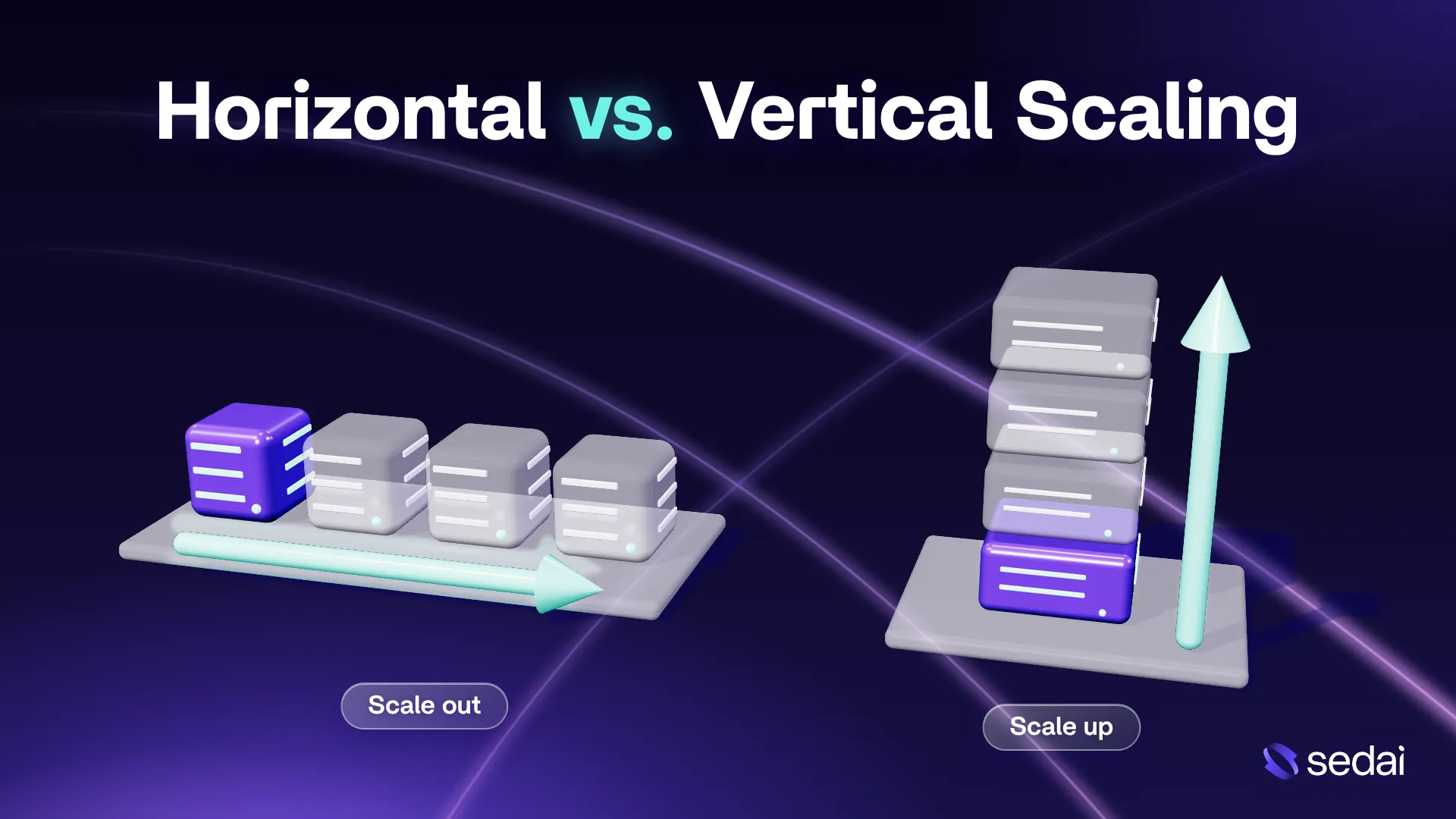
Vertical scaling, also known as scaling up, is the process of increasing the computing resources of an existing server. This typically involves adding more CPU cores, RAM, or storage capacity to handle higher workloads. For example, a database server with 8 CPU cores and 32 GB of RAM can be upgraded to 16 CPU cores and 64 GB of RAM to process more queries and support more concurrent users.
Horizontal scaling, also known as scaling out, is the process of increasing computing capacity by adding more servers or instances to a system. Instead of upgrading a single server, workloads are distributed across multiple machines. For example, a web application running on two servers can scale horizontally by adding three more servers and using a load balancer to distribute incoming requests among all five.
Key differences between vertical scaling and horizontal scaling:
Aspect | Vertical Scaling | Horizontal Scaling |
Approach | Add resources to an existing server | Add servers and distribute workloads |
Performance | Boosts single-server capacity; limited by hardware | Increases throughput; adds coordination overhead |
Availability | Does not inherently remove single-server failure risk | Can improve resilience with redundancy and failover |
Cost | Simpler setup; powerful hardware can be expensive | Flexible capacity; adds networking and management costs |
Complexity | Easier to implement and troubleshoot | Requires distributed infrastructure and coordination |
Downtime | Upgrades may require restarts | Capacity changes often avoid downtime |
State management | Local state is easier to manage | Requires shared state or stateless design |
This is part of a series of articles about Kubernetes autoscaling
Horizontal vs. Vertical Scaling: Key Differences
1. Approach
Vertical scaling increases the computing capacity of an existing server by adding resources such as CPU, RAM, or storage. It improves performance without changing the number of servers in the system. For example, an organization might upgrade a server from 8 CPU cores and 32 GB of RAM to 16 CPU cores and 64 GB of RAM to handle increased application traffic.
Horizontal scaling increases capacity by adding more servers or instances and distributing workloads across them. Instead of relying on one powerful machine, the system uses multiple machines that work together. For example, a web application running on two servers can expand to six servers during periods of high traffic.
The main difference is how each approach handles growth. Vertical scaling makes individual machines more powerful, while horizontal scaling expands the number of machines available to process requests. Vertical scaling is often simpler to implement, while horizontal scaling provides greater flexibility when workloads continue to grow.
2. Performance
Vertical scaling improves performance by providing more computing resources to a single server. Additional CPU cores can support more parallel processing, while increased RAM can reduce disk access and improve data caching. This approach is particularly effective for applications that require fast access to shared memory or perform resource-intensive operations on one machine.
However, performance improvements eventually reach hardware limits. Adding more CPU cores may provide diminishing returns if the application cannot efficiently use them. Similarly, increasing memory will not significantly improve performance if the primary bottleneck is network latency or storage throughput.
Horizontal scaling improves performance by distributing requests and processing tasks across multiple servers. It can increase overall throughput and support more concurrent users without overloading individual machines. However, workloads that require frequent communication, synchronization, or data transfers between servers may experience additional latency and coordination overhead.
Related content: Read our expert guide to software performance optimization.
3. Availability
Vertical scaling does not inherently improve availability because the application may still depend on a single server. If that server experiences a hardware failure, operating system crash, or unexpected shutdown, the application can become unavailable. Increasing hardware capacity does not eliminate this risk.
Organizations using vertical scaling can improve availability through redundant hardware, backup systems, and failover configurations. However, these solutions require additional infrastructure beyond simply upgrading the existing server. Maintenance operations may also interrupt service when the server needs to restart.
Horizontal scaling can improve availability by running applications across multiple servers. If one server fails, a load balancer can redirect incoming requests to healthy instances. This reduces the impact of individual server failures and allows applications to continue operating during maintenance. However, high availability also requires redundancy in databases, networking components, load balancers, and other shared services.
4. Cost
Vertical scaling typically involves paying for more powerful hardware or larger cloud instances. It can be cost-effective for smaller workloads because it avoids the infrastructure and management overhead associated with multiple servers. Organizations can often increase capacity without investing in additional networking equipment or distributed system components.
However, the cost of vertical scaling can rise significantly as resource requirements increase. High-performance processors, large memory configurations, and specialized hardware often cost more per unit of computing capacity. Cloud providers may also charge substantially higher prices for larger instance types.
Horizontal scaling distributes computing capacity across multiple servers, often using smaller and less expensive instances. Organizations can add resources during traffic spikes and remove them when demand decreases. This can improve resource utilization and reduce unnecessary spending. However, additional costs may arise from load balancers, networking, data replication, monitoring, and infrastructure management. The most economical approach depends on workload characteristics, resource utilization, and operational requirements.
5. Complexity
Vertical scaling is generally easier to implement because it requires fewer architectural changes. Administrators can increase server resources while keeping the existing application structure, networking configuration, and data management approach largely unchanged. In many cases, applications automatically benefit from additional memory or processing capacity.
This simplicity also makes vertical scaling easier to monitor and troubleshoot. Since the application runs on a single server, administrators can investigate performance issues without tracing requests across multiple machines. However, some applications may still require configuration changes to take advantage of additional CPU cores or memory.
Horizontal scaling introduces more complexity because multiple servers must operate as a coordinated system. Organizations may need load balancers, service discovery, distributed caching, centralized logging, and automated deployment tools. They must also manage communication between instances and ensure that workloads are distributed efficiently. Technologies such as Kubernetes can automate parts of this process, but they introduce their own configuration and operational requirements.
6. Downtime
Vertical scaling may require downtime when upgrading physical hardware or resizing cloud instances. For example, increasing the CPU or memory allocation of a virtual machine often requires shutting it down or restarting it. During this period, applications hosted on that server may become temporarily unavailable.
Some virtualization platforms and cloud services support certain resource upgrades without requiring a restart. However, this capability depends on the operating system, hardware configuration, and infrastructure provider. Organizations may need to schedule upgrades during maintenance windows to minimize disruption.
Horizontal scaling can often increase capacity without downtime by adding new servers while existing instances continue processing requests. Load balancers can direct traffic to new instances once they pass health checks. Similarly, servers can be removed after completing active requests. This supports rolling deployments and capacity adjustments without interrupting normal operations. However, database migrations, incompatible application versions, and configuration errors can still cause downtime.
7. State Management
Vertical scaling simplifies state management because application data and session information can remain on a single server. Processes can access shared memory, local caches, and file systems without coordinating with other machines. This reduces the need for distributed storage or synchronization mechanisms.
Horizontal scaling requires applications to manage state across multiple instances. Requests from the same user may reach different servers, making local session storage unreliable. Common solutions include external session stores such as Redis, shared databases, and stateless application designs. Distributed systems must also consider data consistency, replication delays, and concurrent updates to ensure that different instances access accurate information.
Sedai Scales Kubernetes on Autopilot
See how our patented AI handles Kubernetes auto-scaling, without any toil for your team.

Pros and Cons of Vertical Scaling
Vertical scaling is a straightforward way to increase computing capacity without making major changes to an application's architecture. By upgrading the resources of an existing server, organizations can improve performance while keeping infrastructure management relatively simple. However, this approach has hardware limitations and can introduce availability risks.
Pros:
- Simple implementation: Increasing CPU, RAM, or storage usually requires minimal changes to the existing application architecture.
- Easier management: Managing a single powerful server is generally simpler than maintaining multiple servers and coordinating workloads between them.
- Lower initial costs: Vertical scaling can be more affordable for smaller workloads because it does not require additional servers, load balancers, or distributed infrastructure.
- Simplified data management: Applications can access shared memory and local storage without complex data synchronization mechanisms.
- Improved single-server performance: Additional resources can accelerate memory-intensive applications, database operations, and workloads that benefit from powerful individual machines.
Cons:
- Hardware limitations: A server can only scale up to the maximum CPU, memory, and storage capacity supported by its hardware or cloud instance type.
- Potential downtime: Upgrading server resources may require restarting the machine, temporarily interrupting application availability.
- Single point of failure: If the application relies on one server, hardware failures or system crashes can cause service outages.
- Increasing hardware costs: High-end processors, large memory configurations, and specialized hardware can become disproportionately expensive.
- Limited flexibility: Resources cannot always be adjusted quickly, especially when physical hardware upgrades or instance migrations are required.
Pros and Cons of Horizontal Scaling
Horizontal scaling increases computing capacity by distributing workloads across multiple servers rather than upgrading a single machine. This approach is widely used in distributed systems and cloud environments where applications must handle changing traffic levels and maintain high availability. However, it requires more complex infrastructure and coordination between servers.
Pros:
- Greater scalability: Additional servers can be added to increase processing capacity without being restricted by the hardware limits of a single machine.
- Improved availability: Workloads can be distributed across multiple servers, allowing healthy instances to continue handling requests when another server fails.
- Flexible resource allocation: Organizations can add or remove instances based on traffic patterns, helping match computing capacity to actual demand.
- Reduced downtime: New servers can be introduced, and existing servers can be maintained or replaced without interrupting service when proper load balancing and failover mechanisms are implemented.
- Better workload distribution: Load balancers can distribute incoming requests across multiple servers, preventing individual machines from becoming overloaded.
- Cost optimization: Using multiple smaller servers and automatic scaling can reduce unnecessary resource spending during periods of low demand.
Cons:
- Higher architectural complexity: Distributing workloads across multiple servers requires additional components such as load balancers, service discovery, and orchestration tools.
- Complex state management: Applications may need shared databases, distributed caches, or external session stores to maintain consistent information across instances.
- Data consistency challenges: Replication delays and concurrent updates can make it difficult to keep data synchronized across distributed systems.
- Additional infrastructure costs: Networking, monitoring, load balancing, and data replication can increase operational expenses.
- Network overhead: Communication between servers introduces latency and can reduce performance for workloads requiring frequent synchronization.
- More difficult troubleshooting: Identifying failures and performance bottlenecks across multiple servers often requires centralized logging, distributed tracing, and advanced monitoring tools.
Horizontal and Vertical Scaling in Different Environments
Public Cloud
Public cloud platforms such as Amazon Web Services (AWS), Microsoft Azure, and Google Cloud support both horizontal and vertical scaling. Vertical scaling involves changing the size of a cloud instance to increase CPU, memory, or storage resources. Horizontal scaling involves adding or removing instances to distribute workloads across multiple machines. Cloud providers offer automated scaling services that adjust capacity based on demand, resource utilization, or predefined schedules.
Aspect | Vertical Scaling | Horizontal Scaling |
Implementation | Resize virtual machines to larger instance types with more CPU or RAM | Add or remove cloud instances within an auto scaling group |
Automation | Use instance resizing tools or supported automated resource adjustments | Use AWS Auto Scaling, Azure Virtual Machine Scale Sets, or Google Cloud Managed Instance Groups |
Availability | Instance resizing may require a restart or temporary interruption | New instances can be added without downtime when load balancing is configured |
Limitations | Restricted by available instance sizes and resource quotas | Requires load balancing, shared state management, and sufficient cloud capacity |
Kubernetes
Kubernetes supports horizontal and vertical scaling through mechanisms that adjust the number of pods or the resources allocated to containers. Horizontal scaling increases or decreases pod replicas to distribute workloads across multiple instances. Vertical scaling adjusts container CPU and memory requests to match application requirements. Kubernetes provides the Horizontal Pod Autoscaler (HPA) and Vertical Pod Autoscaler (VPA) for these tasks, while node autoscaling can adjust the cluster's underlying computing capacity.
Aspect | Vertical Scaling | Horizontal Scaling |
Implementation | Increase container CPU and memory requests or limits | Increase the number of pod replicas running an application |
Automation | Vertical Pod Autoscaler recommends or applies resource adjustments | Horizontal Pod Autoscaler adjusts replica counts based on CPU, memory, or custom metrics |
Availability | Resource changes may require pod recreation, depending on cluster capabilities | Additional pods can handle requests while existing replicas continue running |
Limitations | Restricted by node capacity and available cluster resources | Requires sufficient node capacity and applications that support multiple replicas |
Virtualization
Virtualized environments support both scaling approaches through hypervisors such as VMware ESXi, Microsoft Hyper-V, and KVM. Vertical scaling increases the resources assigned to an existing virtual machine (VM), while horizontal scaling creates additional VMs to distribute application workloads. Both approaches depend on the physical resources available across the virtualization infrastructure. Administrators can use virtualization management tools to allocate resources, deploy new VMs, and monitor capacity.
Aspect | Vertical Scaling | Horizontal Scaling |
Implementation | Increase the virtual CPUs, RAM, or storage assigned to an existing VM | Deploy additional VMs from templates or cloned images |
Automation | Adjust resource allocations through hypervisor management tools and supported automation | Use VM provisioning tools and orchestration platforms to deploy additional instances |
Availability | Some resource upgrades require VM restarts unless hot-add capabilities are supported | Additional VMs can provide redundancy when combined with load balancing and failover |
Limitations | Restricted by physical host capacity, hypervisor limits, and resource allocation policies | Requires sufficient cluster resources, networking, and workload distribution mechanisms |
How to Choose Between Horizontal and Vertical Scaling
Choosing between horizontal and vertical scaling depends on your application's architecture, performance requirements, budget, and expected growth. Both approaches can improve computing capacity, but they differ in implementation complexity, cost, and flexibility. Consider the following factors when deciding which scaling strategy best fits your infrastructure.
- Application architecture: Vertical scaling is often better suited for monolithic applications and legacy systems that are difficult to distribute across multiple servers. Horizontal scaling works well for microservices, stateless applications, and systems designed for distributed processing.
- Workload characteristics: Vertical scaling is effective for memory-intensive applications and workloads that benefit from powerful individual machines. Horizontal scaling is more suitable for independent tasks and applications that handle large numbers of concurrent requests.
- Traffic patterns: Applications with predictable and stable workloads may benefit from vertical scaling. Horizontal scaling is generally better for applications with fluctuating traffic because servers can be added or removed based on demand.
- Performance bottlenecks: Identify which resources limit application performance before choosing a scaling strategy. Increasing CPU or RAM may resolve single-server resource constraints, while adding servers can help distribute high request volumes. However, neither approach automatically resolves inefficient queries or application code.
- Budget and infrastructure costs: Vertical scaling can be more economical for smaller systems with limited infrastructure requirements. Horizontal scaling may provide better cost efficiency at larger scales, but it introduces additional expenses for networking, load balancing, and management.
- Availability requirements: If minimizing downtime and maintaining service during server failures are priorities, horizontal scaling can provide better fault tolerance when combined with proper redundancy and failover mechanisms.
- Operational complexity: Vertical scaling is generally easier to configure, monitor, and maintain. Horizontal scaling requires more advanced infrastructure management, including load balancing, distributed monitoring, and automated deployments.
- Future growth: Consider how much your application is expected to grow. Vertical scaling is limited by the maximum capacity of individual servers, while horizontal scaling offers more flexibility for expanding computing resources over time.
- Data and state management: Applications that rely heavily on local storage or in-memory sessions may be easier to scale vertically. Horizontal scaling often requires shared storage, external session management, and mechanisms to maintain data consistency across servers.
- Scaling flexibility: Vertical scaling may require server restarts or hardware upgrades when changing resource allocations. Horizontal scaling can support automatic capacity adjustments, making it useful for applications that need to respond quickly to changing demand.
Best Practices for Horizontal and Vertical Scaling
Rightsize Workloads Before Adding More Instances
Before scaling an application, analyze its actual resource consumption to determine whether existing infrastructure is being used efficiently. Monitor CPU utilization, memory usage, disk I/O, network throughput, and application response times to identify underutilized or overloaded resources. For example, an application experiencing high latency may have inefficient database queries rather than insufficient computing capacity. Adding servers without addressing the underlying bottleneck can increase costs without significantly improving performance.
Rightsizing involves matching resource allocations to workload requirements. This may include reducing oversized cloud instances, adjusting CPU and memory limits for containers, or optimizing application configurations. For vertical scaling, select an instance size that provides enough capacity without excessive unused resources. For horizontal scaling, ensure individual instances are appropriately sized before increasing their number. Regularly reviewing resource utilization helps prevent overprovisioning and improves scaling efficiency.
Design Services to Be Stateless from the Start
Stateless applications are easier to scale horizontally because individual instances do not depend on locally stored session information or application state. Each request can be processed independently, allowing load balancers to distribute traffic across available servers. For example, a web application that stores user sessions in Redis rather than local memory can route requests to different instances without losing session information. This also makes it easier to replace failed instances or deploy new application versions.
To support stateless architecture, store persistent information in external systems such as databases, distributed caches, or object storage. Avoid relying on local file systems or in-memory data that must remain available between requests. When stateful components are necessary, design them with appropriate replication, consistency, and failover mechanisms. Separating application processing from persistent state improves scalability, simplifies deployments, and supports automated recovery.
Use Predictive Scaling Instead of Relying Only on Reactive Thresholds
Reactive scaling adds or removes resources after monitored metrics cross predefined thresholds, such as CPU utilization exceeding 80%. Although this approach works for many workloads, it can respond too slowly to sudden traffic increases. New instances may require time to start, initialize applications, establish connections, and become ready to process requests. During this delay, existing servers can become overloaded, resulting in increased latency or failed requests.
Predictive scaling uses historical workload patterns and expected demand to provision resources before traffic increases. For example, an e-commerce application that consistently experiences higher traffic during specific hours can automatically launch additional instances ahead of those periods. Organizations can combine predictive scaling with reactive policies to handle both recurring patterns and unexpected traffic spikes. Scaling policies should also account for instance startup times, cooldown periods, and minimum capacity requirements to prevent unnecessary scaling operations.
Scale on Latency and SLO Metrics, Not Just CPU Utilization
CPU utilization is a useful scaling metric, but it does not always reflect application performance or user experience. An application may experience slow responses because of database contention, network delays, disk I/O limitations, or exhausted connection pools even when CPU utilization remains low. Similarly, high CPU usage does not necessarily indicate a performance problem if the application continues meeting its response time requirements. Relying exclusively on CPU thresholds can therefore lead to ineffective scaling decisions.
Instead, use application-level metrics such as request latency, throughput, error rates, and queue lengths to guide scaling policies. Define service level objectives (SLOs), such as maintaining a 95th-percentile response time below 200 milliseconds under expected workloads. Monitor these metrics alongside infrastructure utilization to determine when additional resources are necessary. For horizontal scaling, metrics such as requests per instance or queue depth can help trigger capacity adjustments. For vertical scaling, resource saturation and latency measurements can indicate when a larger instance is required.
Load Test Each Component to Find Its Scaling Limit
Load testing helps determine how much traffic or processing demand an application can handle before performance begins to degrade. Instead of testing only the entire system, evaluate individual components such as application servers, databases, caches, message queues, and storage services. Gradually increase workloads while monitoring response times, throughput, resource utilization, and error rates. This reveals which components become bottlenecks first and whether adding resources produces meaningful performance improvements.
Test both vertical and horizontal scaling configurations to understand their practical limits. For example, measure how database query performance changes when increasing CPU and memory, then evaluate how application throughput changes when adding more instances. Include stress tests, sustained-load tests, and sudden traffic spikes to identify different failure conditions. Use the results to establish capacity limits, configure scaling thresholds, and determine when architectural changes are necessary instead of continuing to add resources.
Combining Horizontal and Vertical Scaling in Kubernetes with Sedai
Native Kubernetes autoscalers scale workloads based on the resource requests they are given, but those requests are often set once and rarely revisited. Kubernetes also prevents HPA and VPA from running on the same workload, so most teams end up scaling horizontally while leaving pod sizing unaddressed. Sedai is an autonomous cloud optimization platform that adds an intelligence layer on top of your existing Kubernetes autoscalers. It learns from live production data to continuously right-size pod requests and tune HPA scaling targets based on real workload behavior and SLOs, so horizontal and vertical scaling work together instead of against each other.
Key capabilities of Sedai:
- Vertical and horizontal scaling at the same time: Sedai's vertical scaling runs alongside HPA, adjusting pod requests and limits in small increments without the conflict that occurs between native HPA and VPA.
- Optimal HPA targets: Sedai analyzes workload behavior and SLOs to set HPA targets autonomously, balancing pod size against replica count to reach the most cost-effective configuration.
- Continuous pod right-sizing without restarts: Sedai applies right-sizing changes gradually during normal pod lifecycle events, without forcing pod restarts or evictions.
- Efficient node bin packing: By right-sizing pods first, Sedai helps Karpenter pack workloads onto fewer, lower-cost nodes, and recommends a targeted list of instance types based on usage and pricing.
- Node consolidation with or without Karpenter: Smart Scheduler delivers Karpenter-style consolidation on Cluster Autoscaler, while the Migration Assistant automates the move from EKS Managed Node Groups to Karpenter with a pre-flight compatibility check and automatic rollback.
- Application-aware scaling decisions: Sedai factors in application performance and SLOs rather than infrastructure metrics alone, so scaling does not compromise reliability.
- Works with your existing stack: Sedai integrates with HPA, VPA, Karpenter, Cluster Autoscaler, and KEDA across EKS, AKS, GKE, OpenShift, Rancher, and self-managed clusters.


