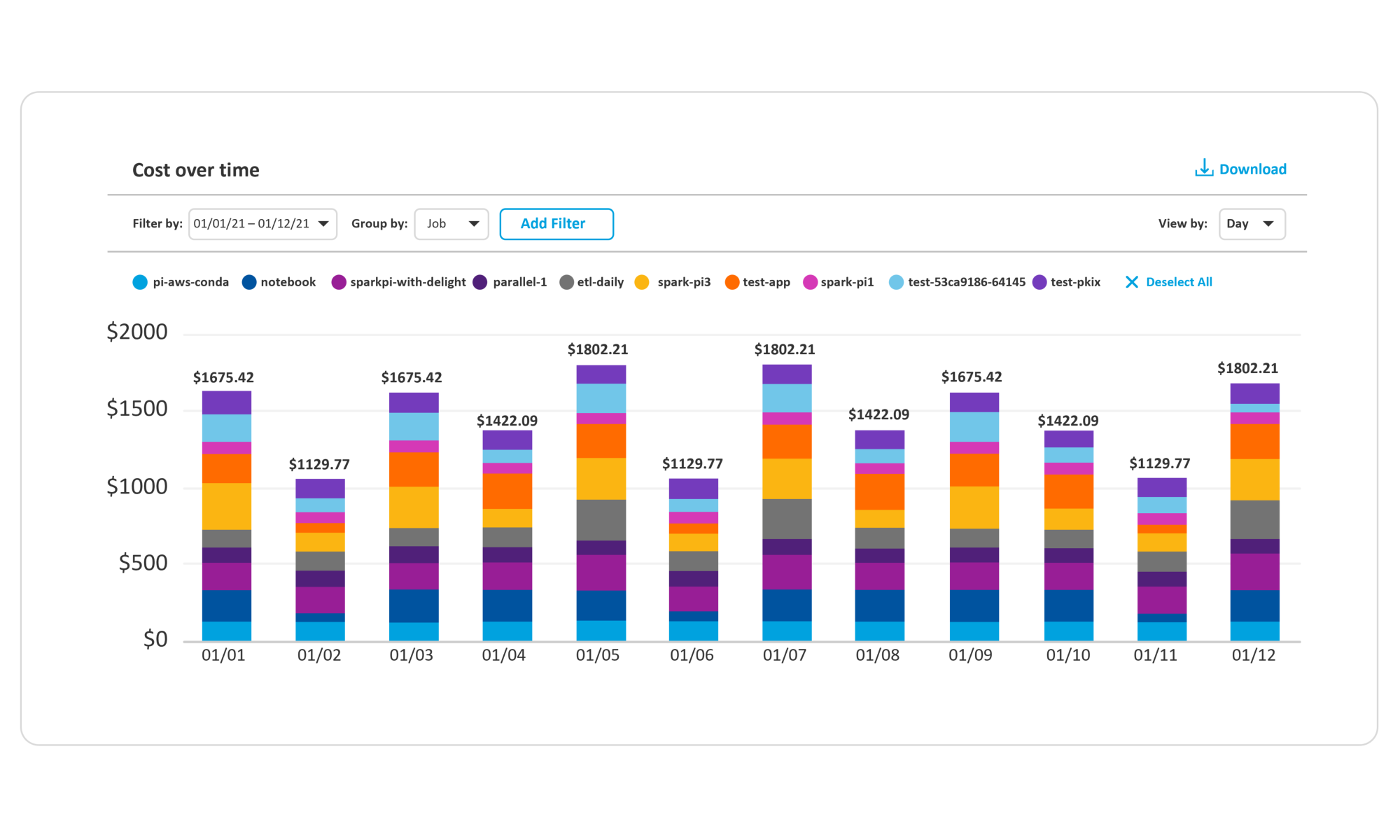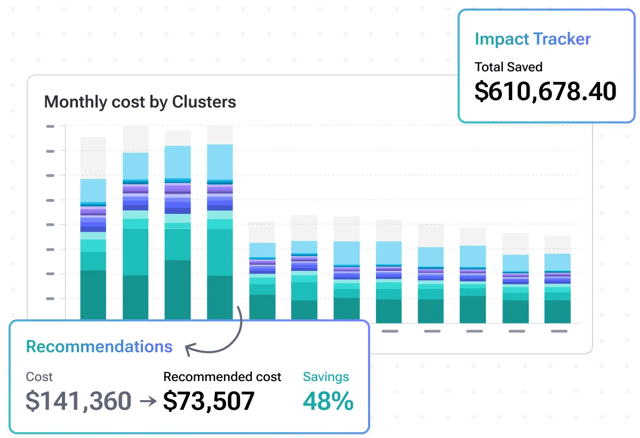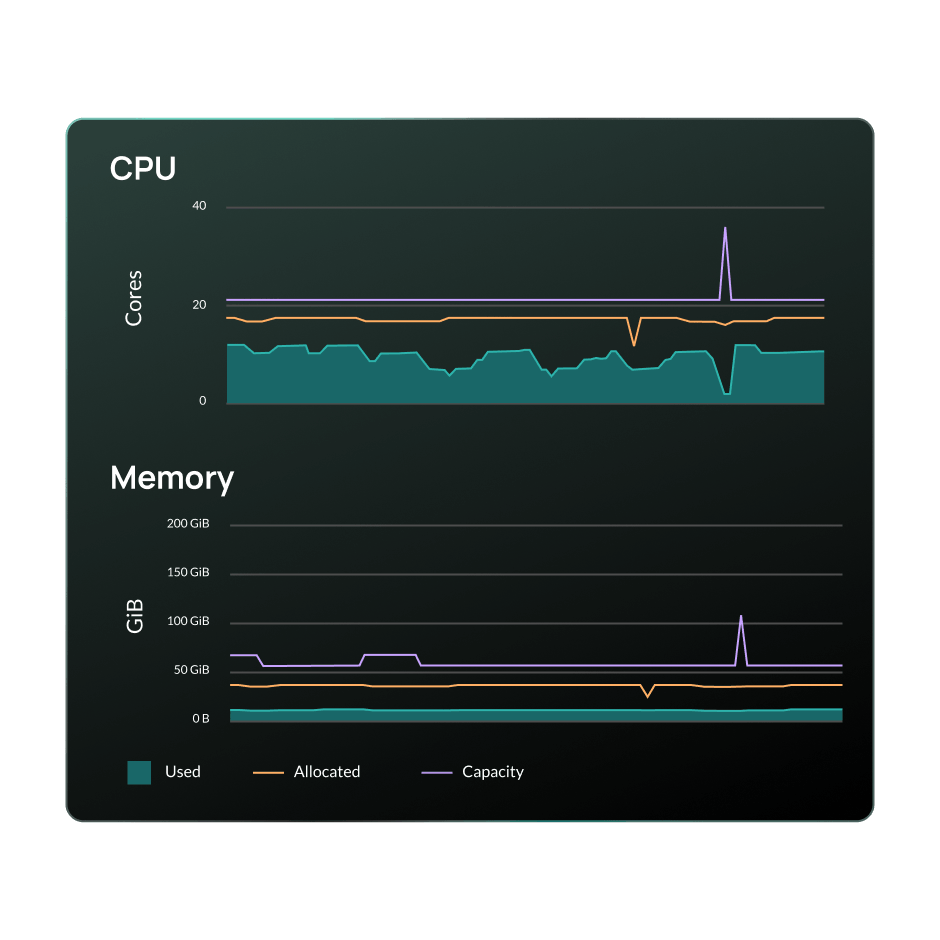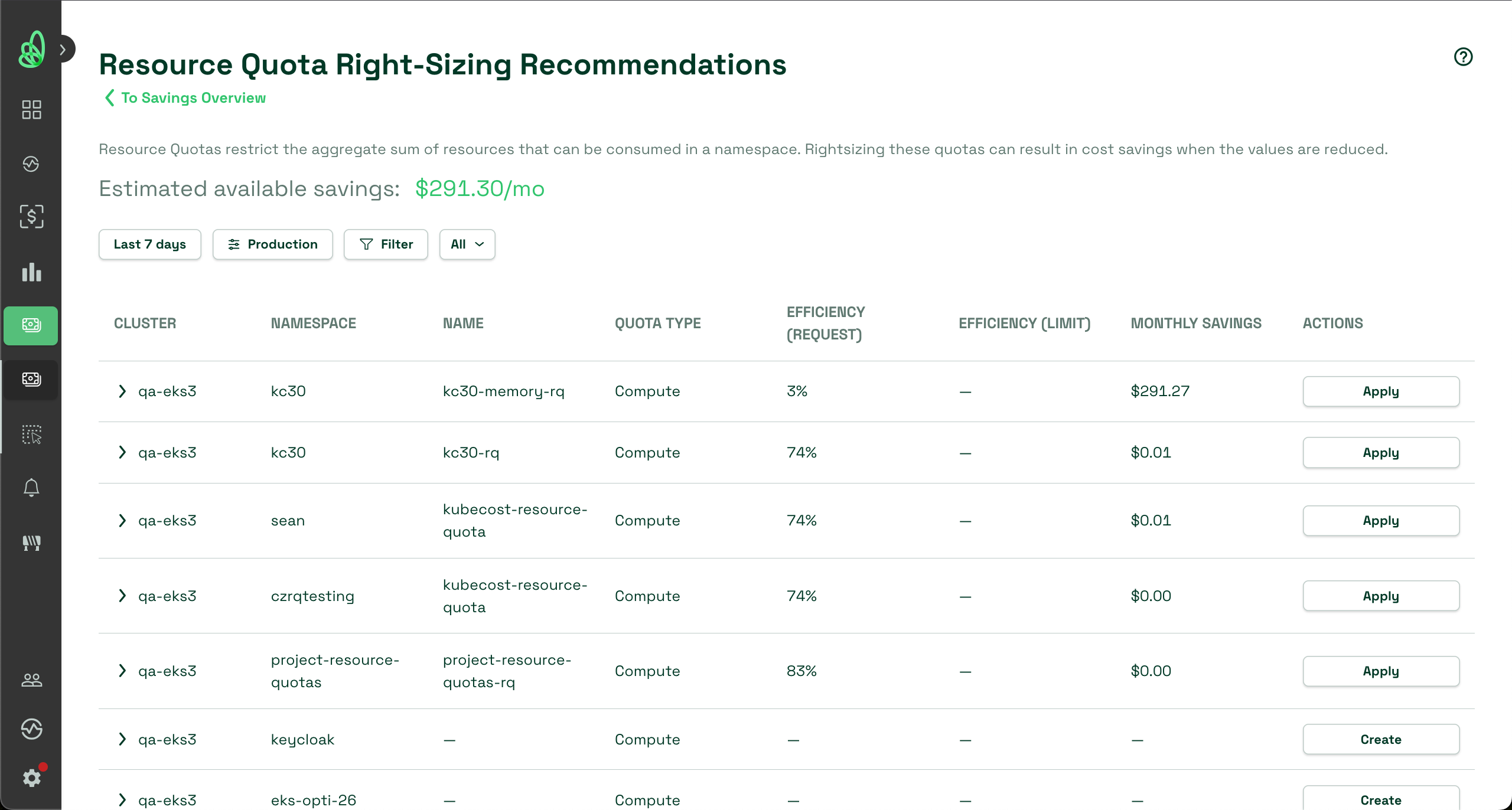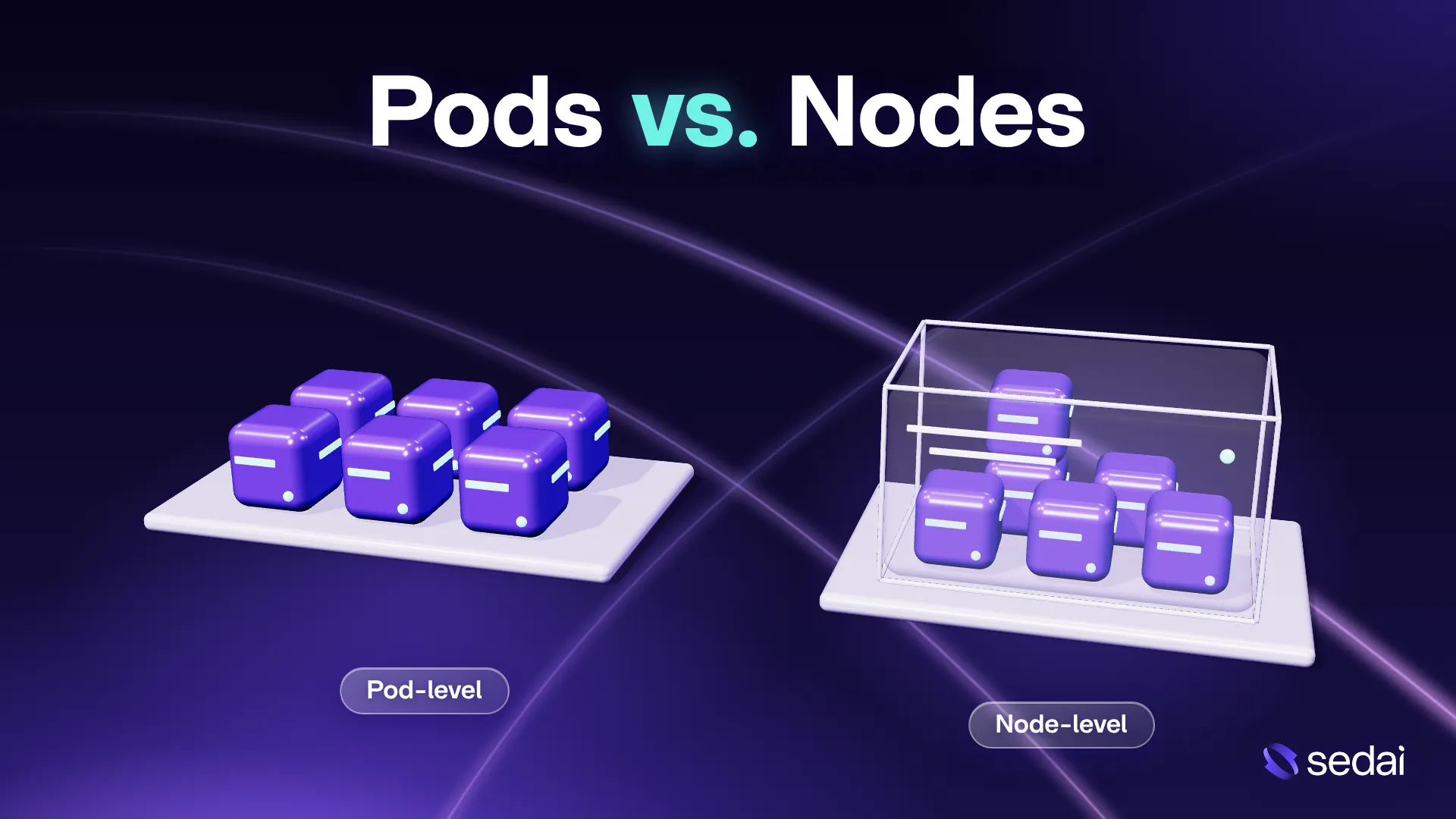
Kubernetes cost optimization for pods and nodes aligns workload requests with real usage and removes unneeded node capacity. Sedai is best for safely and autonomously optimizing pods, nodes, and clusters in production; Cast AI is strong for Spot instance usage; ScaleOps for real-time pod rightsizing; IBM Kubecost for cost allocation and showback.
What Is Kubernetes Cost Optimization for Pods and Nods and How Can Optimization Solutions Help?
Effective Kubernetes cost optimization requires balancing demand-side management (Pods) with supply-side provisioning (Nodes). If you only optimize nodes, you will still overpay for wasted allocation inside the pods. If you only optimize pods, you will still run inefficient infrastructure.
Pod cost optimization focuses on how individual workloads consume resources. Each pod can define CPU and memory requests and limits. Requests influence scheduling and resource reservation, while limits control maximum resource consumption. Optimization involves analyzing actual resource usage, right-sizing requests and limits, and adjusting the number of pod replicas based on demand.
Node cost optimization focuses on the virtual machines or physical servers that provide computing capacity for Kubernetes pods. Nodes generate infrastructure costs based on their instance types, sizes, pricing models, and running time. Node optimization involves selecting appropriate instance types, consolidating workloads, removing unnecessary nodes, and using lower-cost options such as spot instances.
How Kubernetes optimization solutions can optimize pod costs:
- Automated resource right-sizing: Continuously adjust pod CPU and memory requests based on actual consumption and workload patterns.
- Dynamic resource allocation: Automatically adapt resource allocations to changing application demand.
- Predictive workload scaling: Forecast traffic patterns and adjust pod replicas before expected demand changes.
- Idle workload optimization: Detect and automatically scale down eligible inactive or underutilized workloads.
- Performance-aware optimization: Monitor application performance and automatically adjust or revert resource changes that cause regressions.
- Continuous cost optimization: Use automated feedback loops to identify resource waste, refine allocations, and track savings.
How Kubernetes optimization solutions can optimize node costs:
- Automated node right-sizing: Select instance types and sizes that match the CPU and memory requirements of scheduled workloads.
- Intelligent bin packing: Automatically consolidate compatible pods onto fewer nodes to reduce unused infrastructure capacity.
- Dynamic node autoscaling: Provision or remove nodes as workload resource requirements increase or decrease.
- Spot instance optimization: Automatically select lower-cost spot instances and replace interrupted capacity when necessary.
- Automated node consolidation: Identify underutilized nodes, safely reschedule their workloads, and terminate unnecessary instances.
- Continuous infrastructure optimization: Adjust node configurations, instance selections, and capacity allocation based on utilization, pricing, and availability requirements.
In this article:
- Kubernetes Optimization Tools at a Glance
- Pods vs. Nodes: Understanding Kubernetes Cost Drivers
- Kubernetes Pod-Level Cost Optimization Strategies
- How Kubernetes Optimization Solutions Optimize Pod Costs
- Kubernetes Cost Optimization Tools Compared
Kubernetes Optimization Tools at a Glance
The table below summarizes the key differences between the tools covered in this guide. We explore each tool in more detail in the sections that follow. The right choice depends on your priorities: Sedai's approach prioritizes safety in production, while other tools emphasize rapid time to value or full user control.
Category | Solution | Built for | Key Strengths | Things to Consider |
Automated Pod and Node Optimization Platforms | Sedai | Autonomous pod, node, and cluster optimization | Behavior-based rightsizing, smart scheduling, autoscaler tuning | Full autonomy is typically rolled out gradually |
Automated Pod and Node Optimization Platforms | Cast AI | Node provisioning, bin packing, and Spot automation | Bin packing, Spot automation, live migration | Scaling policies need tuning; pricing grows with cluster size |
Automated Pod and Node Optimization Platforms | ScaleOps | Real-time pod rightsizing with node consolidation | Pod rightsizing, smart pod placement, Karpenter tuning | Cost reports and API documentation are limited |
Automated Pod and Node Optimization Platforms | Ocean by Flexera | Node scaling, bin packing, and pricing mix | Event-driven autoscaling, bin packing, Spot and commitments | Dense UI for new users; no OCI support |
Pod Rightsizing and Cost Visibility Tools | PerfectScale by DoiT | Workload rightsizing with node insights | Podfit rightsizing, Infrafit node insights, revision awareness | Node recommendations skip disk and network needs |
Pod Rightsizing and Cost Visibility Tools | StormForge by CloudBolt | Pod rightsizing alongside existing HPA | Joint HPA and VPA tuning, in-place resizing, JVM tuning | Optimizes pods only; node scaling relies on other tools |
Pod Rightsizing and Cost Visibility Tools | IBM Kubecost | Kubernetes cost allocation and showback | Cost allocation, request sizing actions, budgets, alerts | Free tier capped at 250 cores and 15-day retention |
Pod Rightsizing and Cost Visibility Tools | OpenCost | Free, open source Kubernetes cost allocation | Container-level allocation, cloud billing APIs, Prometheus | Monitoring only; no automated rightsizing or node actions |
Pods vs. Nodes: Understanding Kubernetes Cost Drivers
How Kubernetes Pods Consume CPU and Memory Resources
Kubernetes pods consume CPU and memory through the containers running inside them. Each container can define resource requests and limits. CPU requests specify the processing capacity used for scheduling and relative CPU allocation under contention, while memory requests specify the amount of memory considered during scheduling. Resource limits restrict CPU consumption and memory usage.
CPU and memory behave differently when workloads exceed their limits. Containers exceeding CPU limits are throttled, which can increase response times. Containers exceeding memory limits can be terminated by the operating system's out-of-memory (OOM) handling. Excessive requests, on the other hand, can reserve scheduling capacity that workloads rarely use.
For example, a pod requesting 2 vCPUs and 4 GiB of memory may typically consume only 0.5 vCPU and 1 GiB. Kubernetes still schedules the pod based on its requested resources. Across hundreds of pods, this difference can lead to significant unused node capacity.
How Kubernetes Nodes Generate Infrastructure Costs
Kubernetes nodes are virtual machines or physical servers that provide CPU, memory, storage, and networking resources to pods. In managed cloud environments, organizations typically pay for the underlying compute instances, regardless of how much capacity their pods actually consume.
Node costs depend on several factors, including instance type, CPU and memory capacity, cloud region, pricing model, and running time. Additional expenses may include attached storage, network traffic, and managed Kubernetes service fees.
For example, an 8-vCPU node running workloads that consume only 2 vCPUs still incurs the cost of the entire instance while it remains active. This makes node utilization an important factor in Kubernetes cost optimization.
Organizations can reduce node costs by selecting appropriately sized instances, consolidating workloads, using spot instances where appropriate, and scaling down unnecessary infrastructure.
The Relationship Between Pod Resource Requests and Node Capacity
Kubernetes uses pod resource requests to determine whether a node has enough available capacity to host a workload. The scheduler compares the pod's CPU and memory requests against the node's remaining allocatable resources, which exclude capacity reserved for system processes and Kubernetes components.
For example, consider a node with 8 allocatable vCPUs and 32 GiB of memory. If each pod requests 2 vCPUs and 4 GiB, the node can accommodate at most four such pods based on CPU requests, even when their actual CPU consumption is much lower.
Reducing excessive pod requests can increase the number of workloads that fit on existing nodes. However, requests must reflect realistic resource requirements to avoid CPU contention, memory pressure, and application performance problems.
This relationship makes pod right-sizing an important first step in node cost optimization. Accurate requests improve scheduling efficiency and can create opportunities to reduce the number or size of nodes.
How Pod Scheduling and Bin Packing Affect Node Utilization
Pod scheduling determines which nodes run specific workloads. Kubernetes considers resource requests, node availability, affinity rules, taints, tolerations, and other scheduling constraints when making placement decisions.
Bin packing is the practice of placing workloads onto nodes efficiently to minimize unused capacity. Instead of distributing pods across many partially utilized nodes, effective bin packing consolidates compatible workloads onto fewer nodes.
For example, ten pods requesting 1 vCPU each could theoretically fit onto two nodes with 8 allocatable vCPUs each, assuming sufficient memory and no additional scheduling restrictions. Poor workload distribution might instead spread those pods across several nodes, leaving substantial unused capacity.
Kubernetes supports scheduling strategies that influence workload placement, but efficient bin packing does not automatically guarantee cost savings. Node consolidation must also account for availability requirements, topology spread constraints, storage dependencies, and the ability to drain underutilized nodes safely.
Why Optimizing Pods Does Not Always Reduce Node Costs
Reducing pod CPU and memory requests does not automatically reduce Kubernetes infrastructure costs. Cloud providers generally charge for provisioned nodes rather than the resources pods request or consume. As a result, lowering pod requests may improve utilization metrics without changing the number of running instances.
For example, reducing total pod CPU requests from 40 vCPUs to 25 vCPUs will not lower compute costs if the cluster continues running eight nodes with 8 vCPUs each. Actual savings require removing unnecessary nodes, selecting smaller instances, or otherwise reducing provisioned infrastructure.
Node autoscaling and consolidation tools help translate pod-level improvements into infrastructure savings. Cluster Autoscaler can remove eligible underutilized nodes when their pods can be rescheduled elsewhere, while Karpenter can consolidate workloads and replace existing nodes with more cost-efficient capacity.
Kubernetes Pod-Level Cost Optimization Strategies
Right-Size Pod CPU and Memory Requests Based on Actual Usage
Right-sizing involves adjusting pod CPU and memory requests to reflect actual workload requirements rather than estimated peak consumption. Excessive requests reduce the number of pods that can fit on a node, potentially increasing infrastructure costs.
Start by collecting historical CPU and memory utilization metrics using tools such as Prometheus, Grafana, or Kubernetes Metrics Server. Analyze average consumption, peak usage, and workload patterns over representative periods. CPU requests should account for normal processing requirements and expected bursts, while memory requests should accommodate typical working sets and reasonable headroom.
For example, a pod requesting 2 vCPUs and 4 GiB of memory but consistently consuming 500 millicores and 1 GiB may be overprovisioned. Reducing its requests to values supported by observed usage can improve scheduling efficiency and free capacity for other workloads.
Resource requests should be reviewed regularly because application updates, traffic changes, and new dependencies can change consumption patterns.
Optimize Resource Limits Without Compromising Application Performance
Resource limits control the maximum CPU and memory available to containers. Poorly configured limits can cause performance problems, while overly restrictive configurations may lead to throttling or container termination.
CPU limits can throttle containers when they exceed their configured processing allowance, even if the underlying node has unused CPU capacity. For latency-sensitive applications, removing CPU limits or setting them above expected bursts may improve performance, provided resource requests and cluster capacity are managed appropriately.
Memory limits require a different approach because exceeding them can trigger out-of-memory (OOM) termination. Set memory limits based on observed peak consumption, application behavior, and sufficient headroom for temporary increases.
For example, a container normally consuming 1 GiB but occasionally reaching 1.5 GiB may require a memory limit above 1.5 GiB to avoid unexpected restarts. Monitor OOM events, CPU throttling, latency, and memory pressure when adjusting limits.
Unlike requests, resource limits do not directly reserve node capacity. Their primary cost impact comes from influencing workload stability, performance, and resource consumption.
Configure Horizontal Pod Autoscaler (HPA) for Workload Demand
The Horizontal Pod Autoscaler (HPA) automatically adjusts the number of pod replicas based on observed resource utilization or other supported metrics. This helps applications respond to changing demand without maintaining maximum capacity continuously.
HPA can scale workloads using CPU utilization, memory utilization, or custom metrics such as request rates and queue lengths. CPU utilization-based scaling compares observed CPU consumption against requested CPU resources, making accurate CPU requests important for predictable scaling behavior.
For example, an application requiring ten replicas during peak traffic may need only three replicas during quieter periods. Configuring HPA with appropriate minimum and maximum replica counts allows Kubernetes to reduce unnecessary replicas when demand decreases.
Use scaling policies and stabilization windows to prevent frequent replica changes during temporary traffic fluctuations. Applications should also have appropriate readiness probes and sufficient startup capacity to avoid performance degradation during scale-out events.
HPA reduces pod-level resource demand, but infrastructure savings depend on whether node autoscaling can remove capacity that becomes unnecessary.
Use Vertical Pod Autoscaler (VPA) Recommendations for Resource Right-Sizing
The Vertical Pod Autoscaler (VPA) analyzes historical resource consumption and recommends CPU and memory requests for containers. It helps identify workloads with excessive or insufficient resource allocations.
VPA provides recommendations based on observed utilization patterns and can operate in recommendation-only mode or use supported mechanisms to apply resource adjustments. Recommendation-only operation is useful when teams want to review suggested changes before modifying production workloads.
For example, VPA may recommend reducing a container's CPU request from 1000 millicores to 400 millicores based on its historical usage. Applying the recommendation can free scheduling capacity and improve node utilization.
VPA recommendations should be evaluated alongside application performance metrics, especially for workloads with irregular traffic or memory consumption patterns.
Be careful when combining VPA and HPA on the same workload. If both controllers adjust capacity using CPU or memory utilization, their actions can conflict. A common approach is to use HPA for replica scaling and VPA in recommendation-only mode for resource right-sizing.
Reduce Unnecessary Pod Replicas and Idle Workloads
Unnecessary replicas consume cluster resources even when applications receive little or no traffic. These workloads can increase CPU and memory reservations, preventing Kubernetes from consolidating pods onto fewer nodes.
Review deployments, StatefulSets, background workers, and nonproduction environments to identify workloads running more replicas than required. Minimum replica counts should reflect availability requirements rather than arbitrary defaults.
For example, a development service running four replicas continuously may require only one replica during working hours and none outside scheduled usage periods. Scaling down such workloads can release resources and reduce infrastructure demand.
Other opportunities include removing abandoned deployments, suspending unused CronJobs, cleaning up completed Jobs, and shutting down temporary test environments.
Before reducing replicas, consider application availability, disruption tolerance, session handling, and startup time. Production services may require multiple replicas even when their resource utilization is low.
Continuously Monitor Pod Resource Utilization and Performance
Pod cost optimization requires continuous monitoring because resource consumption changes as applications evolve. A configuration that is efficient today may become wasteful or insufficient after traffic increases, software updates, or workload changes.
Monitor CPU and memory requests, actual utilization, resource limits, replica counts, restart frequency, CPU throttling, and OOM events. Tools such as Prometheus, Grafana, and OpenCost can help correlate workload resource consumption with estimated infrastructure costs.
Useful metrics include the ratio of actual CPU usage to requested CPU, memory working set relative to requested memory, and the amount of unused requested capacity across namespaces and deployments.
Establish regular resource reviews and alerts for sustained overprovisioning or resource pressure. Track changes in node count and infrastructure spending after applying optimizations to confirm that improved pod efficiency produces measurable cost savings.
How Kubernetes Optimization Solutions Optimize Pod Costs
Automatically Right-Size Pod CPU and Memory Requests
Kubernetes optimization solutions continuously analyze actual CPU and memory consumption to identify pods with excessive or insufficient resource requests. Instead of relying on periodic manual reviews, these platforms use historical utilization data, workload patterns, and performance requirements to calculate appropriate resource allocations.
Advanced solutions automatically update container resource requests as workload demand changes. They can account for daily traffic cycles, seasonal variations, and application behavior while maintaining sufficient capacity for expected demand. This reduces unused resource reservations and allows more pods to fit onto existing nodes.
Key automated capabilities include:
- Continuous CPU and memory usage analysis
- Automated resource request recommendations
- Dynamic CPU and memory request adjustments
- Workload-specific resource allocation
- Automatic detection of overprovisioned containers
- Performance-aware resource optimization
Automatically Optimize Pod Placement and Node Consolidation
Kubernetes optimization solutions improve infrastructure efficiency by automatically coordinating pod placement with available node capacity. These platforms analyze workload resource requirements, scheduling constraints, and node utilization to identify opportunities to consolidate pods onto fewer instances.
Some solutions can automatically reschedule eligible workloads and provision more suitable nodes to reduce fragmented capacity. They account for node affinity, topology constraints, disruption budgets, and workload availability when determining placement changes. By connecting pod-level optimization with node consolidation, these systems can translate reduced resource requests into lower infrastructure costs.
Key automated capabilities include:
- Continuous analysis of pod placement efficiency
- Automated workload consolidation
- Intelligent node selection based on pod requirements
- Automatic detection of fragmented node capacity
- Constraint-aware workload rescheduling
- Coordinated removal of unnecessary nodes
Predict Workload Demand and Automatically Adjust Resource Allocation
Predictive Kubernetes optimization solutions use historical utilization metrics and workload trends to anticipate future resource requirements. Unlike reactive scaling mechanisms that respond after utilization changes, predictive systems can identify recurring demand patterns and prepare capacity before expected increases.
For example, a service experiencing predictable traffic increases every weekday morning may benefit from automatic resource adjustments before demand rises. Optimization platforms can use forecasting models to adjust resource requests, replica counts, or available infrastructure capacity. This helps reduce unnecessary resources during quiet periods while maintaining performance during predictable traffic peaks.
Key automated capabilities include:
- Historical workload pattern analysis
- CPU and memory demand forecasting
- Predictive replica scaling
- Automated capacity preparation before traffic peaks
- Scheduled resource reduction during low-demand periods
- Continuous adjustment based on forecast accuracy
Automatically Detect and Eliminate Resource Waste
Kubernetes optimization solutions continuously inspect clusters to identify resources that consume infrastructure capacity without providing corresponding application value. These systems correlate resource requests, actual utilization, workload activity, and infrastructure costs to detect inefficient allocations that may be difficult to identify through manual monitoring.
Depending on their capabilities and configured policies, optimization platforms can automatically reduce oversized requests, scale down eligible idle workloads, or remove temporary resources that are no longer needed. Policy-based controls help prevent automated cleanup from affecting production services or workloads with strict availability requirements.
Key automated capabilities include:
- Automatic detection of idle workloads
- Identification of consistently oversized resource requests
- Automated scaling of inactive environments
- Detection of abandoned or unused resources
- Policy-based resource cleanup
- Continuous calculation of resource waste and savings
Continuously Optimize Pod Costs Using Automated Feedback Loops
Advanced Kubernetes optimization solutions use continuous feedback loops to evaluate the effects of resource changes and refine their decisions. These systems monitor resource utilization, application performance, scheduling efficiency, and infrastructure spending before and after applying optimizations.
For example, if an automated CPU request reduction causes sustained contention or increased application latency, a performance-aware platform can detect the regression and adjust or revert the change. Some solutions also enforce configurable safeguards, such as minimum resource allocations, disruption restrictions, and performance thresholds. This allows optimization to continue as workloads evolve without relying on repeated manual configuration changes.
Key automated capabilities include:
- Continuous evaluation of optimization results
- Automated performance regression detection
- Dynamic adjustment of optimization decisions
- Automatic rollback of unsafe resource changes
- Policy-based resource allocation safeguards
- Ongoing tracking of realized infrastructure savings
Kubernetes Cost Optimization Tools Compared
How we selected these tools: We shortlisted Kubernetes cost optimization tools based on pod rightsizing, node consolidation and autoscaling, bin packing, pricing optimization, and cost visibility.
Automated Pod and Node Optimization Platforms
1. Sedai

Built for: Teams wanting autonomous pod, node, and cluster optimization
Strengths: Behavior-based rightsizing, smart scheduling, autoscaler tuning
Things to consider: Full autonomy is typically rolled out gradually
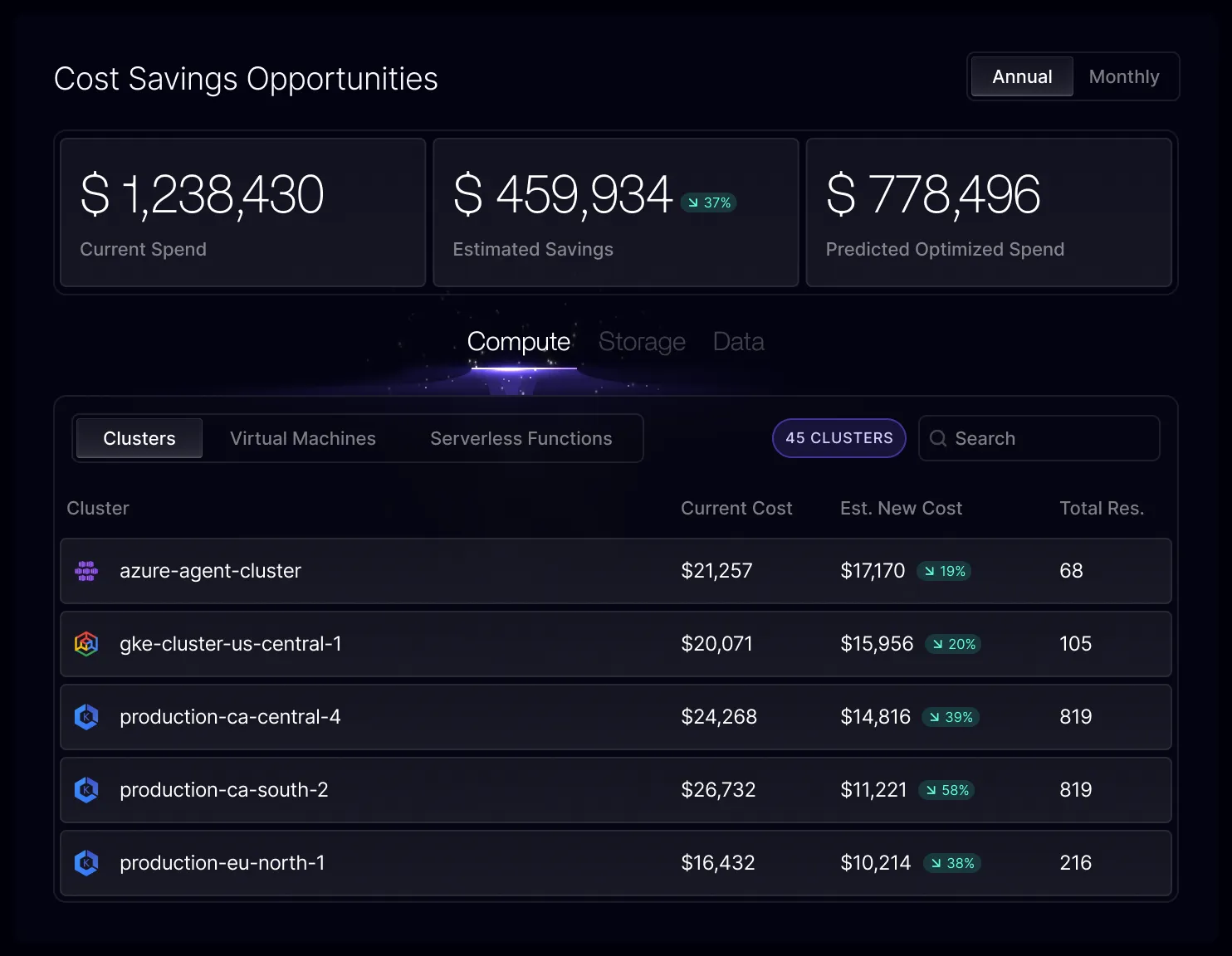
Sedai is an autonomous optimization platform that uses patented, reinforcement learning-based models to make safe, continuous changes to Kubernetes configurations based on how each workload actually behaves. It learns how every service responds to traffic, how releases affect performance, and how resource changes affect cost, then applies changes incrementally with validation and guardrails.
Optimization covers workloads, nodes, and whole clusters, along with cost visibility and purchasing. Sedai supports EKS, AKS, GKE, OpenShift, Rancher, VMware Tanzu, IBM Cloud Kubernetes Service, Oracle OKE, Platform9, DigitalOcean, and Alibaba Cloud, as well as ECS and Fargate.
Beyond Kubernetes, the same platform also optimizes VMs, storage, data platforms, and AI agents. Teams choose one of three modes per resource: Datapilot, where Sedai stops at recommendations; Copilot, where engineers approve each change and Sedai implements it; and Autopilot, where engineers set the goals and Sedai does the rest.
Key features include:
- Autonomous workload rightsizing: Continuously tunes pod CPU and memory based on observed workload behavior, rather than relying on static requests, limits, or thresholds.
- Smart Scheduler for node utilization: Packs workloads onto the nodes that best fit their real utilization patterns, reducing fragmented and unused node capacity.
- Cluster-level consolidation: Evaluates the cluster as a whole, not only individual pods or nodes, and consolidates workloads onto fewer nodes automatically without a manual step.
- Autoscaler policy tuning: Tunes HPA, VPA, KEDA, and Cluster Autoscaler policies using real behavior and SLOs, reduces scaling thrash, and coordinates autoscaling with rightsizing actions.
- Waste detection across layers: Identifies idle and over-provisioned capacity across pods, nodes, and clusters and removes it autonomously.
- Cost visibility and commitment alignment: Shows where Kubernetes spend sits and how optimizations change it over time, and matches capacity and purchasing commitments to observed workload behavior.
- Safety controls: Executes changes incrementally, verifies impact continuously, rolls back on drift, and operates within IaC, ITSM, and policy guardrails.
Limitations (based on publicly available sources):
- Initial learning curve: Some users note that the interface takes time to navigate when first getting started.
- Onboarding assistance: Initial deployment can involve help from the vendor’s team.
- Gradual autonomy rollout: Teams commonly start with reviewing recommendations before enabling fully autonomous changes in production.
2. Cast AI
Built for: Teams automating node provisioning, bin packing, and Spot usage
Strengths: Bin packing, Spot automation, live migration
Things to consider: Scaling policies need tuning; pricing grows with cluster size
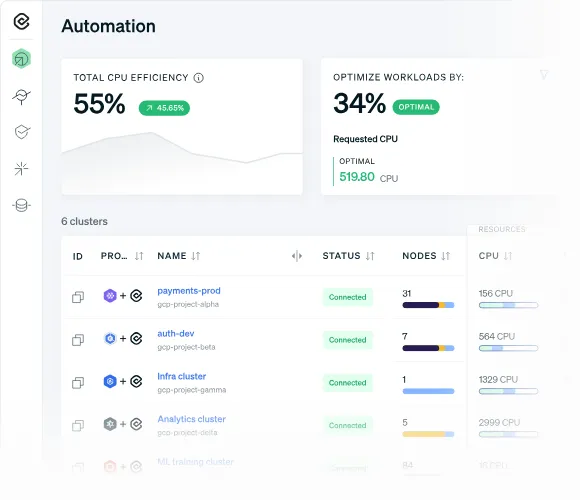
Cast AI is an automation platform for Kubernetes that combines node autoscaling, bin packing, Spot Instance management, and workload autoscaling. Setup starts with a lightweight read-only agent that analyzes the cluster, after which teams set policies and Cast AI applies optimizations automatically.
The platform also monitors organization-wide and cluster-level resource spending. It supports clusters on AWS, GCP, Azure, and Oracle Cloud, and offers separate options for standard clusters and clusters that use Karpenter.
Key features include:
- Cluster autoscaler: Provisions the most cost-efficient compute resources and scales nodes up and down based on real-time requirements, using pod placement scheduling to reduce waste.
- Bin packing and rebalancing: Consolidates workloads onto fewer nodes and removes empty ones, while the Rebalancer moves the cluster to an optimal node configuration on a schedule or on demand.
- Container live migration: Moves running workloads between nodes, including stateful apps and long-running jobs backed by persistent storage, to reduce node fragmentation during maintenance and consolidation.
- Spot Instance automation: Handles interruptions, Spot diversity, and fallback to on-demand nodes, temporarily shifting workloads to on-demand capacity during Spot shortages.
- Commitments utilization: Applies cloud commitments across all clusters or prioritized clusters, and balances commitment usage with Spot Instances.
- Advanced pod autoscaling and pod mutations: Scales workloads vertically and horizontally at the same time, and modifies pod specifications to support cost-efficient scheduling.
- Memory event handling: Provisions additional resources when a pod runs out of memory to keep workloads running.
Limitations (as reported by users on G2):
- Aggressive scaling behavior: Some users report that services can be downscaled too aggressively, requiring time to fine-tune scaling policies for complex workloads.
- Cost at scale: Pricing is tied to cluster size, which users note can become expensive as environments grow and harder to justify for small clusters.
- Learning curve: Configuring node templates, constraints, and advanced optimization policies takes time and a solid understanding of workload behavior.
- Limited decision transparency: Users mention difficulty understanding why the platform made a specific node selection or scaling decision, with logs that are not always easy to find.
- Recommendation accuracy: Some users report recommendations that exceeded available cluster capacity, leaving services in a pending state.
Source: Cast AI
3. ScaleOps
Built for: Teams wanting real-time pod rightsizing with node consolidation
Strengths: Real-time pod rightsizing, smart pod placement, Karpenter tuning
Things to consider: Cost reports and API documentation are limited
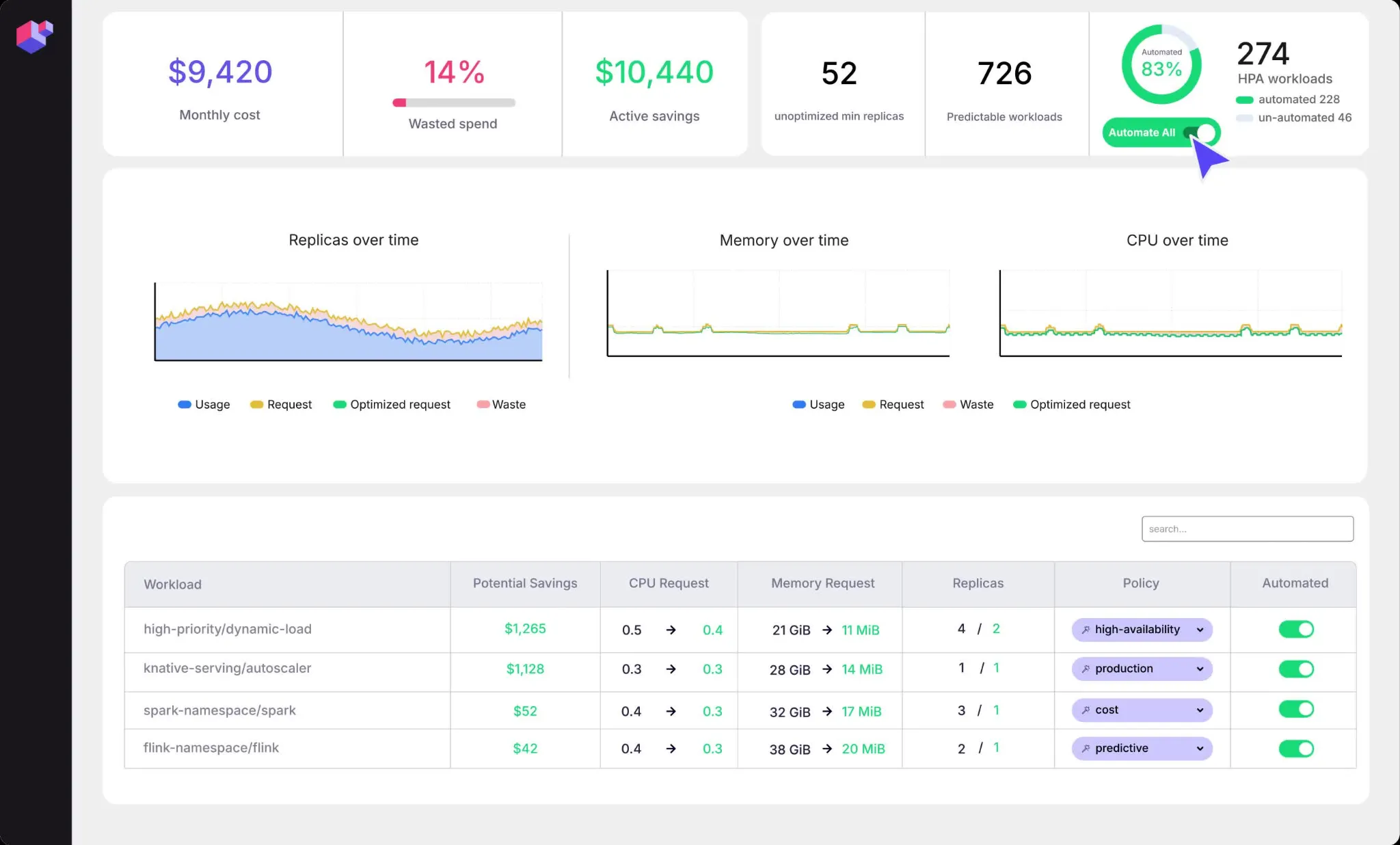
ScaleOps allocates and scales CPU, memory, and GPU resources for Kubernetes workloads in real time, based on workload context and live cluster conditions. It combines pod-level rightsizing with replica management, pod placement, Spot placement, node consolidation, and Karpenter optimization.
ScaleOps is self-hosted by design and is also available as ScaleOps Cloud and in air-gapped deployments. It installs with a single Helm command and does not require code changes to workloads.
Key features include:
- Automated real-time pod rightsizing: Adjusts CPU and memory resource requests at runtime based on workload behavior and live cluster conditions.
- Replica optimization: Manages minimum and maximum replica counts and scaling triggers, and scales workloads ahead of expected demand.
- Smart pod placement: Addresses unevictable pods that block bin packing and leave nodes underutilized.
- Node optimization: Consolidates workloads, replaces nodes with more suitable ones, and removes underutilized capacity.
- Karpenter optimization: Tunes Karpenter instance selection and disruption budgets.
- Spot optimization: Shifts additional workloads to Spot Instances where they can run safely.
- Cost monitoring and troubleshooting: Breaks down Kubernetes costs by cluster, namespace, team, application, annotations, or labels, and surfaces workload signals for troubleshooting.
Limitations (as reported by users on G2):
- Response to sudden spikes: Some users note that resource adjustments can take time to catch up during sudden traffic spikes.
- Cost reporting gaps: Users mention that cost reports feel incomplete and do not support comparisons with previous months.
- Limited API and documentation: Reviewers report gaps in API coverage for automation and documentation that does not explain how the platform works internally.
- Deployment configuration issues: Some users report Helm chart templating problems and a UI authentication setup that relies on storing access details in a ConfigMap.
Source: ScaleOps
4. Ocean by Flexera
Built for: Teams automating node scaling, bin packing, and pricing mix
Strengths: Event-driven autoscaling, bin packing, Spot and commitment use
Things to consider: Dense UI for new users; no OCI support
Ocean, formerly Spot Ocean, is Flexera’s container optimization solution. It provisions and scales Kubernetes infrastructure based on container requirements, selecting a mix of instance types and pricing options for each workload.
A controller pod inside the cluster collects metrics and events and executes cluster operations, while Ocean’s SaaS layer builds the cluster topology and applies cost and performance algorithms. Ocean supports EKS, ECS, AKS, and GKE.
Key features include:
- Event-driven cluster autoscaling: Responds to workload changes in real time using an event-based controller, and applies dynamic headroom as a first response to scaling events.
- Continuous bin packing: Identifies underutilized nodes and bin-packs their pods so the same workloads run on fewer nodes.
- Rightsizing: Adjusts CPU and memory requests and limits according to actual usage, and monitors CPU, memory, and disk to downsize underused machines or display recommendations.
- Pricing mix and commitment utilization: Checks for Spot VMs and instances covered by Reserved Instances or Savings Plans before using on-demand capacity, and handles Spot interruptions automatically.
- VM type management and virtual node groups: Launches the most cost-effective machine family for scheduled workloads, and supports multiple infrastructure configurations within one cluster.
- Idle and storage waste reduction: Uses a shutdown scheduler to turn off workloads in development and QA clusters outside business hours, and resizes underused persistent volume claims.
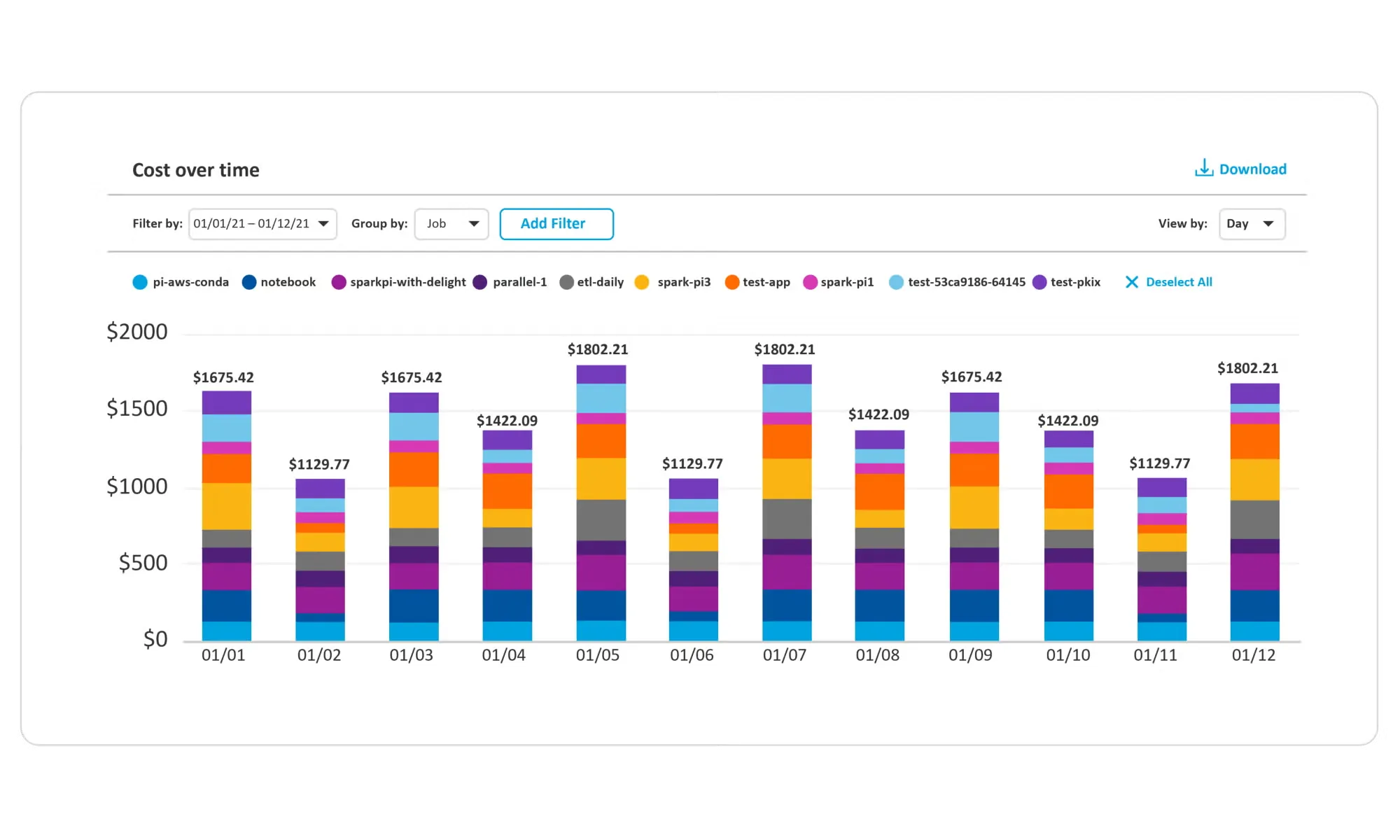
- Cost analysis and integrations: Breaks down compute, storage, and network costs for chargeback, integrates with VPA and HPA, and supports Terraform, kOps, eksctl, CloudFormation, and API configuration.
Limitations (as reported by users on PeerSpot):
- Dense interface: Users describe the UI as dense and sometimes overwhelming for new users, and suggest more guided onboarding for advanced features.
- Kubernetes insight granularity: Some users note that Kubernetes-level detail is missing in certain areas for EKS clusters.
- Cloud coverage: Reviewers mention a lack of support for Oracle Cloud Infrastructure (OCI).
- Kubernetes expertise required: Users note that teams need Kubernetes experience to get value from the product.
Source: Flexera
Pod Rightsizing and Cost Visibility Tools
5. PerfectScale by DoiT
Built for: Teams combining workload rightsizing with node insights
Strengths: Podfit rightsizing, Infrafit node insights, revision awareness
Things to consider: Node recommendations skip disk and network needs
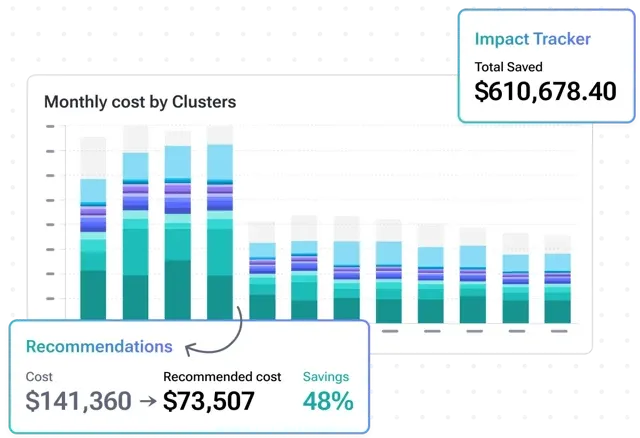
PerfectScale by DoiT analyzes resource usage patterns and configurations across Kubernetes clusters, then either recommends workload right-sizing or applies it autonomously. Podfit handles workload sizing, while Infrafit provides node utilization visibility and node recommendations.
The platform deploys via Helm, runs as SaaS or on-premises, and supports AWS, Azure, Google Cloud, OpenShift, Rancher, and private clouds. It works with HPA, KEDA, Karpenter, Cluster Autoscaler, EKS Auto Mode, Fargate, Node Auto Provisioning, and Google Autopilot.
Key features include:
- Autonomous workload right-sizing: Adjusts workload resources continuously based on usage patterns, node and autoscaling configurations, and code changes, including custom workloads such as Spark and Rollouts.
- Revision awareness: Evaluates each new code release and adapts workload configurations so automation does not contradict development changes.
- Horizontal scaling recommendations: Provides recommendations for improving HPA and KEDA configurations.
- Node utilization visibility with Infrafit: Identifies idle node capacity, recommends node types for workloads, and improves bin packing by optimizing pod scheduling.
- Optimization policies: Controls the desired cost and service level of each workload at scale through flexible policy and automation settings.
- Alerts and trend reporting: Prioritizes resilience risks and cost anomalies, sends alerts to Slack, Datadog, MS Teams, and PagerDuty, and tracks cost, waste, and risk trends over time.
- Cost visibility and allocation: Breaks down costs by cluster, node group, namespace, and workload, supports custom grouping by team or environment, and can use billing data with contracted rates.
Limitations (as reported by users on G2):
- Node recommendation gaps: Users report that the machine recommendation engine does not account for disk types or network throughput requirements.
- Bursty workloads: Some users found pod-level recommendations misleading for workloads with frequent usage peaks, leading them to disable the feature in those cases.
- Grouping configuration: Reviewers describe some grouping-related configurations as overly complex.
- UI performance at scale: Some users note that pages can take a long time to render depending on the number and type of workloads.
- Limited data views: Users mention that graphs cannot be viewed in tabular form, which makes tracking costs over specific timeframes harder.
Source: PerfectScale
6. StormForge by CloudBolt

Built for: Teams focused on pod rightsizing alongside existing HPA
Strengths: Joint HPA and VPA tuning, in-place resizing, JVM tuning
Things to consider: Optimizes pods only; node scaling relies on other tools
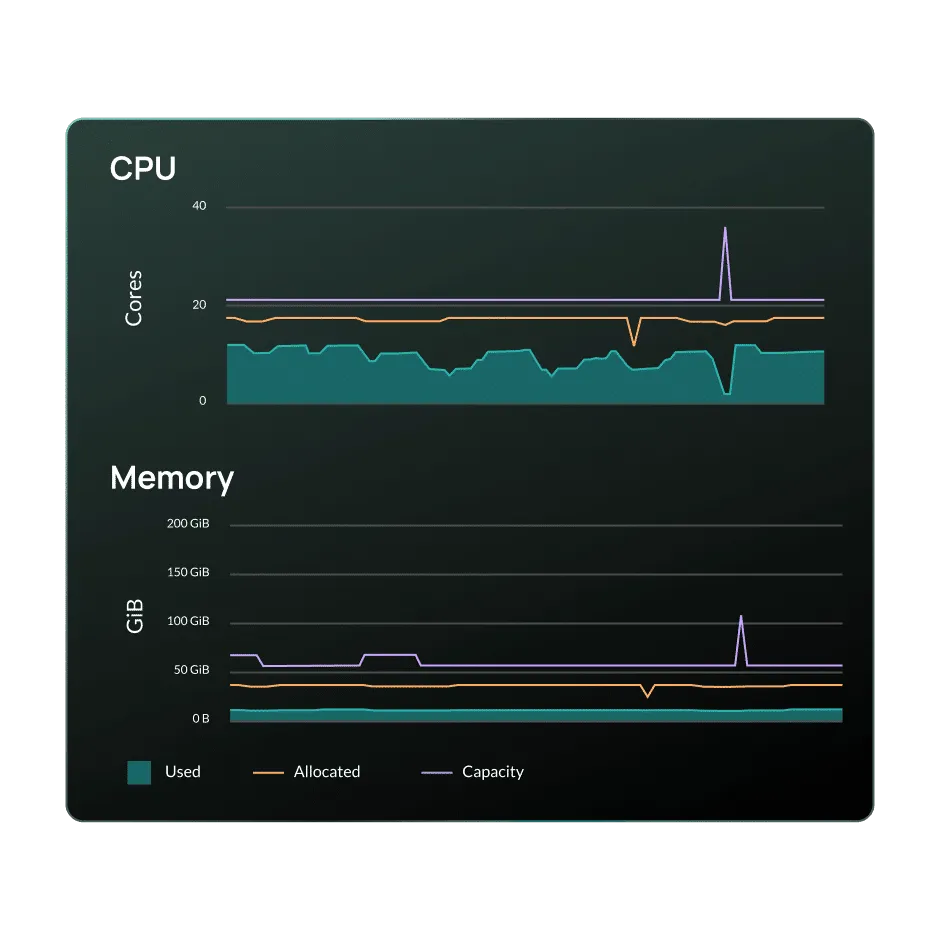
StormForge, now part of CloudBolt, continuously rightsizes CPU and memory requests and limits for Kubernetes workloads using ML forecasting. It adjusts container requests and HPA target utilization together, applying them as a single change to preserve existing scaling behavior.
StormForge uses a hybrid architecture. An agent runs inside the cluster, collecting metrics every 15 seconds and applying recommendations locally, while the ML control plane and web interface are SaaS-hosted. Recommendations can be applied manually, automatically, or through CI/CD.
Key features include:
- Bi-dimensional autoscaling: Updates CPU and memory requests and recalculates HPA target utilization in one recommendation, so vertical and horizontal scaling do not conflict.
- In-place pod resizing: Resizes running pods without restarts, with an Immediate rollout that falls back to a controlled restart when needed and a Hybrid rollout that defers changes to the next deployment.
- Policy-based configuration: Uses custom resources with layered defaults from cluster to namespace to workload, per-container control, and support for GitOps tools such as Argo CD and Flux.
- Custom workload and CRD optimization: Optimizes Argo Rollouts, custom controllers, and operator-managed custom resources, with built-in rollout validation.
- JVM optimization: Analyzes JVM metrics and recommends max heap settings alongside container requests and limits.
- ML forecasting and enterprise visibility: Predicts resource needs from seasonal trends and HPA behavior, and shows optimization opportunities and realized savings across clusters, namespaces, and workloads.
Limitations (based on publicly available sources):
- Pod-level scope: StormForge optimizes pod resource settings, while node optimization relies on separate tools such as Karpenter.
- Initial learning period: Recommendations can only be applied manually during the first 7 days after installation.
- SaaS dependency: The web application and ML control plane are SaaS-hosted, which may not suit environments that require fully self-hosted tooling.
- Restarts in some cases: When an in-place resize cannot be applied, the change falls back to a pod restart or waits for the next deployment.
Source: CloudBolt
7. IBM Kubecost
Built for: Teams needing Kubernetes cost allocation and showback
Strengths: Cost allocation, request sizing actions, budgets, and alerts
Things to consider: Free tier capped at 250 cores and 15-day retention
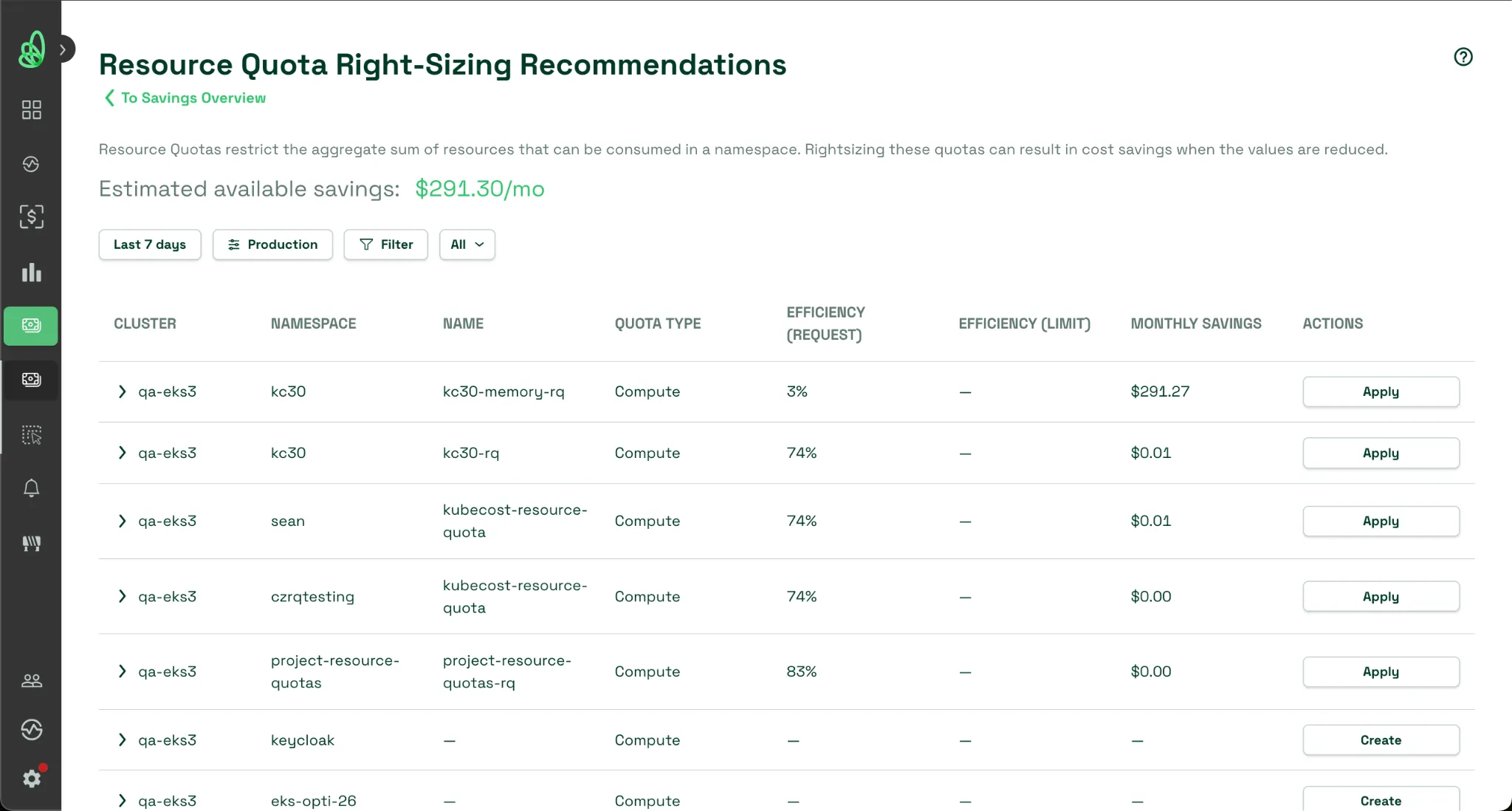
IBM Kubecost, part of IBM Apptio, provides real-time Kubernetes cost visibility, allocation, optimization, and governance. It breaks down spend by any Kubernetes object and reconciles it with the cloud bill for showback and chargeback.
Kubecost uses real usage data to surface over-provisioned workloads across clusters, containers, nodes, and storage, and can turn recommendations into automated actions. It is available as a free Foundations edition, Enterprise Self-hosted, and Enterprise Cloud.
Key features include:
- Cost allocation and bill reconciliation: Shows real-time costs across clusters, teams, namespaces, workloads, and shared resources, and reconciles them with cloud provider bills.
- Multi-environment monitoring: Operates across multi-cloud, hybrid, and on-premises Kubernetes, combining native cloud billing with custom pricing.
- Optimization insights: Identifies over-provisioned workloads across containers, nodes, and storage using real usage data.
- Automated actions: Converts recommendations into automated actions such as automated request sizing and namespace turndown.
- Governance and forecasting: Supports budgets, forecasting, anomaly detection, spend drift alerts, and role-based access and reporting.
- Enterprise capabilities: Enterprise editions add a unified multi-cluster view, unlimited metric retention, custom pricing, RBAC, Resource Quota automations, and enhanced GPU optimization.
Limitations (based on publicly available sources):
- Free tier limits: The Foundations edition is limited to clusters up to 250 cores, 15-day metric retention, and community support.
- Multi-cluster view in paid editions: A unified, multi-cluster view is part of the Enterprise editions rather than the free tier.
- Terminology for finance users: Reviewers note that technical terms can be confusing for non-technical finance users.
- Multi-cloud depth: Some reviewers report that multi-cloud coverage is less detailed than the core Kubernetes cost visibility.
Source: IBM
8. OpenCost

Built for: Teams wanting free, open source Kubernetes cost allocation
Strengths: Container-level allocation, cloud billing APIs, Prometheus
Things to consider: Monitoring only; no automated rightsizing or node actions
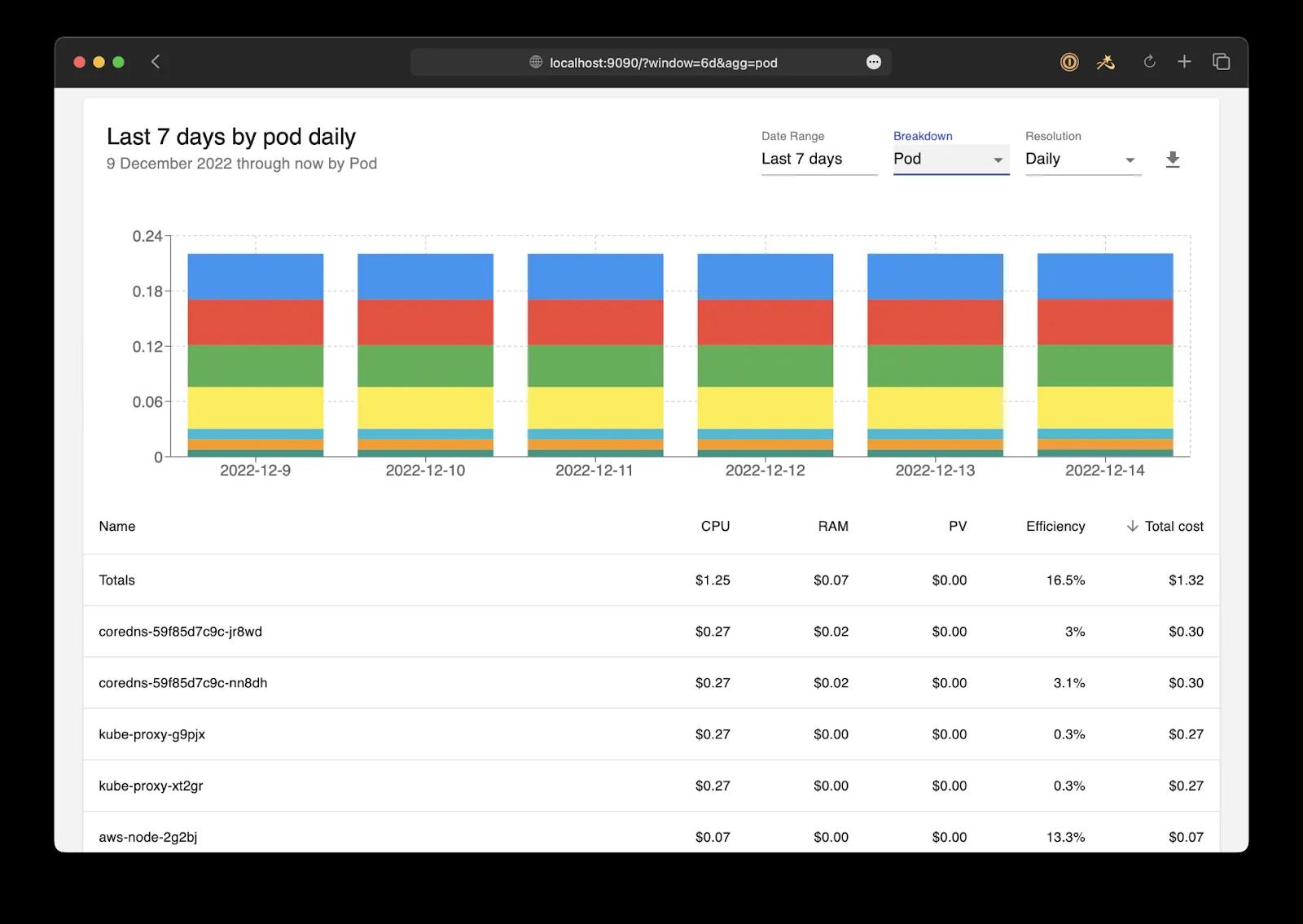
OpenCost is a vendor-neutral open source project for measuring and allocating cloud infrastructure and container costs in real time. It is a Cloud Native Computing Foundation (CNCF) incubating project.
OpenCost breaks down costs by Kubernetes concepts down to the container level, pulls pricing from AWS, Azure, and GCP billing APIs, and supports custom pricing for on-premises clusters. It is free and maintained by a community of Kubernetes practitioners.
Key features include:
- Real-time cost allocation: Breaks down costs by Kubernetes concepts to the container level for showback, chargeback, and ongoing reporting.
- Dynamic asset pricing: Integrates with AWS, Azure, and GCP billing APIs, and supports custom pricing for on-premises Kubernetes clusters.
- In-cluster resource allocation: Allocates costs for CPU, GPU, memory, load balancers, and persistent volumes.
- Out-of-cluster cost monitoring: Tracks cloud provider resources outside the cluster, such as object storage, databases, and other managed services.
- Open source tool integrations: Exports pricing data to Prometheus and integrates with other open source tooling.
Limitations (based on publicly available sources):
- No built-in optimization actions: OpenCost focuses on cost monitoring and allocation and does not automate rightsizing or node changes.
- Prometheus dependency: OpenCost requires Prometheus for resource metrics, and Prometheus retention determines how much historical data is available.
- Multi-cluster setup effort: Multi-cluster reporting requires one OpenCost instance per cluster, a shared metrics backend, and careful cluster ID configuration.
- Data freshness: Cost data depends on Prometheus scrape intervals and cloud billing API latency, so updates can lag by minutes to hours.
Source: OpenCost
Conclusion
Achieving effective Kubernetes cost optimization requires addressing both pod-level demand and node-level infrastructure supply. Right-sizing container resource requests prevents over-provisioning, while intelligent bin packing and automated node consolidation eliminate idle capacity. By implementing continuous monitoring alongside automated scaling and management, organizations can maintain application performance and reliability while significantly reducing overall cloud infrastructure expenses.