Product Overview: Sed AI Assistant & MCP Integration
What is Sed, Sedai's AI assistant?
Sed is Sedai's new AI assistant that provides a conversational interface for cloud optimization. It allows users to ask questions about their cloud environment—such as cost drivers, savings opportunities, and resource configurations—and receive actionable answers, including charts and visualizations. Unlike most AI assistants that stop at insights, Sed can also take direct action, such as adjusting resource settings, managing resource groups, and guiding onboarding for new accounts or clusters. Note: Sed is currently in early access, and some advanced features (like a full report builder) are on the roadmap. Learn more about Sed.
What is Sedai's Model Context Protocol (MCP) integration?
Sedai's Model Context Protocol (MCP) integration is a standardized interface that allows other agents and tools—such as Claude Code, Copilot, or internal automation—to connect directly to Sedai and use its capabilities. Every skill and tool built for Sed is exposed as an MCP tool, so the same actions available in Sed's conversational interface can be accessed programmatically by other agents. This enables agent-to-agent and agent-to-system workflows without the need for custom API integrations. Note: MCP is in early access, and capabilities will expand as Sed's feature set grows.
Features & Capabilities
What can Sed do at launch?
At launch, Sed can answer questions about cloud cost and usage, surface optimization opportunities, adjust resource settings, manage resource groups, show savings achieved by Sedai, build lightweight reports and visualizations, and guide onboarding for new accounts or clusters. As Sed's capabilities expand, features like a full report builder and deeper onboarding automation are planned. Note: Some advanced features are not yet available in early access.
How does Sed differ from other AI assistants for cloud management?
Most AI assistants for cloud management provide insights or recommendations but require users to take manual action. Sed is designed to both answer questions and take direct action from the same conversational interface, such as adjusting resources or onboarding new clusters. Additionally, Sed's skills are available via MCP for integration with other agents and tools, ensuring no feature is locked inside the Sedai UI. Note: Sed is in early access, and some features are still being developed.
What integrations does Sedai support?
Sedai integrates with 12 APMs (including Prometheus, Datadog, AWS CloudWatch, Azure Monitor, and Google Cloud Monitoring), Kubernetes autoscalers (HPA/VPA, Karpenter), IaC and CI/CD tools (GitHub, GitLab, Bitbucket, Terraform), ITSM tools (ServiceNow, PagerDuty, Jira), notification platforms, runbook automation, and optimizes resources across AWS, Azure, and GCP. Note: Integration coverage may vary by feature and environment; check documentation for details. See full integration list.
What security and compliance certifications does Sedai have?
Sedai is SOC 2 certified, demonstrating adherence to stringent security and data protection standards. This certification ensures compliance with industry requirements for handling sensitive information. For more details, visit the Sedai Security page. Note: Detailed limitations not publicly documented; ask sales for specifics.
Use Cases & Benefits
Who can benefit from using Sed and Sedai's MCP integration?
Sed and MCP are designed for cloud operations managers, FinOps leads, technology leaders (CTO, CIO, VP Engineering), SREs, and platform engineers. These users benefit from faster answers to cloud questions, actionable optimization, reduced operational toil, and the ability to integrate Sedai's capabilities into their own automation workflows. Note: Early access may limit some advanced use cases; contact Sedai for roadmap details.
What problems does Sedai solve for cloud teams?
Sedai addresses runaway cloud costs (up to 50% reduction), performance bottlenecks (up to 75% latency reduction), operational toil (up to 6X productivity gains), and complexity in multi-cloud environments. Sedai's autonomous optimization and proactive issue resolution help teams focus on innovation rather than manual operations. Note: Best fit for teams seeking autonomous optimization; teams requiring highly customized manual workflows may want to evaluate fit during a trial.
What business impact can customers expect from Sedai?
Customers using Sedai have achieved up to 50% reduction in cloud costs, up to 75% reduction in latency, up to 70% reduction in failed customer interactions, and up to 6X productivity gains for engineering teams. These outcomes are based on real customer case studies, such as KnowBe4 (50% cost savings, 99.5% reduction in response time) and Palo Alto Networks ($3.5 million saved). Note: Results may vary by environment and implementation; see case studies for details. See case studies.
Implementation & Support
How long does it take to implement Sedai and start using Sed?
Initial setup for Sedai can be completed in as little as 15 minutes using agentless or agent-based deployment. For AI Agent Optimization, implementation typically takes two to three weeks. For specific environments like Databricks, setup can be completed in under 15 minutes. Note: Implementation time may vary based on environment complexity and integration needs.
What support and documentation are available for Sed and MCP?
Sedai provides comprehensive onboarding guides, technical documentation for Kubernetes, Databricks, and GPU optimization, as well as personalized onboarding sessions and a community Slack channel for real-time assistance. Documentation is available at docs.sedai.io/get-started. Note: Some advanced documentation for Sed and MCP may be updated as features move from early access to general availability.
Pricing & Plans
How is Sedai priced?
Sedai uses resource-based pricing, determined by the resources optimized and the value delivered. For Kubernetes environments, tailored pricing is available. All costs are transparently outlined on the Sedai pricing page, with no hidden fees. Discounts from cloud billing accounts (e.g., Reserved Instances, Savings Plans) are factored into cost and savings calculations. Note: For specific pricing on Sed and MCP, contact Sedai sales as these features are in early access.
Customer Proof & Case Studies
What are some real-world success stories with Sedai?
KnowBe4 achieved up to 50% cost savings and a 99.5% reduction in response time using Sedai for AWS Lambda. Palo Alto Networks saved $3.5 million through Sedai's optimization. Belcorp reduced AWS Lambda latency by 77%, and Campspot achieved a 34% reduction in latency. For more details, see Sedai's case studies. Note: Results are based on specific customer environments; outcomes may vary.
Limitations & Roadmap
Are there any limitations to Sed or MCP that users should be aware of?
Sed and MCP are currently in early access, which means some advanced features (such as a full report builder and deeper onboarding automation) are not yet available. Feature coverage and integration depth may vary by environment. For the latest roadmap and feature availability, contact Sedai or request a demo. Note: Early access status may limit suitability for production-critical workflows; evaluate with a trial before broad deployment.
KO THE CLOUD TO ENTER OUR GIVEAWAYKO THE CLOUD TO ENTER OUR GIVEAWAY
Meet Sed: Sedai's New AI Assistant Brings Conversation (and Action) to Cloud Optimization
Ethan Andyshak
VP of Product
August 6, 2026
Featured
Knowledge about your cloud and AI infrastructure today is scattered. At many organizations, cost data exists in one tool, optimization opportunities in another, and resource configuration somewhere else, with different teams each holding a piece of the picture. The result: getting a straight answer (and acting on it) is harder than it should be.
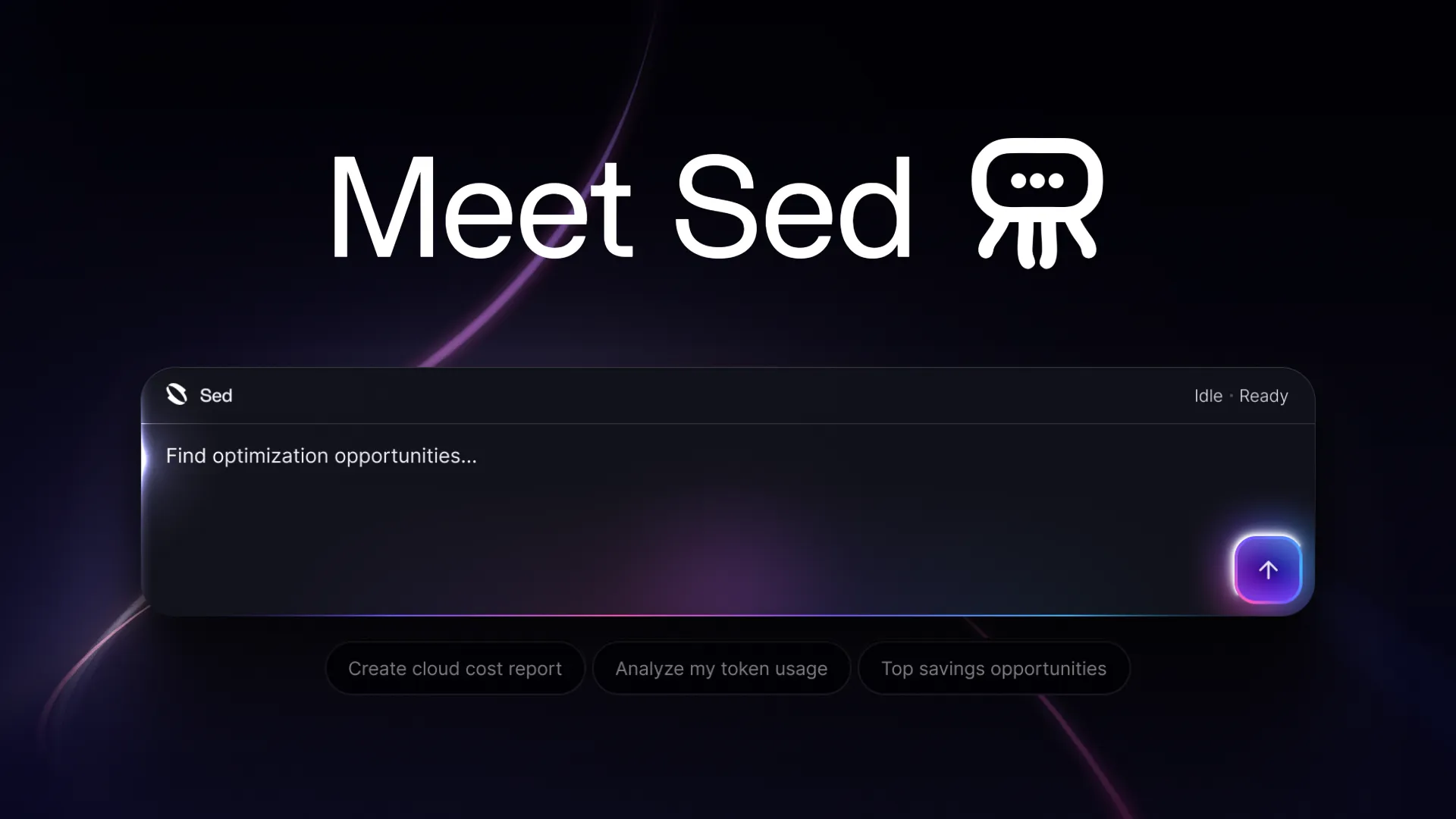
Today we're introducing Sed, Sedai's new AI assistant, along with Sedai's Model Context Protocol (MCP) integration. Together, they bring a conversational front door to the Sedai platform, with visibility across a customer's entire cloud environment, and extending that same capability into the agents and tools your team already uses.
Ask a Question, or Ask It to Act
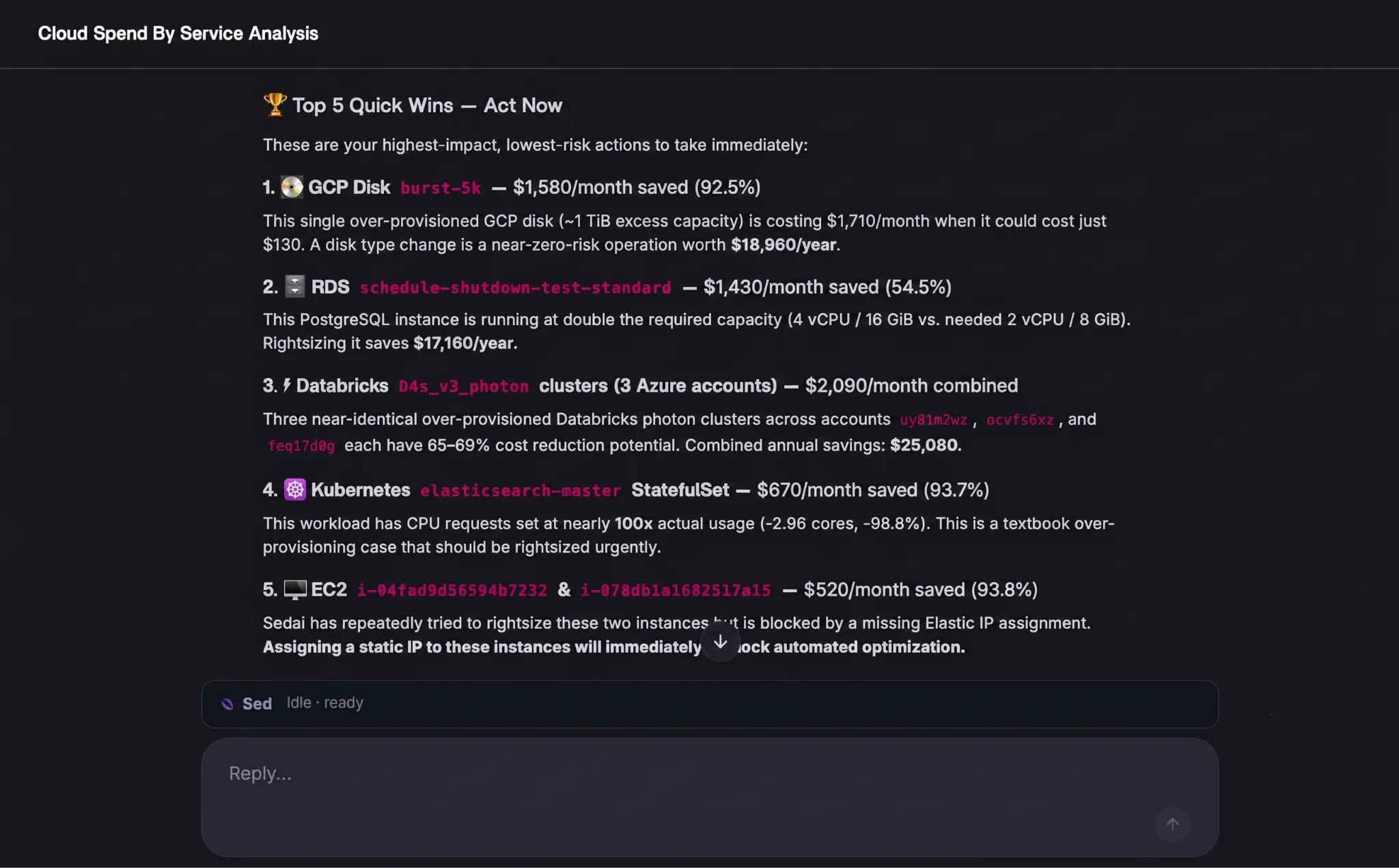
Sed puts a conversational interface directly into the product. Ask it what's driving your costs, where your best savings opportunities are, or how much Sedai has already saved you, and it answers — even with the same charts and visualizations you'd otherwise build by hand.
Ask it to adjust resource settings, create or manage resource groups, or help you get a new account or cluster onboarded, and it gets to work.
That's key to what makes Sed different from other natural-language AI assistants: most stop at insights. Sed goes further — it takes action, from the same conversational surface where you asked the question.
At launch, Sed can help with:
Cost & Usage Q&A — answers about cost and usage, now available conversationally
Opportunity Insights — surfacing and answering questions about optimization opportunities
Resource Settings & Group Management — adjusting settings, adding or removing resources from groups, creating dynamic groups
Savings Q&A — show what Sedai has already saved you, on demand
Lightweight Report Building — a quick line chart or visualization to back up an answer, on the fly
Guided Account/Cluster Onboarding — pointing you toward the right place to add a new account or cluster
Some of these will keep growing in scope over time — a full report builder and deeper onboarding automation are on the roadmap — but even this first release reflects the shift we're making: from a platform you operate, to one you can simply ask.
One Capability Layer, Two Surfaces: Introducing MCP
Alongside Sed, we're launching Sedai's MCP integration. We're launching these together deliberately, because the two are built on the same foundation.
Every skill and tool built for Sed is exposed as an MCP tool at the same time. That means the exact same capabilities Sed offers conversationally inside Sedai are available to plug directly into your own agents — Claude Code, Copilot, or your own internal tooling — without a custom-built integration.
MCP is a standardized way for agents to connect to Sedai and use its capabilities directly. As agent-to-agent and agent-to-system workflows become how more of this work gets done, MCP is the interface that lets your agents plug into Sedai and pull information or take action, in a much more free-form way than hand-building matching API schemas ever allowed.
Because Sed and MCP share one underlying tools/skills library, this isn't a separate roadmap. As Sed gains new capabilities, they show up in MCP automatically — nothing is locked inside the Sedai UI, and nothing lags behind.
What's Next
Sed's initial release is an early, deliberate step toward a bigger vision: a product homepage that surfaces the right information proactively, backed by a chat experience that can pull in the right piece of UI or resolve a task directly, rather than forcing you to choose between chat and a traditional interface. This launch is a start, not the end.
See What Sed Can Do
Sed and Sedai’s MCP Integration are currently in early access, with general availability coming soon. Book a demo to get started!
Introducing the Sedai Karpenter Migration Assistant: Move to Karpenter Without the Risk
Karpenter is the better way to provision EKS nodes, but migrating safely is hard. Sedai's new Migration Assistant automates the cutover, with a pre-flight compatibility check and automatic rollback if anything goes wrong.
Introducing Kubernetes Pod Interceptor: Optimize Without Fighting Your Pipeline
Sedai is introducing Pod Interceptor and Smart Scheduler — two changes to how Sedai executes and schedules on Kubernetes, so the optimization you've already identified actually lands, without fighting your GitOps pipeline or waiting on a manual consolidation step.
See the Full Picture: Introducing the Resource Lifecycle Dashboard
Sedai already gives you deep visibility into individual resources, opportunities, and savings. Now we're providing a single place to step back and understand your entire environment at a glance.
Announcing Cloud Savings Reporting You Can Defend in Any Room
Sedai's new savings and impact dashboards bring a new level of sophistication to how cloud value is calculated and communicated — with accuracy and transparency that no other optimization platform comes close to matching.




.webp%3Fv%3D2026-09-09T13%253A03%253A46.445Z&w=3840&q=75)


